
Table of Contents




 SoftCOM by Integrated Software Technologies Inc.
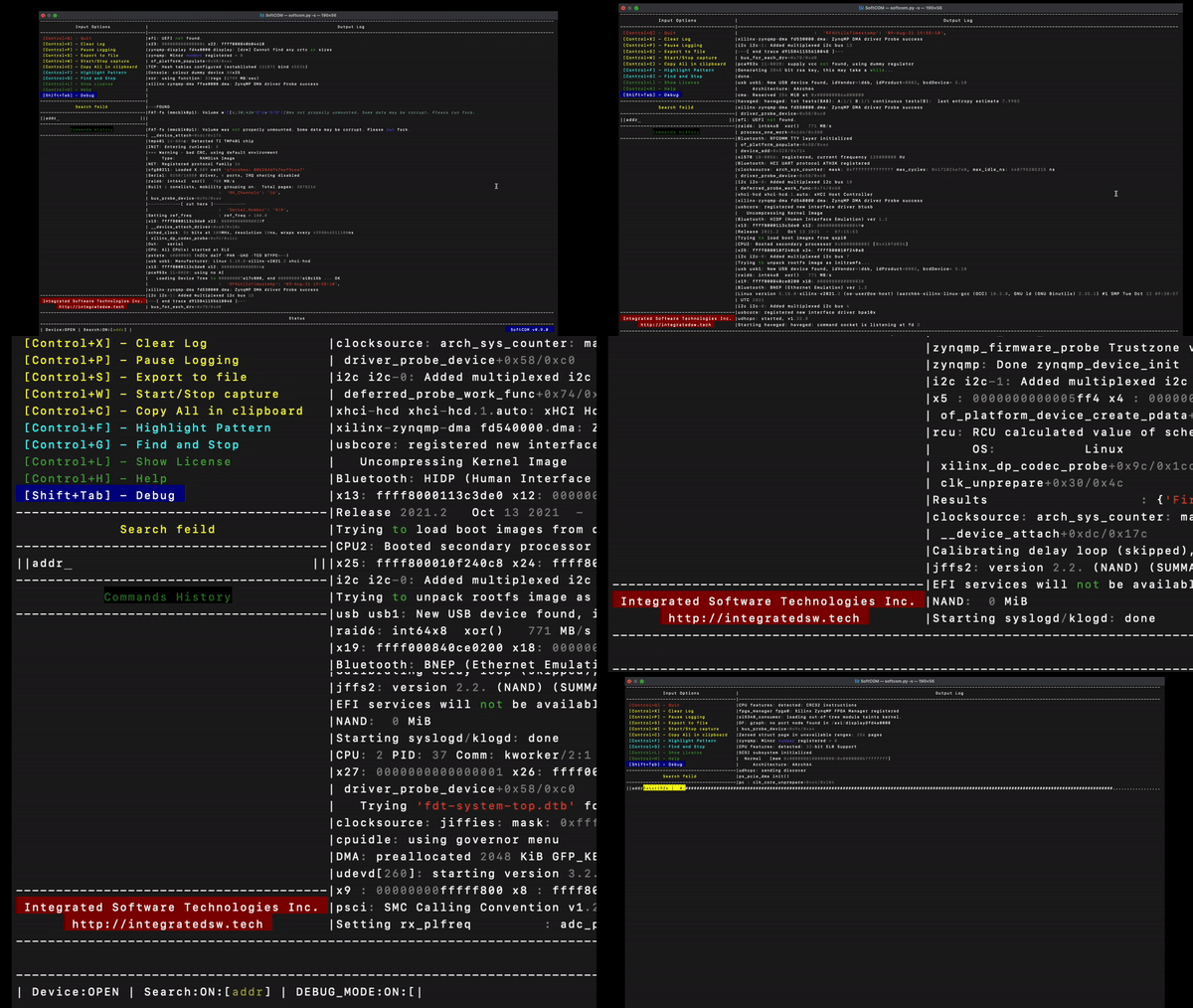
About The Project
SoftCOM is a free software for accessing the serial port. Please reed the license agreement for more details.
Supported Operating-Systems
- Microsoft Windows v10 64-bit
- MacOS Monterey v12.2.1
- Ubuntu 20.04
- RedHat 8.5
Built With
This section should list any major frameworks/libraries used to bootstrap your project. Leave any add-ons/plugins for the acknowledgements section. Here are a few examples.
Getting Started
This is an example of how you may give instructions on setting up your project locally. To get a local copy up and running follow these simple example steps.
Installation
Below is an example of how you can instruct your audience on installing and setting up your app. This template doesn't rely on any external dependencies or services.
- Clone the repo
git clone https://github.com/mathieeo/softcom.git
- Install virtual environment
pip install virtualenv
- Run virtual
virtualenv venv && source venv/bin/activate
- Install requirements
pip install -r requirements.txt
Usage
From the terminal (Console) cd to the project directory from there execute the following command:
python3.10 softcom.py
Application arguments:
| Argument | pram | Description |
|---|---|---|
| --simulator | -s | Run in simulator mode |
| --config | -c | re-configure serial port |
in-app Options:
| Option | Key | Description |
|---|---|---|
| Quit | Control+Q | Quit the application |
| Clear Log | Control+X | Clears the output log |
| Pauses Log | Control+P | Pause the output logging |
| Export to File | Control+S | Export the output log to a file |
| Start/Stop Capture | Control+W | Start the capture mode. Save portion of output log. |
| Copy to Clipboard | Control+C | Copy the entire log to the clipboard |
| Highlight Pattern | Control+S | Search and find for a specific string |
| Find and Stop | Control+G | Search and find for a specific string and stop if found. |
| Show License | Control+L | Show the license for this application. |
| Help | Control+H | Used to show help string. |
| Debug | Shift+Tab | Used for debuting. |
Roadmap
- Add Changelog
- Add back to top links
- Add Additional Templates w/ Examples
- Add "components" document to easily copy & paste sections of the readme
See the open issues for a full list of proposed features (and known issues).
Contributing
Contributions are what make the open source community such an amazing place to learn, inspire, and create. Any contributions you make are greatly appreciated.
If you have a suggestion that would make this better, please fork the repo and create a pull request. You can also simply open an issue with the tag "enhancement". Don't forget to give the project a star! Thanks again!
- Fork the Project
- Create your Feature Branch (
git checkout -b feature/AmazingFeature) - Commit your Changes (
git commit -m 'Add some AmazingFeature') - Push to the Branch (
git push origin feature/AmazingFeature) - Open a Pull Request
License
Distributed under the GNU GPLv3 License. See LICENSE for more information.
Contact
Matthew - eMail
Project Link: SoftCOM

1 maintainer

Metadata
1 maintainer
Release files for SoftCOM 1.6.1
For a detailed explanation of source distributions (sdists) and built distributions (wheels), please see the package formats documentation.
Source distribution (sdist)
| File | Size | Uploaded | |
|---|---|---|---|
| softcom-1.6.1.tar.gz | 108.8 kB | Details |
Built distribution (wheel)
| File | Interpreter | ABI | Platform | Reset |
|---|---|---|---|---|
| softcom-1.6.1-py3-none-any.whl | Python 3 | none | any | Details |
Total release size: 189.9 kB
Release files / softcom-1.6.1.tar.gz
| Download URL | softcom-1.6.1.tar.gz |
|---|---|
| Size | 108.8 kB |
| Tags | Source |
|
SHA-256 checksum How to use checksums |
b7a1d42922985e2333912e5d90c8258103bcfdd8a12f88882b91976182036d41
|
|
BLAKE2b-256 checksum How to use checksums |
9fc5889b71ee4f5682260245d6ac6eac288a0c873fcbb321dbcf26d3478a621f
|
| Upload date | |
|
Uploaded using Trusted Publishing? What is trusted publishing? |
No |
| Uploaded via |
twine/6.1.0 CPython/3.8.2
|
Release files / softcom-1.6.1-py3-none-any.whl
| Download URL | softcom-1.6.1-py3-none-any.whl |
|---|---|
| Size | 81.2 kB |
| Tags | Python 3 |
|
SHA-256 checksum How to use checksums |
3b9bcd49207efcfcafdae8511c9e489c8ecad76a195164ed3b7d77128b54af20
|
|
BLAKE2b-256 checksum How to use checksums |
11c899b3e8bf2796c6f10d2d33a71d6f8beabfef0549bb528b7cf254d188f49b
|
| Upload date | |
|
Uploaded using Trusted Publishing? What is trusted publishing? |
No |
| Uploaded via |
twine/6.1.0 CPython/3.8.2
|














