
som-pbc README


A simple self-organizing map implementation in Python with periodic boundary conditions.
Self-organizing maps are also called Kohonen maps and were invented by Teuvo Kohonen.[1] They are an unsupervised machine learning technique to efficiently create spatially organized internal representations of various types of data. For example, SOMs are well-suited for the visualization of high-dimensional data.
This is a simple implementation of SOMs in Python. This SOM has periodic boundary conditions and therefore can be imagined as a “donut”. The implementation uses numpy, scipy, scikit-learn and matplotlib.
Installation
som-pbc can be installed from pypi using pip:
pip install som-pbc
To upgrade som-pbc to the latest version, run:
pip install --upgrade som-pbc
Usage
Then you can import and use the SOM class as follows:
import numpy as np
from som import SOM

# generate some random data with 36 features
data1 = np.random.normal(loc=-.25, scale=0.5, size=(500, 36))
data2 = np.random.normal(loc=.25, scale=0.5, size=(500, 36))
data = np.vstack((data1, data2))

som = SOM(10, 10)  # initialize a 10 by 10 SOM
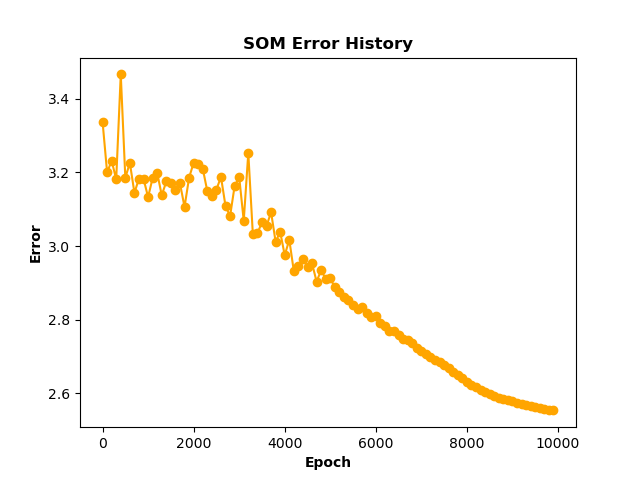
som.fit(data, 10000, save_e=True, interval=100)  # fit the SOM for 10000 epochs, save the error every 100 steps
som.plot_error_history(filename='images/som_error.png')  # plot the training error history

targets = np.array(500 * [0] + 500 * [1])  # create some dummy target values

# now visualize the learned representation with the class labels
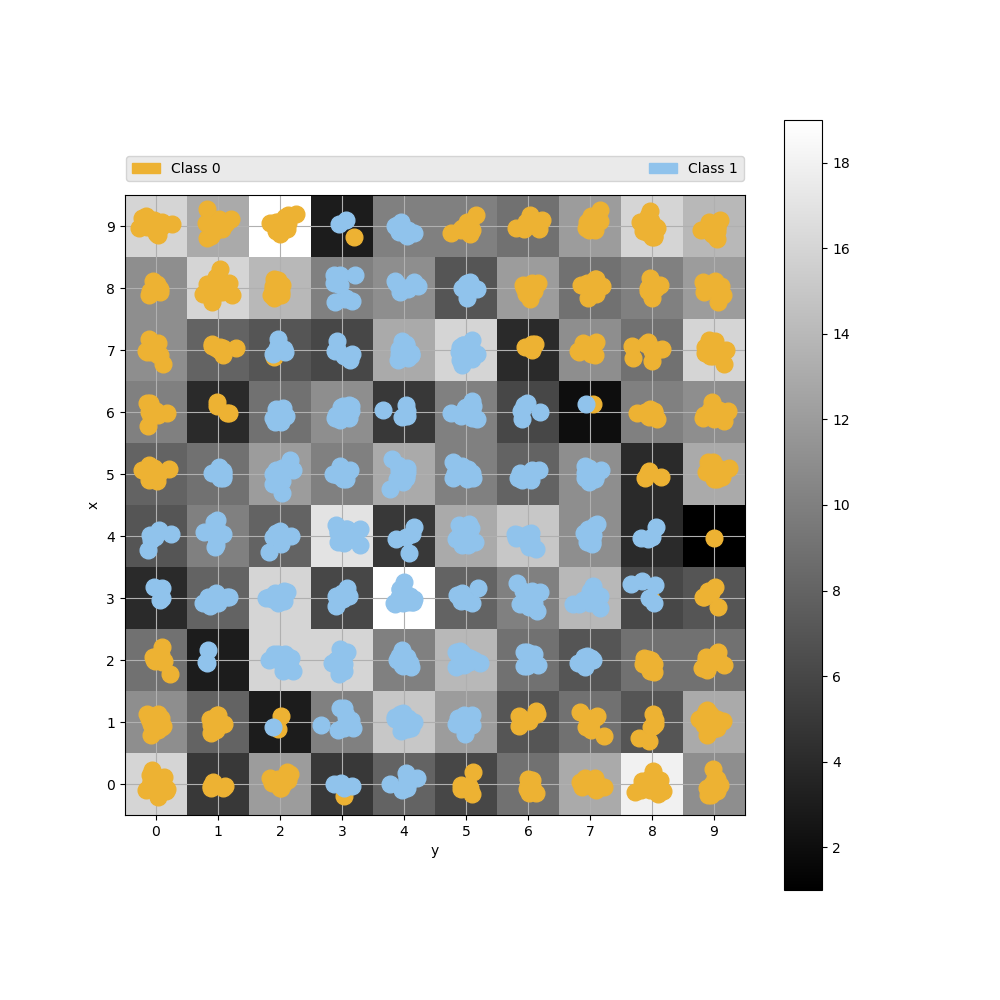
som.plot_point_map(data, targets, ['Class 0', 'Class 1'], filename='images/som.png')
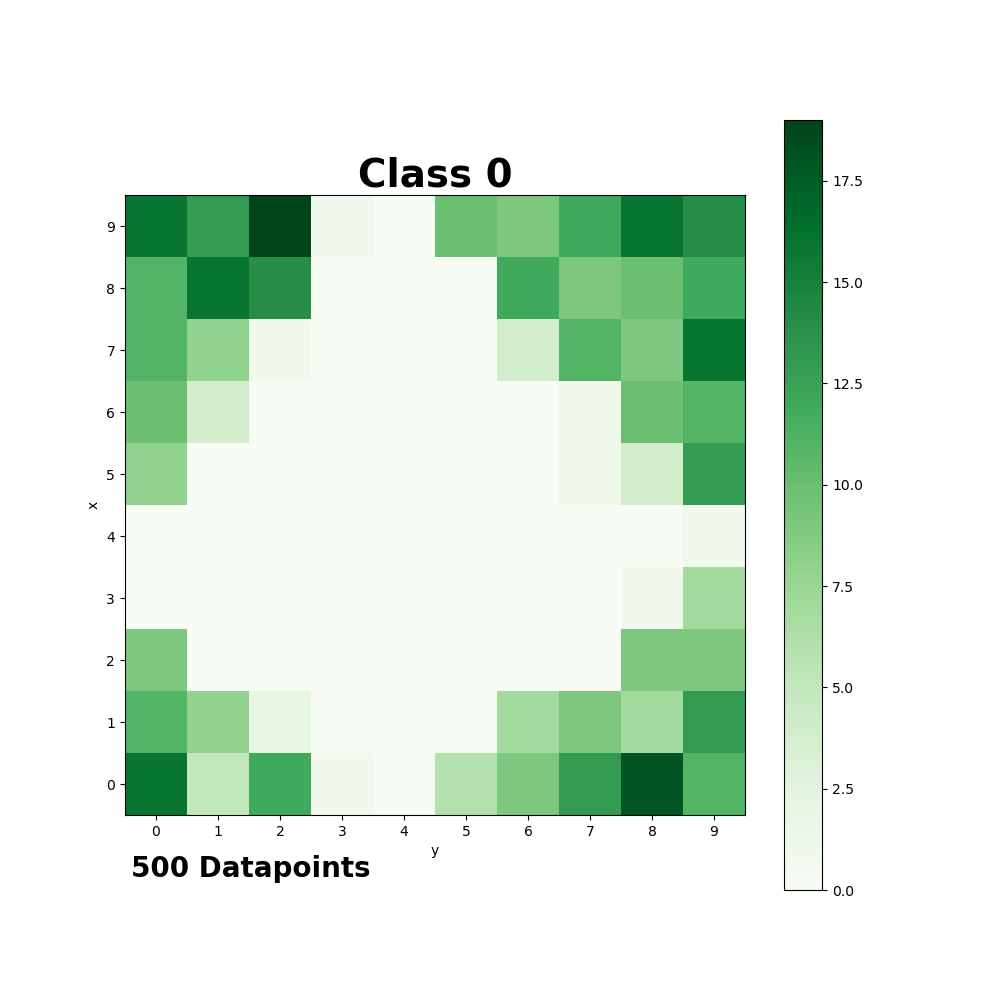
som.plot_class_density(data, targets, t=0, name='Class 0', colormap='Greens', filename='images/class_0.png')
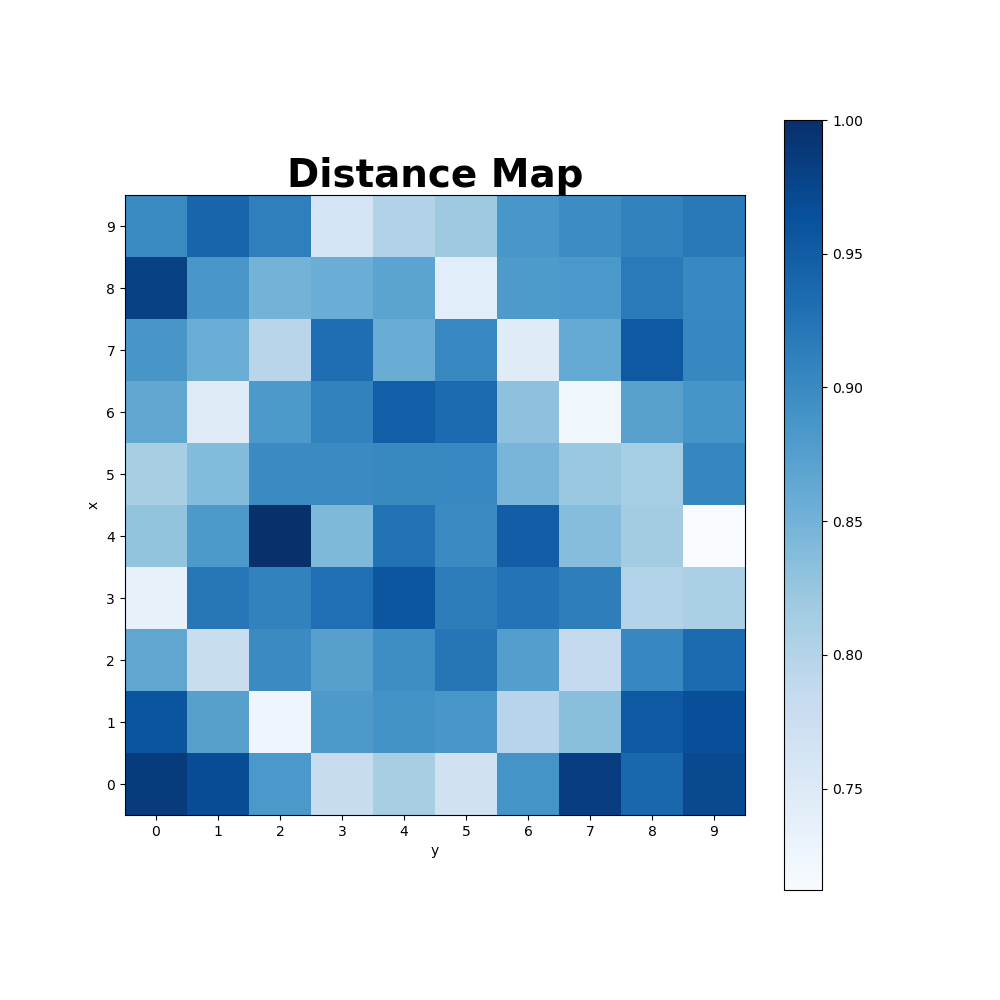
som.plot_distance_map(colormap='Blues', filename='images/distance_map.png')  # plot the distance map after training

# predicting the class of a new, unknown datapoint
datapoint = np.random.normal(loc=.25, scale=0.5, size=(1, 36))
print("Labels of neighboring datapoints: ", som.get_neighbors(datapoint, data, targets, d=0))

# transform data into the SOM space
newdata = np.random.normal(loc=.25, scale=0.5, size=(10, 36))
transformed = som.transform(newdata)
print("Old shape of the data:", newdata.shape)
print("New shape of the data:", transformed.shape)
Training Error:
Point Map:
Class Density:
Distance Map:
The same way you can handle your own data.
Methods / Functions
The SOM class has the following methods:
initialize(data, how='pca'): initialize the SOM, either via Eigenvalues (pca) or randomly (random)
winner(vector): compute the winner neuron closest to a given data point in vector (Euclidean distance)
cycle(vector): perform one iteration in adapting the SOM towards the chosen data point in vector
fit(data, epochs=0, save_e=False, interval=1000, decay='hill'): train the SOM on the given data for several epochs
transform(data): transform given data in to the SOM space
distance_map(metric='euclidean'): get a map of every neuron and its distances to all neighbors based on the neuron weights
winner_map(data): get the number of times, a certain neuron in the trained SOM is winner for the given data
winner_neurons(data): for every data point, get the winner neuron coordinates
som_error(data): calculates the overall error as the average difference between the winning neurons and the data
get_neighbors(datapoint, data, labels, d=0): get the labels of all data examples that are d neurons away from datapoint on the map
save(filename): save the whole SOM instance into a pickle file
load(filename): load a SOM instance from a pickle file
plot_point_map(data, targets, targetnames, filename=None, colors=None, markers=None, density=True): visualize the som with all data as points around the neurons
plot_density_map(data, filename=None, internal=False): visualize the data density in different areas of the SOM.
plot_class_density(data, targets, t, name, colormap='Oranges', filename=None): plot a density map only for the given class
plot_distance_map(colormap='Oranges', filename=None): visualize the disance of the neurons in the trained SOM
plot_error_history(color='orange', filename=None): visualize the training error history after training (fit with save_e=True)
References:
[1] Kohonen, T. Self-Organized Formation of Topologically Correct Feature Maps. Biol. Cybern. 1982, 43 (1), 59–69.
This work was partially inspired by ramalina’s som implementation and JustGlowing’s minisom.
Documentation:
Documentation for som-pbc is hosted on readthedocs.io.
1 maintainer

Metadata
1 maintainer
Release files for som-pbc 1.0.2
For a detailed explanation of source distributions (sdists) and built distributions (wheels), please see the package formats documentation.
Source distribution (sdist)
| File | Size | Uploaded | Provenance | Actions |
|---|---|---|---|---|
| som-pbc-1.0.2.tar.gz | 10.6 kB | Without provenance | Details for som-pbc-1.0.2.tar.gz |
Release files / som-pbc-1.0.2.tar.gz
| Download URL | som-pbc-1.0.2.tar.gz |
|---|---|
| Size | 10.6 kB |
| Tags | Source |
|
SHA-256 checksum How to use checksums |
05f6c1a9976eb4c2cf85d5dfd92853b0e657056347022b4726302f5e8623a238
|
|
BLAKE2b-256 checksum How to use checksums |
cdb6109919adee957dd89ed8ded78df8293574bcd9161b04bc1b6464d3e5962f
|
| Upload date | |
|
Uploaded using Trusted Publishing? What is trusted publishing? |
No |
| Uploaded via |
Python-urllib/3.7
|
Security for som-pbc 1.0.2
Provenance
Provenance describes where a file came from. On PyPI, provenance is shared via attestations, which provide a verifiable record of the build or publishing details. View details, limitations and caveats.
No provenance found
None of the files in this release were uploaded with provenance metadata.
A note on package security
PyPI is a repository for distributing packages, not a service for auditing them. While third-party security researchers and our staff do their best to detect and remove malicious packages, PyPI cannot guarantee the quality, security or suitability of any given package.
To learn more about protecting yourself from malicious actors, visit our package security documentation.














