
spyse.py


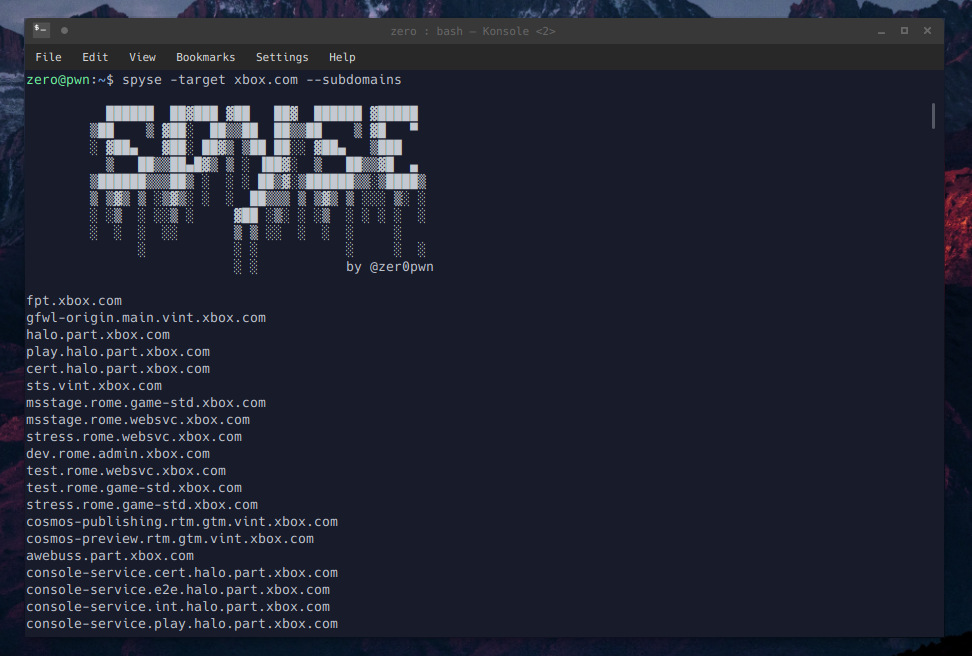
Python API wrapper and command-line client for the tools hosted on spyse.com.
"Spyse is a developer of complete DAAS (Data-As-A-Service) solutions for Internet security professionals, corporate and remote system administrators, SSL / TLS encryption certificate providers, data centers and business analysts. All Spyse online solutions are represented by thematic services that have a single platform for collecting, processing and aggregating information." - spyse.com
Supports the following APIs:
NOTE: This API is currently under active development.
What's New
July 6th 2019
- Query searches.
- Parameter detection.
- Support for the
domains_starts_with*options (library only) - Default parameters.
Installation
pip3 install spyse.py
Updating
pip3 install spyse.py --upgrade
Using the client
Required Arguments
-target
Optional Arguments
-param-page-apikey--raw
What is the param argument?
Spyse allows you to search their database for IPs, IP ranges, domain names, URLs, etc. The parameter argument is meant to specify the type of your input.
As of July 6th 2019, most of the functions do not require you to set a parameter unless you'd like to override the default one.
For example, the default parameter for --domains-on-ip is ip, however you can override this parameter and search by CIDR, or organization instead. You should only need to do this if you're getting an error message, as parameter detection has also been added.
The detection is quite simple:
# detect whether input is cidr or ip or search query (q)
if "/" in args.target:
  param = "cidr"
elif ":" in args.target:
  param = "q"
else:
  param = "ip"
The detection varies from function to function, as certain functions require different default parameters.
List of parameters
cidrdomainippageurlhashq
Using search queries
Much like Shodan, Spyse allows you to use search queries.
spyse -target "org: Microsoft" --ssl-certificates
Searching for subdomains
spyse -target xbox.com --subdomains
Reverse IP Lookup
spyse -target 52.14.144.171 --domains-on-ip
Searching for SSL certificates
spyse -target hotmail.com --ssl-certificates
spyse -target "org: Microsoft" --ssl-certificates
Getting all DNS records
spyse -target xbox.com --dns-all
Manually overriding the parameter argument
spyse -target hackerone.com -param domain --subdomains
Navigating multiple pages using your API key
export SPYSEKEY="yourkeyhere"
spyse -target xbox.com -apikey $SPYSEKEY -page 2 ---ssl-certificates
Piping to jq and aquatone
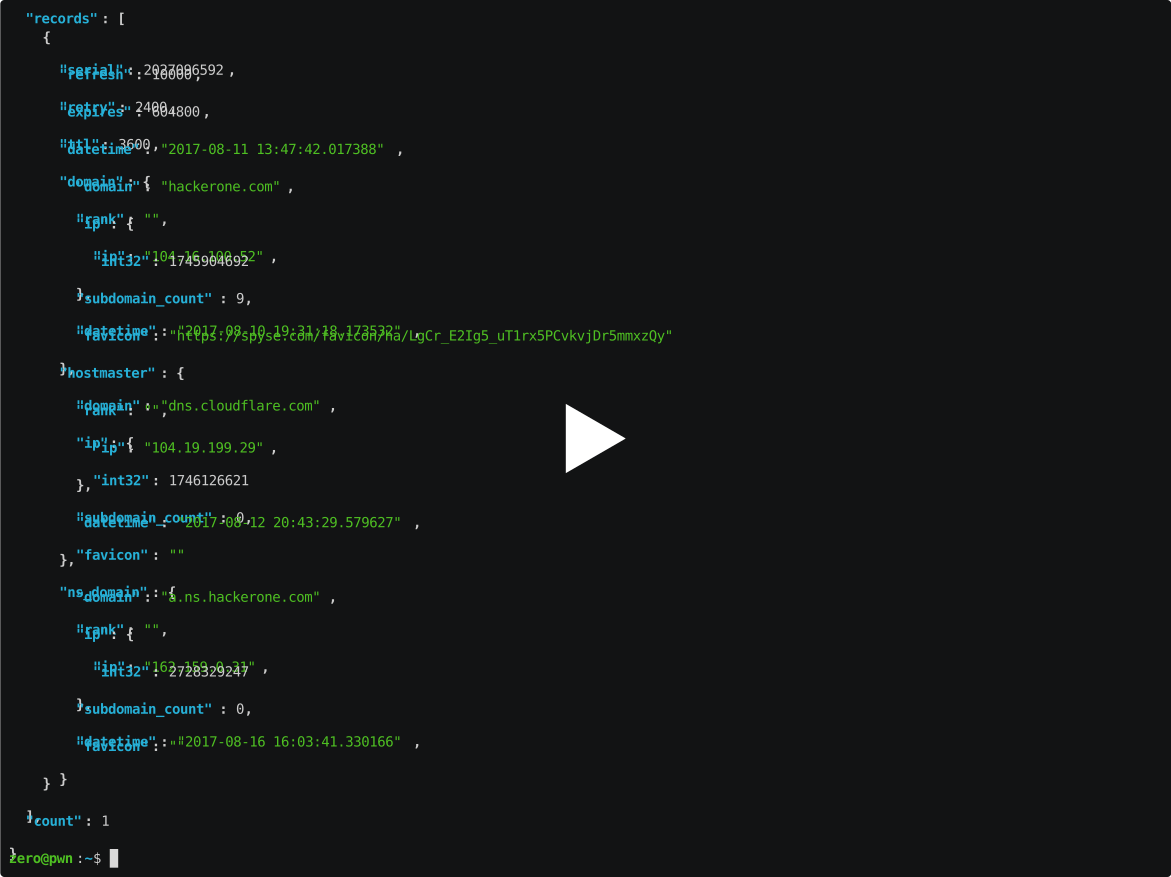
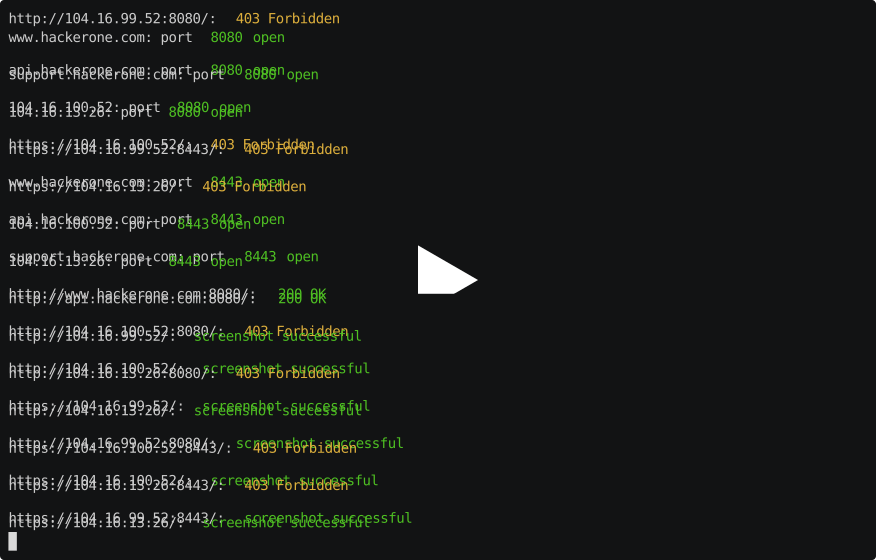
Initially when I decided to write this client I really wanted it to focus on flexibility within the command-line, which is why there is the --raw option. From there you can work with the raw JSON returned by the API.
spyse -target hackerone.com --dns-soa --raw | jq
spyse -target hackerone.com -param domain --subdomains --raw | aquatone
Other options
usage: spyse [-h] [-target TARGET] [-param PARAM] [-page PAGE]
             [-apikey APIKEY] [--raw] [--dns-ptr] [--dns-soa] [--dns-mx]
             [--dns-aaaa] [--dns-ns] [--dns-a] [--dns-txt] [--dns-all]
             [--domains-with-same-ns] [--domains-using-as-mx]
             [--domains-on-ip] [--domains-with-same-mx]
             [--domains-using-as-ns] [--download-dns-aaaa]
             [--download-dns-soa] [--download-dns-ns] [--download-dns-ptr]
             [--download-dns-mx] [--download-dns-a] [--download-dns-txt]
             [--download-dns-all] [--ip-port-lookup]
             [--ip-port-lookup-aggregate] [--ssl-certificates] [--subdomains]

Client for Spyse.com

optional arguments:
  -h, --help            show this help message and exit
  -target TARGET        target
  -param PARAM          parameter to use (ip, domain, cidr, url, hash)
  -page PAGE            page
  -apikey APIKEY        set the api key
  --raw                 show raw json
  --dns-ptr             show dns ptr records
  --dns-soa             show dns soa records
  --dns-mx              show dns mx records
  --dns-aaaa            show dns aaaa records
  --dns-ns              show dns ns records
  --dns-a               show dns a records
  --dns-txt             show dns txt records
  --dns-all             show all dns records
  --domains-with-same-ns
                        show domains with same ns
  --domains-using-as-mx
                        show domains using as mx
  --domains-on-ip       show domains on ip
  --domains-with-same-mx
                        show domains with same mx
  --domains-using-as-ns
                        show domains using as ns
  --download-dns-aaaa   download dns aaaa records
  --download-dns-soa    download dns soa records
  --download-dns-ns     download dns ns records
  --download-dns-ptr    download dns ptr records
  --download-dns-mx     download dns mx records
  --download-dns-a      download dns a records
  --download-dns-txt    download dns txt records
  --download-dns-all    download all dns records
  --ip-port-lookup      show ip port lookup
  --ip-port-lookup-aggregate
                        show ip port lookup aggregate
  --ssl-certificates    show ssl certificates associated with a target
  --subdomains          show subdomains

Usage: spyse -target hackerone.com --subdomains
Using the library
Without API Key
from spyse import spyse

s = spyse()
subdomains = s.subdomains("xbox.com", param="domain")
With API Key
from spyse import spyse

# Using the API key allows us to go through multiple pages of results
s = spyse('API_TOKEN_GOES_HERE')
subdomains = s.subdomains_aggregate("xbox.com", param="domain", page=2)
Search using CIDR
from spyse import spyse

s = spyse()
results = s.domains_on_ip("172.217.1.0/24", param="cidr")
Work with an existing file
from spyse import spyse

s = spyse()
results = []

with open("domains.txt") as d:
    for line in d:
        # default value for param="domain", so we don't
        # need to specify here
        r = s.subdomains_aggregate(line)
        results.append(r)

print(results)
Available Methods
All of the methods listed on https://api-doc.spyse.com/
  API_METHODS = {
    "DNS_PTR": "/dns-ptr",
    "DNS_SOA": "/dns-soa",
    "DNS_MX": "/dns-mx",
    "DNS_AAAA": "/dns-aaaa",
    "DNS_NS": "/dns-ns",
    "DNS_A": "/dns-a",
    "DNS_TXT": "/dns-txt",
    "domains_with_same_ns": "/domains-with-same-ns",
    "domains_using_as_mx": "/domains-using-as-mx",
    "domains_on_ip": "/domains-on-ip",
    "domains_with_same_mx": "/domains-with-same-mx",
    "domains_using_as_ns": "/domains-using-as-ns",
    "download_dns_aaaa": "/download-dns-aaaa",
    "download_dns_soa": "/download-dns-soa",
    "download_dns_ns": "/download-dns-ns",
    "download_dns_ptr": "/download-ns-ptr",
    "download_dns_mx": "/download-dns-mx",
    "download_dns_a": "/download-dns-a",
    "download_dns_txt": "/download-dns-txt",
    "download_domains_with_same_mx": "/download-domains-with-same-mx",
    "download_domains_on_ip": "/download-domains-on-ip",
    "download_domains_with_same_ns": "/download-domains-with-same-ns",
    "download_domains_using_as_ns": "/download-domains-using-as-ns",
    "download_domains_using_as_mx": "/download-domains-using-as-mx",
    "ip_port_lookup_aggregate": "/ip-port-lookup-aggregate",
    "ip_port_lookup": "/ip-port-lookup",
    "ssl_certificates": "/ssl-certificates",
    "ssl_certificate_raw": "/ssl-certificate-raw",
    "ssl_certificates_aggregate": "ssl-certificates-aggregate",
    "ssl_certificate": "/ssl-certificate",
    "ssl_certificate_public_key": "/ssl-certificate-public-key",
    "ssl_certificate_json": "/ssl-certificate-json",
    "subdomains": "/subdomains",
    "subdomains_aggregate": "/subdomains-aggregate",
    "domains_starts_with": "/domains-starts-with",
    "domains_starts_with_aggregate": "/domains-starts-with-aggregate"
  }
1 maintainer

Metadata
1 maintainer
Release files for spyse.py 0.13.3.9
For a detailed explanation of source distributions (sdists) and built distributions (wheels), please see the package formats documentation.
Source distribution (sdist)
| File | Size | Uploaded | Provenance | Actions |
|---|---|---|---|---|
| spyse.py-0.13.3.9.tar.gz | 8.8 kB | Without provenance | Details for spyse.py-0.13.3.9.tar.gz |
Built distribution (wheel)
| File | Interpreter | ABI | Platform | Actions Reset |
|---|---|---|---|---|
| spyse.py-0.13.3.9-py3-none-any.whl | Python 3 | none | any | Details for spyse.py-0.13.3.9-py3-none-any.whl |
Total release size: 18.7 kB
Release files / spyse.py-0.13.3.9.tar.gz
| Download URL | spyse.py-0.13.3.9.tar.gz |
|---|---|
| Size | 8.8 kB |
| Tags | Source |
|
SHA-256 checksum How to use checksums |
cd98681fc63001d5dda7b6f44a2175332c1bda03972471b444829da7ea2f1695
|
|
BLAKE2b-256 checksum How to use checksums |
845ed6297d13cd0143bc8685f6bb4e748becf55eb774292bbdc814397614c978
|
| Upload date | |
|
Uploaded using Trusted Publishing? What is trusted publishing? |
No |
| Uploaded via |
twine/1.13.0 pkginfo/1.5.0.1 requests/2.22.0 setuptools/41.0.1 requests-toolbelt/0.9.1 tqdm/4.32.2 CPython/3.6.8
|
Release files / spyse.py-0.13.3.9-py3-none-any.whl
| Download URL | spyse.py-0.13.3.9-py3-none-any.whl |
|---|---|
| Size | 9.8 kB |
| Tags | Python 3 |
|
SHA-256 checksum How to use checksums |
bb35ac74f8e2abf4dbe609361e8568edadd8379f07597cb56f6e356c095649f5
|
|
BLAKE2b-256 checksum How to use checksums |
beac18ebee3813e9dadc05fafed089bbb6804c30d3ba48b02911b5ddcf04b08d
|
| Upload date | |
|
Uploaded using Trusted Publishing? What is trusted publishing? |
No |
| Uploaded via |
twine/1.13.0 pkginfo/1.5.0.1 requests/2.22.0 setuptools/41.0.1 requests-toolbelt/0.9.1 tqdm/4.32.2 CPython/3.6.8
|
Security for spyse.py 0.13.3.9
Provenance
Provenance describes where a file came from. On PyPI, provenance is shared via attestations, which provide a verifiable record of the build or publishing details. View details, limitations and caveats.
No provenance found
None of the files in this release were uploaded with provenance metadata.
A note on package security
PyPI is a repository for distributing packages, not a service for auditing them. While third-party security researchers and our staff do their best to detect and remove malicious packages, PyPI cannot guarantee the quality, security or suitability of any given package.
To learn more about protecting yourself from malicious actors, visit our package security documentation.














