
SQL editor




What is SQL editor?
SQL editor is free, open source, Integrated Development Environment(IDE) for working with SQL in SQLite databases.
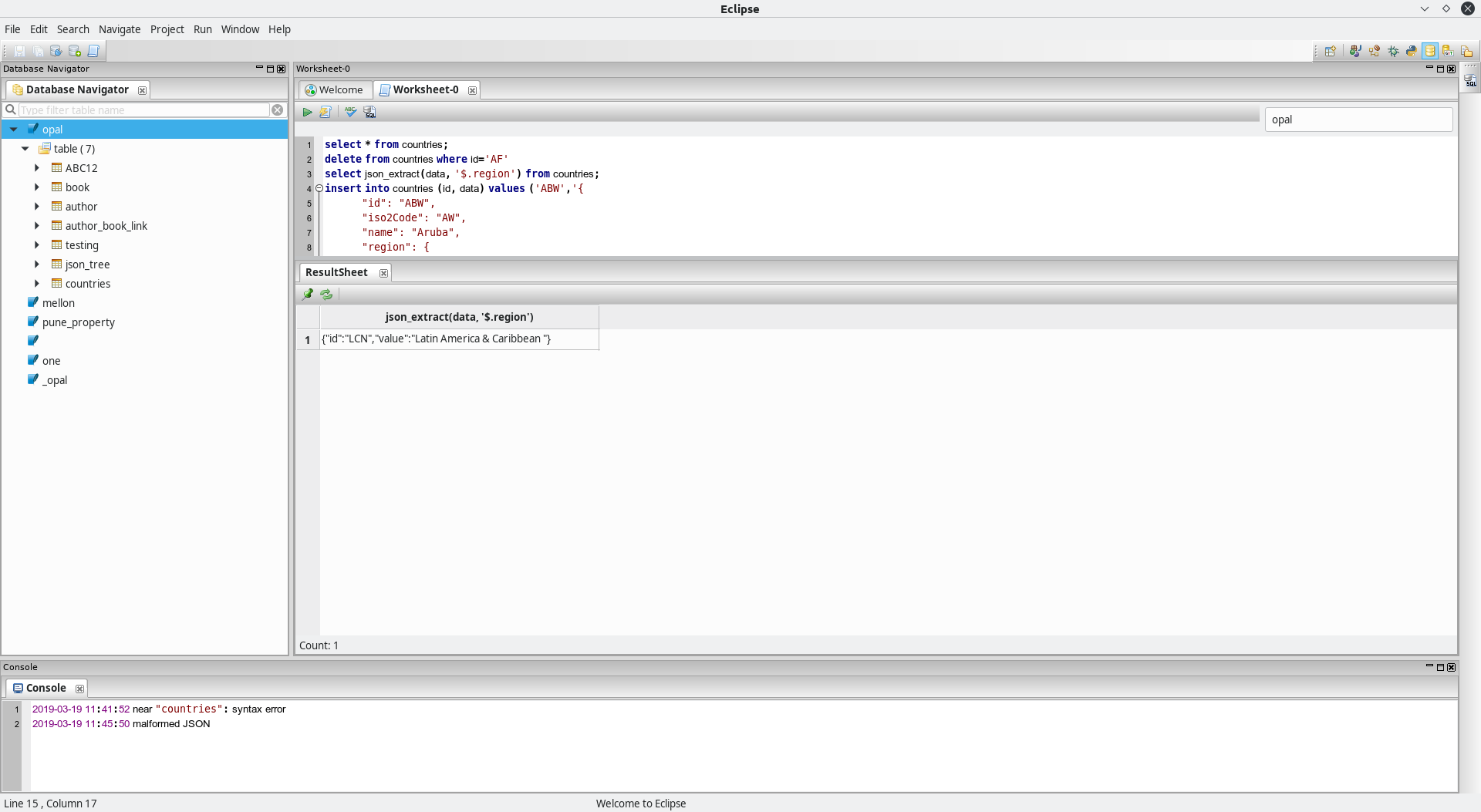
Description:
A description of your project follows. A good description is clear, short, and to the point. Describe the importance of your project, and what it does.
Support the project
To support this project you can: star the repository, report bugs/request features by creating new issues, write code and create PRs or donate.
Installation:
Install the Sql editor from source code.
$ cd sql_editor
$ python setup.py install

sql_editor
or
Install the Sql editor using pip command.
$ pip install sql_editor
Usage:
The next section is usage, in which you instruct other people on how to use your project after they’ve installed it. This would also be a good place to include screenshots of your project in action.

Features
- Currently supports only python 3 build.
- Support only sqlite database.
- Graphical user interface for sqlite 3.


Contributing:
Larger projects often have sections on contributing to their project, in which contribution instructions are outlined. Sometimes, this is a separate file. If you have specific contribution preferences, explain them so that other developers know how to best contribute to your work. To learn more about how to help others contribute, check out the guide for setting guidelines for repository contributors.
Credits:
Include a section for credits in order to highlight and link to the authors of your project.
License: Finally, include a section for the license of your project. For more information on choosing a license, check out GitHub’s licensing guide!
Repository
=======
sql-editor
1 maintainer

Metadata
1 maintainer
Release files for sql-editor 0.0.5
For a detailed explanation of source distributions (sdists) and built distributions (wheels), please see the package formats documentation.
Source distribution (sdist)
| File | Size | Uploaded | Provenance | Actions |
|---|---|---|---|---|
| sql_editor-0.0.5.tar.gz | 513.7 kB | Without provenance | Details for sql_editor-0.0.5.tar.gz |
Built distribution (wheel)
| File | Interpreter | ABI | Platform | Actions Reset |
|---|---|---|---|---|
| sql_editor-0.0.5-py3-none-any.whl | Python 3 | none | any | Details for sql_editor-0.0.5-py3-none-any.whl |
Total release size: 2.3 MB
Release files / sql_editor-0.0.5.tar.gz
| Download URL | sql_editor-0.0.5.tar.gz |
|---|---|
| Size | 513.7 kB |
| Tags | Source |
|
SHA-256 checksum How to use checksums |
f0854f5f4430a9770c67f0dcda3760f781769889b4dbcc34588fc397bb77e187
|
|
BLAKE2b-256 checksum How to use checksums |
3c61875f78c93ee4acfcfdb614d899cde473a3c3deffd690dcab7de9b1dd8b8d
|
| Upload date | |
|
Uploaded using Trusted Publishing? What is trusted publishing? |
No |
| Uploaded via |
twine/1.12.1 pkginfo/1.4.2 requests/2.20.1 setuptools/40.6.2 requests-toolbelt/0.8.0 tqdm/4.28.1 CPython/3.6.3
|
Release files / sql_editor-0.0.5-py3-none-any.whl
| Download URL | sql_editor-0.0.5-py3-none-any.whl |
|---|---|
| Size | 1.8 MB |
| Tags | Python 3 |
|
SHA-256 checksum How to use checksums |
2178da9f9ef85635c1ad0f636d1c7df472372adeff0f19e98d27bc96180c6326
|
|
BLAKE2b-256 checksum How to use checksums |
a342ae3b28874925895298a3a4307129ecc97705be0bfa9bf6cd5556ca7efdf5
|
| Upload date | |
|
Uploaded using Trusted Publishing? What is trusted publishing? |
No |
| Uploaded via |
twine/1.12.1 pkginfo/1.4.2 requests/2.20.1 setuptools/40.6.2 requests-toolbelt/0.8.0 tqdm/4.28.1 CPython/3.6.3
|
Security for sql-editor 0.0.5
Provenance
Provenance describes where a file came from. On PyPI, provenance is shared via attestations, which provide a verifiable record of the build or publishing details. View details, limitations and caveats.
No provenance found
None of the files in this release were uploaded with provenance metadata.
A note on package security
PyPI is a repository for distributing packages, not a service for auditing them. While third-party security researchers and our staff do their best to detect and remove malicious packages, PyPI cannot guarantee the quality, security or suitability of any given package.
To learn more about protecting yourself from malicious actors, visit our package security documentation.














