








About
SUN (Slackware Update Notifier) is a tray notification applet and background
daemon that monitors the Slackware ChangeLog.txt for package updates and
notifies the desktop user when new updates are available. It also serves as a
CLI tool for checking updates and viewing OS and machine information.
SUN works by default with slackpkg, as well as with other tools like slpkg. You can probably use SUN with other Slackware-based Linux distributions as well.
Features
- Background daemon that fetches the remote
ChangeLog.txtat a configurable interval - Desktop notification when new updates are detected
- System tray icon with numeric badge showing the update count
- Badge syncs immediately with daemon notification via SIGUSR1
- Greyscale tray icon when the daemon is not running
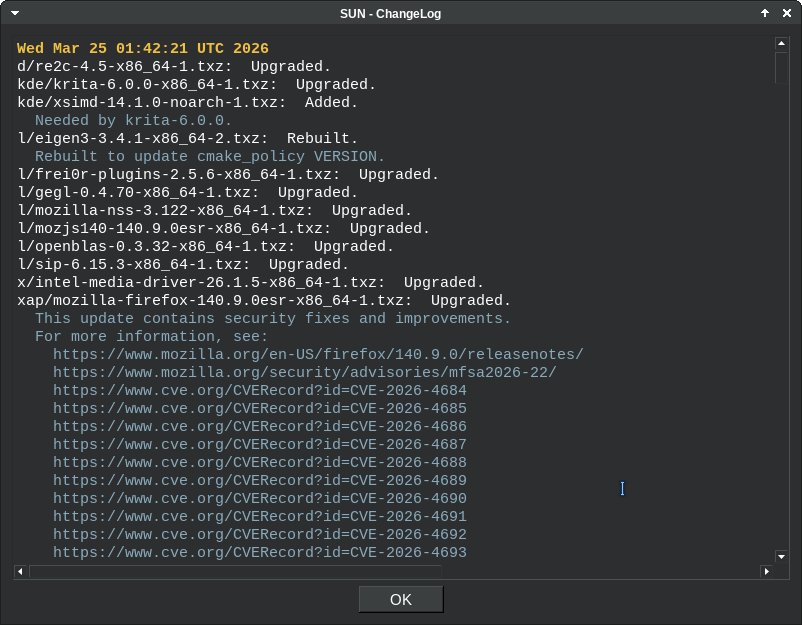
- Colored ChangeLog dialog with date headers and comment highlighting
- Config dialog in tray menu to view the active
sun.confsettings sun checkCLI command to check for updates without the daemonsun configCLI command to view the activesun.confsettingssun infoCLI command to view hardware and OS informationsun changelogCLI command to view the remoteChangeLog.txtsun logCLI command to view the daemon logsun start / stop / restart / statusCLI commands to manage the daemonNOTIFICATIONSoption to enable/disable desktop notifications independently of the tray badgeHTTP_TIMEOUToption to configure the remote fetch timeout- Mirror version warning when
HTTP_MIRRORdoes not match installed Slackware version sun pendingCLI command to list packages pending upgrade (available in repo but not yet installed)- Yellow tray badge when packages are pending upgrade; auto-refreshes when
data.json,PACKAGES.TXT, or/var/log/packageschanges - Package manager auto-detected from
LOG_PATH(slpkg or slackpkg); no extra configuration required
Screenshots
Tray Menu
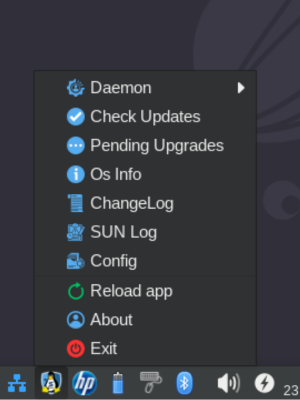
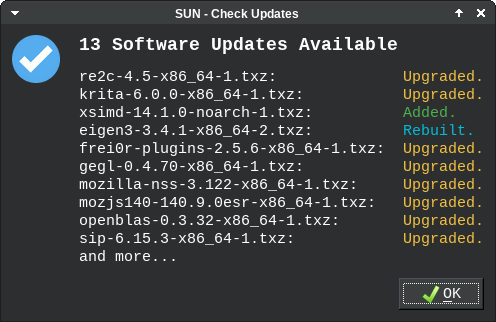
Check Updates
ChangeLog
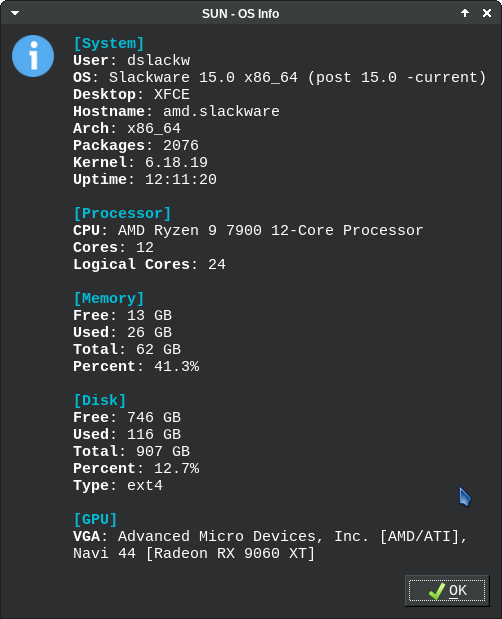
OS Info
Documentation
https://dslackw.gitlab.io/sun/
Manual
After installation, the manual page is available via:
man sun
1 maintainer

Metadata
1 maintainer
Release files for sun 2.5.3
For a detailed explanation of source distributions (sdists) and built distributions (wheels), please see the package formats documentation.
Source distribution (sdist)
| File | Size | Uploaded | |
|---|---|---|---|
| sun-2.5.3.tar.gz | 37.6 kB | Details |
Built distribution (wheel)
| File | Interpreter | ABI | Platform | Reset |
|---|---|---|---|---|
| sun-2.5.3-py3-none-any.whl | Python 3 | none | any | Details |
Total release size: 80.1 kB
Release files / sun-2.5.3.tar.gz
| Download URL | sun-2.5.3.tar.gz |
|---|---|
| Size | 37.6 kB |
| Tags | Source |
|
SHA-256 checksum How to use checksums |
66ab785603153b1e527ef7ed9120d71a67fa2184edd8f4caa3de989794cbc2b5
|
|
BLAKE2b-256 checksum How to use checksums |
5e671050fe93ab76aa37f8b0a8fed45dc4a00eaf5363054c6e7ce52055bb2e96
|
| Upload date | |
|
Uploaded using Trusted Publishing? What is trusted publishing? |
No |
| Uploaded via |
python-requests/2.34.2
|
Release files / sun-2.5.3-py3-none-any.whl
| Download URL | sun-2.5.3-py3-none-any.whl |
|---|---|
| Size | 42.6 kB |
| Tags | Python 3 |
|
SHA-256 checksum How to use checksums |
e23eda47c6d850af3301076d895aea89fc38c177f7dbb8bde92d27b51a0ac576
|
|
BLAKE2b-256 checksum How to use checksums |
77707439fbb78f32de6f0a28a4f598689e01c9d9db2cbc4918e5f4742b578e48
|
| Upload date | |
|
Uploaded using Trusted Publishing? What is trusted publishing? |
No |
| Uploaded via |
python-requests/2.34.2
|














