

Welcome to Taipy




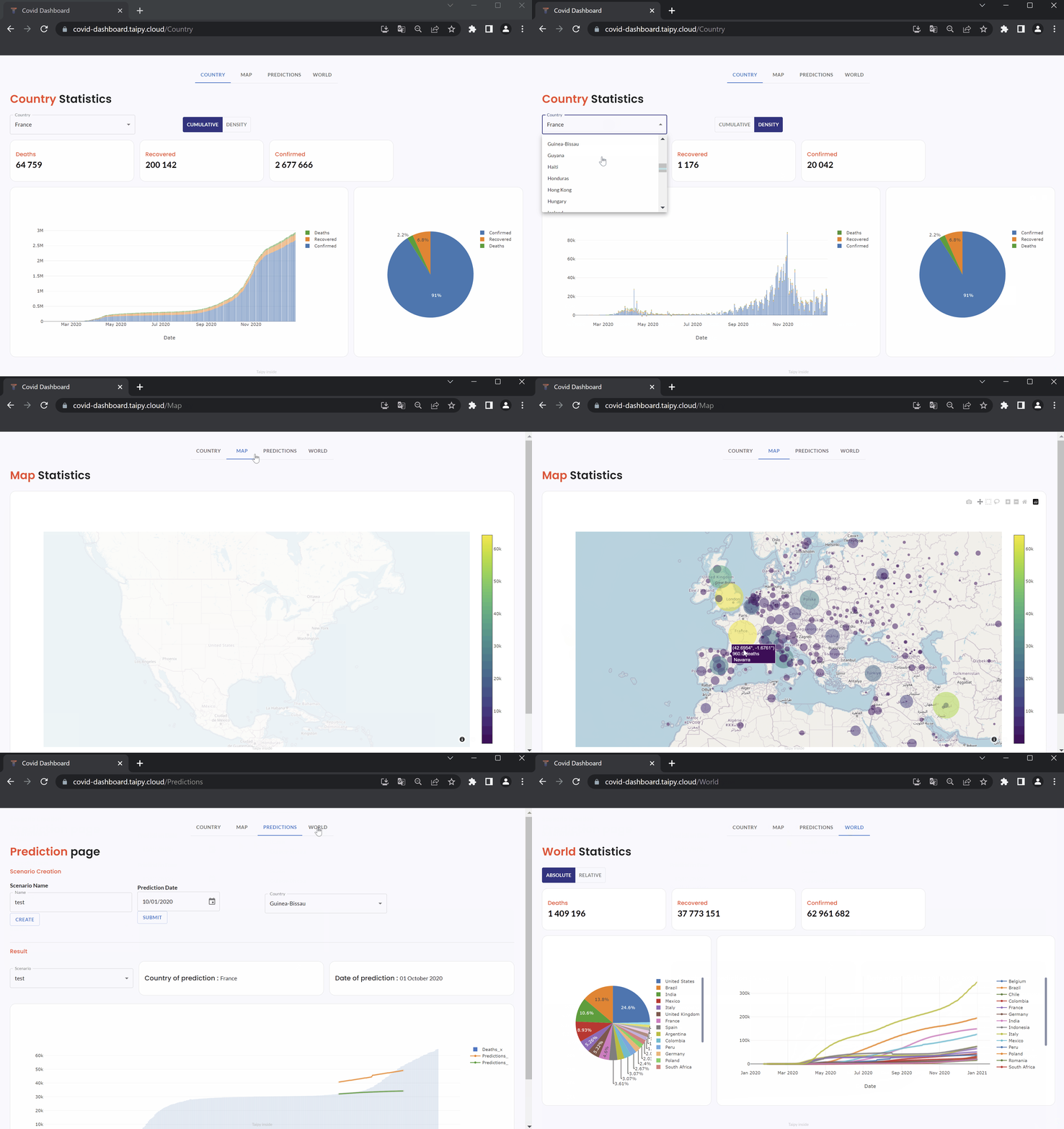
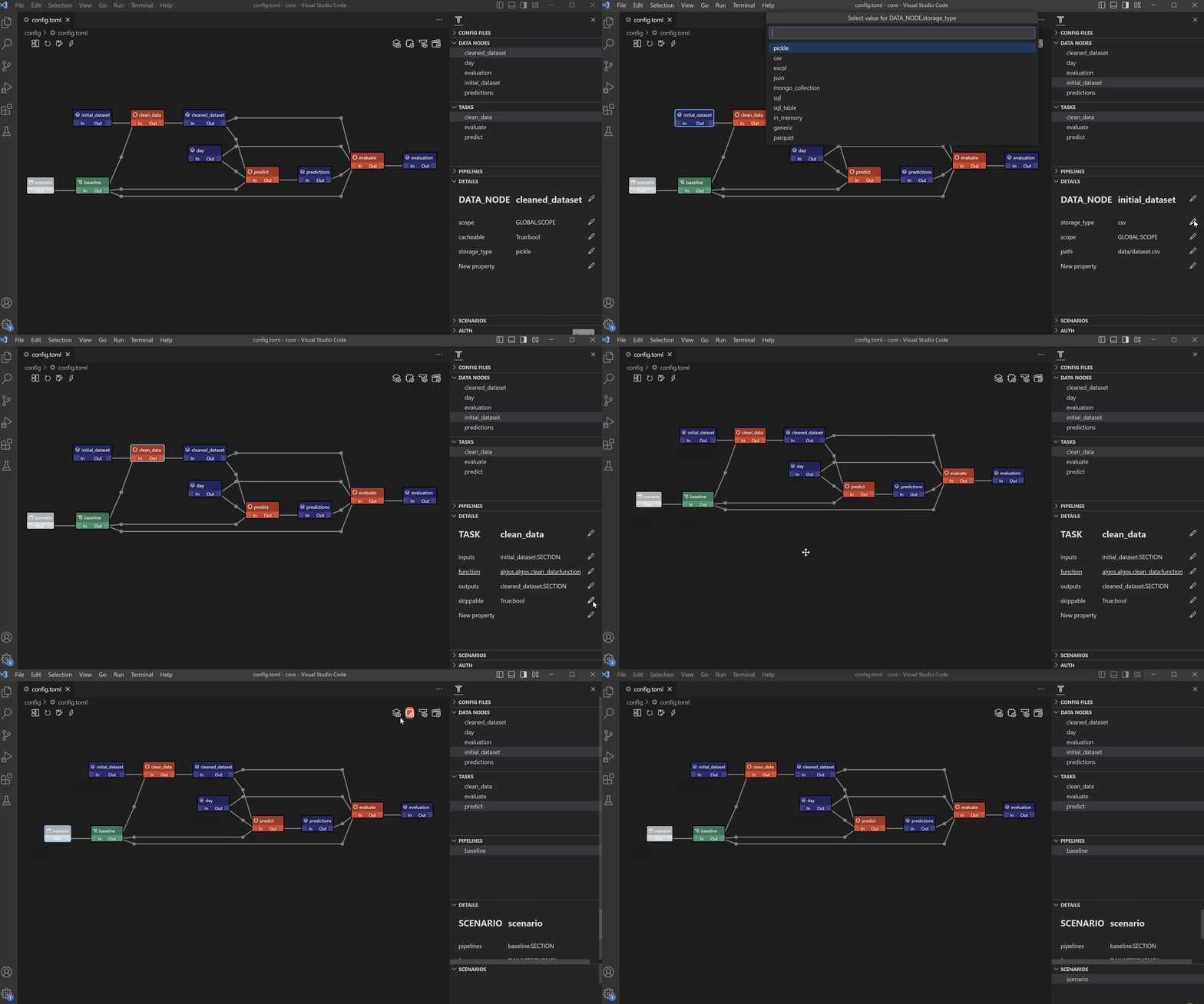
How? Taipy GUI with Taipy Core pops out as a 360° platform to build production-ready web applications
Open Source, 100% Python
📊 We make both ends meet ⚙️
| TAIPY GUI - the frond-end | TAIPY Core - the back-end |
|---|---|
 |
 |
Installation
Open a terminal and run:
$ pip install taipy
You're all set! All aboard the Taipy journey 🚂
Community
Join our Discord to give us feedback, share your creations or just to have a chat with us.
Ready, Set, GUI
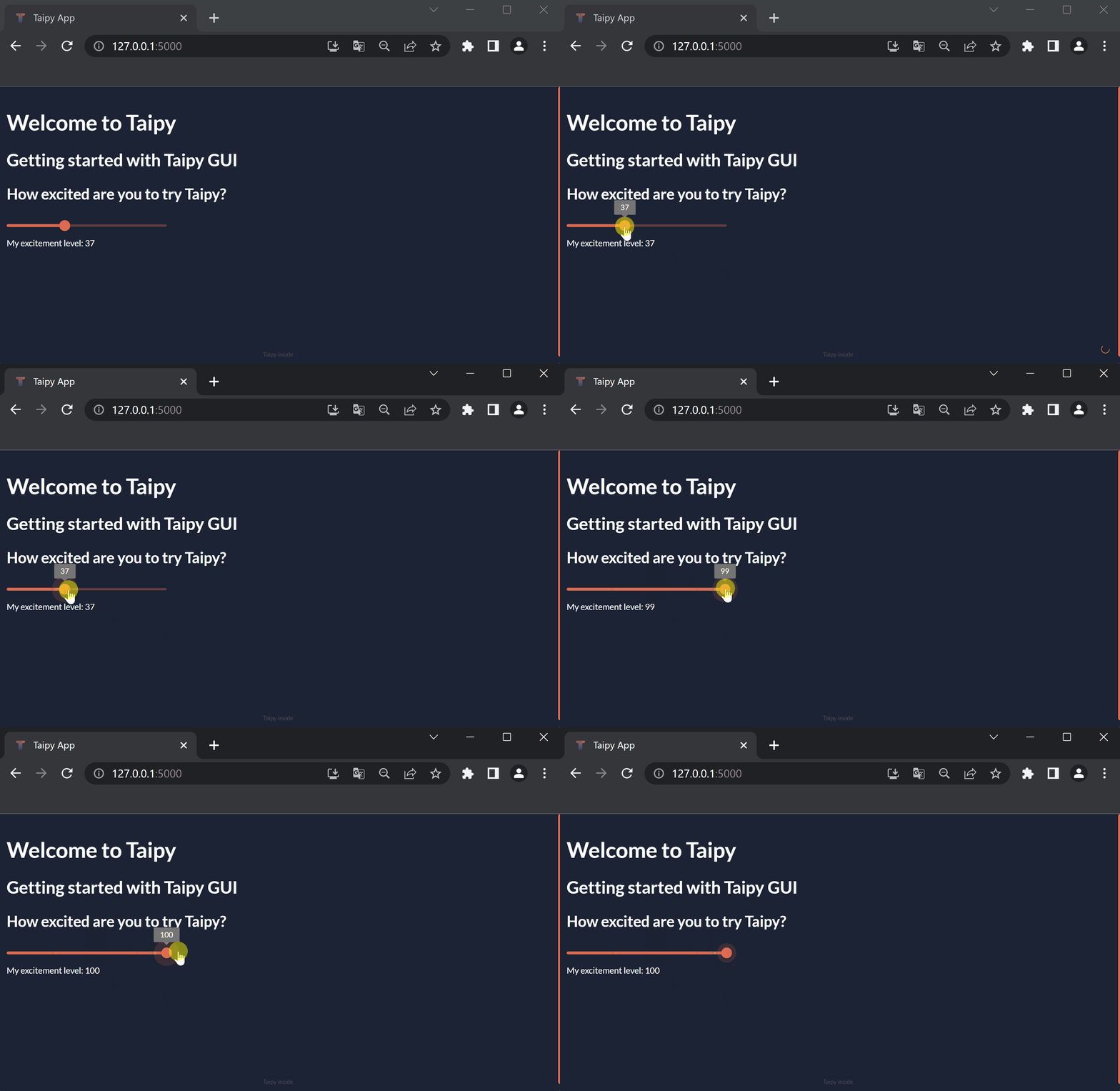
Tiny Taipy GUI Demo
from taipy import Gui

excitement_page = """
# Welcome to Taipy
## Getting started with Taipy GUI
### How excited are you to try Taipy?

<|{excitement}|slider|min=1|max=100|>

My excitement level: <|{excitement}|text|>
"""
excitement = 100

Gui(page=excitement_page).run()
RUN🏃🏽♀️
Find out more
EN-CORE?
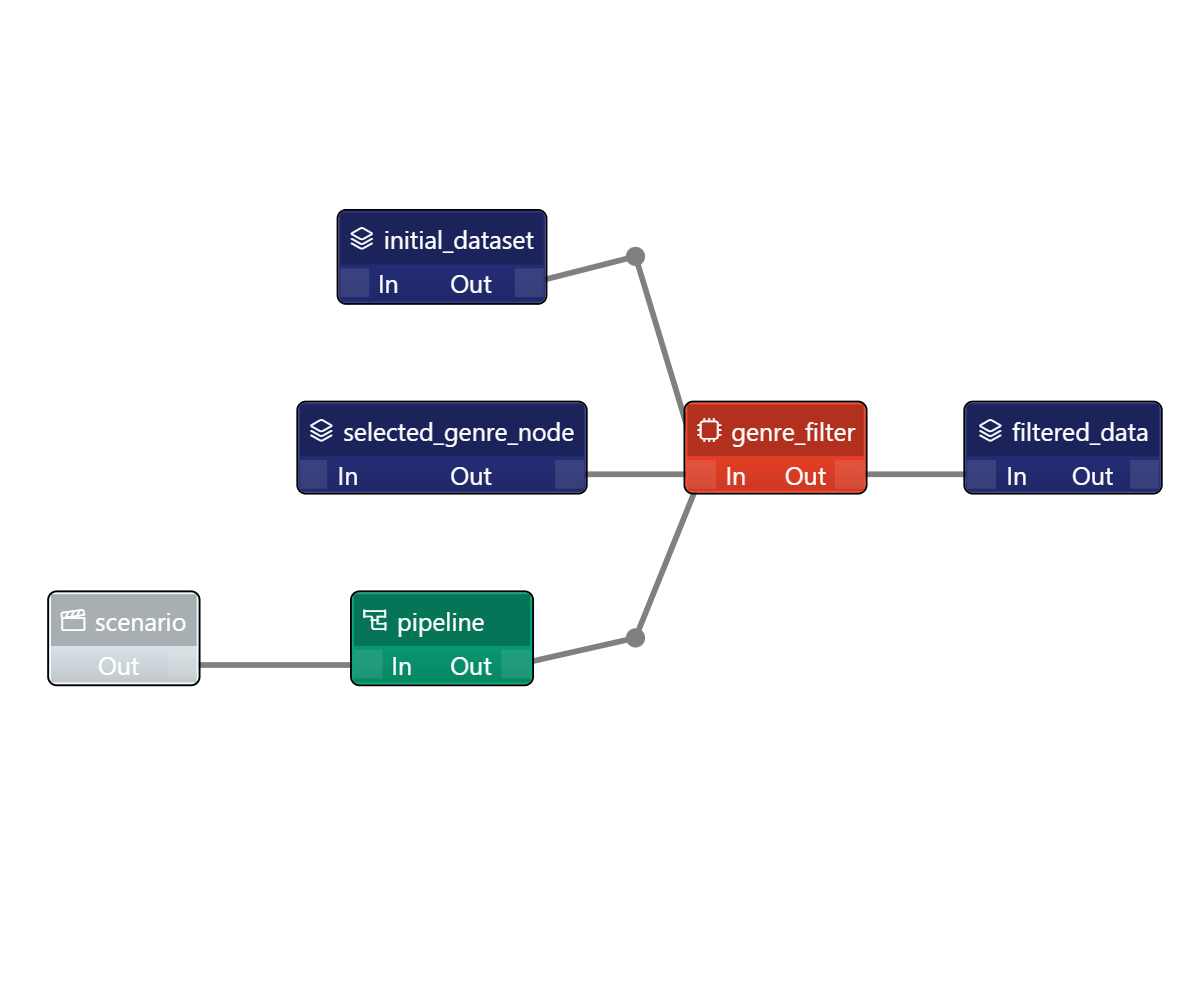
Let's create a back-end execution, also called scenario using Taipy Core. Our scenario will filter movie data based on the genre you choose. This scenario will be submitted (i.e., executed) each time the genre selection changes and output the seven most popular movies of that genre.
Here is our filter function: a standard Python function that is used by the unique task in the scenario
def filter_genre(initial_dataset: pd.DataFrame, selected_genre):
    filtered_dataset = initial_dataset[initial_dataset['genres'].str.contains(selected_genre)]
    filtered_data = filtered_dataset.nlargest(7, 'Popularity %')
    return filtered_data
This is the execution graph of the scenario we are implementing
Taipy Studio - The easy peasy way
You can use the Taipy Studio extension in VSCode to configure your sequence with no code
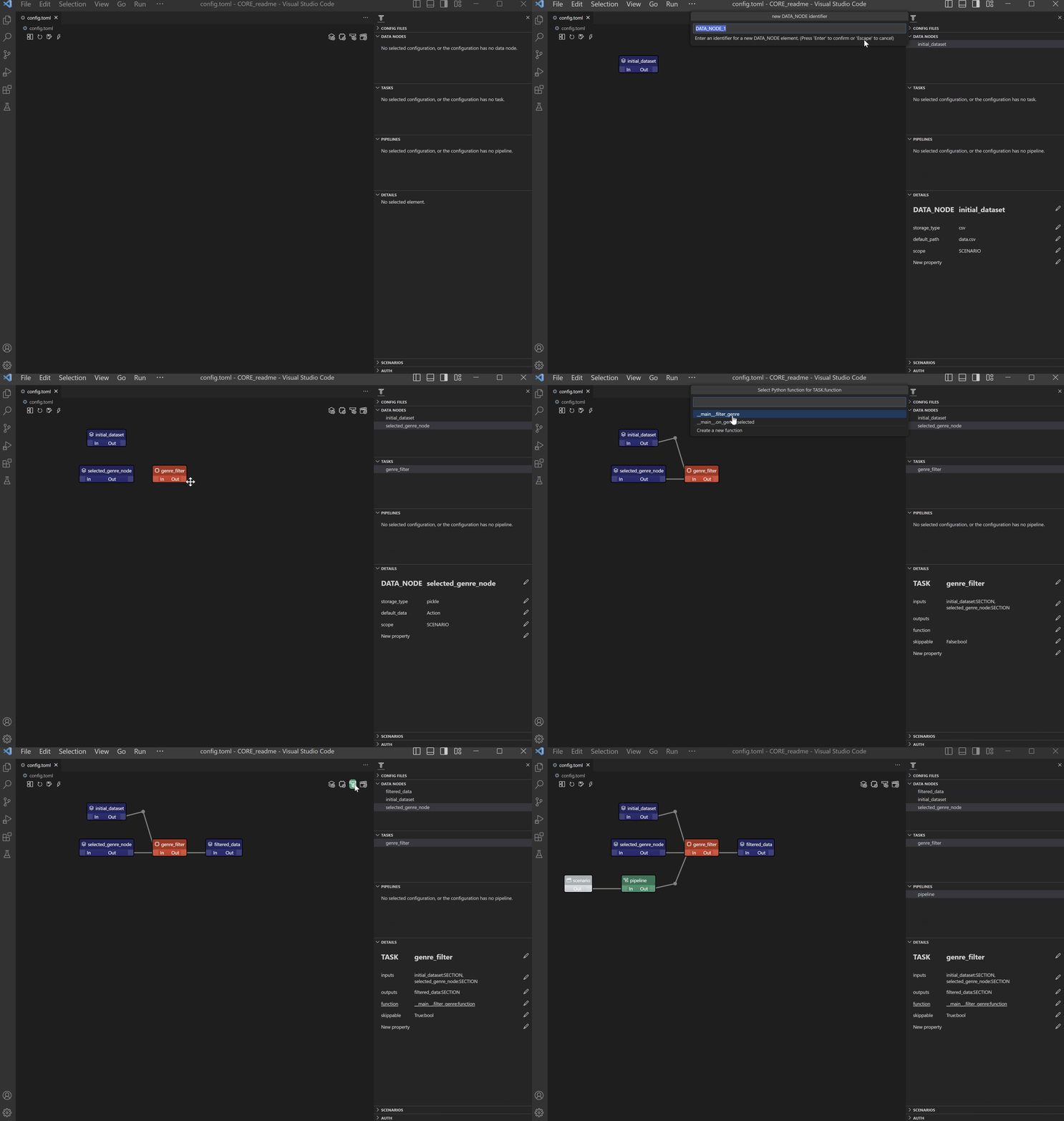
Your configuration is automatically saved as a TOML file
Find out more
Taipy Core - a walk on the code side
Find out more
Front-end ➕ Back-end
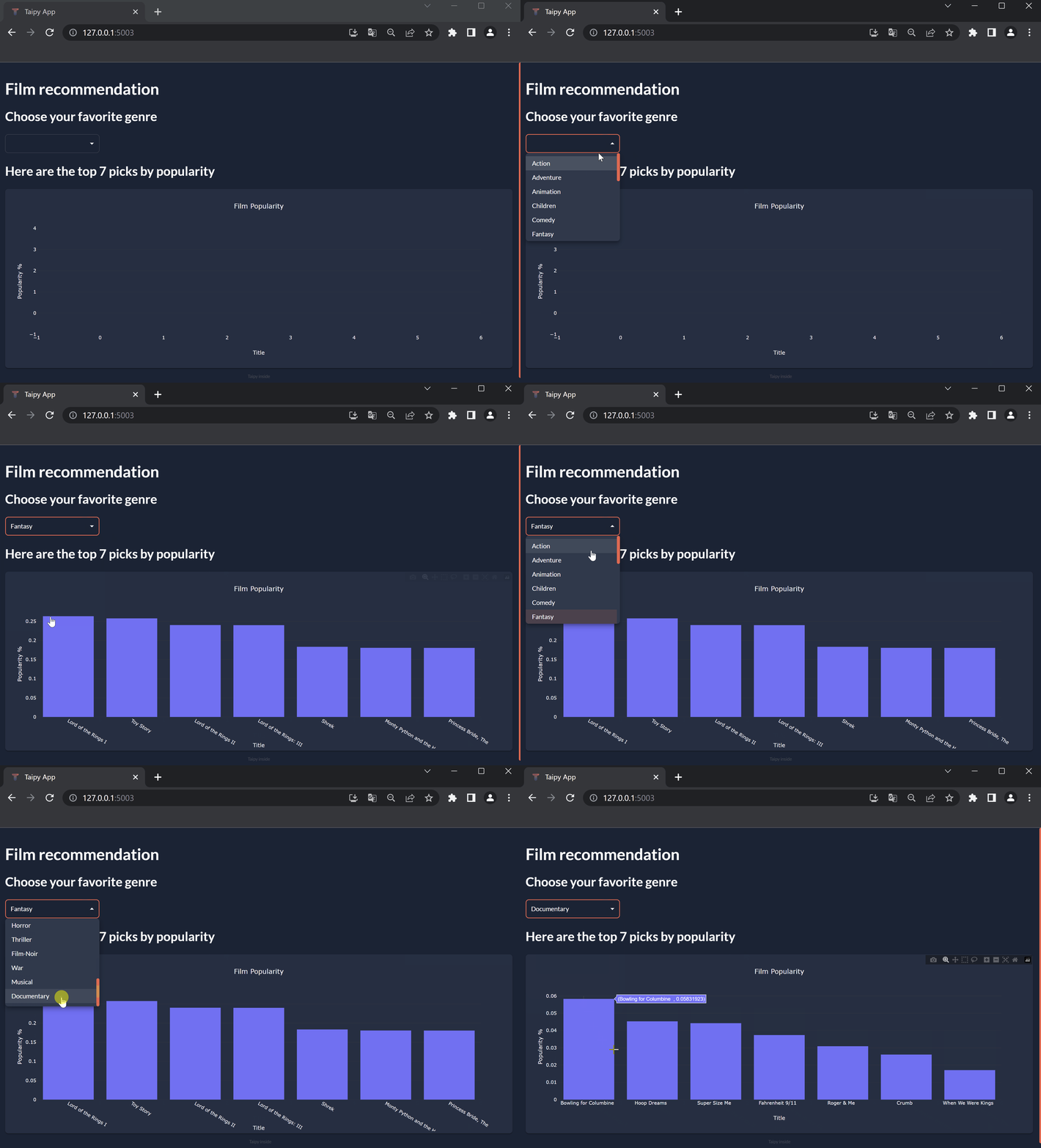
Now, let's load this configuration and add a user interface on top for a 🎉FULL APPLICATION🎉
import taipy as tp
import pandas as pd
from taipy import Config, Scope, Gui

# TAIPY Core

# Filtering function - task
def filter_genre(initial_dataset: pd.DataFrame, selected_genre):
    filtered_dataset = initial_dataset[initial_dataset['genres'].str.contains(selected_genre)]
    filtered_data = filtered_dataset.nlargest(7, 'Popularity %')
    return filtered_data

# Load the configuration made with Taipy Studio
Config.load('config.toml')
scenario_cfg = Config.scenarios['scenario']

# Start Taipy Core service
tp.Core().run()

# Create a scenario
scenario = tp.create_scenario(scenario_cfg)


# TAIPY GUI
# Let's add Taipy GUI to our Taipy Core for a full application

# Callback definition - submits scenario with genre selection
def on_genre_selected(state):
    scenario.selected_genre_node.write(state.selected_genre)
    tp.submit(scenario)
    state.df = scenario.filtered_data.read()

# Get list of genres
genres = [
    'Action', 'Adventure', 'Animation', 'Children', 'Comedy', 'Fantasy', 'IMAX'
    'Romance','Sci-FI', 'Western', 'Crime', 'Mystery', 'Drama', 'Horror', 'Thriller', 'Film-Noir','War', 'Musical', 'Documentary'
    ]

# Initialization of variables
df = pd.DataFrame(columns=['Title', 'Popularity %'])
selected_genre = None

# User interface definition
my_page = """
# Film recommendation

## Choose your favorite genre
<|{selected_genre}|selector|lov={genres}|on_change=on_genre_selected|dropdown|>

## Here are the top seven picks by popularity
<|{df}|chart|x=Title|y=Popularity %|type=bar|title=Film Popularity|>
"""

Gui(page=my_page).run()
RUN🏃🏽♀️
Contributing ⚒⚒
Want to help build Taipy? Check out our CONTRIBUTING.md file.
Code of conduct
Want to be part of the Taipy community? Check out our CODE_OF_CONDUCT.md file.
License
Copyright 2023 Avaiga Private Limited
Licensed under the Apache License, Version 2.0 (the "License"); you may not use this file except in compliance with the License. You may obtain a copy of the License at http://www.apache.org/licenses/LICENSE-2.0
Unless required by applicable law or agreed to in writing, software distributed under the License is distributed on an "AS IS" BASIS, WITHOUT WARRANTIES OR CONDITIONS OF ANY KIND, either express or implied. See the License for the specific language governing permissions and limitations under the License.
Metadata
Release files for taipy 3.0.0
For a detailed explanation of source distributions (sdists) and built distributions (wheels), please see the package formats documentation.
Source distribution (sdist)
| File | Size | Uploaded | |
|---|---|---|---|
| taipy-3.0.0.tar.gz | 280.8 kB | Details |
Release files / taipy-3.0.0.tar.gz
| Download URL | taipy-3.0.0.tar.gz |
|---|---|
| Size | 280.8 kB |
| Tags | Source |
|
SHA-256 checksum How to use checksums |
297265fe7260396e43f4ee7d86318351d905d87bf0fecdfc57143ea0a82d01c9
|
|
BLAKE2b-256 checksum How to use checksums |
ac40940074e5099106f8588f25bf15c0eb966999a50020512b5473b98f405c38
|
| Upload date | |
|
Uploaded using Trusted Publishing? What is trusted publishing? |
No |
| Uploaded via |
twine/4.0.2 CPython/3.11.6
|














