




TenshiTranslator
Sugoi Toolkit's Sugoi Translator is very effective for ACG (Anime, Comit, Games) media translation as the model is trained with data from the same medium. However, the project lacks automation support as all the features require manual control, which makes large file translation incredibly daunting. This project implements automation utility that interfaces with the translator to both automate the translation process and increase the translation accuracy. This project has since then been adopted by over 10 novel series to generate preliminary machine translations for new novels.
Demos
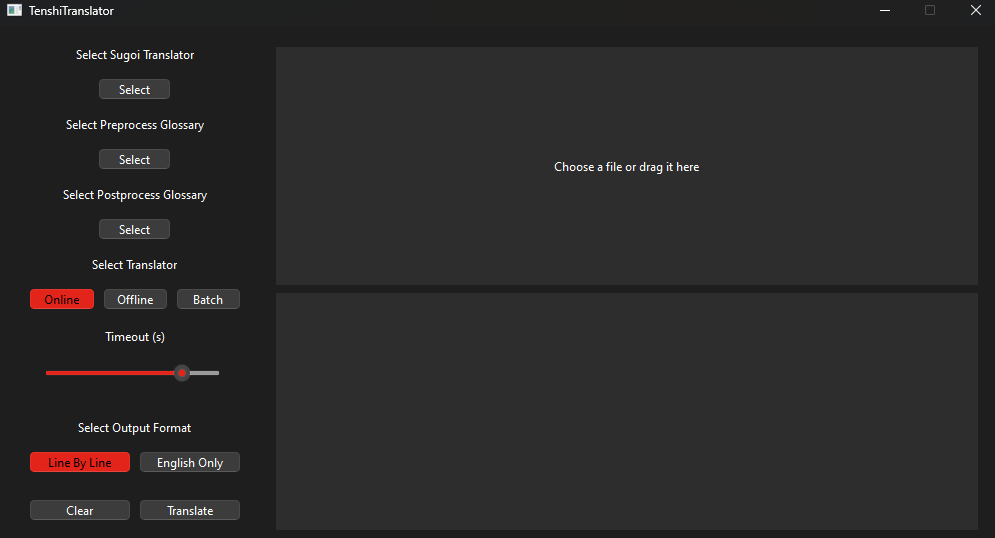
GUI App (Click For Video)
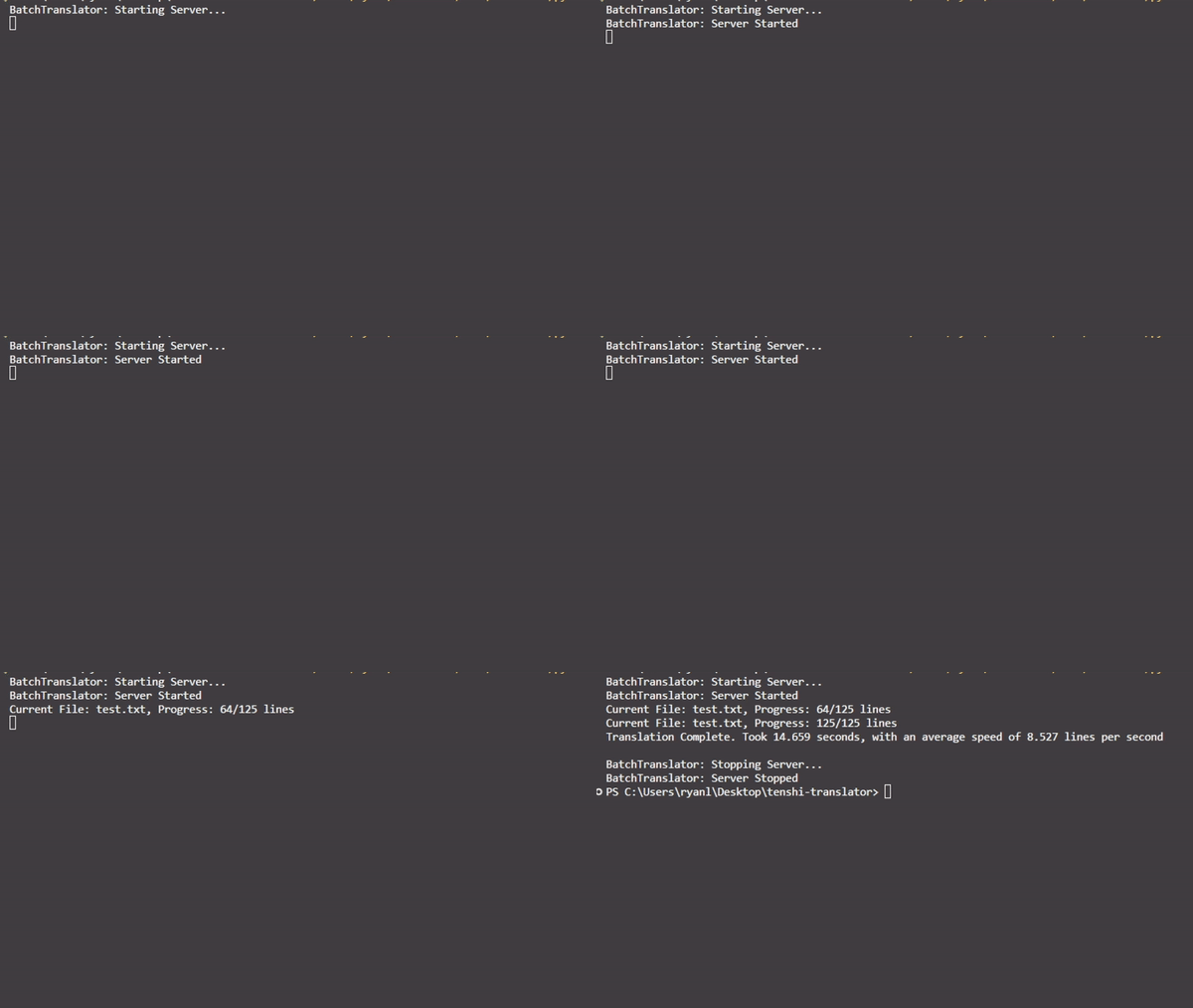
CLI App
Getting Started
You can download both the CLI and GUI application from the latest release page
To use the code as a Python package, run pip install TenshiTranslator
For more information, visit the documentation here
Translator Options
Online Translator
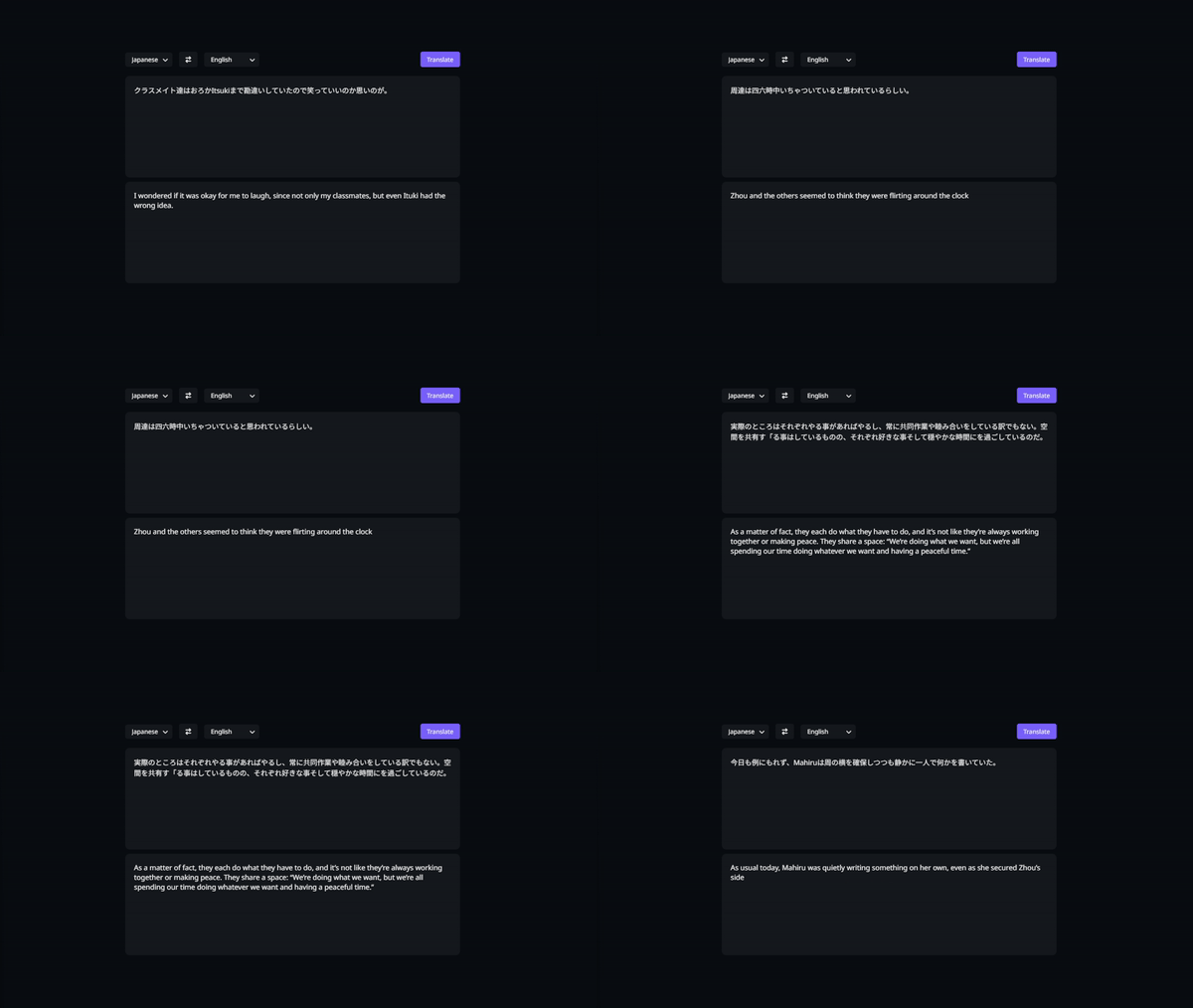
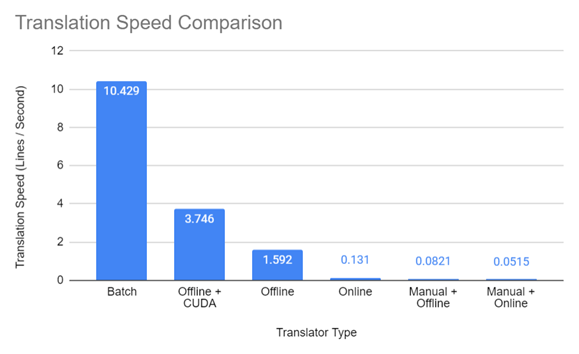
This translator automates Sugoi Toolkit's web translator with zero extra setup required. However, it is both the slowest and the least accurate due to an older model, api limits, and a character limit.
Offline Translator
This translator uses Sugoi Toolkit’s offline translation server to perform translations. This translator requires Sugoi Toolkit but is faster than the online translator. It is also more accurate as it uses a newer model and has no character limits. The speed of this translator is dependent on your computer’s hardware, and is generally recommended if you don’t have an Nvidia GPU.
Batch Translator
This translator uses Sugoi Toolkit’s offline translation server to perform translations. Files are translated in batches, optimizating translation time by maximizing GPU utilization. This translator requires Sugoi Toolkit and a Nvidia GPU to be useful, but is magnitudes faster than the other translators. You will have to install CUDA and run the setup script to allow the sugoi toolkit to accept batch translation requests. This translator is recommended if you have an Nvidia GPU.
Features
Multiple format support
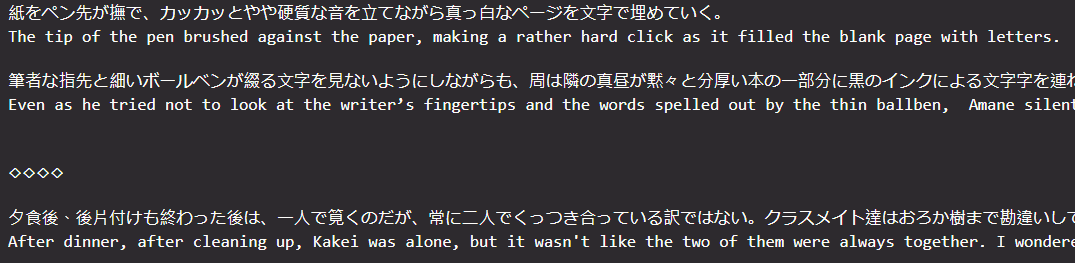
The translator offers two output formats: english only where the original stucture of the file is preserved, and line by line where each line of Japanese is followed by its translation, accelerating translation checking speed. The package also provide abstraction over outputs so you are free to implement your own formats.
Example English only format
Example line by line format

High level glossary
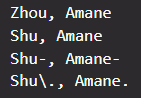
You can specify translations for specific phrases and also apply corrections to the translated text to improve translation accuracy. This is commonly used for names and other jargons that may not be translated correctly.
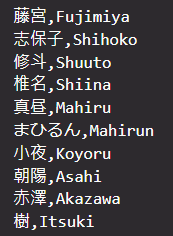
Example replacement & correction with regex
Requirements
The applications are tested on Windows and are available directly for use
The Python package version requires Python >= 3.10
To use the offline and batch translator, you need to download Sugoi Toolkit from here
To use the batch translator, you need a computer with a Nvidia GPU and CUDA, then run the install script
Benchmarks
Benchmark is done by measuring the time taken to translate 125 lines. Benchmark is run with an Intel i7-13700k and a Nvidia RTX 3060ti 8G
Credits
CUDA Installation script is adapted from the work by Tenerezza from the Sugoi Toolkit Discord
Batch translation is first implemented by @EagleEye17, who also gave a lot of suggestions to the overall project
1 maintainer

Metadata
1 maintainer
Release files for TenshiTranslator 2.0.0
For a detailed explanation of source distributions (sdists) and built distributions (wheels), please see the package formats documentation.
Source distribution (sdist)
| File | Size | Uploaded | |
|---|---|---|---|
| tenshitranslator-2.0.0.tar.gz | 34.3 kB | Details |
Built distribution (wheel)
| File | Interpreter | ABI | Platform | Reset |
|---|---|---|---|---|
| tenshitranslator-2.0.0-py3-none-any.whl | Python 3 | none | any | Details |
Total release size: 74.4 kB
Release files / tenshitranslator-2.0.0.tar.gz
| Download URL | tenshitranslator-2.0.0.tar.gz |
|---|---|
| Size | 34.3 kB |
| Tags | Source |
|
SHA-256 checksum How to use checksums |
219fde1484dc63127f4cdf9816a640b7fa8d42f57f5d0bf4119d67796822eaf7
|
|
BLAKE2b-256 checksum How to use checksums |
916a311e9e7aa32617bad12a2ed559de0a27aa4050f0196c7673b4aeb1a8d1cb
|
| Upload date | |
|
Uploaded using Trusted Publishing? What is trusted publishing? |
No |
| Uploaded via |
twine/5.1.0 CPython/3.9.19
|
Release files / tenshitranslator-2.0.0-py3-none-any.whl
| Download URL | tenshitranslator-2.0.0-py3-none-any.whl |
|---|---|
| Size | 40.0 kB |
| Tags | Python 3 |
|
SHA-256 checksum How to use checksums |
09fe4f50d8cc6eff1633b315d2b00b4e592425f7e610d4a6547a855f174854cc
|
|
BLAKE2b-256 checksum How to use checksums |
da811bbd29ed0f4e747d4257fcdf58f7bc6974f48d824cc071accdafa6730333
|
| Upload date | |
|
Uploaded using Trusted Publishing? What is trusted publishing? |
No |
| Uploaded via |
twine/5.1.0 CPython/3.9.19
|














