
Terminatex


Display beautiful, high-fidelity LaTeX expressions and web images directly in your terminal.
terminatex is a Python utility that renders any LaTeX string or web image and displays it in modern terminals, providing a seamless way to visualize mathematical formulas and remote images without leaving your command-line environment.
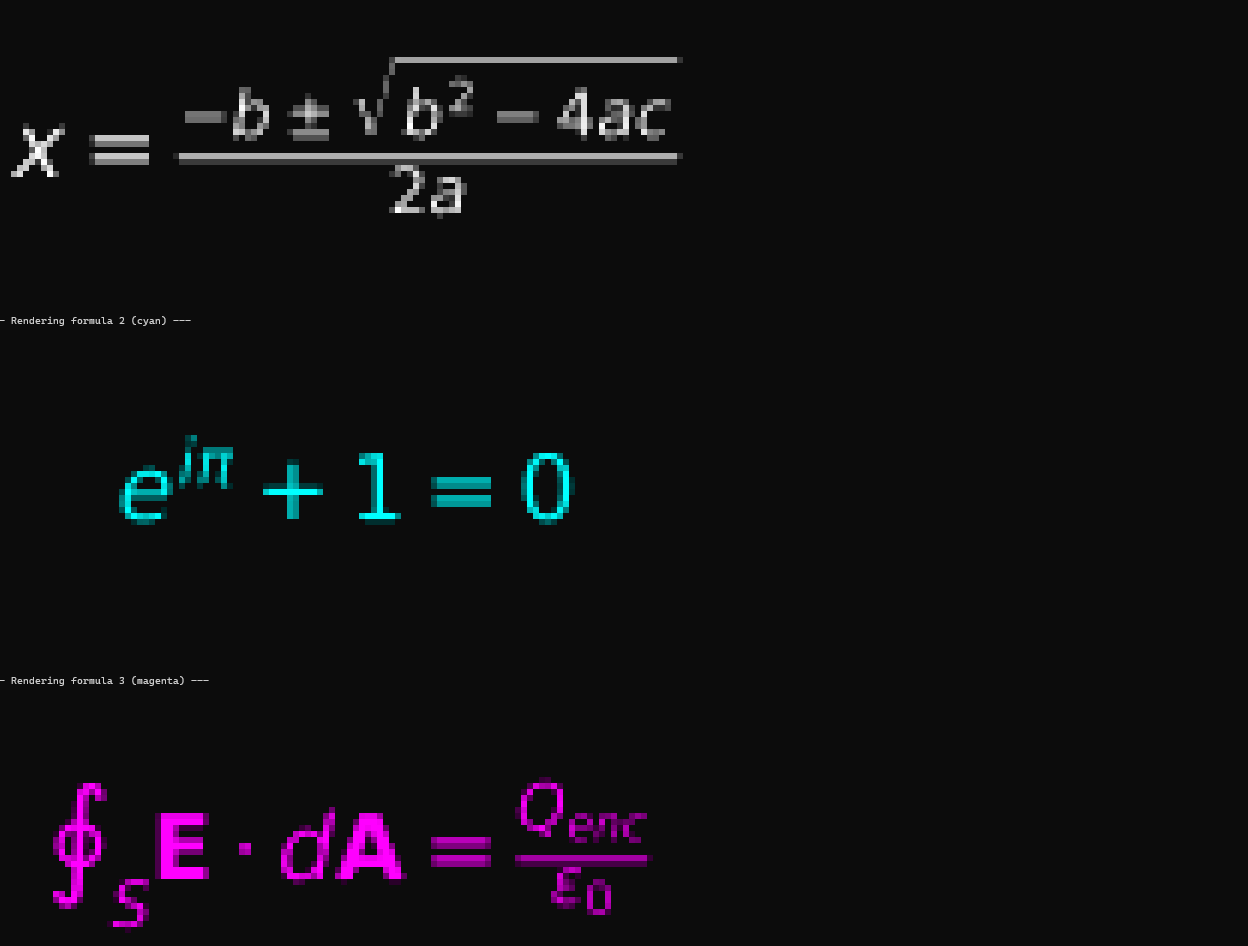
Features
- High-Quality LaTeX Rendering using matplotlib
- Display web images from any URL
- True-color terminal display via term-image
- Customizable LaTeX color options
- Simple and intuitive API
Requirements
- Python 3.8+
- A modern terminal that supports true color (24-bit) and terminal graphics protocol
- Recommended on Windows: Windows Terminal
- Recommended on macOS: iTerm2, WezTerm
- Recommended on Linux: Konsole, WezTerm, kitty
Installation
Install terminatex from PyPI:
pip install terminatex
Usage
Here's a complete example demonstrating how to render both LaTeX and a web image directly in your terminal:
# examples.py

from terminatex import display, display_from_url

def main():
    """
    Demonstrates both LaTeX and URL-based image rendering in the terminal using terminatex.
    """

    # --- 1. Display LaTeX from a string ---

    # Render Euler's Identity using white color
    print("--- Rendering LaTeX: Euler's Identity (in white) ---")
    display(r"e^{i\pi} + 1 = 0", color='white')

    # Render the Quadratic Formula in cyan
    print("\n--- Rendering LaTeX: The Quadratic Formula (in cyan) ---")
    display(r"x = \frac{-b \pm \sqrt{b^2 - 4ac}}{2a}", color='cyan')

    # --- 2. Display an image from a URL ---

    # Render an image from the web: E = MC² illustration
    print("\n--- Rendering Image from URL: E = MC² ---")
    image_url = "https://media.istockphoto.com/id/515369312/id/vektor/kesetaraan-energi-massal.jpg?s=612x612&w=0&k=20&c=bvDzBI-X3joclfryFpMAhGDyD2-3nf6Y8wprtT0k7YU="
    display_from_url(image_url)

    print("\nDone.")

if __name__ == "__main__":
    main()
How It Works
For LaTeX (display):
- matplotlib renders your LaTeX string into a high-resolution PNG image
- This image is saved to a temporary file in your operating system's temp directory
For URLs (display_from_url):
- requests fetches the image data from the web
- The downloaded data is written to a temporary file
Display:
- In both cases, the path to the temporary file is passed to the term-image library
- term-image intelligently detects your terminal's capabilities and draws the image directly in your console
Cleanup:
- Immediately after the image is drawn, the temporary file is deleted to avoid cluttering your disk
License
This project is licensed under the MIT License.
1 maintainer

Metadata
1 maintainer
Release files for terminatex 1.2.0
For a detailed explanation of source distributions (sdists) and built distributions (wheels), please see the package formats documentation.
Source distribution (sdist)
| File | Size | Uploaded | |
|---|---|---|---|
| terminatex-1.2.0.tar.gz | 3.8 kB | Details |
Built distribution (wheel)
| File | Interpreter | ABI | Platform | Reset |
|---|---|---|---|---|
| terminatex-1.2.0-py3-none-any.whl | Python 3 | none | any | Details |
Total release size: 7.9 kB
Release files / terminatex-1.2.0.tar.gz
| Download URL | terminatex-1.2.0.tar.gz |
|---|---|
| Size | 3.8 kB |
| Tags | Source |
|
SHA-256 checksum How to use checksums |
9f6c0b334ee9b6f209c2517c639e7eb1197d756a52e3e72836195df017f8a236
|
|
BLAKE2b-256 checksum How to use checksums |
a1f878acae8efe666b2e99423d36a340cab3647f13f1c8cc21e99233829f751e
|
| Upload date | |
|
Uploaded using Trusted Publishing? What is trusted publishing? |
No |
| Uploaded via |
twine/6.1.0 CPython/3.11.9
|
Release files / terminatex-1.2.0-py3-none-any.whl
| Download URL | terminatex-1.2.0-py3-none-any.whl |
|---|---|
| Size | 4.1 kB |
| Tags | Python 3 |
|
SHA-256 checksum How to use checksums |
632852d90ed01276c7957bac930ac521bb7b2a84314f08438cb8cc3e14d7d387
|
|
BLAKE2b-256 checksum How to use checksums |
17aa11ea2e2e3102959c9fad05ed7a277cbf38c627228061f701bfc56d23a3da
|
| Upload date | |
|
Uploaded using Trusted Publishing? What is trusted publishing? |
No |
| Uploaded via |
twine/6.1.0 CPython/3.11.9
|














