



textX is a meta-language for building Domain-Specific Languages (DSLs) in Python. It is inspired by Xtext.
In a nutshell, textX will help you build your textual language in an easy way. You can invent your own language or build a support for already existing textual language or file format.
From a single language description (grammar), textX will build a parser and a meta-model (a.k.a. abstract syntax) for the language. See the docs for the details.
textX follows the syntax and semantics of Xtext but differs in some places and is implemented 100% in Python using Arpeggio PEG parser - no grammar ambiguities, unlimited lookahead, interpreter style of work.
Quick intro
Here is a complete example that shows the definition of a simple DSL for drawing. We also show how to define a custom class, interpret models and search for instances of a particular type.
from textx import metamodel_from_str, get_children_of_type

grammar = """
Model: commands*=DrawCommand;
DrawCommand: MoveCommand | ShapeCommand;
ShapeCommand: LineTo | Circle;
MoveCommand: MoveTo | MoveBy;
MoveTo: 'move' 'to' position=Point;
MoveBy: 'move' 'by' vector=Point;
Circle: 'circle' radius=INT;
LineTo: 'line' 'to' point=Point;
Point: x=INT ',' y=INT;
"""

# We will provide our class for Point.
# Classes for other rules will be dynamically generated.
class Point:
    def __init__(self, parent, x, y):
        self.parent = parent
        self.x = x
        self.y = y

    def __str__(self):
        return "{},{}".format(self.x, self.y)

    def __add__(self, other):
        return Point(self.parent, self.x + other.x, self.y + other.y)

# Create meta-model from the grammar. Provide `Point` class to be used for
# the rule `Point` from the grammar.
mm = metamodel_from_str(grammar, classes=[Point])

model_str = """
    move to 5, 10
    line to 10, 10
    line to 20, 20
    move by 5, -7
    circle 10
    line to 10, 10
"""

# Meta-model knows how to parse and instantiate models.
model = mm.model_from_str(model_str)

# At this point model is a plain Python object graph with instances of
# dynamically created classes and attributes following the grammar.

def cname(o):
    return o.__class__.__name__

# Let's interpret the model
position = Point(None, 0, 0)
for command in model.commands:
    if cname(command) == 'MoveTo':
        print('Moving to position', command.position)
        position = command.position
    elif cname(command) == 'MoveBy':
        position = position + command.vector
        print('Moving by', command.vector, 'to a new position', position)
    elif cname(command) == 'Circle':
        print('Drawing circle at', position, 'with radius', command.radius)
    else:
        print('Drawing line from', position, 'to', command.point)
        position = command.point
print('End position is', position)

# Output:
# Moving to position 5,10
# Drawing line from 5,10 to 10,10
# Drawing line from 10,10 to 20,20
# Moving by 5,-7 to a new position 25,13
# Drawing circle at 25,13 with radius 10
# Drawing line from 25,13 to 10,10

# Collect all points starting from the root of the model
points = get_children_of_type("Point", model)
for point in points:
    print('Point: {}'.format(point))

# Output:
# Point: 5,10
# Point: 10,10
# Point: 20,20
# Point: 5,-7
# Point: 10,10
Video tutorials
Introduction to textX
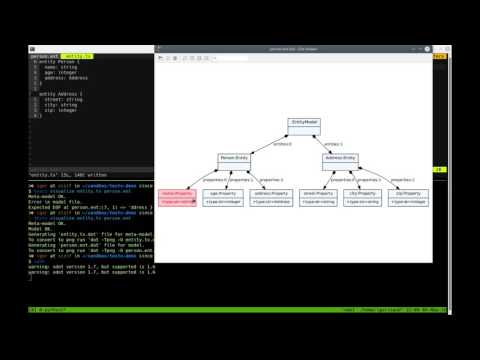
Implementing Martin Fowler's State Machine DSL in textX

Docs and tutorials
The full documentation with tutorials is available at http://textx.github.io/textX/stable/
You can also try textX in our playground. There is a dropdown with several examples to get you started.
Support in IDE/editors
Projects that are currently in progress are:
- textX-LS - support for Language Server
Protocol and VS Code for any textX based language. This project is about to
supersede the following projects:
- textX-languageserver - Language Server Protocol support for textX languages
- textX-extensions - syntax highlighting, code outline
- viewX - creating visualizers for textX languages
If you are a vim editor user check out support for vim.
For emacs there is textx-mode which is also available in MELPA.
You can also check out textX-ninja project. It is currently unmaintained.
Discussion and help
For general questions, suggestions, and feature requests please use GitHub Discussions.
For issues please use GitHub issue tracker.
Citing textX
If you are using textX in your research project we would be very grateful if you cite our paper:
Dejanović I., Vaderna R., Milosavljević G., Vuković Ž. (2017). TextX: A Python tool for Domain-Specific Languages implementation. Knowledge-Based Systems, 115, 1-4.
License
MIT
Python versions
Tested for 3.8+
1 maintainer

Metadata
1 maintainer
Release files for textX 4.2.3
For a detailed explanation of source distributions (sdists) and built distributions (wheels), please see the package formats documentation.
Source distribution (sdist)
| File | Size | Uploaded | Provenance | Actions |
|---|---|---|---|---|
| textx-4.2.3.tar.gz | 2.1 MB | Without provenance | Details for textx-4.2.3.tar.gz |
Built distribution (wheel)
| File | Interpreter | ABI | Platform | Actions Reset |
|---|---|---|---|---|
| textx-4.2.3-py3-none-any.whl | Python 3 | none | any | Details for textx-4.2.3-py3-none-any.whl |
Total release size: 2.2 MB
Release files / textx-4.2.3.tar.gz
| Download URL | textx-4.2.3.tar.gz |
|---|---|
| Size | 2.1 MB |
| Tags | Source |
|
SHA-256 checksum How to use checksums |
5c503fe335b24bc113c21cf20bfec9a174680cf95bb651dea8f90c27d305d4c8
|
|
BLAKE2b-256 checksum How to use checksums |
a723f8a1f8ea7d5e96a5b89a3d5da823f1b5aaa9e94f1995468a71a9cb146583
|
| Upload date | |
|
Uploaded using Trusted Publishing? What is trusted publishing? |
No |
| Uploaded via |
python-requests/2.32.5
|
Release files / textx-4.2.3-py3-none-any.whl
| Download URL | textx-4.2.3-py3-none-any.whl |
|---|---|
| Size | 67.7 kB |
| Tags | Python 3 |
|
SHA-256 checksum How to use checksums |
dc533d34809408fd7152f499fc97609ba7615f61a9e0ebcc76016a0929be5979
|
|
BLAKE2b-256 checksum How to use checksums |
5ef4e748c6781318aa9fef477c66d4dbd378b28a0e5ea73320cdcf630f755fe5
|
| Upload date | |
|
Uploaded using Trusted Publishing? What is trusted publishing? |
No |
| Uploaded via |
python-requests/2.32.5
|
Security for textX 4.2.3
Provenance
Provenance describes where a file came from. On PyPI, provenance is shared via attestations, which provide a verifiable record of the build or publishing details. View details, limitations and caveats.
No provenance found
None of the files in this release were uploaded with provenance metadata.
A note on package security
PyPI is a repository for distributing packages, not a service for auditing them. While third-party security researchers and our staff do their best to detect and remove malicious packages, PyPI cannot guarantee the quality, security or suitability of any given package.
To learn more about protecting yourself from malicious actors, visit our package security documentation.














