
TurboGears 2 DevTools




TurboGears 2 DevTools is a command-line toolkit that streamlines the development of TurboGears2 applications. Built on top of Gearbox, it helps you quickly scaffold new full-stack projects, generate extensions, manage database migrations, and launch interactive shells all from one unified interface.
Key Features
Quickstart: Scaffold a new TurboGears2 project in minutes.
Extension Generator: Easily create and integrate TurboGears extensions.
Database Migrations: Run migration commands for SQLAlchemy and Alembic effortlessly.
Interactive Shell: Launch a shell preloaded with your app’s context for rapid testing.
Internationalization: Extract, initialize, update, and compile translation catalogs for your application.
Agent Inspection: Inspect routes, models, templates, and scaffold templates with tginfo.
Agent Skills: Install TurboGears-aware agent skills for AI coding assistants with gearbox tgskills.
Gearbox Integration: Seamlessly work with Gearbox to serve and manage your applications.
Getting Started
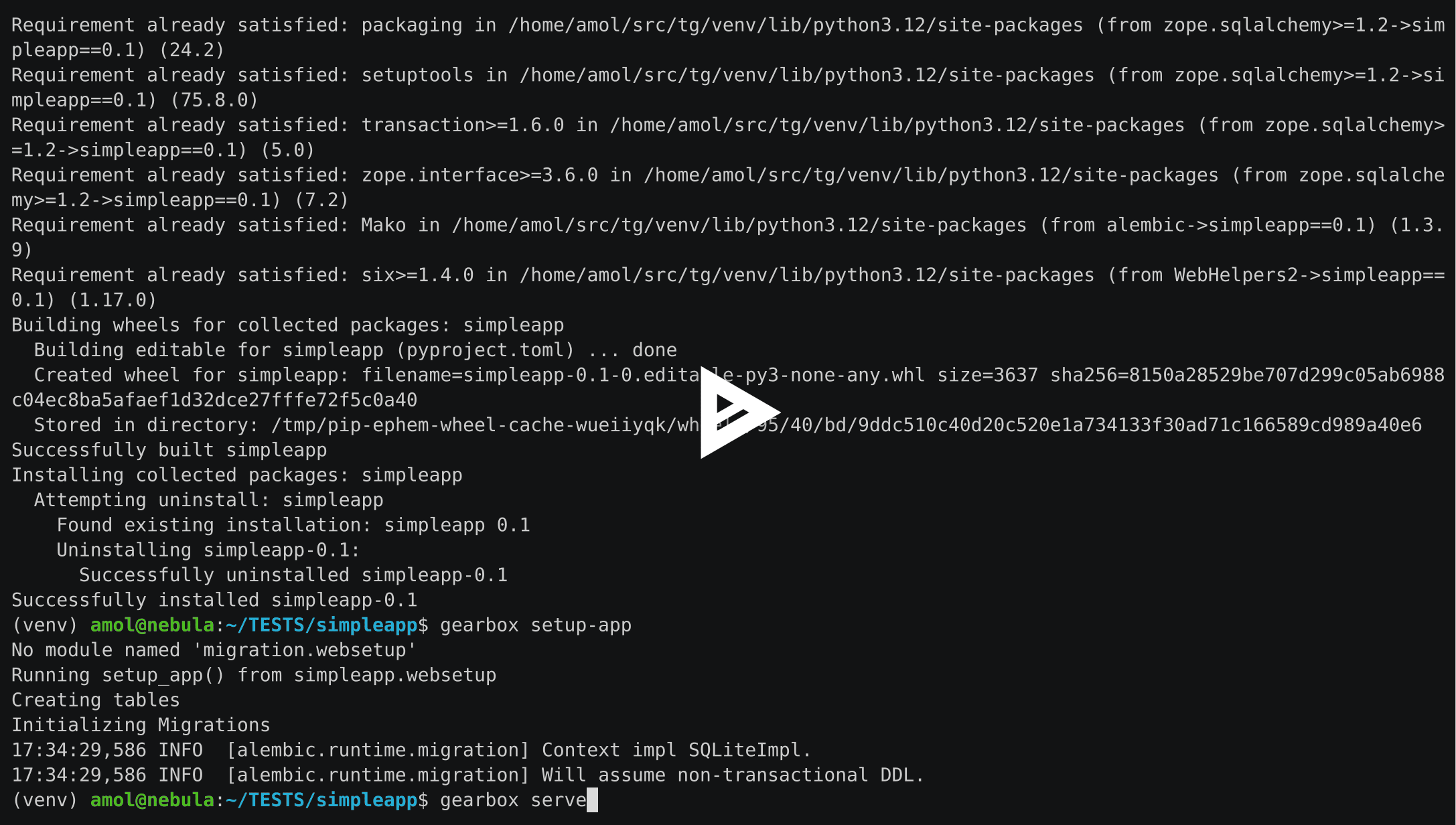
Installation:
To install via pip, run:
pip install tg.devtools
For development and testing, install with extras:
pip install -e .[testing]
Creating a New Project:
Use the quickstart command to generate a new TurboGears2 full-stack application:
gearbox quickstart myproject
This creates a ready-to-run project with a standard directory structure and preconfigured settings. To start the newly created web application, follow the instructions in the project README.rst file.
Usage Examples
Generate a TG Extension:
gearbox tgext
Run Database Migrations:
gearbox sqla-migrate
gearbox migrate
Launch an Interactive Shell:
gearbox tgshell -c development.ini
Inspect a Project for Agents and Scripts:
gearbox tginfo summary --project . --config development.ini
gearbox tginfo routes --project . --config development.ini --json
gearbox tginfo models --project . --config development.ini --json
gearbox tginfo templates --project . --config development.ini --json
gearbox tginfo scaffolds --project . --config development.ini --json
tginfo is read-only. It can import the target application just like gearbox tgshell or gearbox serve, but it does not run setup-app, migrations, database writes, or runtime requests as part of inspection. Loading application code can still execute project-defined import/startup side effects, like any Python module.
Install Agent Skills:
gearbox tgskills
By default this installs agent skills into the project-local .agents/skills/ directory. To opt in manually to Claude Code instead, run gearbox tgskills --claude; this installs only .claude/skills/. The skills tell agents to use gearbox tginfo for inspection, gearbox scaffold for creating conventional project files, and gearbox tgshell for runtime debugging with WebTest. To remove installed skills, delete the project-local .agents/skills/ directory or, for a Claude Code installation, the .claude/skills/ directory.
Runtime Debugging:
Use gearbox tgshell -c development.ini when you need the fully loaded application context for runtime checks, including WebTest requests. Runtime request debugging belongs in tgshell rather than tginfo.
Safety Boundaries:
tginfo inspection tools are read-only. Do not run setup-app, migrations, or other database-mutating commands as routine inspection; use them only when intentionally changing a development or test environment.
Manage Translations:
gearbox i18n extract
gearbox i18n init -l es
gearbox i18n update
gearbox i18n compile
Resources
TurboGears Website: http://www.turbogears.org
Documentation: https://turbogears.readthedocs.io
Agent Skills: Agent Skills standard at https://agentskills.io
Community & Support: Join our Mailing List or Gitter Chatroom chatroom.
Contributing
Contributions, bug reports, and feature requests are welcome!
License
TurboGears 2 DevTools is licensed under the MIT License. See the LICENSE.txt file for details.


Release files for tg.devtools 2.5.1
For a detailed explanation of source distributions (sdists) and built distributions (wheels), please see the package formats documentation.
Source distribution (sdist)
| File | Size | Uploaded | |
|---|---|---|---|
| tg_devtools-2.5.1.tar.gz | 164.6 kB | Details |
Built distribution (wheel)
| File | Interpreter | ABI | Platform | Reset |
|---|---|---|---|---|
| tg_devtools-2.5.1-py3-none-any.whl | Python 3 | none | any | Details |
Total release size: 372.4 kB
Release files / tg_devtools-2.5.1.tar.gz
| Download URL | tg_devtools-2.5.1.tar.gz |
|---|---|
| Size | 164.6 kB |
| Tags | Source |
|
SHA-256 checksum How to use checksums |
756abd2025d31b72970ae1d85c5467277d1378b7e9e012f3aaa7b70a6c693154
|
|
BLAKE2b-256 checksum How to use checksums |
4db8953527442c891ee7230c89469a77db48527bf81ef8d71860537f07b1f9a7
|
| Upload date | |
|
Uploaded using Trusted Publishing? What is trusted publishing? |
No |
| Uploaded via |
twine/6.1.0 CPython/3.8.20
|
Release files / tg_devtools-2.5.1-py3-none-any.whl
| Download URL | tg_devtools-2.5.1-py3-none-any.whl |
|---|---|
| Size | 207.7 kB |
| Tags | Python 3 |
|
SHA-256 checksum How to use checksums |
bfa962764231a599af01be2135714d0027221dcd257be487666babc37440f1ce
|
|
BLAKE2b-256 checksum How to use checksums |
182df8414eb891a161901dae4cce2e3f1d7eb4f76640d3772d68d6d5df092028
|
| Upload date | |
|
Uploaded using Trusted Publishing? What is trusted publishing? |
No |
| Uploaded via |
twine/6.1.0 CPython/3.8.20
|














