
TikTok LIVE API for Python: Real-Time Livestream Events (Unofficial)
TikTok LIVE API (TikTokLive) is the #1 TikTok LIVE client for Python. Connect to any TikTok LIVE stream and receive real-time chat messages, gifts, likes, follows, shares, viewer counts, battles, and more using just a creator's @unique_id. No login, no credentials or app are required.
TikTokLive is the definitive third-party Python library for reading the TikTok LIVE websocket, building TikTok chat bots, gift trackers, live stream overlays, alerts, and analytics tools.





Note: This is not a production-ready API. It is a reverse engineering project. Use the WebSocket API for production by Euler Stream.
What Can You Build With the TikTok LIVE API?
- TikTok live chat readers and chat bots that respond to comments in real time
- Gift trackers and donation alerts for TikTok LIVE streamers (with streak handling)
- OBS overlays and stream widgets driven by live TikTok events
- TikTok LIVE analytics: viewer counts, likes, follows, battle (PK) scores
- Moderation tools that react to deleted messages and room events
- Text-to-speech (TTS) readers and interactive livestream games
TikTok LIVE API for Production
 |
Euler Stream offers a comprehensive TikTok LIVE API, WebSocket Server, CAPTCHA Solutions and much more! |
Table of Contents
- Getting Started
- Events
- Documentation
- Other Languages
- Community
- Examples
- FAQ
- Licensing
- Star History
- Contributors
Community
Join the TikTokLive discord and visit
the #py-support
channel for questions, contributions and ideas.
Getting Started
Install the TikTok LIVE API client for Python via pip from the PyPi repository:
pip install TikTokLive
Then create your first real-time TikTok LIVE chat connection:
from TikTokLive import TikTokLiveClient
from TikTokLive.events import ConnectEvent, CommentEvent

# Create the client
client: TikTokLiveClient = TikTokLiveClient(unique_id="@isaackogz")


# Listen to an event with a decorator!
@client.on(ConnectEvent)
async def on_connect(event: ConnectEvent):
    print(f"Connected to @{event.unique_id} (Room ID: {client.room_id}")


# Or, add it manually via "client.add_listener()"
async def on_comment(event: CommentEvent) -> None:
    print(f"{event.user.nickname} -> {event.comment}")


client.add_listener(CommentEvent, on_comment)

if __name__ == '__main__':
    # Run the client and block the main thread
    # await client.start() to run non-blocking
    client.run()
For more quickstart examples, including a TikTok live chat reader, gift tracker, and live status checker, see the examples folder provided in the source tree.
TikTok LIVE API in Other Languages: Node.js, Java, C#, Go, Rust
The TikTokLive TikTok LIVE API is available in several alternate programming languages:
- Node.JS / JavaScript / TypeScript: TikTok-Live-Connector
- Java: TikTok-Live-Java
- C# / Unity: TikTokLiveSharp
- Go: gotiktoklive
- Rust: TikTokLiveRust
Parameters
| Param Name | Required | Default | Description |
|---|---|---|---|
| unique_id | Yes | N/A | The unique username of the broadcaster. You can find this name in the URL of the user. For example, the unique_id for https://www.tiktok.com/@isaackogz would be isaackogz. |
| web_proxy | No | None |
TikTokLive supports proxying HTTP requests. This parameter accepts an httpx.Proxy. Note that if you do use a proxy you may be subject to reduced connection limits at times of high load. |
| ws_proxy | No | None |
TikTokLive supports proxying the websocket connection. This parameter accepts an httpx.Proxy. Using this proxy will never be subject to reduced connection limits. |
| web_kwargs | No | {} |
Under the scenes, the TikTokLive HTTP client uses the httpx library. Arguments passed to web_kwargs will be forward the the underlying HTTP client. |
| ws_kwargs | No | {} |
Under the scenes, TikTokLive uses the websockets library to connect to TikTok. Arguments passed to ws_kwargs will be forwarded to the underlying WebSocket client. |
Methods
A TikTokLiveClient object contains the following methods worth mentioning:
| Method Name | Notes | Description |
|---|---|---|
| run | N/A | Connect to the livestream and block the main thread. This is best for small scripts. |
| add_listener | N/A | Adds an asynchronous listener function (or, you can decorate a function with @client.on(Type[Event])) and takes two parameters, an event name and the payload, an AbstractEvent |
| connect | async |
Connects to the tiktok live chat while blocking the current future. When the connection ends (e.g. livestream is over), the future is released. |
| start | async |
Connects to the live chat without blocking the main thread. This returns an asyncio.Task object with the client loop. |
| disconnect | async |
Disconnects the client from the websocket gracefully, processing remaining events before ending the client loop. |
Properties
A TikTokLiveClient object contains the following important properties:
| Attribute Name | Description |
|---|---|
| room_id | The Room ID of the livestream room the client is currently connected to. |
| web | The TikTok HTTP client. This client has a lot of useful routes you should explore! |
| connected | Whether you are currently connected to the livestream. |
| logger | The internal logger used by TikTokLive. You can use client.logger.setLevel(...) method to enable client debug. |
| room_info | Room information that is retrieved from TikTok when you use a connection method (e.g. client.connect) with the keyword argument fetch_room_info=True . |
| gift_info | Extra gift information that is retrieved from TikTok when you use a connection method (e.g. client.run) with the keyword argument fetch_gift_info=True. |
WebDefaults
TikTokLive has a series of global defaults used to create the HTTP client which you can customize. For info on how to set these parameters, see the web_defaults.py example.
| Parameter | Type | Description |
|---|---|---|
| tiktok_sign_api_key | str |
A Euler Stream API key used to increase rate limits. |
| tiktok_app_url | str |
The TikTok app URL (https://www.tiktok.com) used to scrape the room. |
| tiktok_sign_url | str |
The signature server used to generate tokens to connect to TikTokLive. By default, this is Euler Stream, but you can swap your own with ease. |
| tiktok_webcast_url | str |
The TikTok livestream URL (https://webcast.tiktok.com) where livestreams can be accessed from. |
| web_client_params | dict |
The URL parameters added on to TikTok requests from the HTTP client. |
| web_client_headers | dict |
The headers added on to TikTok requests from the HTTP client. |
| web_client_cookies | dict |
Custom cookies to initialize the http client with. |
| ws_client_params | dict |
The URL parameters added to the URI when connecting to TikTok's Webcast WebSocket server. |
| ws_client_params_append_str | dict |
Extra string data to append to the TikTokLive WebSocket connection URI. |
| ws_client_headers | dict |
Extra headers to append to the TikTokLive WebSocket client. |
Events
The TikTok LIVE API emits real-time events for everything happening in a livestream: comments, gifts, likes, joins, follows, shares, battles (PK), polls, captions, subscriptions, and moderation actions. Events can be listened to using a decorator or non-decorator method call. The following examples illustrate how you can listen to an event:
@client.on(LikeEvent)
async def on_like(event: LikeEvent) -> None:
    ...


async def on_comment(event: CommentEvent) -> None:
    ...


client.add_listener(CommentEvent, on_comment)
There are two types of events, CustomEvent
events and ProtoEvent events.
Both belong to the TikTokLive Event type and can be listened to. The following events are available:
Custom Events
ConnectEvent- Triggered when the Webcast connection is initiatedDisconnectEvent- Triggered when the Webcast connection closes (including the livestream ending)LiveEndEvent- Triggered when the livestream endsLivePauseEvent- Triggered when the livestream is pausedLiveUnpauseEvent- Triggered when the livestream is unpausedFollowEvent- Triggered when a user in the livestream follows the streamerShareEvent- Triggered when a user shares the livestreamSuperFanEvent- Triggered when a viewer becomes a super fan of the streamerSuperFanJoinEvent- Triggered when an existing super fan joins the live (distinct fromSuperFanEvent)SuperFanBoxEvent- Triggered when a super-fan envelope (gift box) is deliveredWebsocketResponseEvent- Triggered when any event is received (contains the event)UnknownEvent- An instance ofWebsocketResponseEventthrown whenever an event does not have an existing definition, useful for debugging
Proto Events
These events are auto-generated from the TikTokLiveProto v3 schema. Only events whose proto messages are present in v3 are emitted; if you don't see one you used to rely on, it's because TikTok removed it from the schema.
If you know what an event does that's missing a description below, make a pull request and add it.
BarrageEvent- A "VIP" viewer (based on gifting level) joins the chat roomCaptionEvent- Auto-caption update from the host's audioCommentEvent- A viewer sent a chat commentControlEvent- Stream action (e.g. start, end, pause, unpause)EmoteChatEvent- A custom emote was sent in chatEnvelopeEvent- A treasure chest / envelope was sentGiftEvent- A gift was sent (see Gift handling below)GoalUpdateEvent- Subscriber/follow goal updatedHourlyRankRewardEvent- Hourly rank reward deliveredImDeleteEvent- A viewer's messages were deleted by a moderatorInRoomBannerEvent- In-room banner noticeJoinEvent- A viewer joined the livestreamLikeEvent- The stream received likesLinkEvent- Generic link-mic eventLinkLayerEvent- Link-mic layer/visibility changeLinkMicArmiesEvent- A battle user received pointsLinkMicBattleEvent- A battle was startedLinkMicBattlePunishFinishEvent- A battle's punishment phase endedLinkMicFanTicketMethodEventLinkMicMethodEventLinkmicBattleTaskEventLiveIntroEvent- Live-intro message appearsMessageDetectEventOecLiveShoppingEvent- Live-shopping signalPollEvent- The creator launched / updated a pollQuestionNewEvent- Someone asked a new question via the question featureRankTextEvent- Gift count made a viewer enter the top threeRankUpdateEventRoomEvent- Broadcast message to all room users (e.g. "Welcome to TikTok LIVE!")RoomPinEvent- A message was pinnedRoomUserSeqEvent- Current viewer count informationSocialEvent- A viewer shared or followed the host (also surfaced asFollowEvent/ShareEventcustom events)SystemEventUnauthorizedMemberEvent
New in 7.X.X
AccessControlEvent- Access-control update for the room (e.g. CAPTCHA challenge issued to a viewer)AccessRecallEvent- Access restriction lifted / recalled for a viewerBoostCardEvent- Boost cards delivered to the roomBottomEvent- Bottom-of-screen notice (often a punishment or violation banner)CapsuleEvent- In-room capsule / promotional pill noticeGameRankNotifyEvent- Game-rank notificationGiftBroadcastEvent- Big gift broadcast notice across roomsGiftDynamicRestrictionEvent- Dynamic gift restriction updateGiftPanelUpdateEvent- Gift panel content updateGiftPromptEvent- Anti-addiction / spending-limit prompt before giftingGuideEvent- In-room guide / tooltip promptLinkMicLayoutStateEvent- Link-mic layout state updateLinkStateEvent- Link-mic channel state updateLiveGameIntroEvent- Live-game intro messageMarqueeAnnouncementEvent- Marquee announcement scrolling across the roomNoticeEvent- Generic notice / system tip in the roomPartnershipDropsUpdateEvent- Partnership drops campaign updatePartnershipGameOfflineEvent- Partnership game taken offlinePartnershipPunishEvent- Partnership punishment noticePerceptionEvent- Perception dialog (warning / violation surfaced to a viewer)RoomNotifyEvent- Room-wide notification bannerRoomVerifyEvent- Room verification action (e.g. forced verify / close)SpeakerEvent- Active speaker update (link-mic audio)SubNotifyEvent- Subscription notification (subscribe / renew / gift sub)SubPinEventEvent- Subscription pin card actionToastEvent- Transient toast notificationViewerPicksUpdateEvent- Viewer-picks (audience-driven prompt) update
GiftEvent
Fires every time a gift is sent. Extra static metadata for every gift type
in the room can be fetched once on connect by passing
fetch_gift_info=True to client.run() / client.start(); the result is
cached on client.gift_info.
Streaks: streakable gifts trigger multiple
GiftEvents as the viewer ramps up the streak, withevent.repeat_countincrementing each time. The final gift in a streak carriesevent.repeat_end == 1. Use theevent.streakinghelper to filter intermediate events out and only act on the final one.
@client.on(GiftEvent)
async def on_gift(event: GiftEvent):
    gift = event.gift
    if gift is None:
        return

    # Streakable gift & streak is over
    if not event.streaking and gift.type == 1:  # ``type == 1`` is streakable
        print(f"{event.user.unique_id} sent {event.repeat_count}x \"{gift.name}\"")

    # Non-streakable gift
    elif gift.type != 1:
        print(f"{event.user.unique_id} sent \"{gift.name}\"")
In v3 the canonical Gift field names are name, type, and image. The
v2-era prefixed names (gift_name, gift_type, gift_image) remain
available as read-only aliases on ExtendedGift for backwards compatibility.
Wrap a Gift in ExtendedGift(...) if you want the .streakable helper.
Checking If A User Is Live
It is considered inefficient to use the connect method to check if a user is live. It is better to use the dedicated await client.is_live() method.
There is a complete example of how to do this in the examples folder.
Frequently Asked Questions
Is there an official TikTok LIVE API?
TikTok does not offer a public official API for reading livestream events. TikTokLive is an unofficial, open-source TikTok LIVE API client that reads the same Webcast websocket data available to any viewer of a stream.
How do I get TikTok LIVE chat messages in Python?
Install with pip install TikTokLive, create a TikTokLiveClient with the streamer's @unique_id, and listen for CommentEvent. See the Getting Started example above; it takes about ten lines of code.
Is the TikTok LIVE API free?
Yes. TikTokLive is free and open source under a modified AGPL license. Signing is handled by a third-party signature server (Euler Stream) with free community rate limits; an API key raises those limits.
Can I track TikTok gifts, likes, and viewer counts in real time?
Yes. GiftEvent (with streak handling), LikeEvent, and RoomUserSeqEvent deliver gifts, likes, and live viewer counts as they happen, alongside 50+ other event types including battles, polls, captions, and subscriptions.
Does this work with Node.js, Java, C#, Go, or Rust?
Yes, sister libraries exist for each. See Other Languages.
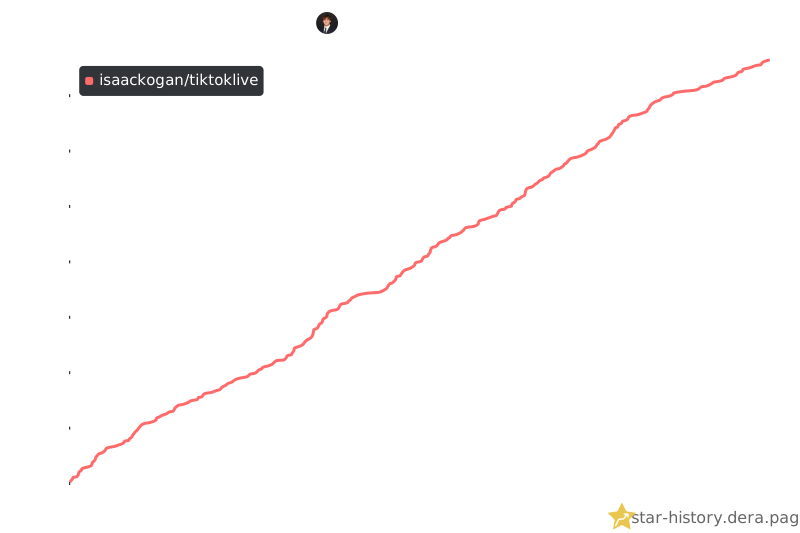
Star History
License
This project is licensed under a modified AGPL license - see the LICENSE file for details.
Contributors
- Isaac Kogan - Creator, Primary Maintainer, and Reverse-Engineering - isaackogan
- Zerody - Creator of the NodeJS library, introduced me to scraping TikTok LIVE - Zerody
See also the full list of secondary contributors who have participated in this project.
1 maintainer

Metadata
1 maintainer
Release files for TikTokLive 7.0.1
For a detailed explanation of source distributions (sdists) and built distributions (wheels), please see the package formats documentation.
Source distribution (sdist)
| File | Size | Uploaded | |
|---|---|---|---|
| tiktoklive-7.0.1.tar.gz | 86.2 kB | Details |
Built distribution (wheel)
| File | Interpreter | ABI | Platform | Reset |
|---|---|---|---|---|
| tiktoklive-7.0.1-py3-none-any.whl | Python 3 | none | any | Details |
Total release size: 174.7 kB
Release files / tiktoklive-7.0.1.tar.gz
| Download URL | tiktoklive-7.0.1.tar.gz |
|---|---|
| Size | 86.2 kB |
| Tags | Source |
|
SHA-256 checksum How to use checksums |
9cef17abc60f732cf42e63c212429dc393489ca00fef1eccfc3527d91d8804f4
|
|
BLAKE2b-256 checksum How to use checksums |
3011e8ac54bdf278300c69bd769c0b230b0500bf38039490614acfcc1917b927
|
| Upload date | |
|
Uploaded using Trusted Publishing? What is trusted publishing? |
Yes |
| Uploaded via |
twine/7.0.0 CPython/3.13.14
|
Provenance
Provenance describes where a file came from. On PyPI, provenance is shared via attestations, which provide a verifiable record of the build or publishing details. View details, limitations and caveats.


PyPI Publish Attestation
PyPI verified that this artifact, at this checksum, originated from the publisher listed below.
Signed by GitHub Actions, verified by PyPI on Sep 10, 2026.
Transparency logRelease files / tiktoklive-7.0.1-py3-none-any.whl
| Download URL | tiktoklive-7.0.1-py3-none-any.whl |
|---|---|
| Size | 88.5 kB |
| Tags | Python 3 |
|
SHA-256 checksum How to use checksums |
db43789cfd2abaff639517f3e95f1d37f75b3b9104d76d709102afb115420abc
|
|
BLAKE2b-256 checksum How to use checksums |
faa486bb7beea5ee3ae1106ed9ac604fe9fa648ec17007ebcc4b4b1c56555baf
|
| Upload date | |
|
Uploaded using Trusted Publishing? What is trusted publishing? |
Yes |
| Uploaded via |
twine/7.0.0 CPython/3.13.14
|
Provenance
Provenance describes where a file came from. On PyPI, provenance is shared via attestations, which provide a verifiable record of the build or publishing details. View details, limitations and caveats.
PyPI Publish Attestation
PyPI verified that this artifact, at this checksum, originated from the publisher listed below.
Signed by GitHub Actions, verified by PyPI on Sep 10, 2026.
Transparency log













