







Read Latest Documentation - Browse GitHub Code Repository
The only thing worse than documentation never written, is documentation written but never discovered.
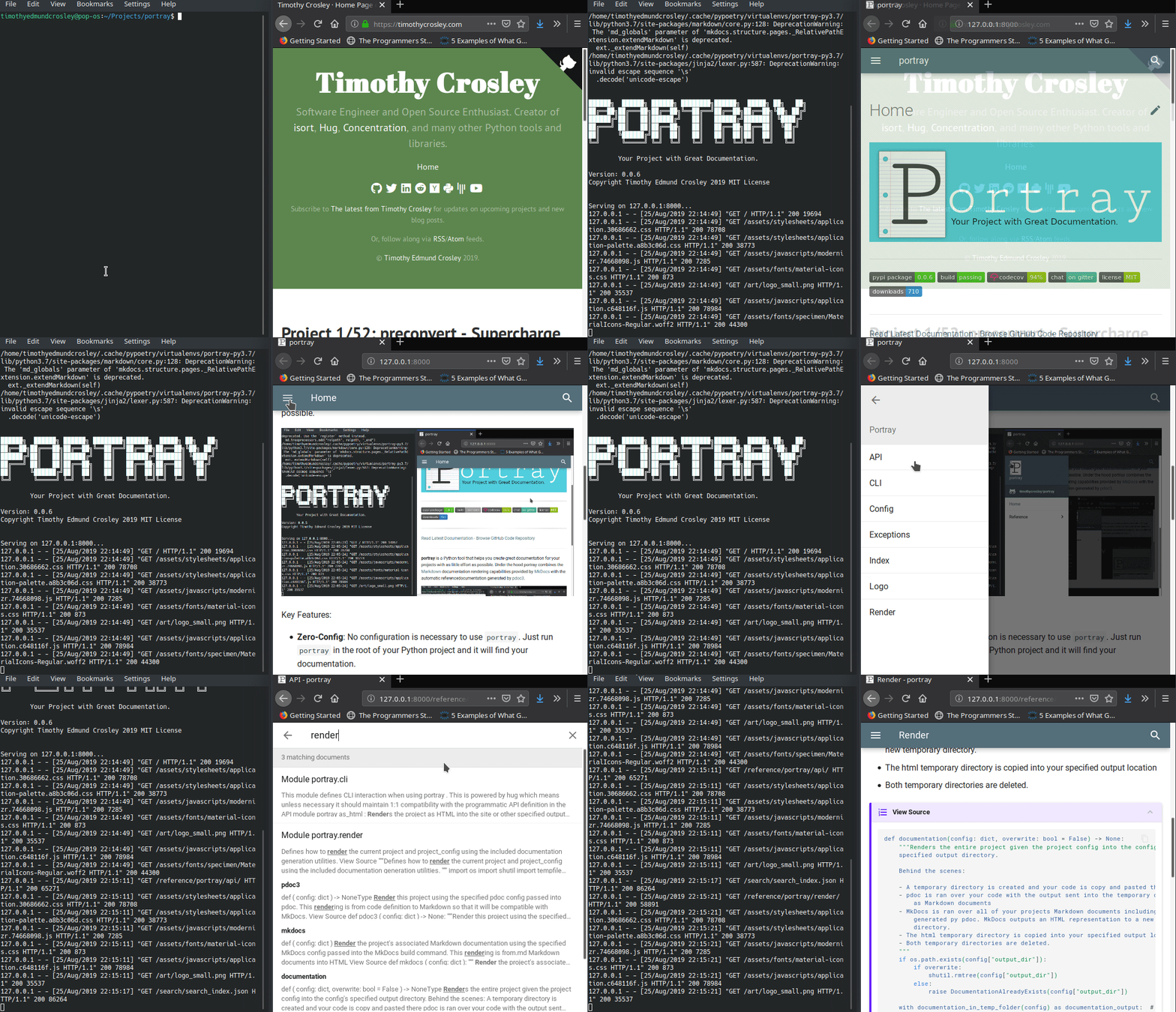
portray is a Python3 command line tool and library that helps you create great documentation websites for your Python projects with as little effort as possible.
Key Features:
- Zero-Config: No configuration is necessary to use
portray. Just runportrayin the root of your Python project and it will find your documentation. - Statically Generated:
portraywebsites are easy to host on GitHub pages and other similar services as they are outputted as standard static HTML websites. - Markdown Aware:
portraywill automatically include your project's.mdfiles and render them into HTML. It will also find and render Markdown within__doc__strings. - Fully Configurable: While
portraydoesn't have to be configured, you still can fully configure it within the standardpyproject.tomlfile. - Easily Programmable:
portrayexposes a clean and simple Python API. - Searchable: Out of the box,
portraymakes all of your documentation, even autogenerated code references, free-text searchable. - Themeable:
portrayis compatible with all existing MkDocs Themes.
Under the hood, portray combines the Markdown documentation rendering capabilities provided by MkDocs with the automatic reference documentation generated by pdocs.
Quick Start
The following guides should get you up and running with a documentation website in no time.
- Installation - TL;DR: Run
pip3 install portraywithin your project's virtual environment. - Command Line Usage - TL;DR: Run
portray in_browserto test andportray on_github_pagesto deploy. - API Usage - TL;DR: Everything available via the CLI is also easily available programmatically from within Python.
- Configuration - TL;DR: Put all configuration within a
[tool.portray]section of yourpyproject.tomlfile.
Why Create Portray?
I create a lot of Python projects and I've always wanted a quick way to build documentation sites for them that included both manually written guides and autogenerated reference documentation. Tools have improved over the years, but still nothing has given me this experience out of the box. Portray isn't a competitor for the 2 newer Python documentation projects (pdocs and MkDocs), rather it is melding of them together to give me the quick to create and comprehensive documentation website generation I've always wanted.
Thanks and I hope you too find portray useful!
~Timothy Crosley
1 maintainer

Metadata
1 maintainer
Release files for tmp-fat-portray 1.8.0
For a detailed explanation of source distributions (sdists) and built distributions (wheels), please see the package formats documentation.
Built distribution (wheel)
| File | Interpreter | ABI | Platform | Actions Reset |
|---|---|---|---|---|
| tmp_fat_portray-1.8.0-py3-none-any.whl | Python 3 | none | any | Details for tmp_fat_portray-1.8.0-py3-none-any.whl |
Release files / tmp_fat_portray-1.8.0-py3-none-any.whl
| Download URL | tmp_fat_portray-1.8.0-py3-none-any.whl |
|---|---|
| Size | 14.6 kB |
| Tags | Python 3 |
|
SHA-256 checksum How to use checksums |
e53b3ff275c169d0e12b62782a1ed23af61a654ee1d0d9102a16b91bb698eb74
|
|
BLAKE2b-256 checksum How to use checksums |
bb029d2d8c4b38112b0adf5e29b0b524df7ebe0f582341282e22cffea83568f3
|
| Upload date | |
|
Uploaded using Trusted Publishing? What is trusted publishing? |
No |
| Uploaded via |
twine/6.0.1 CPython/3.12.7
|
Security for tmp-fat-portray 1.8.0
Provenance
Provenance describes where a file came from. On PyPI, provenance is shared via attestations, which provide a verifiable record of the build or publishing details. View details, limitations and caveats.
No provenance found
None of the files in this release were uploaded with provenance metadata.
A note on package security
PyPI is a repository for distributing packages, not a service for auditing them. While third-party security researchers and our staff do their best to detect and remove malicious packages, PyPI cannot guarantee the quality, security or suitability of any given package.
To learn more about protecting yourself from malicious actors, visit our package security documentation.













