
translate-shell





























Translate text by:
- online translators
- bing
- youdaozhiyun
- haici
- offline dictionaries
- stardict
- LLM
- OpenAI
- llama: use your local model
Supports:
- CLI
- GUI
- GNU/Linux
- Android
- macOS
- Windows
- REPL
- script:
- python
- shell
- vim: DEPRECATION: vim port will be replaced by language server
- language server
- CI/CD
- github action
Usage
UI
CLI
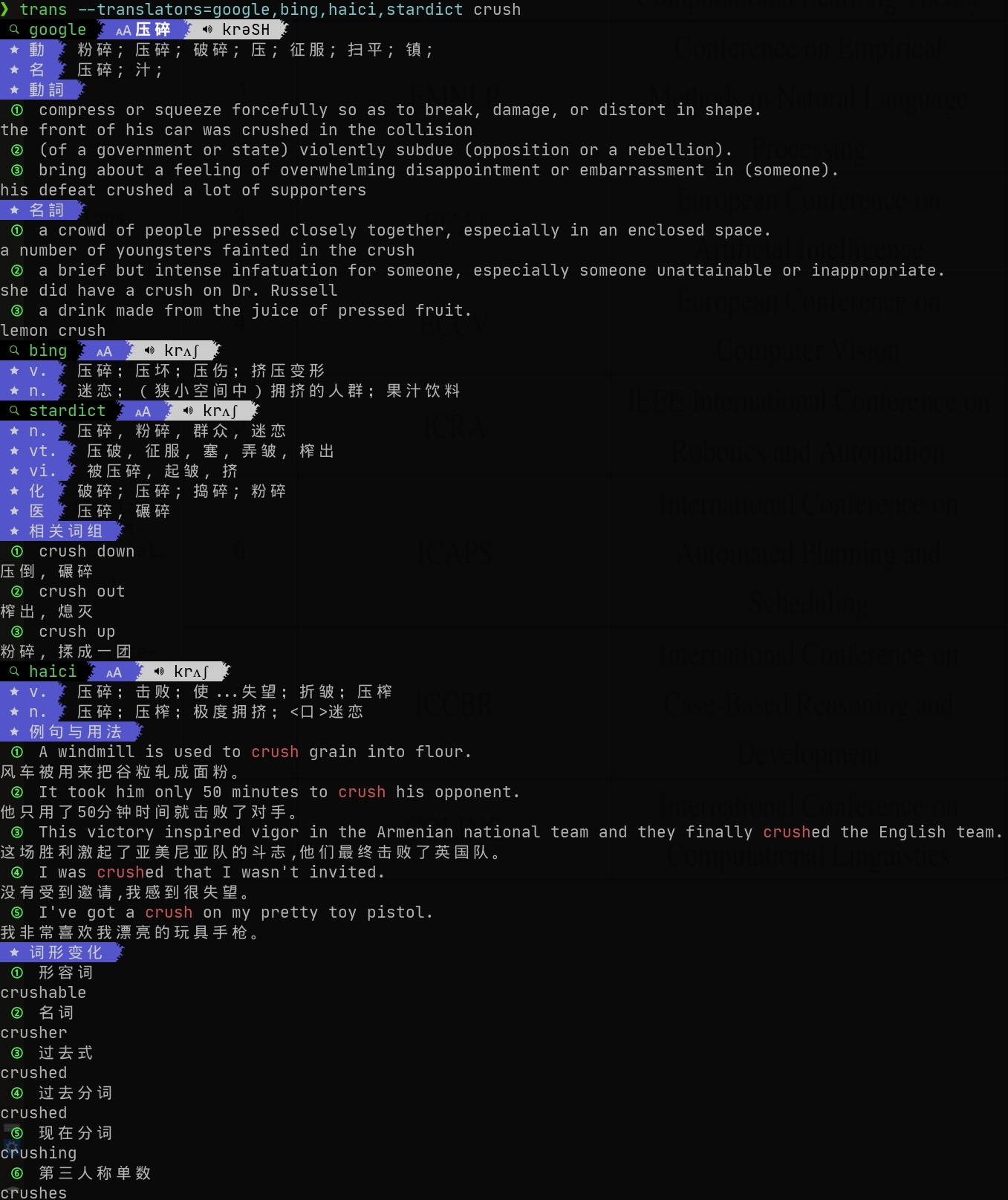
trans --translators=google,bing,haici,stardict crush
REPL
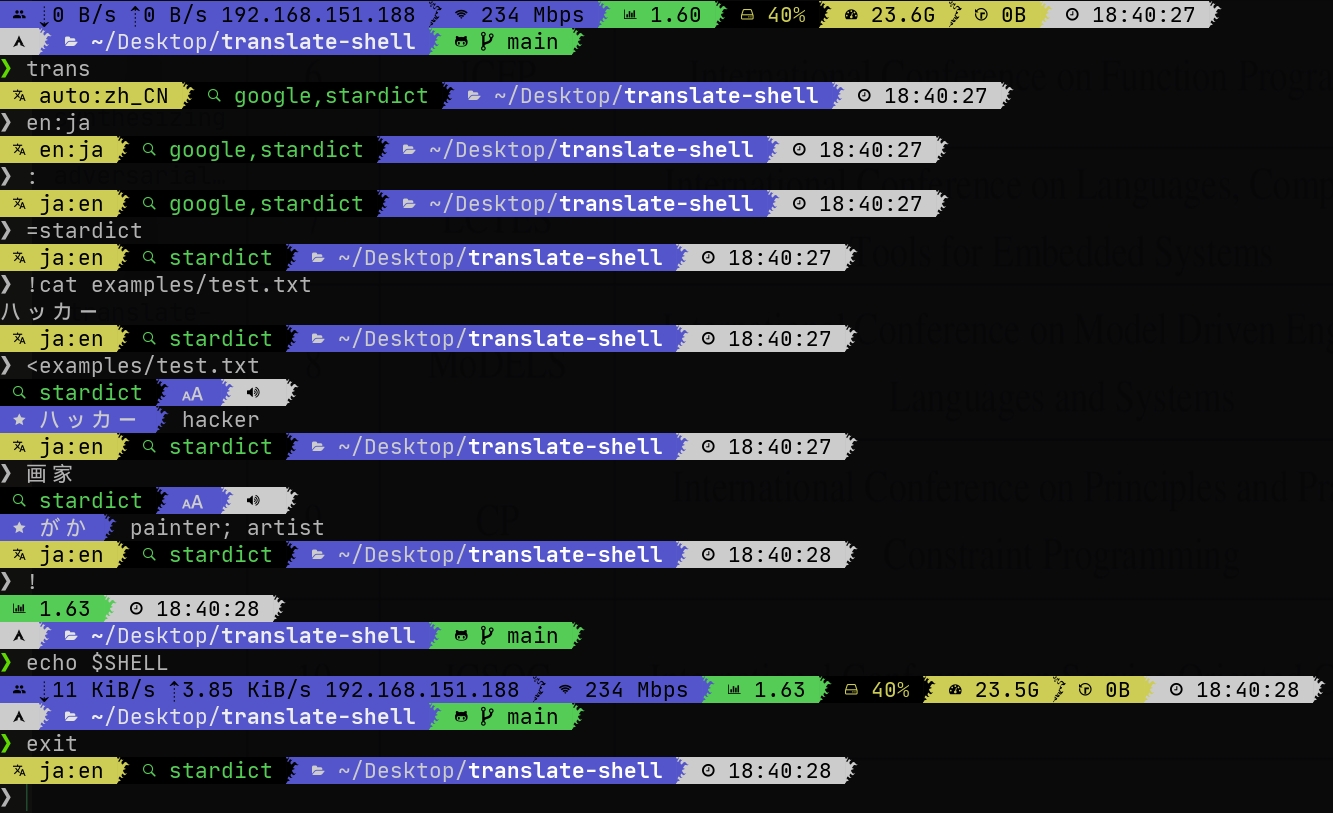
$ trans  # enter REPL
> en:ja  # change source language to english and target language to japanese
> :  # swap source and target languages
> =stardict  # use stardict to translate text
> !cat example/test.txt  # execute a shell command
ハッカー
> <example/test.txt   # translate a file
hacker
> 画家  # translate text
painter; artist
> !  # enter shell
$ echo $SHELL  # execute a shell command
/usr/bin/zsh
$ exit  # exit shell
>
TUI
Vim
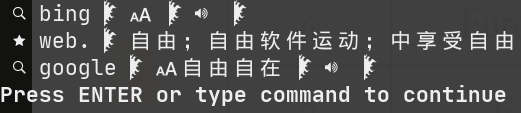
Translate --translators=google,bing Free as in Freedom
GUI
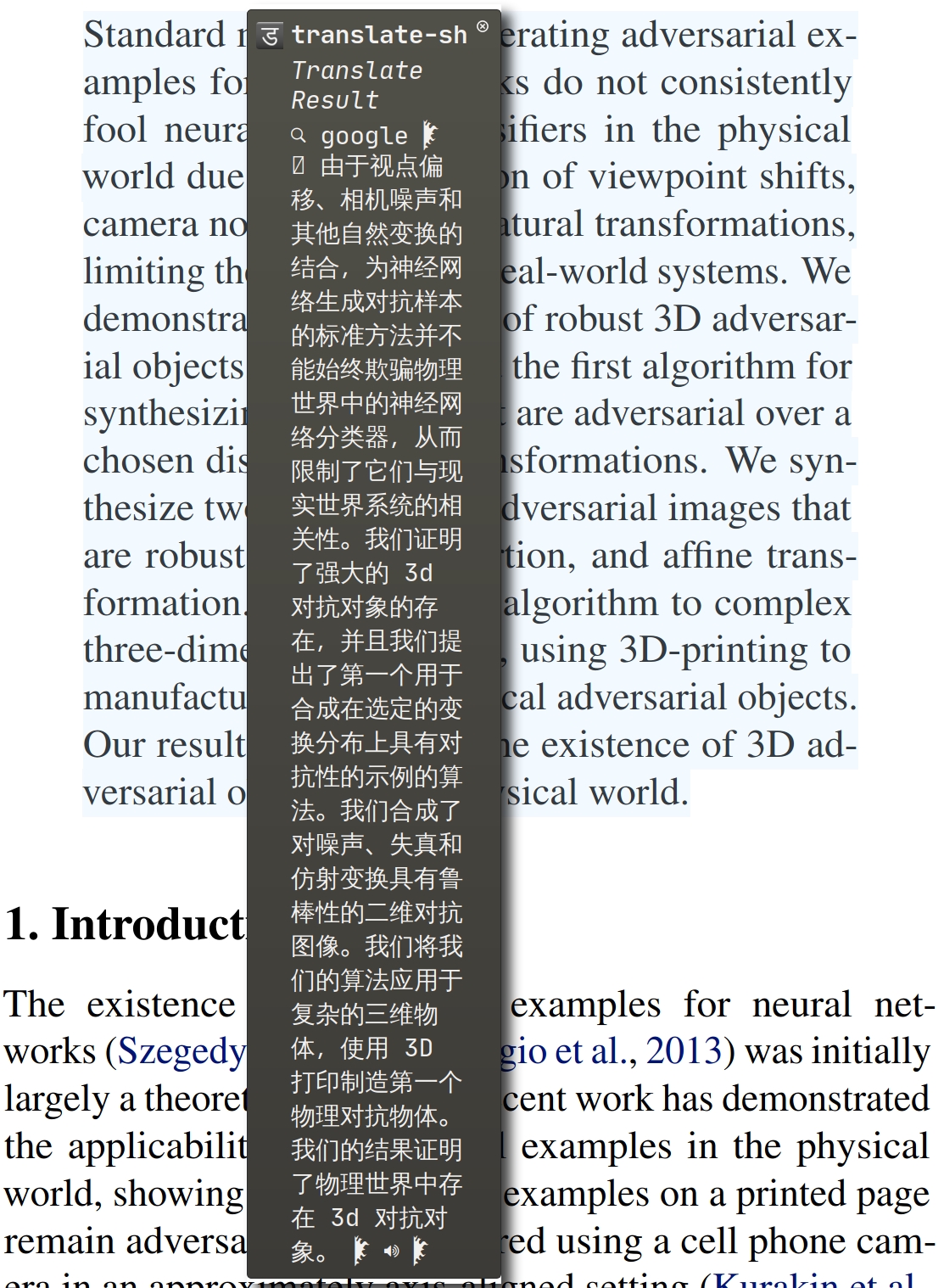
GNU/Linux
Android
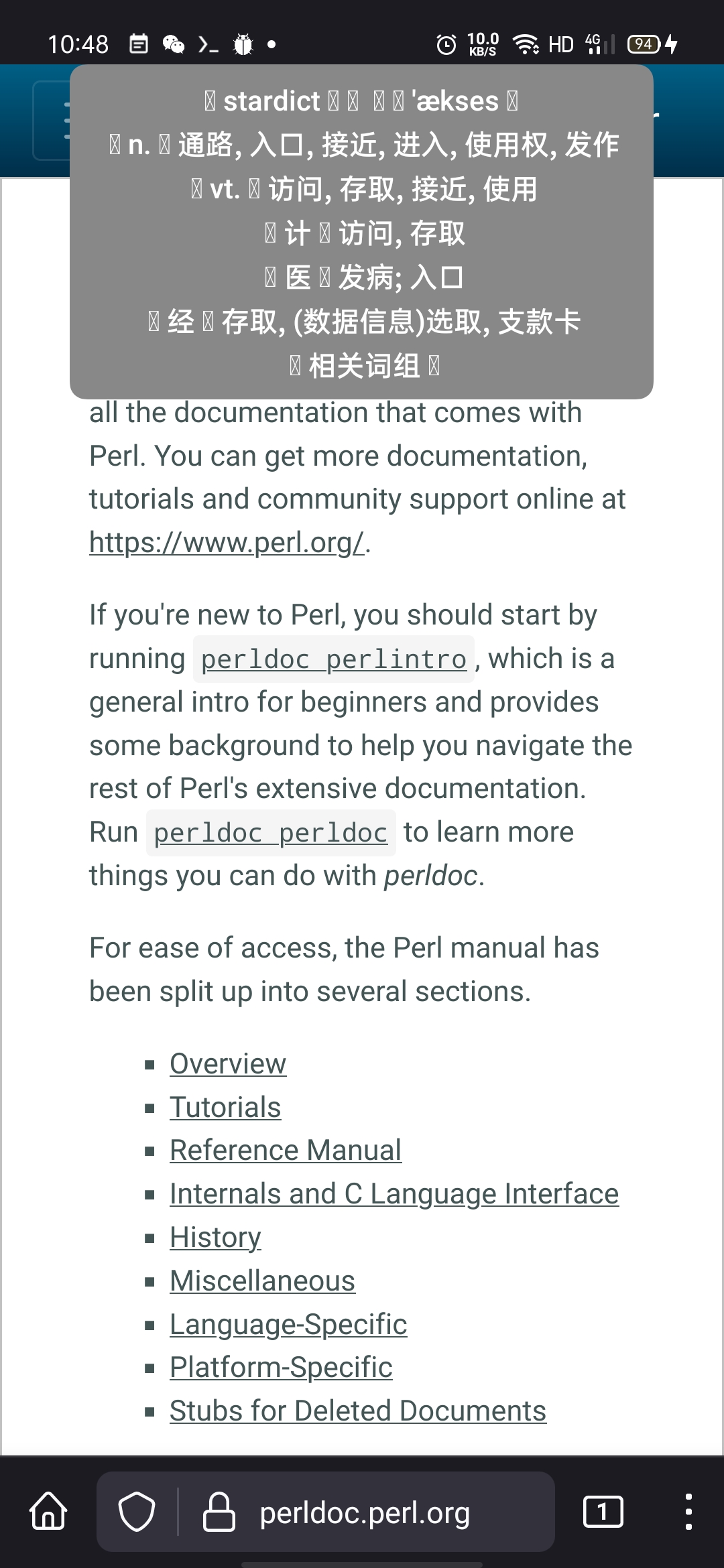
Script
Python
>>> from translate_shell.translate import translate
>>> translate("The Mythical Man-Month", "zh_TW")
... Translations(
...     status=1,
...     results=[
...         Translation(
...             translator="google",
...             sl="auto",
...             tl="zh_TW",
...             text="The Mythical Man-Month",
...             phonetic="",
...             paraphrase="神話般的人月",
...             explains={},
...             details={},
...             alternatives=["神話般的月"]
...         )
...     ],
...     text="The Mythical Man-Month",
...     to_lang="zh_TW",
...     from_lang="auto",
... )
Shell Script
$ xsel -o | trans --format json | jq -r '"《\(.results[].paraphrase)》的英文是 \(.text)."'
《大教堂和集市》的英文是 the cathedral and the bazaar.
Vim Script
:let g:text = 'Just for Fun'
:let g:translation = json_decode(translate_shell#call('--format=json', g:text))
:echo g:text 'is' g:translation.results[0].paraphrase 'in Chinese.'
Just for Fun is 纯娱乐 in Chinese.
Language server
- document hover: display translated results
- completions: complete translated words
CI/CD
Github Action
This repo provides an action to translate *.po of a repository. See
inputs.
For example, you have a repository which contains translations of another
project's documents (upstream), you can write a github workflow to detect if
upstream has update. If a new version exist, update the version and
generate new
.pos,
then translate the changed .pos and git commit.
Examples:
on:
  schedule:
    # Run this CI/CD at 0:00 on Friday
    - cron: 0 0 * * 5
  workflow_dispatch:

jobs:
  translate:
    runs-on: ubuntu-latest
    steps:
      - uses: actions/checkout@v3
      - name: Generate new .po
        id: version
        run: |
          # update version
          # then use perl / sed / ... to replace the version string of your file
          # then generate new .po
          echo VERSION=XXX > $GITHUB_OUTPUT
      - name: Translate your *.po
        uses: Freed-Wu/translate-shell@main
      - name: Git commit
        run: |
          git add **.po
          git config --global user.name 'Github Actions'
          git config --global user.email '41898282+github-actions[bot]@users.noreply.github.com'
          git commit -m ":bookmark: Dump version to $VERSION"
          git tag "$VERSION"
          git remote set-url origin "https://x-access-token:$GH_TOKEN@github.com/$GITHUB_REPOSITORY"
          git push
          git push --tags
        env:
          VERSION: ${{steps.version.outputs.VERSION}}
          GH_TOKEN: ${{secrets.GH_TOKEN}}
You can use the following commands to get the new version:
# get a github repo's version:
curl https://api.github.com/repos/user/repo/releases/latest | jq -r .tag_name
# get a gitlab repo's version
curl 'https://gitlab.com/api/v4/projects/41218592/repository/tags?per_page=1' |
jq -r '.[].name'
You can use the following tools to generate the new .pos:
- sphinx-intl: Generate
.pofor any project using sphinx to generate document. - po4a: Generate
.pofor any project which use markdown,LaTeX, man, ... to write document.
Similar Projects
See comparison.
Features
- Translate with different translators at same time, like translator
- Translate clipboard contents automatically, like ydcv
- Speak the pronunciation of words
- Support online translate engines
- Support offline dictionaries
- Many methods to use, from shell, python and vim
- Magic text, like
en:to change source language,:zh_CNto change target language,<fileto translate file, etc. - Allow customization by
config.py - Good shell completions, especially for zsh, complete options and translation history
- Manpage:
man trans - Beautiful UI
- Cross platforms
- Rich API, can be easily called from shell and python
- Good document
- Unit test, keep code quality
- CI/CD
- clean code
- Respect PEP484
- Respect PEP621
- Respect XDG
The last but not least: it is a libre software.
See document to know more.
PS: PR is welcome! Please make code clean and keep test pass!
1 maintainer

Metadata
1 maintainer
Release files for translate-shell 0.0.59
For a detailed explanation of source distributions (sdists) and built distributions (wheels), please see the package formats documentation.
Source distribution (sdist)
| File | Size | Uploaded | Provenance | Actions |
|---|---|---|---|---|
| translate_shell-0.0.59.tar.gz | 116.4 kB | Without provenance | Details for translate_shell-0.0.59.tar.gz |
Built distribution (wheel)
| File | Interpreter | ABI | Platform | Actions Reset |
|---|---|---|---|---|
| translate_shell-0.0.59-py3-none-any.whl | Python 3 | none | any | Details for translate_shell-0.0.59-py3-none-any.whl |
Total release size: 201.5 kB
Release files / translate_shell-0.0.59.tar.gz
| Download URL | translate_shell-0.0.59.tar.gz |
|---|---|
| Size | 116.4 kB |
| Tags | Source |
|
SHA-256 checksum How to use checksums |
de14522ca039688edb82d08069fc708fb59e40ef06988c1311e2684a9dc2bc7b
|
|
BLAKE2b-256 checksum How to use checksums |
40b9239e0740197a3e976ae83275ca41c06a83a580bebd6a6dd848c3a3c11425
|
| Upload date | |
|
Uploaded using Trusted Publishing? What is trusted publishing? |
No |
| Uploaded via |
twine/6.1.0 CPython/3.13.7
|
Release files / translate_shell-0.0.59-py3-none-any.whl
| Download URL | translate_shell-0.0.59-py3-none-any.whl |
|---|---|
| Size | 85.1 kB |
| Tags | Python 3 |
|
SHA-256 checksum How to use checksums |
a277af99df0c42924165a3761bb1c59c2d263f2dcecfde06422838578a1cf766
|
|
BLAKE2b-256 checksum How to use checksums |
110ef13a1f2d4a0d635321f30482cb3e0054653930740b7d8892926302e4973b
|
| Upload date | |
|
Uploaded using Trusted Publishing? What is trusted publishing? |
No |
| Uploaded via |
twine/6.1.0 CPython/3.13.7
|
Security for translate-shell 0.0.59
Provenance
Provenance describes where a file came from. On PyPI, provenance is shared via attestations, which provide a verifiable record of the build or publishing details. View details, limitations and caveats.
No provenance found
None of the files in this release were uploaded with provenance metadata.
A note on package security
PyPI is a repository for distributing packages, not a service for auditing them. While third-party security researchers and our staff do their best to detect and remove malicious packages, PyPI cannot guarantee the quality, security or suitability of any given package.
To learn more about protecting yourself from malicious actors, visit our package security documentation.














