
















Traverse Craft
TraverseCraft is a versatile, cross-platform library written in Python for creating static, animated, and interactive visualizations. Designed as a robust simulation tool, TraverseCraft allows users to build custom virtual worlds, populate them with agents, and observe real-time behaviors of various algorithms, including those in artificial intelligence (AI), reinforcement learning (RL), and machine learning (ML).
Powered by the tkinter library, TraverseCraft ensures fast and responsive simulations, making it ideal for students, educators, and researchers. Its intuitive framework enables users to easily generate, visualize, and interact with diverse world types and their respective agents, facilitating the study and development of advanced AI, RL, and ML algorithms.
Please visit the our official website for more information.
Features
- Cross-Platform: TraverseCraft operates seamlessly on various operating systems, ensuring a consistent experience for all users.
- High Performance: Built on the Tkinter library for fast and responsive simulations.
- Real-Time Algorithm Simulation: Test and visualize the workings of your algorithms, such as search algorithms, in real time.
- Dynamic Summaries and Heatmap: Automatically generate summaries and heatmap to track agent movements and node visits dynamically.
- Customizable World Generation: Create and customize diverse worlds to suit your simulation needs.
- Educational Utility: Enhance the learning experience for students by providing a visual aid to understand algorithm workings, aiding both instructors and learners.
- Research Application: An invaluable tool for researchers in fields such as reinforcement learning, AI, ML, deep learning, and algorithm design.
- User-Friendly Interface and Framework Flexibility: Provides extensive customization options while remaining accessible to beginners.
World Types
TraverseCraft currently supports the creation and simulation of three distinct world types:
| World Type | Description |
|---|---|
| Grid World | A customizable simulation of a grid environment for testing algorithms and agent navigation, with options for path, goal, and block states to mimic various grid scenarios. |
| Tree World | A visualized tree data structure, perfect for experimenting with various tree-based algorithms. It offers customizable weights, positions, and appearance for flexible and detailed tree like simulations. |
| Graph World | A visualized graph data structure, perfect for experimenting with various graph-based algorithms. It offers customizable weights, edges, positions, and appearance for flexible and detailed graph like simulations. |
Each world type is equipped with specialized agents designed to interact within these environments, enabling comprehensive testing and visualization of algorithms. For more information about each class and methods please refer to API Reference section.
Examples
| Dijkstra Algorithm | Level Order Traversal Algorithm |
|---|---|
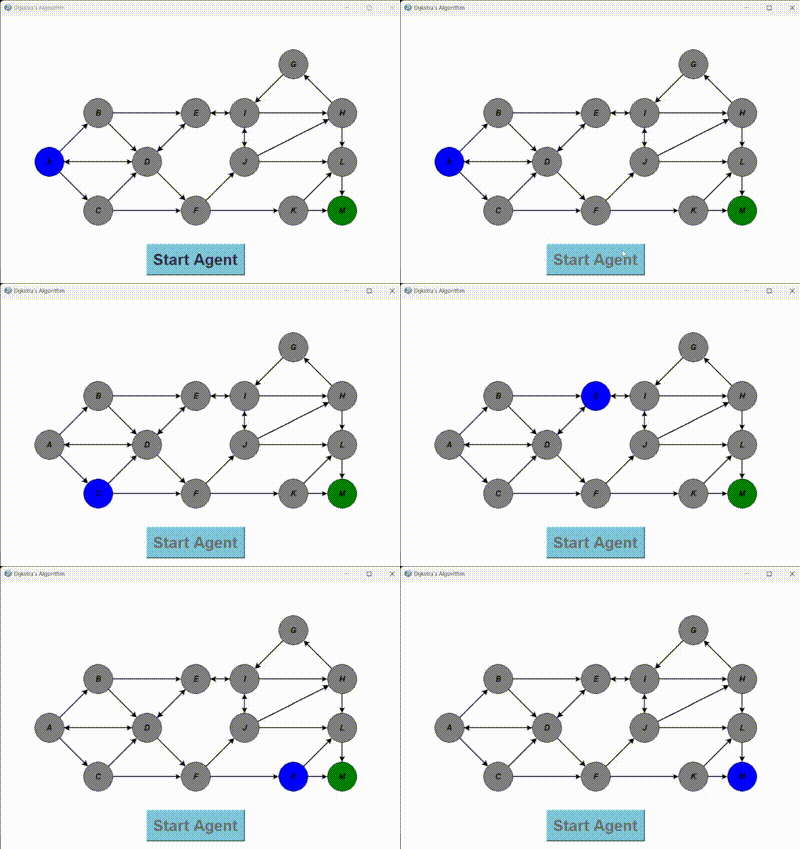 |
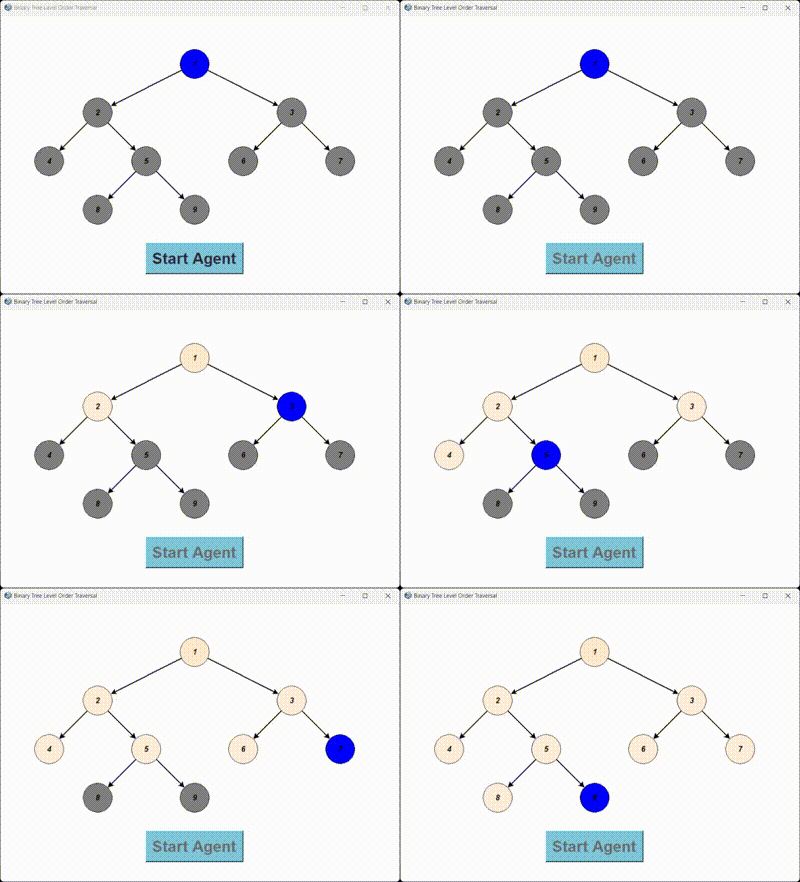 |
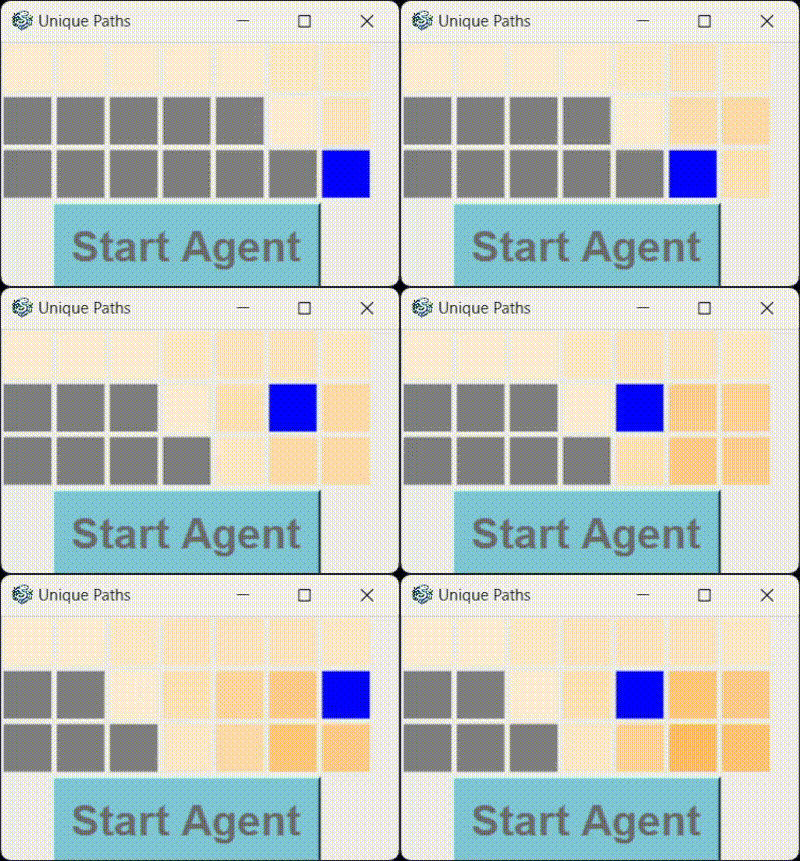
| A Star Algorithm | Unique Path Traversal Algorithm |
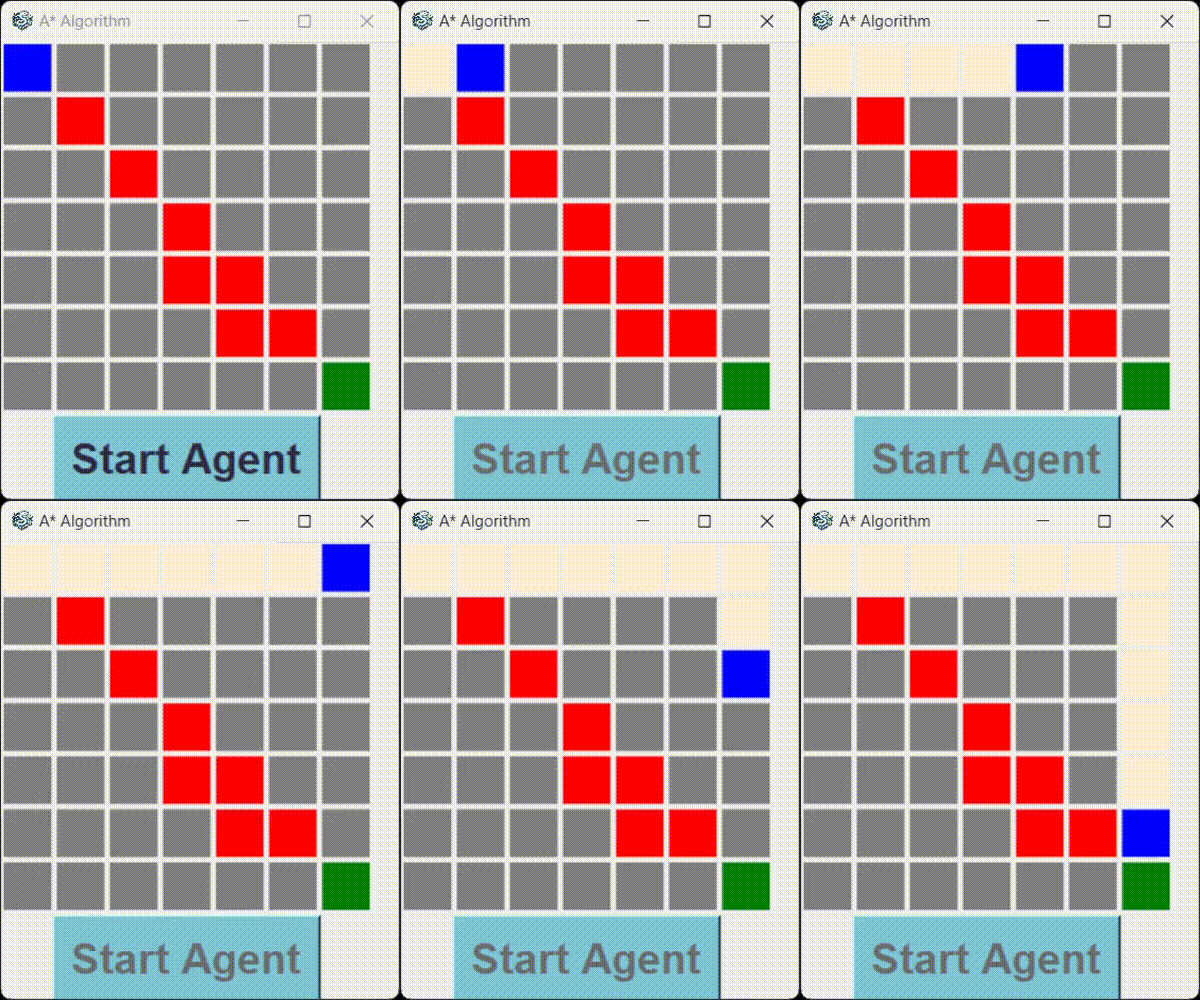 |
 |
Check out more in our Example section on our website!
Installation
To install Traverse Craft, simply run:
Using pip
pip install TraverseCraft
For detailed installation instructions, refer to our installation guide.
Getting Started
If you are new to Traverse Craft, start with the Quick Start available in our website. For more detailed information and learning please refer to the Tutorials, API reference, FAQ, and view Release for more information.
To build and see the documentation locally, please refer to docs/ReadMe.md.
Explore the source code for deeper insights, or reach out to our community for help. For further assistance, visit our official website.
Development
All the details related to contributing to the library are Contributor's Toolkit. Please refer to this section as this section contains information about Ways to Contribute, Development Setup, Testing Guidelines, Write Documentation, Pull Request Guidelines, and Code of Conduct. If you are unable to access the above links you can also refer to the Contribution Guide locally.
Most development discussions take place on GitHub in this library via the Discussion Page.
Development Setup
Manual Installation
You can manually set up the development environment using the following steps:
- Fork the repository.
- Clone your repository into your local machine.
- Change the directory to the cloned repository.
cd TraverseCraft
- Create a virtual environment.
- Activate the virtual environment.
- Install the dependencies:
pip install prettytable
To set up a development environment using Docker, follow these steps:
- Pull the Docker image from Docker Hub:
docker pull your-username/traversecraf-dev:latest
- Run the Docker container:
docker run -it --name traversecraft-dev-container -v $(pwd):/workspace your-username/traversecraf-dev:latest
- Follow step 1 to 5 of manual installation.
Note: To Access the running container:
docker exec -it traversecraft-dev-container /bin/bash
Contributing to Traverse Craft
We welcome all contributions, including bug reports, bug fixes, documentation improvements, enhancements, and ideas.
Start by reading our contributing guide.
If you have discovered a bug or have a feature request, please submit an issue on GitHub. For more detailed contribution instructions, visit our contribution page.
Citing Traverse Craft
If you use Traverse Craft in your research or publications, please cite our library using the following reference in bibtex:
@misc{traversecrafthq2024,
  author = {Srajan Chourasia, Varun Patrikar},
  title = {Traverse Craft: A Cross-Platform Simulation Tool},
  year = {2024},
  url = {https://github.com/srajan-kiyotaka/TraverseCraft},
  note = {Version 1.0.0},
  publisher = {Traverse Craft Team},
}
1 maintainer

Release files for TraverseCraft 1.0.3
For a detailed explanation of source distributions (sdists) and built distributions (wheels), please see the package formats documentation.
Source distribution (sdist)
| File | Size | Uploaded | |
|---|---|---|---|
| traversecraft-1.0.3.tar.gz | 3.4 MB | Details |
Built distribution (wheel)
| File | Interpreter | ABI | Platform | Reset |
|---|---|---|---|---|
| TraverseCraft-1.0.3-py3-none-any.whl | Python 3 | none | any | Details |
Total release size: 7.0 MB
Release files / traversecraft-1.0.3.tar.gz
| Download URL | traversecraft-1.0.3.tar.gz |
|---|---|
| Size | 3.4 MB |
| Tags | Source |
|
SHA-256 checksum How to use checksums |
dfefd8129e65fd677172dba92c384c0f846cebd04df0ea23544d88fe7f4c9453
|
|
BLAKE2b-256 checksum How to use checksums |
e426580bbf566f65bf965f51d4cdf3b2b039eec1de527eb47e6587c7c5d78aaf
|
| Upload date | |
|
Uploaded using Trusted Publishing? What is trusted publishing? |
No |
| Uploaded via |
twine/5.0.0 CPython/3.8.18
|
Release files / TraverseCraft-1.0.3-py3-none-any.whl
| Download URL | TraverseCraft-1.0.3-py3-none-any.whl |
|---|---|
| Size | 3.5 MB |
| Tags | Python 3 |
|
SHA-256 checksum How to use checksums |
df9232935c83dd4f276b0cd4a4771f5dbbfa5459e64a39b5bc8878638158fc30
|
|
BLAKE2b-256 checksum How to use checksums |
4f9484f4afc61fafe3619065dcc11eccd1f91bc45f2bef5e388e25f1031d1ea7
|
| Upload date | |
|
Uploaded using Trusted Publishing? What is trusted publishing? |
No |
| Uploaded via |
twine/5.0.0 CPython/3.8.18
|














