
This is a plugin for Tutor that allows you to manage a Tutor-powered Open edX installation from a browser – a web user interface! In other words, it is no longer necessary to SSH to a remote server to manage a running instance.
Installation
tutor plugins install webui
Usage
Enable the plugin:
tutor plugins enable webui
Start the web user interface:
tutor webui start
You can then access the interface at http://localhost:3737, or http://youserverurl:3737.
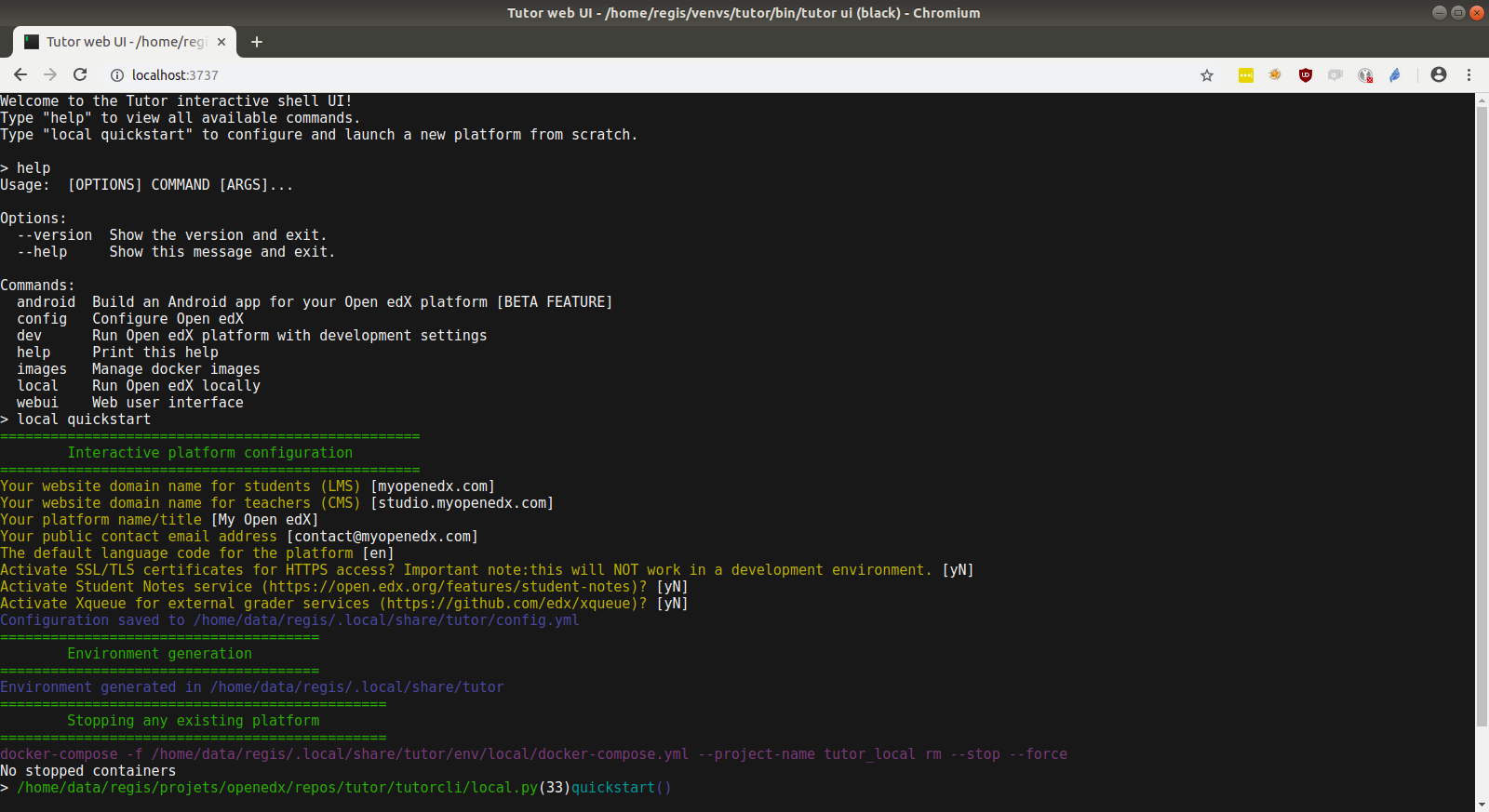
All tutor commands can be executed from this web UI: you just don’t need to prefix the commands with tutor. For instance, to deploy a local Open edX instance, run:
local launch
instead of tutor local launch.
Instead of running the interactive repl in a web browser, you can also run tutor interactively directly from your shell:
tutor shell
Authentication
WARNING Once you launch the web UI, it is accessible by everyone, which means that your Open edX platform is at risk. If you are planning to leave the web UI up for a long time, you should setup a user and password for authentication:
tutor webui configure
Troubleshooting
This Tutor plugin is maintained by Abdul-Muqadim from Edly. Community support is available from the official Open edX forum. Do you need help with this plugin? See the troubleshooting section from the Tutor documentation.
License
This work is licensed under the terms of the GNU Affero General Public License (AGPL).
This project depends on the Gotty binary, which is provided under the terms of the MIT license.
4 maintainers


Metadata
4 maintainers
Release files for tutor-webui 20.0.0
For a detailed explanation of source distributions (sdists) and built distributions (wheels), please see the package formats documentation.
Source distribution (sdist)
| File | Size | Uploaded | Provenance | Actions |
|---|---|---|---|---|
| tutor_webui-20.0.0.tar.gz | 16.8 kB | Without provenance | Details for tutor_webui-20.0.0.tar.gz |
Release files / tutor_webui-20.0.0.tar.gz
| Download URL | tutor_webui-20.0.0.tar.gz |
|---|---|
| Size | 16.8 kB |
| Tags | Source |
|
SHA-256 checksum How to use checksums |
fafb865657e7b510d1810bc74c4dd0bb3f8dae5af364beee462308f6aad96d2c
|
|
BLAKE2b-256 checksum How to use checksums |
fb9f95f6f9a03b8962b56ec66efbe6c9d69998008091fc187f25ea19c4b445c4
|
| Upload date | |
|
Uploaded using Trusted Publishing? What is trusted publishing? |
No |
| Uploaded via |
twine/6.1.0 CPython/3.9.20
|
Security for tutor-webui 20.0.0
Provenance
Provenance describes where a file came from. On PyPI, provenance is shared via attestations, which provide a verifiable record of the build or publishing details. View details, limitations and caveats.
No provenance found
None of the files in this release were uploaded with provenance metadata.
A note on package security
PyPI is a repository for distributing packages, not a service for auditing them. While third-party security researchers and our staff do their best to detect and remove malicious packages, PyPI cannot guarantee the quality, security or suitability of any given package.
To learn more about protecting yourself from malicious actors, visit our package security documentation.














