
VBScrambler - A Python-Based VBScript Code Obfuscator
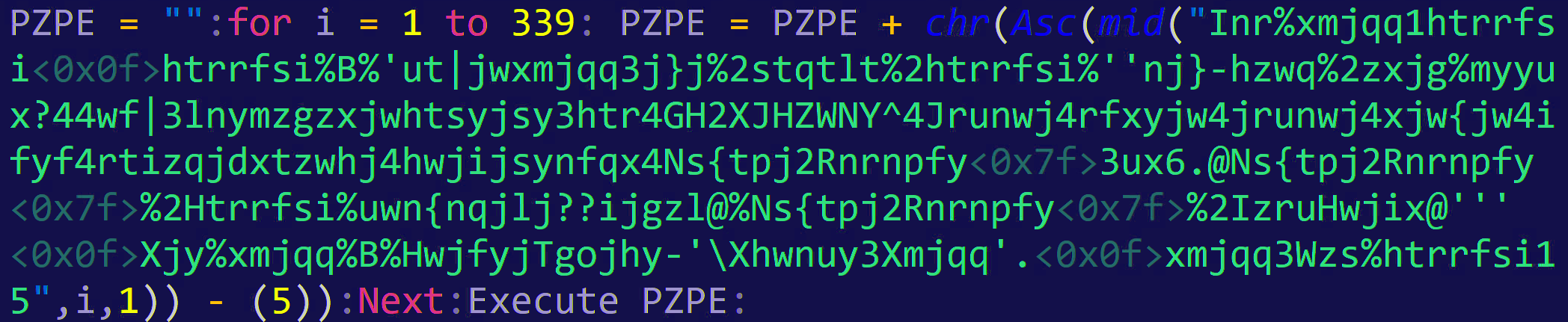
VBScrambler is a Python based VBScript code obfuscator which essentially takes VBScript as a form of input, either file or inline code, and provides an obfuscated VBScript one liner as output. The obfuscation works by taking the original VBScript, performing a byte shift on the supplied code. It will then take the garbage-looking code and insert it into a randomly generated deobfuscation script in VB, which will reverse the byte shift and then execute its contents.
The shift works similar to ROT13 with a randomly supplied shift value ranging from -5 to 7. Larger numbers tend to prevent the generated script from executing, producing errors. Other errors can occur when copying generated code from console, as special characters, especially in Linux, may not copy correctly.
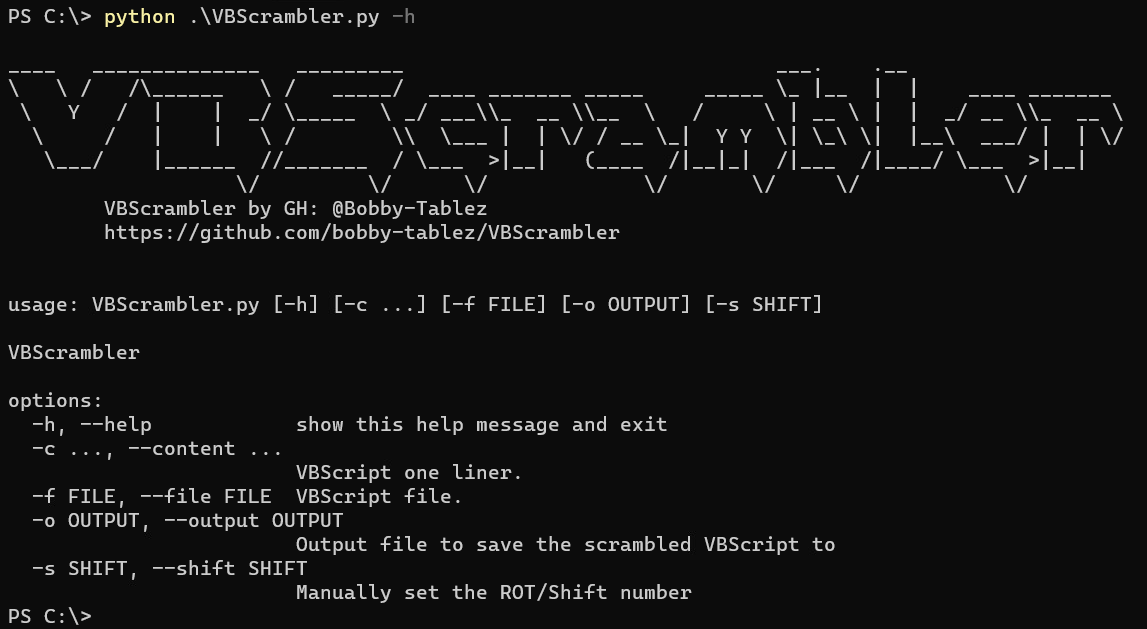
Optional arguments:
-c, --contentSupply inline VBScript. (This must be the last argument supplied)-f, --fileSupply a .vbs file to obfuscate (supports multi-line)-o, --outputSave generated output to file [filename.vbs]-s, --shiftManually specify a shift value If no argument is provided, the script will prompt the user for code to obfuscate.
Example:
Obfuscating the following VBScript using the command: python3 VBScrambler.py -s 5 -f ps.vbs
Dim shell,command
command = "powershell.exe -nologo -command ""New-Item C:\text\vbstest.txt -Force"""
Set shell = CreateObject("WScript.Shell")
shell.Run command,0
Generates the following VBScript code:
lgwi = "":for i = 1 to 163: lgwi = lgwi + chr(Asc(mid("Inr%xmjqq1htrrfsihtrrfsi%B%'ut|jwxmjqq3j}j%2stqtlt%2htrrfsi%''Sj|2Nyjr%H?ayj}ya{gxyjxy3y}y%2Ktwhj'''Xjy%xmjqq%B%HwjfyjTgojhy-'\Xhwnuy3Xmjqq'.xmjqq3Wzs%htrrfsi15",i,1)) - (5)):Next:Execute lgwi:
Errors and issues
After extensively testing various VBScripts, I've discovered that certain scritps will produce errors with specific shift number combinations (typically 1 out of 10) when using the default provided range. If you encounter an error, try either adjusting the shfit number manually, or simply run it again to get a potentially new value.
Another issue occurs in Linux more often than in Windows where the console doesn't properly print the shifted ASCII characters properly, thus copying the printed code could skip some characters. If you run into this, use the -o option to print to a file and use a text editor such as Sublime which handles special characters well.
Future plans
- Support for JScript, selectable via flags
DISCLAIMER: Use at your own risk, for educational and demonstration purposes only!
1 maintainer

Metadata
1 maintainer
Release files for VBScrambler 0.1.1
For a detailed explanation of source distributions (sdists) and built distributions (wheels), please see the package formats documentation.
Source distribution (sdist)
| File | Size | Uploaded | |
|---|---|---|---|
| vbscrambler-0.1.1.tar.gz | 4.6 kB | Details |
Built distribution (wheel)
| File | Interpreter | ABI | Platform | Reset |
|---|---|---|---|---|
| VBScrambler-0.1.1-py3-none-any.whl | Python 3 | none | any | Details |
Total release size: 9.5 kB
Release files / vbscrambler-0.1.1.tar.gz
| Download URL | vbscrambler-0.1.1.tar.gz |
|---|---|
| Size | 4.6 kB |
| Tags | Source |
|
SHA-256 checksum How to use checksums |
4b370bc9bf51628aa81b2efa3b67e624fdfbdd75bf61e1aef2fe0218db5ddf99
|
|
BLAKE2b-256 checksum How to use checksums |
10ebb5bcbd9b9c2e58da1e989dff06beb773cc26daac8f7eba73495bf6746eda
|
| Upload date | |
|
Uploaded using Trusted Publishing? What is trusted publishing? |
No |
| Uploaded via |
twine/5.0.0 CPython/3.11.0
|
Release files / VBScrambler-0.1.1-py3-none-any.whl
| Download URL | VBScrambler-0.1.1-py3-none-any.whl |
|---|---|
| Size | 4.9 kB |
| Tags | Python 3 |
|
SHA-256 checksum How to use checksums |
50a5f039afefb19f8a6449b6ad7f43371395e02d3c017d44ffa40d929d9836fd
|
|
BLAKE2b-256 checksum How to use checksums |
518ce3fdd9bc2a96b75e1f7d8281d3819a4356d0aab79797747adc3c2ef29eb0
|
| Upload date | |
|
Uploaded using Trusted Publishing? What is trusted publishing? |
No |
| Uploaded via |
twine/5.0.0 CPython/3.11.0
|













