
Wave Cracker






Abstract
Python batch tool for signal time/frequency analysis (input data: CSV or audio files).
Detailed documentation: here
Plot examples
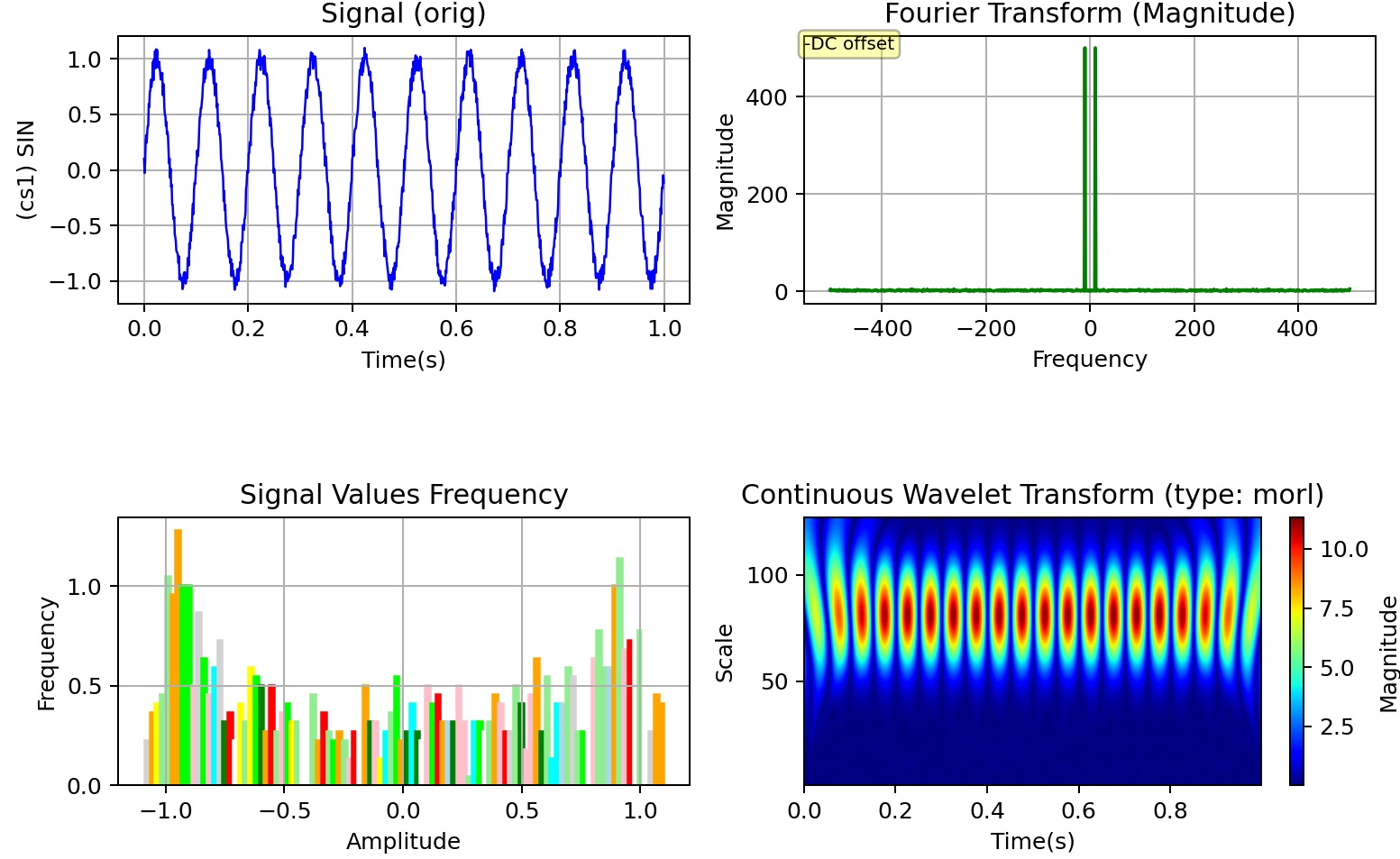
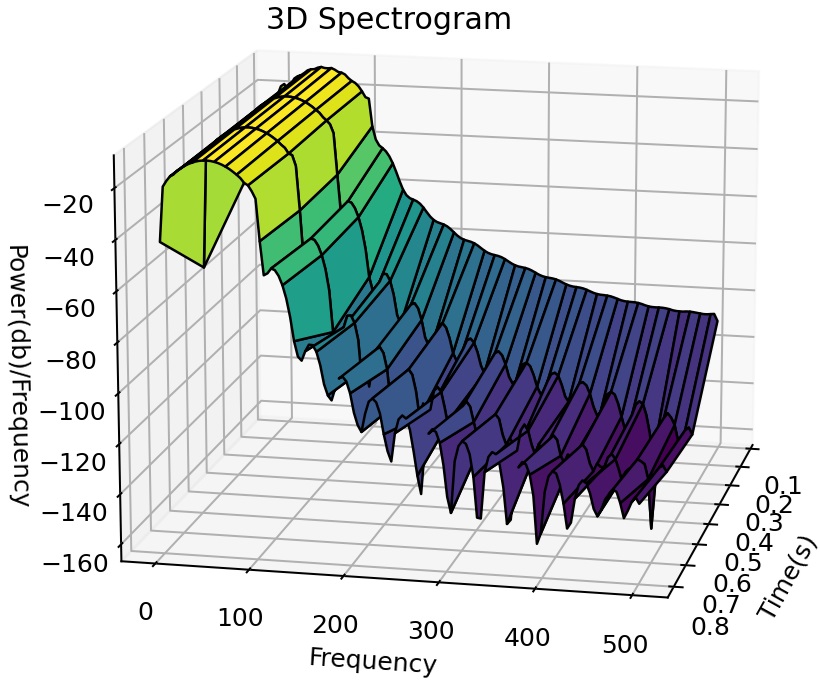
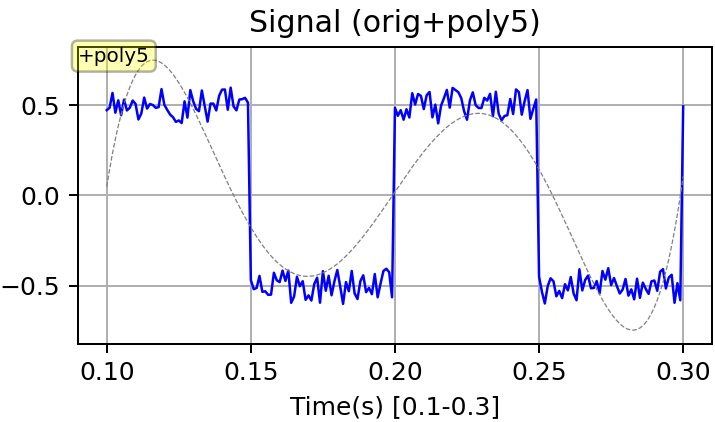
Setup
You can install the package using pip:
python -m pip install wavecracker
Python Dependencies
| Module | Version required | Notes |
|---|---|---|
| Python | >= 3.7 | Preferably > 3.8, ref. documentation for additional details |
| numpy | >= 1.23.5 | |
| PyYAML | >= 6.0 | |
| pandas | >= 2.0.1 | |
| chardet | >= 4.0.0 | |
| scipy | >= 1.10.1 | |
| matplotlib | >= 3.7.1 | |
| PyWavelets | >= 1.4.1 | Optional (for wavelet transform) |
| pydub | >= 0.25.1 | Optional (for audio file processing) |
| moviepy | >= 1.0.3 | Optional (for audio file processing) |
| psutil | >= 5.9.5 | Optional (for hardware detailed diagnostics upon boot) |
Installing extras (i.e. optional Python dependencies)
The following commands allow the installation of the extras correspondent to the optional dependencies above mentioned:
python -m pip install wavecracker[wavelet]
python -m pip install wavecracker[audio]
python -m pip install wavecracker[hwdiagnostics]
Note that some of these extras may or may not work depending on the Python version. More information in the documentation.
Other Dependencies
As mentioned above, the following directories are needed in the PATH:
PYTHON_HOMEandPYTHON_HOME/Scripts
Also, but only if you are willing to process audio files, these directories must be present in the PATH, too.
- The directory containing the FFMPEG executable (6.0 or upper; note, needed only for audio files processing)
Usage
We assume, in the following, that
${PACKAGE_HOME}is where the package is available after the install (typically under${PYTHON_HOME}/Lib/site-packages/wavecrackeror alike).
Open a command shell, make sure your Python install is in the PATH, and enter the following command:
python "${PACKAGE_HOME}/signalanalyzer.py" <arguments>
Many other details can be found in the documentation about:
- Available command line arguments
- Parameters in the configuration file
Launching the DEMO
python "${PACKAGE_HOME}/demo/launch_demo.py"
Examples
Example 1 (CSV file processing)
... .. /signalanalyzer.py --input-path ./inputdata.csv --qplot time_1 signal_1 --include-histogram --out-directory ./output_1
Explanation:
- This would process a csv file named inputdata.csv (in the current directory), looking for a header with columns named time_1 and signal_1, saving the results into a subdirectory of the current directory named output_1.
- Plots typically generated are Fourier transform and others
- A CSV is saved (with data about some of the calculated functions).
- Note: the output directory needs to be existing.
- A directory named logs has to be created in the current directory for the logs to be saved.
1 maintainer

Metadata
1 maintainer
Release files for wavecracker 9.1.1
For a detailed explanation of source distributions (sdists) and built distributions (wheels), please see the package formats documentation.
Source distribution (sdist)
| File | Size | Uploaded | Provenance | Actions |
|---|---|---|---|---|
| wavecracker-9.1.1.tar.gz | 81.5 kB | Without provenance | Details for wavecracker-9.1.1.tar.gz |
Built distribution (wheel)
| File | Interpreter | ABI | Platform | Actions Reset |
|---|---|---|---|---|
| wavecracker-9.1.1-py3-none-any.whl | Python 3 | none | any | Details for wavecracker-9.1.1-py3-none-any.whl |
Total release size: 187.5 kB
Release files / wavecracker-9.1.1.tar.gz
| Download URL | wavecracker-9.1.1.tar.gz |
|---|---|
| Size | 81.5 kB |
| Tags | Source |
|
SHA-256 checksum How to use checksums |
69bcce6132c8e330a7333400a1d4ecd5146d74a43a3e2742d0d277ee5aff8600
|
|
BLAKE2b-256 checksum How to use checksums |
28abe78de2ba4855ef062a64bc47611ba5f636762a6a2f7b01ee829763fb8ca2
|
| Upload date | |
|
Uploaded using Trusted Publishing? What is trusted publishing? |
No |
| Uploaded via |
twine/5.1.1 CPython/3.12.5
|
Release files / wavecracker-9.1.1-py3-none-any.whl
| Download URL | wavecracker-9.1.1-py3-none-any.whl |
|---|---|
| Size | 106.0 kB |
| Tags | Python 3 |
|
SHA-256 checksum How to use checksums |
09fd958ae2f2117c09dc9f645a106f4148fa90dc784de33a59ae9530bd3368f5
|
|
BLAKE2b-256 checksum How to use checksums |
650452b38e76b8a657ec87ba2f19fa7ff75070a52a7b4fb56a75cc565d4b7df3
|
| Upload date | |
|
Uploaded using Trusted Publishing? What is trusted publishing? |
No |
| Uploaded via |
twine/5.1.1 CPython/3.12.5
|
Security for wavecracker 9.1.1
Provenance
Provenance describes where a file came from. On PyPI, provenance is shared via attestations, which provide a verifiable record of the build or publishing details. View details, limitations and caveats.
No provenance found
None of the files in this release were uploaded with provenance metadata.
A note on package security
PyPI is a repository for distributing packages, not a service for auditing them. While third-party security researchers and our staff do their best to detect and remove malicious packages, PyPI cannot guarantee the quality, security or suitability of any given package.
To learn more about protecting yourself from malicious actors, visit our package security documentation.














