
 Python SDK


A rapid scripting platform for developers.
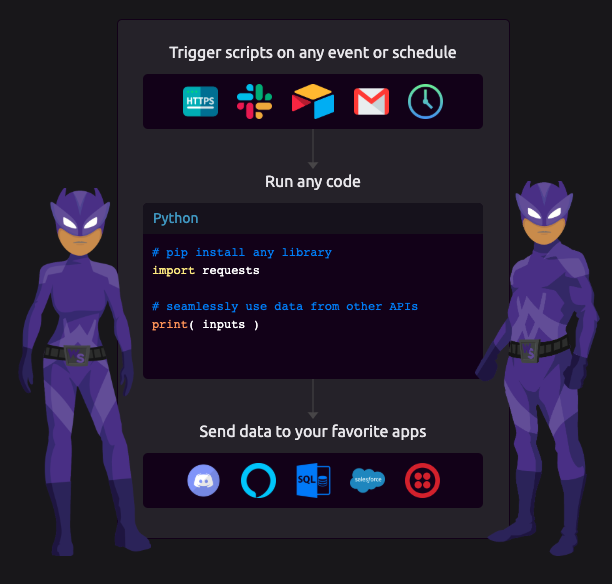
WayScript allows you to run Python in the cloud, and seamlessly integrate with your favorite APIs.
Installation
pip install wayscript
Basic Usage
-
Add one or more HTTP Triggers to your script.
-
If you have a password-protected endpoint, obtain your API key or the credentials you would like to use.
-
If you have specified a custom endpoint, you will need to pass the name of that endpoint in your api call.
-
If your HTTP Trigger takes query parameters and/or JSON body parameters, you can pass those as a dictionary using the
paramsand/ordataarguments, respectively. (See HTTP Trigger Outputs for more information.) -
Run your WayScript programs from your Python code:
from wayscript import WayScript

# Create the WayScript client
wayscript = WayScript()

# If your program requires a password to run, supply those credentials when creating the client
username = 'YOUR_USERNAME'
password = 'YOUR_PASSWORD'
kwargs = { 'username': username, 'password': password }
wayscript = WayScript( **kwargs )

# If your program requires a password to run, you can instead supply your API Key when creating the client
kwargs = { 'api_key': 'MY_API_KEY' }
wayscript = WayScript( **kwargs )

# Run a program by id
program_id = 1234
wayscript.run( program_id )

# Pass query parameters for the HTTP Trigger to output (optional)
query_params = { 'var1': 'one', 'var2': 'two', 'var3': 'three' }
wayscript.run( program_id, params = query_params )

# Pass JSON body parameters for the HTTP Trigger to output (optional)
body_params = { 'var4': 'four', 'var5': 'five', 'var6': 'six' }
wayscript.run( program_id, data = body_params )

# Run a custom endpoint (optional)
endpoint = 'my_endpoint'
wayscript.run( program_id, endpoint = endpoint, params = query_params, data = body_params )

# Get the response from the server
response = wayscript.run( program_id )
Run a WayScript program from command line
PROGRAM_ID=1234

python -c "from wayscript import WayScript; WayScript().run($PROGRAM_ID)"
If you don't want to use Python on the command line, you can use cURL. (See the HTTP Trigger Sample Code for an example.)
1 maintainer

Metadata
1 maintainer
Release files for wayscript-legacy 0.1.3
For a detailed explanation of source distributions (sdists) and built distributions (wheels), please see the package formats documentation.
Source distribution (sdist)
| File | Size | Uploaded | |
|---|---|---|---|
| wayscript-legacy-0.1.3.tar.gz | 5.1 kB | Details |
Release files / wayscript-legacy-0.1.3.tar.gz
| Download URL | wayscript-legacy-0.1.3.tar.gz |
|---|---|
| Size | 5.1 kB |
| Tags | Source |
|
SHA-256 checksum How to use checksums |
3f55f56387c9cfa2437778c968be00173dc4e81723139162629172f33a09bc95
|
|
BLAKE2b-256 checksum How to use checksums |
1d062066acc7b04092973ad81ae235a64e8a3abe53a58fc06f6b588ac88b0cf8
|
| Upload date | |
|
Uploaded using Trusted Publishing? What is trusted publishing? |
No |
| Uploaded via |
twine/3.4.1 importlib_metadata/4.6.1 pkginfo/1.7.1 requests/2.26.0 requests-toolbelt/0.9.1 tqdm/4.61.2 CPython/3.8.11
|














