
WebSSH




Introduction
A simple web application to be used as an ssh client to connect to your ssh servers. It is written in Python, base on tornado, paramiko and xterm.js.
Features
SSH password authentication supported, including empty password.
SSH public-key authentication supported, including DSA RSA ECDSA Ed25519 keys.
Encrypted keys supported.
Two-Factor Authentication (time-based one-time password) supported.
Fullscreen terminal supported.
Terminal window resizable.
Auto detect the ssh server’s default encoding.
Modern browsers including Chrome, Firefox, Safari, Edge, Opera supported.
Preview
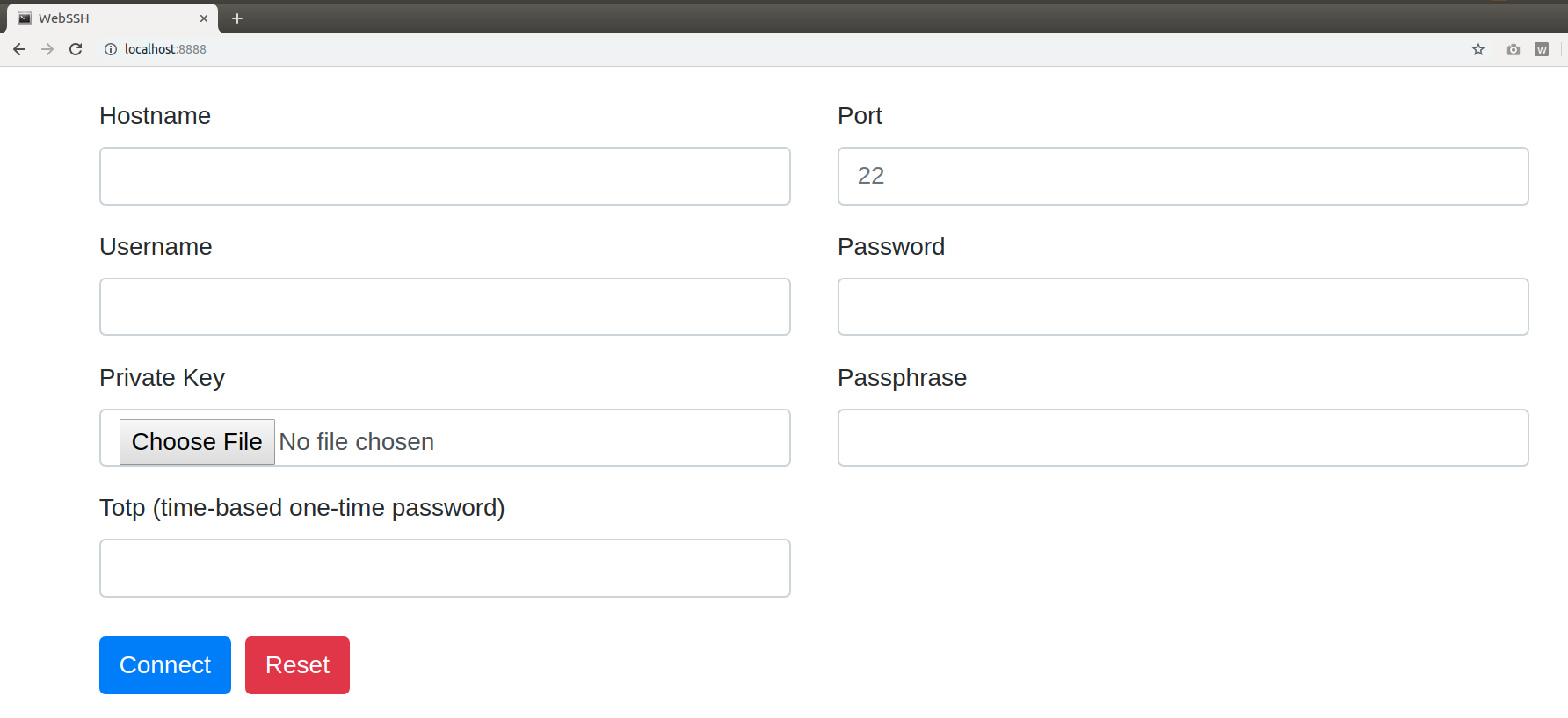
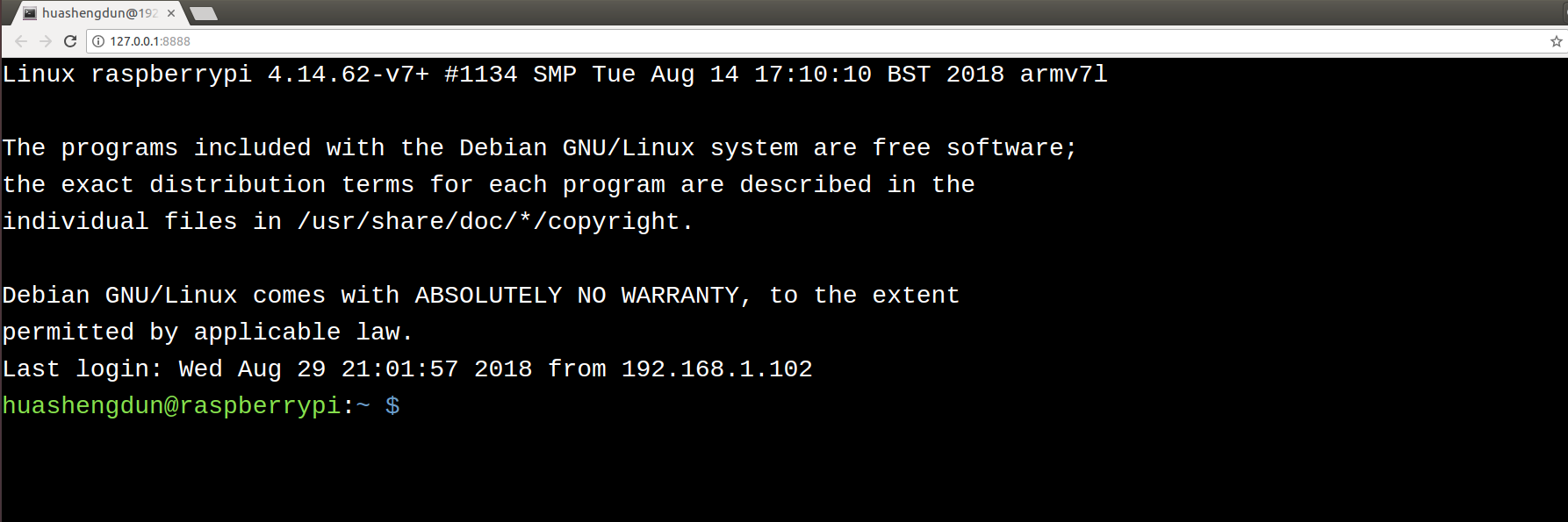
How it works
+---------+     http     +--------+    ssh    +-----------+
| browser | <==========> | webssh | <=======> | ssh server|
+---------+   websocket  +--------+    ssh    +-----------+
Requirements
Python 3.8+
Quickstart
Install this app, run command pip install webssh
Start a webserver, run command wssh
Open your browser, navigate to 127.0.0.1:8888
Input your data, submit the form.
Server options
# start a http server with specified listen address and listen port
wssh --address='2.2.2.2' --port=8000

# start a https server, certfile and keyfile must be passed
wssh --certfile='/path/to/cert.crt' --keyfile='/path/to/cert.key'

# missing host key policy
wssh --policy=reject

# logging level
wssh --logging=debug

# log to file
wssh --log-file-prefix=main.log

# more options
wssh --help
Browser console
// connect to your ssh server
wssh.connect(hostname, port, username, password, privatekey, passphrase, totp);

// pass an object to wssh.connect
var opts = {
  hostname: 'hostname',
  port: 'port',
  username: 'username',
  password: 'password',
  privatekey: 'the private key text',
  passphrase: 'passphrase',
  totp: 'totp'
};
wssh.connect(opts);

// without an argument, wssh will use the form data to connect
wssh.connect();

// set a new encoding for client to use
wssh.set_encoding(encoding);

// reset encoding to use the default one
wssh.reset_encoding();

// send a command to the server
wssh.send('ls -l');
Custom Font
To use custom font, put your font file in the directory webssh/static/css/fonts/ and restart the server.
URL Arguments
Support passing arguments by url (query or fragment) like following examples:
Passing form data (password must be encoded in base64, privatekey not supported)
http://localhost:8888/?hostname=xx&username=yy&password=str_base64_encodedPassing a terminal background color
http://localhost:8888/#bgcolor=greenPassing a user defined title
http://localhost:8888/?title=my-ssh-serverPassing an encoding
http://localhost:8888/#encoding=gbkPassing a command executed right after login
http://localhost:8888/?command=pwdPassing a terminal type
http://localhost:8888/?term=xterm-256colorUse Docker
Start up the app
docker-compose up
Tear down the app
docker-compose down
Tests
Requirements
pip install pytest pytest-cov codecov flake8 mock
Use unittest to run all tests
python -m unittest discover tests
Use pytest to run all tests
python -m pytest tests
Deployment
Running behind an Nginx server
wssh --address='127.0.0.1' --port=8888 --policy=reject# Nginx config example
location / {
proxy_pass http://127.0.0.1:8888;
proxy_http_version 1.1;
proxy_read_timeout 300;
proxy_set_header Upgrade $http_upgrade;
proxy_set_header Connection "upgrade";
proxy_set_header Host $http_host;
proxy_set_header X-Real-IP $remote_addr;
proxy_set_header X-Real-PORT $remote_port;
}Running as a standalone server
wssh --port=8080 --sslport=4433 --certfile='cert.crt' --keyfile='cert.key' --xheaders=False --policy=rejectTips
For whatever deployment choice you choose, don’t forget to enable SSL.
By default plain http requests from a public network will be either redirected or blocked and being redirected takes precedence over being blocked.
Try to use reject policy as the missing host key policy along with your verified known_hosts, this will prevent man-in-the-middle attacks. The idea is that it checks the system host keys file(“~/.ssh/known_hosts”) and the application host keys file(“./known_hosts”) in order, if the ssh server’s hostname is not found or the key is not matched, the connection will be aborted.
1 maintainer

Metadata
1 maintainer
Release files for webssh 1.6.3
For a detailed explanation of source distributions (sdists) and built distributions (wheels), please see the package formats documentation.
Source distribution (sdist)
| File | Size | Uploaded | Provenance | Actions |
|---|---|---|---|---|
| webssh-1.6.3.tar.gz | 183.1 kB | Without provenance | Details for webssh-1.6.3.tar.gz |
Release files / webssh-1.6.3.tar.gz
| Download URL | webssh-1.6.3.tar.gz |
|---|---|
| Size | 183.1 kB |
| Tags | Source |
|
SHA-256 checksum How to use checksums |
2bce5bbaf206ad345910c7e4dc8024b3c418e681c9f5ff098f1802beff76e100
|
|
BLAKE2b-256 checksum How to use checksums |
fe8daba7feaaaaa15a54decff18c5df79df27f17c833e6f9fd274a217ec7077b
|
| Upload date | |
|
Uploaded using Trusted Publishing? What is trusted publishing? |
No |
| Uploaded via |
twine/6.1.0 CPython/3.12.3
|
Security for webssh 1.6.3
Provenance
Provenance describes where a file came from. On PyPI, provenance is shared via attestations, which provide a verifiable record of the build or publishing details. View details, limitations and caveats.
No provenance found
None of the files in this release were uploaded with provenance metadata.
A note on package security
PyPI is a repository for distributing packages, not a service for auditing them. While third-party security researchers and our staff do their best to detect and remove malicious packages, PyPI cannot guarantee the quality, security or suitability of any given package.
To learn more about protecting yourself from malicious actors, visit our package security documentation.














