
widget-periodictable: A Interactive Perodic Table in Jupyter



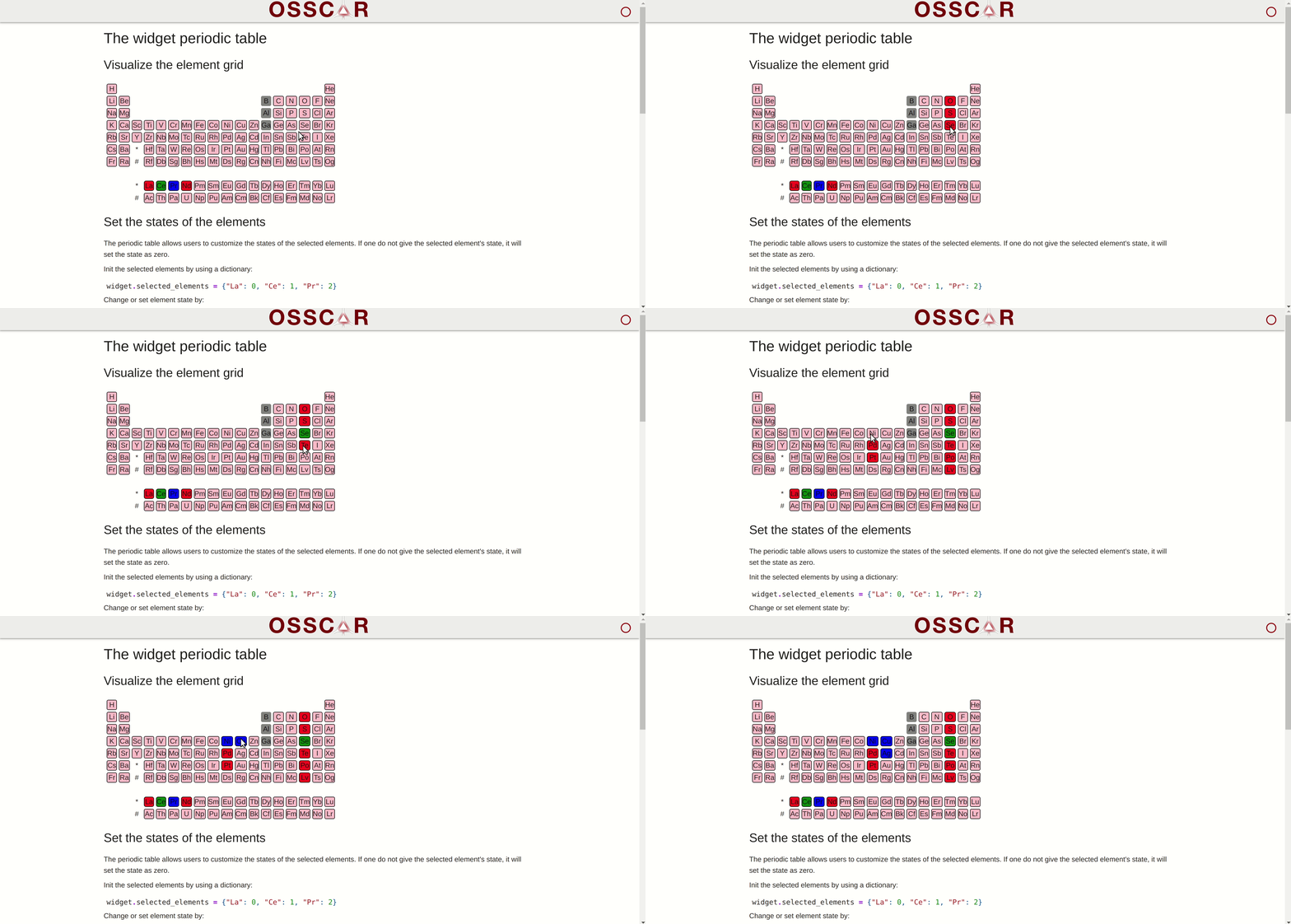
Installation & usage
pip install widget-periodictable
For usage examples, see examples/.
Development
Install the python code:
pip install -e .[dev]
You then need to install the JavaScript dependencies and run the development server.
npm install
npm run dev
Open the example notebook in JupyterLab, VS Code, or your favorite editor to start developing. Changes made in js/ will be reflected in the notebook.
Releasing and publishing a new version
In order to make a new release of the library and publish to PYPI, run
bumpver update --major/--minor/--patch
This will
- update version numbers, make a corresponding
git commitand agit tag; - push this commit and tag to Github, which triggers the Github Action that makes a new Github Release and publishes the package to PYPI.
Github workflow testing
The screenshot comparison test will generate images of the widget using selenium and chrome-driver, and compares them to the reference image in test/widget-sample.png.
To update the reference image: download the generated image from the Github Workflow step called "Upload screenshots".
How to cite
When using the content of this repository, please cite the following two articles:
-
D. Du, T. J. Baird, S. Bonella and G. Pizzi, OSSCAR, an open platform for collaborative development of computational tools for education in science, Computer Physics Communications, 282, 108546 (2023). https://doi.org/10.1016/j.cpc.2022.108546
-
D. Du, T. J. Baird, K. Eimre, S. Bonella, G. Pizzi, Jupyter widgets and extensions for education and research in computational physics and chemistry, Computer Physics Communications, 305, 109353 (2024). https://doi.org/10.1016/j.cpc.2024.109353
Acknowledgements
We acknowledge support from the EPFL Open Science Fund via the OSSCAR project.

1 maintainer

Metadata
1 maintainer
Release files for widget-periodictable 4.2.1
For a detailed explanation of source distributions (sdists) and built distributions (wheels), please see the package formats documentation.
Source distribution (sdist)
| File | Size | Uploaded | Provenance | |
|---|---|---|---|---|
| widget_periodictable-4.2.1.tar.gz | 8.1 kB | Without provenance | Details |
Built distribution (wheel)
| File | Interpreter | ABI | Platform | Reset |
|---|---|---|---|---|
| widget_periodictable-4.2.1-py3-none-any.whl | Python 3 | none | any | Details |
Total release size: 17.7 kB
Release files / widget_periodictable-4.2.1.tar.gz
| Download URL | widget_periodictable-4.2.1.tar.gz |
|---|---|
| Size | 8.1 kB |
| Tags | Source |
|
SHA-256 checksum How to use checksums |
a62ce40f5eca0f63707395940eed65a47fbcf4cb58d3c88bcd4bbe540418d7b8
|
|
BLAKE2b-256 checksum How to use checksums |
09f70a7b3335832e41e36b00944e9ba1ef8ea17dc985ef6481570607a1ac44d7
|
| Upload date | |
|
Uploaded using Trusted Publishing? What is trusted publishing? |
No |
| Uploaded via |
twine/6.2.0 CPython/3.12.12
|
Release files / widget_periodictable-4.2.1-py3-none-any.whl
| Download URL | widget_periodictable-4.2.1-py3-none-any.whl |
|---|---|
| Size | 9.6 kB |
| Tags | Python 3 |
|
SHA-256 checksum How to use checksums |
466055cf29d15dfee3fb66c6461b532f3c662c0ebbda6b9e03cab487b1aa6630
|
|
BLAKE2b-256 checksum How to use checksums |
4d6aee457b9f911d246ed4d55465649f8ca4de15468e0be97183a5ba551a493b
|
| Upload date | |
|
Uploaded using Trusted Publishing? What is trusted publishing? |
No |
| Uploaded via |
twine/6.2.0 CPython/3.12.12
|
Security for widget-periodictable 4.2.1
Provenance
Provenance describes where a file came from. On PyPI, provenance is shared via attestations, which provide a verifiable record of the build or publishing details. View details, limitations and caveats.
No provenance found
None of the files in this release were uploaded with provenance metadata.
A note on package security
PyPI is a repository for distributing packages, not a service for auditing them. While third-party security researchers and our staff do their best to detect and remove malicious packages, PyPI cannot guarantee the quality, security or suitability of any given package.
To learn more about protecting yourself from malicious actors, visit our package security documentation.














