
Package wizzi utils:

Brief
- "wizzi_utils" main usage is for debugging and fast coding.
- The package is cross-platform (most of the functions tested on Windows and linux).
- The package is well documented and contain many easy access common functions.
- In addition, almost every function is used in a test(more an example) I've written for learning purposes.
- Package includes tools for json, open_cv, pyplot, socket, torch, text to speach and more.
- If by any chance, I used code and didn't give credit, please contact me, and I'll remove the code or specify the source.
- Contact: giladeini@gmail.com
Usage
import wizzi_utils as wu  # pip install wizzi_utils

# The above import, will give access to all wizzi utils main module and the extra modules
# only if the packages are installed
print(wu.to_str(var=2, title='my_int'))  # this will 100% work
wu.test.to_str_test()  # for a wide example of to_str function
print(wu.tt.to_str(var=3, title='my_int'))  # tt for torch tools. will work if torch installed
wu.tt.test.to_str_test()  # for a wide example of tt.to_str function
# If facing packages issues and want to know what packages I used, call the following
wu.download_wizzi_utils_env_snapshot()  # updated on 10/10/2022
list of all the packages
import wizzi_utils as wu

wu.test.test_all()  # main module - all function that dont require extra installations but wizzi_utils
wu.jt.test.test_all()  # json tools
wu.cvt.test.test_all()  # cv2 tools
wu.pyplt.test.test_all()  # pyplot tools
wu.st.test.test_all()  # socket tools
wu.tt.test.test_all()  # torch tools
wu.tflt.test.test_all()  # tensorflow lite tools
wu.tts.test.test_all()  # text to speach tools
wu.models.test.test_all()  # models - cv2 and tf lite models. tracking, object detection and pose estimation
wu.got.test.test_all()  # google drive tools - work in progress
Some examples
import wizzi_utils as wu

"""
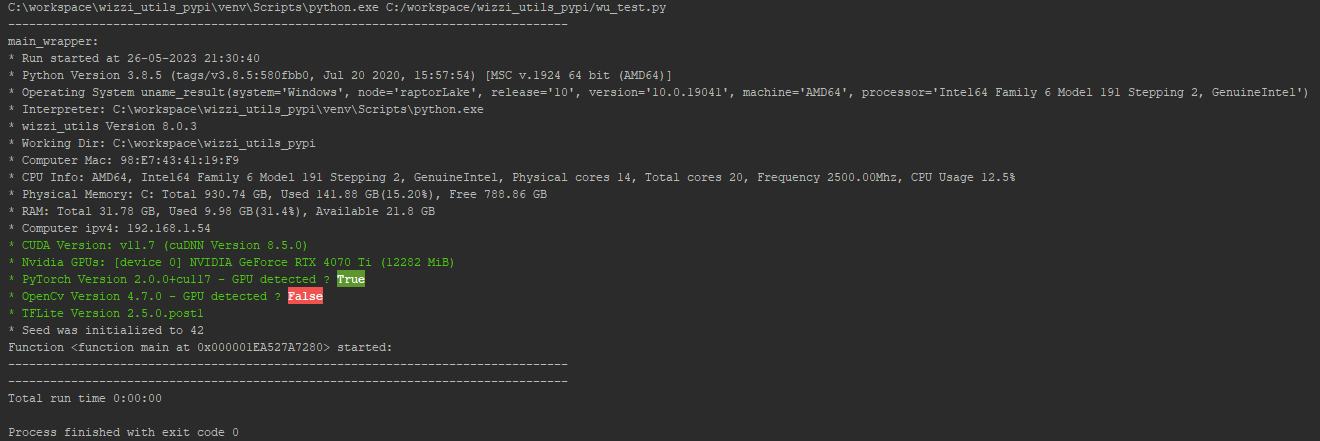
* wu.main_wrapper()
* Extremely useful if run experiments and want to have the meta data saved
* e.g. the interpreter, the time, the pc details ...
"""


def main():
    msg = "Hello world in red "
    msg += wu.get_emoji(wu.EMOJIS.SMILING_FACE_WITH_3_HEARTS)
    msg = wu.add_color(string=msg, ops=['Red', 'bold', 'underlined'])
    print(msg)
    # wu.test.add_color_test()
    # wu.test.get_emoji_test()
    return


if __name__ == '__main__':
    wu.main_wrapper(
        main_function=main,
        seed=42,
        ipv4=True,
        cuda_off=False,
        nvid_gpu=True,
        torch_v=True,
        tf_v=True,
        cv2_v=True,
        with_pip_list=False,
        with_profiler=False
    )
import wizzi_utils as wu

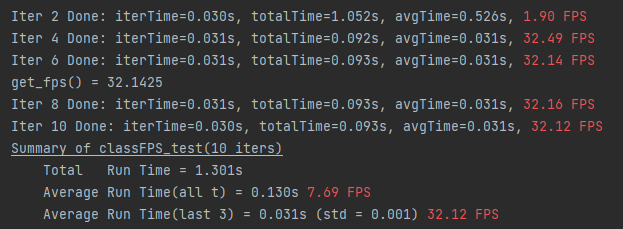
# fps measurements:
fps = wu.FPS(last_k=3, cache_size=5, summary_title='classFPS_test')
for t in range(10):
    ack = (t + 1) % 2 == 0  # display only on even rounds
    fps.start(ack_progress=False)
    # do_work of round t
    wu.sleep(seconds=0.03)
    if t == 0:  # e.g. slow first iteration
        wu.sleep(seconds=1)
    fps.update(ack_progress=ack)
    if t == 5:
        print('\tget_fps() = {:.4f}'.format(fps.get_fps()))
fps.finalize()
import wizzi_utils as wu

"""
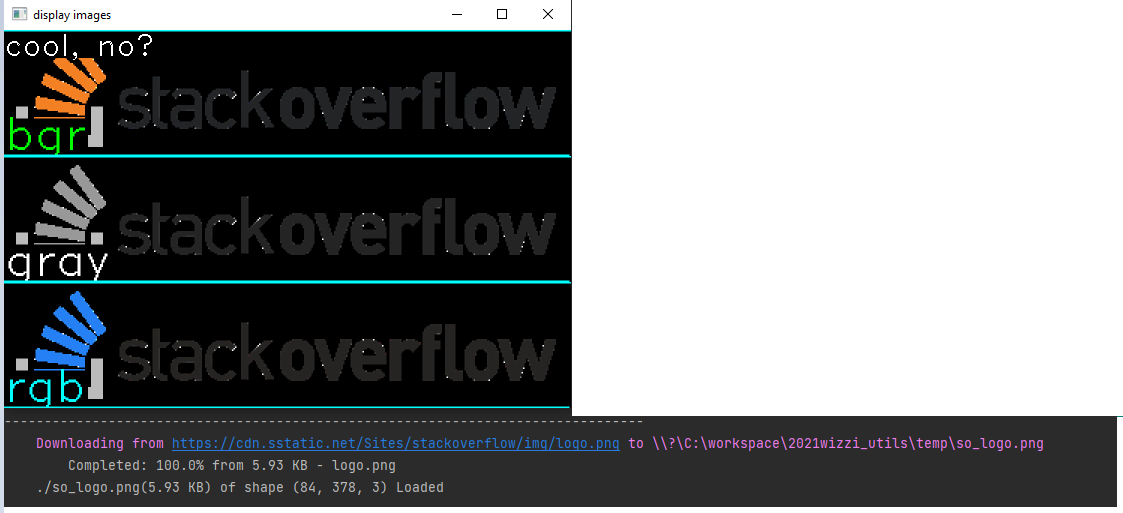
* cv2 show image with extra control:
* concatenation of several images(e.g. 2 cameras frames)
* display in a grid (2x1 1x2 3x3)
* resize (0.3 -> 30%, (200, 400)->total image to (200, 400), fs for full screen
* window location
* and more...
"""
img_utl = 'https://cdn.sstatic.net/Sites/stackoverflow/img/logo.png'
wu.st.download_file(url=img_utl, dst_path='./so_logo.png')  # st for socket tools
bgr = wu.cvt.load_img(path='./so_logo.png', ack=True)
gray = wu.cvt.bgr_to_gray(bgr)
rgb = wu.cvt.bgr_to_rgb(bgr)
wu.cvt.add_header(bgr, header='bgr', loc='bl', text_color='lime')
wu.cvt.add_header(gray, header='gray', loc='bl')
wu.cvt.add_header(rgb, header='rgb', loc='bl', text_color='aqua')
wu.cvt.display_open_cv_images(
    imgs=[bgr, gray, rgb],
    ms=0,
    title='display images',
    loc='bc',  # bottom center
    resize=1.5,  # 150%
    grid=(3, 1),  # 3 rows 1 col
    header='cool, no?',
    separator_c='aqua',
)
import wizzi_utils as wu

"""
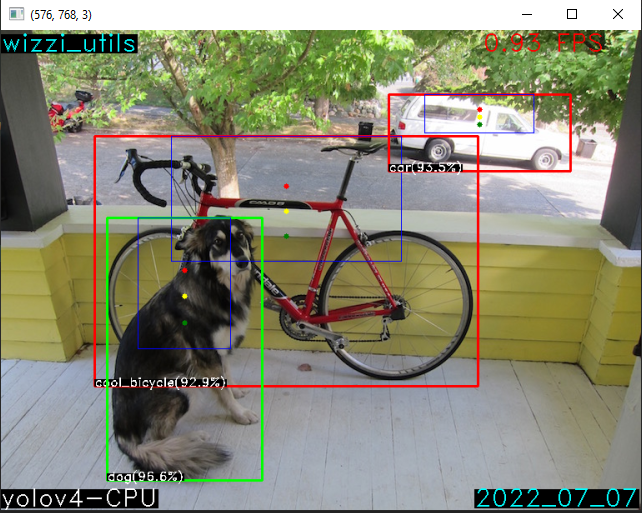
* object detection models
* pose detection models
* tracking
"""
wu.models.test.test_cv2_object_detection_models()
wu.models.test.test_cv2_pose_detection_models()
wu.models.test.test_cv2_tracking_models()
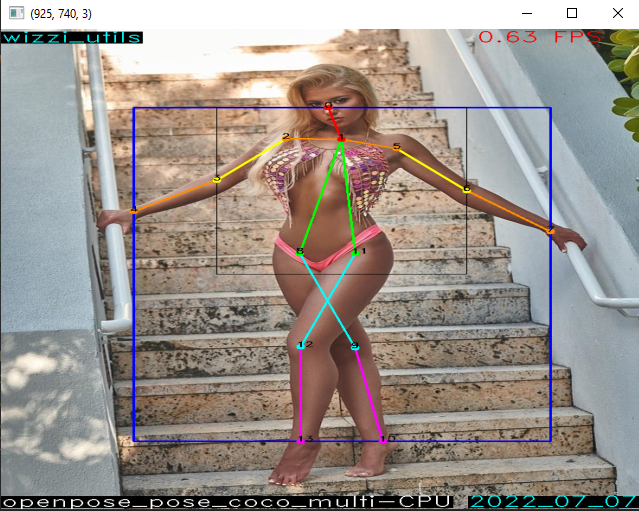
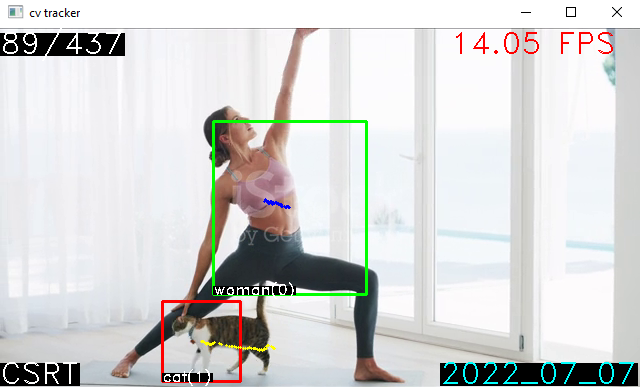
import wizzi_utils as wu

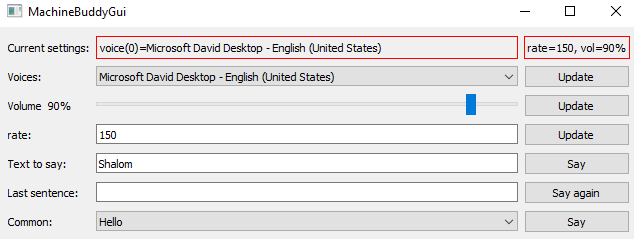
# text to speak gui over pyttsx3 and pyQt5 packages
wu.tts.test.run_machine_buddy_gui_test()
1 maintainer

Metadata
1 maintainer
Release files for wizzi-utils 8.0.6
For a detailed explanation of source distributions (sdists) and built distributions (wheels), please see the package formats documentation.
Source distribution (sdist)
| File | Size | Uploaded | Provenance | Actions |
|---|---|---|---|---|
| wizzi_utils-8.0.6.tar.gz | 161.1 kB | Without provenance | Details for wizzi_utils-8.0.6.tar.gz |
Release files / wizzi_utils-8.0.6.tar.gz
| Download URL | wizzi_utils-8.0.6.tar.gz |
|---|---|
| Size | 161.1 kB |
| Tags | Source |
|
SHA-256 checksum How to use checksums |
f699848160e1bd643ed6392b9c20e4bc91eebe7249ad1fc6155d2368b6654183
|
|
BLAKE2b-256 checksum How to use checksums |
ba47245715c89705365bbdae3a14d0a3d1a1a702cd4bc1a99320a022be032497
|
| Upload date | |
|
Uploaded using Trusted Publishing? What is trusted publishing? |
No |
| Uploaded via |
twine/4.0.1 CPython/3.8.5
|
Security for wizzi-utils 8.0.6
Provenance
Provenance describes where a file came from. On PyPI, provenance is shared via attestations, which provide a verifiable record of the build or publishing details. View details, limitations and caveats.
No provenance found
None of the files in this release were uploaded with provenance metadata.
A note on package security
PyPI is a repository for distributing packages, not a service for auditing them. While third-party security researchers and our staff do their best to detect and remove malicious packages, PyPI cannot guarantee the quality, security or suitability of any given package.
To learn more about protecting yourself from malicious actors, visit our package security documentation.














