
WormCat Batch
Overview
WormCat Batch is a command line tool that allows you to batch multiple runs of WormCat from a Microsoft Excel File or a directory path with WormCat formatted csv files.
Note: You can also run WormCat Batch as a docker container. Find more information on running WormCat Batch as a Docker container here.
Prerequisites
WormCat Batch requires Python 3.5+ and R 3.4.1+ with a WormCat package installed.
If you are unsure if you have WormCat installed, you can run
find.package("wormcat") from an R command prompt.
If WormCat is not installed, you can follow the directions here to install WormCat.
Note: WormCat can be installed as an R package you; do NOT need to checkout the source unless you intend to modify WormCat. The readme file explains how to install WormCat as an R package.
Excel spreadsheet Naming Conventions
Once you have the R package installed, you will create an Excel Spreadsheet with the required data for batch execution.
See the file Example/Murphy_TS.xsl for details on formating the Excel.
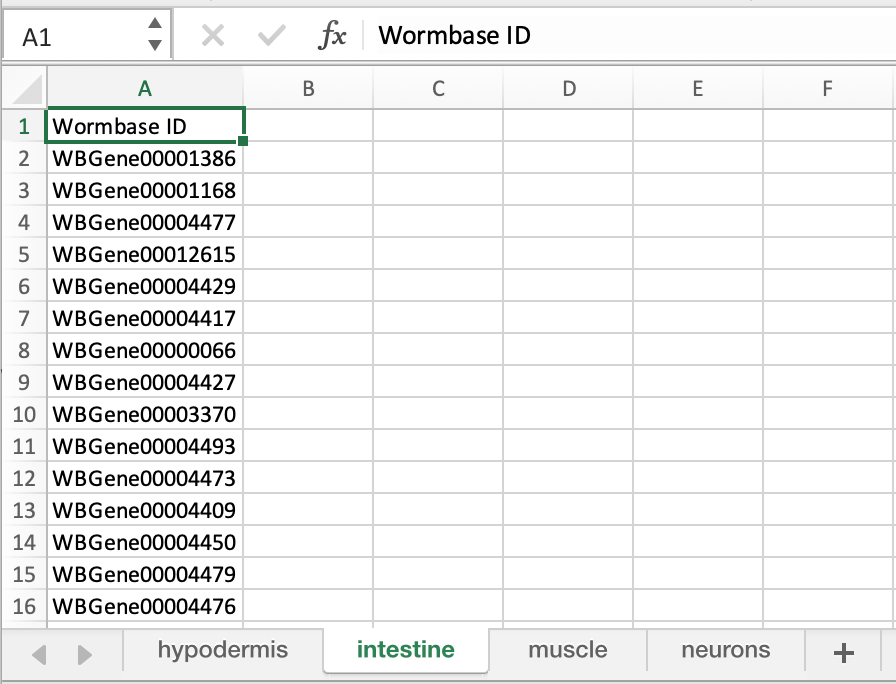
Note:
- The Spreadsheet Name should ONLY be composed of Letters, Numbers and Underscores (_) and has an extension .xlsx, .xlt, .xls
- The Sheet Names within the spreadsheet should ONLY be composed of Letters, Numbers, and Underscores (_) other characters may cause the batch process to fail!
- Each sheet requires a column name 'Sequence ID' or 'Wormbase ID' (This column name is case-sensitive)
To Run the Batch Process
To run the batch process, open a terminal window, change the directory to your project directory.
$pip install wormcat_batch
$wormcat_cli --help
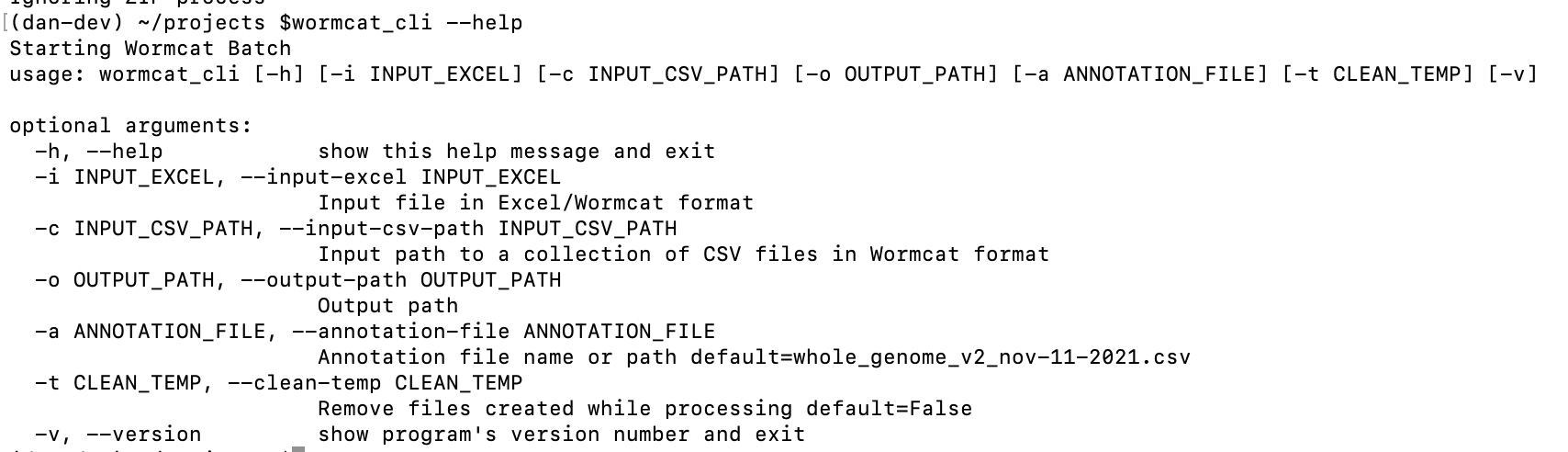
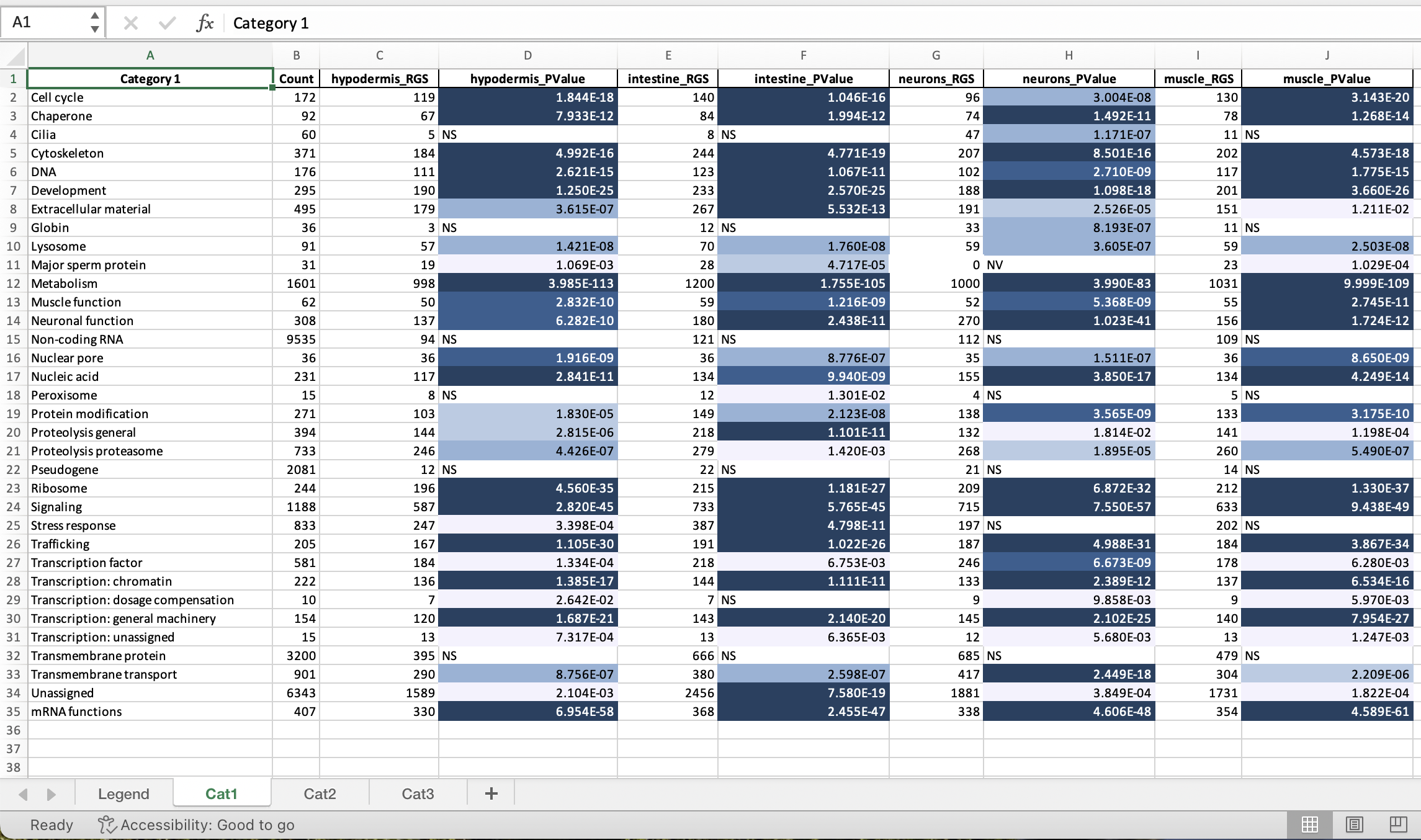
After execution, the Output Directory will contain all the WormCat run data and a summary Excel spreadsheet.
Sample Output
Local development /test hints
Setup to test
- conda activate <appropriate_env>
- pip install .
Test
- cd /Users/dan/delme #some working directory
- wormcat_cli --input-excel ${PROJ_HOME}/Example/Murphy_TS.xlsx --output-path ./output
- wormcat_cli --input-csv-path ${PROJ_HOME}/Example/Murphy_TS_CSV--output-path ./output
Deploy
- Advance the version number in setup.py
conda deactivate # twine is installed in base envincrement setup.py versioncd <project directory>rm -rf ./distrm -rf ./wormcat_batch.egg-infopython setup.py sdisttwine check dist/*twine upload --repository pypi dist/*git add .git commit -m "some comment"git push
1 maintainer

Release files for wormcat-batch 1.1.11
For a detailed explanation of source distributions (sdists) and built distributions (wheels), please see the package formats documentation.
Source distribution (sdist)
| File | Size | Uploaded | |
|---|---|---|---|
| wormcat_batch-1.1.11.tar.gz | 87.9 kB | Details |
Release files / wormcat_batch-1.1.11.tar.gz
| Download URL | wormcat_batch-1.1.11.tar.gz |
|---|---|
| Size | 87.9 kB |
| Tags | Source |
|
SHA-256 checksum How to use checksums |
9a3902da3c066adea1c46f3009d5b6c3bfc30b92aa864fe6afc6084e00f09f08
|
|
BLAKE2b-256 checksum How to use checksums |
fded04a63086f44ae55d120eab0b4f38b8246fca8b24a3b4f052a4a5b9bb063a
|
| Upload date | |
|
Uploaded using Trusted Publishing? What is trusted publishing? |
No |
| Uploaded via |
twine/4.0.2 CPython/3.9.16
|














