
Nimbus is an open-source library and framework for real-time reading and decoding of data signals from NOAA polar satellites.

Project description
Nimbus
Nimbus, named after Nimbus-1, the first satellite 🛰️ to transmit using the APT format, is an open-source framework that is easily composable and allows for both real-time and pre-recorded signal processing and image reconstruction of weather satellite data.
Usage
Nimbus has a command line wrapper for running commonly used settings, such as reading from an SDR and outputting to an image. There are several available Sources: reading from an SDR, reading from a .iq file, and reading from a .wav file. There are also several available outputs (called Sinks): output to a .wav file, output to a .iq file, output to a .png, output to audio (play sound), or output to a realtime window that renders the image row by row.
The general command line interface is as follows, where the wave, iq, and image files are optional, but you must pick a single source to read from and a satellite you are reading from (SDR is default if no other source is set).
nimbus [-h] [--wave WAVE_FILE] [--iq IQ_FILE] [--image IMAGE_FILE] [--audio] [--sat {15,18,19}] [source]
Currently, only NOAA POES satellites (NOAA 15, 18, 19) are supported. Be on the lookout for GOES and METEOR support soon!
Examples
For some "copy paste" examples, here are some commonly used settings for the command line
To read NOAA 15 from an SDR and output a .wav file, a .iq file, a .png, play audio, and see the realtime rendering, run the following:
nimbus --image ./out.png --wave ./out.wav --iq ./out.iq --audio --sat 15
Let's say you didn't care about the wave file, iq file, and didn't want audio played. No problem! Just leave those options out:
nimbus --image ./out.png --sat 15
What if you don't have an SDR but have a .wav file from a NOAA pass? Easy! You can give the source as a path to the wavefile instead of leaving it blank.
nimbus example/path/to/wavefile.wav
Got an .iq file instead? No sweat for Nimbus. You can give the source as a path to the IQ file instead of leaving it blank.
nimbus example/path/to/iqfile.iq
Demo
One thing that Nimbus can do that a lot of other programs do not do is providing real-time rendering from an SDR. This allows the user to make adjustments to satellite position if needed. Also, let's just be honest, it's kinda cool too.
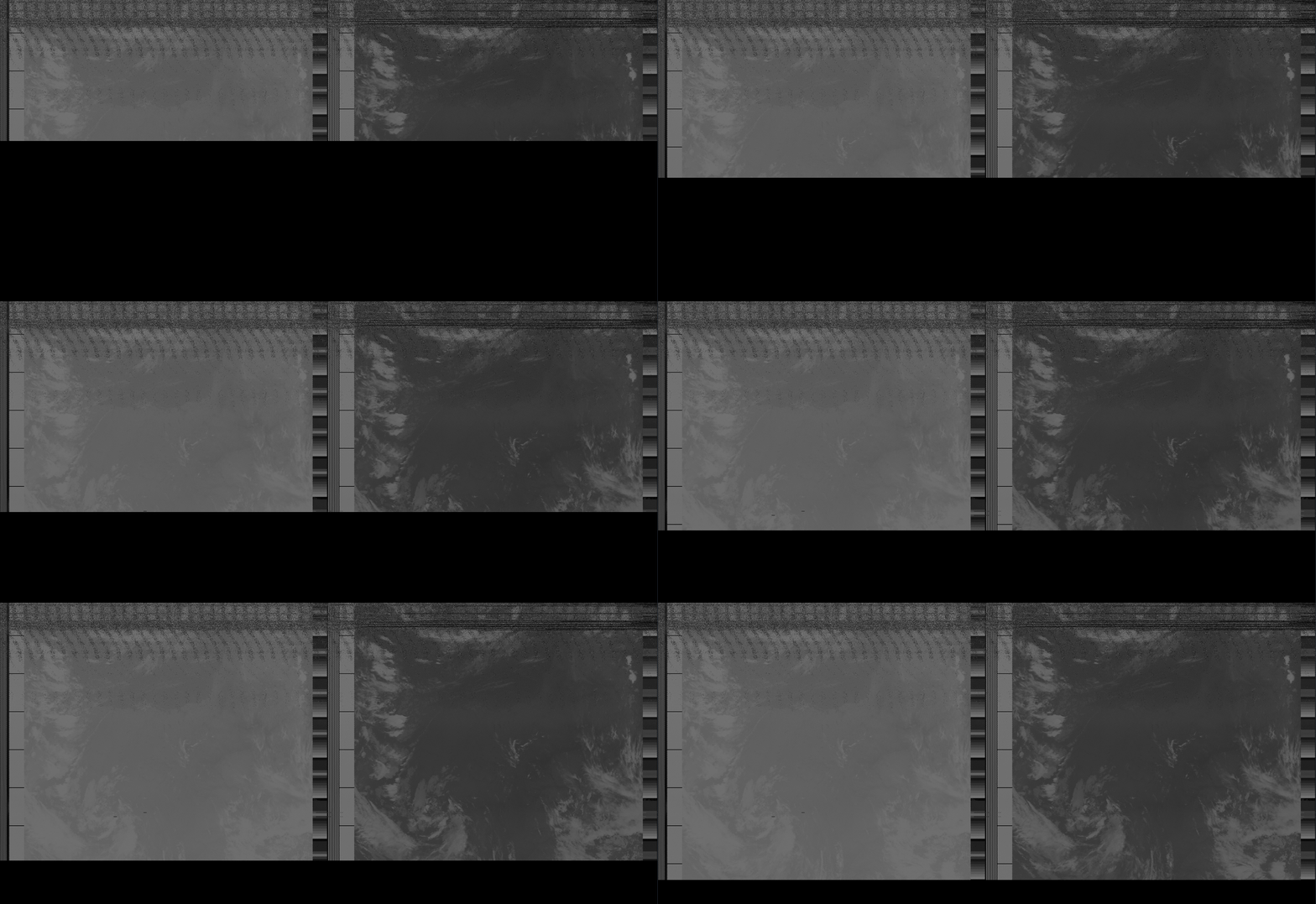
Command ran to generate demo:
nimbus examples/10080101_16bit.wav
Installation
Install with pip
pip install wxnimbus
Installation from Git
git clone https://github.com/Quinticx/nimbus.git
cd nimbus
poetry install
Dependencies
Ubuntu
sudo apt install portaudio19-dev
Background
NOAA maintains several weather satellites responsible for weather analysis and forecasting, climate research and prediction, temperature measurements, and more. Among these satellites are the Polar Operational Environmental Satellites (POES) group. POES satellites have several sensors, such as a microwave imager, ultraviolet sensor, and more, that allow them to perform their daily duties in aiding weather researchers and forecasters across the country.
Satellite 🛰️ to Computer 💻
POES uses a communication protocol called automatic picture transmission (APT) to send image data to receivers on the ground. APT signals are composed of 2 image channels, telemetry information, and synchronization data. The signals are transmitted in a horizontal scan line which are sent at 2 lines per second, which is around 4160 baud. Once the APT signal is received, the image can be reconstructed from the transmitted lines.
APT encodes pixel intensity as one of 256 grayscale values. This signal is then amplitude modulated onto a 2.4kHz carrier, and the resulting AM waveform is frequency modulated onto a 137MHz carrier. To receive APT signals, a few components are needed: an appropriate antenna and a software-defined radio (SDR).
IQ Sampling
Most SDRs use IQ sampling. IQ sampling is a technique that uses two 90 degree out-of-phase wave-forms to transform a single real signal into a complex signal. The resulting signal preserves the amplitude and phase, but allows an analog-to-digital converter (ADC) to sample at a much lower frequency. The SDR controls the frequency of the sampling wave-forms to tune the frequency band being sampled.
FM Demodulation
To unwrap the first layer of modulation, the signal needs to be frequency demodulated by a 137 MHz carrier wave. FM demodulation is accomplished by examining the phase change of consecutive IQ samples. If two samples have the same phase, then the frequency of the input is identical to the baseband frequency. If successive samples have increasing phases, then the input frequency is higher then the baseband frequency (the input is leading the baseband). Likewise if the phase is decreasing the frequency is lower (the input is lagging the baseband). By calculating the phase difference between each successive pair of samples (the derivative), we can retrieve the original signal.
AM Demodulation
The output of the FM Demodulation stage is a 256 level amplitude modulated signal. There are multiple ways to demodulate an AM waveform. A popular AM demodulation strategy is to utilize the Hilbert transform. The Hilbert transform takes a real AM signal and returns the complex analytic signal, the magnitude of which is the original signal.
APT Decoding
APT Data is encoded into scan lines that are transmitted at a rate of 2 per second. Each scan line contains 2080 pixels. Half of which are used for image data, and the remaining pixels are used for synchronization and satellite telemetry information. Decoding APT starts by locating a sync frame in the input signal, a 36 pixel long string of white and black pixels that corresponds to the start of the first video channel. Once the sync frame is established 47 pixels are skipped and then 909 pixels of image data are read. After the image data there are 45 pixels of telemetry data. The same sequence is repeated (with a different sync frame) for the second channel. Consecutive scan lines are stacked and the resulting image can be displayed.
Coming Soon
Sooner:
- Country border overlay on images
Later:
- GOES Satellite 🛰️ support
- METEOR Satellite 🛰️ support
Release history Release notifications | RSS feed


Download files
Download the file for your platform. If you're not sure which to choose, learn more about installing packages.
Source Distribution
Built Distribution
Filter files by name, interpreter, ABI, and platform.
If you're not sure about the file name format, learn more about wheel file names.
Copy a direct link to the current filters
File details
Details for the file WxNimbus-0.1.1.tar.gz.
File metadata
- Download URL: WxNimbus-0.1.1.tar.gz
- Upload date:
- Size: 26.4 kB
- Tags: Source
- Uploaded using Trusted Publishing? No
- Uploaded via: poetry/1.1.13 CPython/3.9.7 Linux/5.13.0-39-generic
File hashes
| Algorithm | Hash digest | |
|---|---|---|
| SHA256 |
6b9e1a9c9d7d4892e5ff0ab1b6f1c99062fac9be55a6ac6d1abe01936ecd0d04
|
|
| MD5 |
ee18d0586c35f80a8c7c523d60ae8f8e
|
|
| BLAKE2b-256 |
dc22d6e6839c956bfba2faea2468650a9d9347af1aa4de0b7a3bf63069a19fe9
|
File details
Details for the file WxNimbus-0.1.1-py3-none-any.whl.
File metadata
- Download URL: WxNimbus-0.1.1-py3-none-any.whl
- Upload date:
- Size: 31.2 kB
- Tags: Python 3
- Uploaded using Trusted Publishing? No
- Uploaded via: poetry/1.1.13 CPython/3.9.7 Linux/5.13.0-39-generic
File hashes
| Algorithm | Hash digest | |
|---|---|---|
| SHA256 |
71ca40d6bb46732146ecb9a1c395b54ccbe2c5f6ce7ae587ffe56fb6400584de
|
|
| MD5 |
43eb7229bb4fe7dd58463469480b7934
|
|
| BLAKE2b-256 |
5e7c36830064d49ee752069b812ae3fe66615c61b46e0bf30b36685b96210ff1
|






