
TtkWidget class is the core of the yawTtk package. It loads Tile and override configure function to manage both widget options and style options.
Support this project

—

3Jgib9SQiDLYML7QKBYtJUkHq2nyG6Z63D
Extend
A yawTtk widget extends TtkWidget and can be configured mostly as a Tkinter widget if its extend option is True. There are two ways to disable this feature :
>>> # for all widgets
>>> customize_all_widgets(False)
>>> # or
>>> # for a single widget on its creation
>>> button = Button(extend = False, text = "Simple button")
Configure
In Tile, widget options and style are separated. yawTtk merges them to simplify and match as possible Tkinter way of coding. Remember that it is only available if extend option is True. configure funcion is called by __init__ and __setattr__ class method so there are 3 different ways to configure widgets.
>>> # configure widget with __init__ function
>>> button = Button(
... style = "custom.Toolbutton",
... anchor = "center",
... font = ("Tahoma", "8", "bold"),
... )
>>> # or with __setattr__ function
>>> button["foreground"] = "steelblue3"
>>> button["background"] = "lightgreen"
>>> # or even with configure function
>>> button.configure(
... command = exit,
... text = "Toolbutton",
... padding = (5, 1, 5, 1)
... )
>>> # pack and see...
>>> button.pack(fill = "x", padx = 5, pady = 5)

In this example, widget style is explicitly defined. If it is not, yawTtk gives one according to widget type and name. Next example shows different possibilities of style determination by yawTtk. Notice that name option is not necessary because of automatic naming in Tkinter.
>>> b1 = Button(extend = False, text = "Button 1", name = "button001")
>>> # style widget is "TButton"
>>> b2 = Button(extend = False, text = "Button 2", name = "button002", style = "custom.TButton")
>>> # style widget is "custom.TButton"
>>> b3 = Button(extend = True, text = "Button 3", name = "button003")
>>> # style widget is "button003.TButton"
>>> b4 = Button(extend = True, text = "Button 4", name = "button004", style = "TButton")
>>> # style widget is "TButton"
b1 and b2 can only be configured with ttk::style configure command
b3 and b4 can configure themselves with __setattr__ and configure functions
b1 and b4 are default button i.e. modifications affect all buttons
Limitations
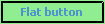
There are many themes defined in tile (or Tk 8.5). The winnative and xpnative ones do not allow modification for all widget options. Just see the example below :
>>> # other way to configure widget is to give a dictionary...
>>> cnf = dict(
... # relief is not supported in "xpnative" and "winnative" theme
... relief = "solid",
... # options supported by all theme
... anchor = "center",
... font = ("Tahoma", "8", "bold"),
... foreground = "steelblue3",
... background = "lightgreen",
... command = exit,
... text = "Flat button",
... padding = (5, 1, 5, 1)
... )
For each theme fo Tile :
>>> Button(None, cnf).pack(fill = "x", padx = 5, pady = 5)
Windows themes :


Other themes :



1 maintainer

Release files for yawTtk 1.0.5
For a detailed explanation of source distributions (sdists) and built distributions (wheels), please see the package formats documentation.
Built distributions (wheels)
| File | Interpreter | ABI | Platform | Reset |
|---|---|---|---|---|
| yawTtk-1.0.5-py3-none-any.whl | Python 3 | none | any | Details |
| yawTtk-1.0.5-py2.py3-none-any.whl | Python 2, Python 3 | none | any | Details |
Total release size: 104.4 kB
Release files / yawTtk-1.0.5-py3-none-any.whl
| Download URL | yawTtk-1.0.5-py3-none-any.whl |
|---|---|
| Size | 52.2 kB |
| Tags | Python 3 |
|
SHA-256 checksum How to use checksums |
23b6f7ca0e5744b61d0916a4f8f004af7494e967aa9ad7f8609b15e87e14ebdb
|
|
BLAKE2b-256 checksum How to use checksums |
ae498021693273b803f82b30d777f667123853b8377fba8bbbbffba567689c7d
|
| Upload date | |
|
Uploaded using Trusted Publishing? What is trusted publishing? |
No |
Release files / yawTtk-1.0.5-py2.py3-none-any.whl
| Download URL | yawTtk-1.0.5-py2.py3-none-any.whl |
|---|---|
| Size | 52.2 kB |
| Tags | Python 2 Python 3 |
|
SHA-256 checksum How to use checksums |
f5b9fbb85b2363f2a1713e6622174059b497b5a104c217b936c25b0106008fd2
|
|
BLAKE2b-256 checksum How to use checksums |
b40bc4e9961e3d1ba2ed97a55539b6631b7eeee7c7461be31621f2f376a46ec4
|
| Upload date | |
|
Uploaded using Trusted Publishing? What is trusted publishing? |
No |














