



A graph diagram visualization widget for Jupyter Notebooks and Labs powered by yFiles for HTML.
Easily visualize graphs from various sources: Networkx✅, igraph✅, neo4j✅, pygraphviz✅, and any structured Python dictionaries and lists. Many more formats supported indirectly via Networkx imports!
The widget is supported in the default Jupyter environments, but also in other environments like VS Code or Google Colab.
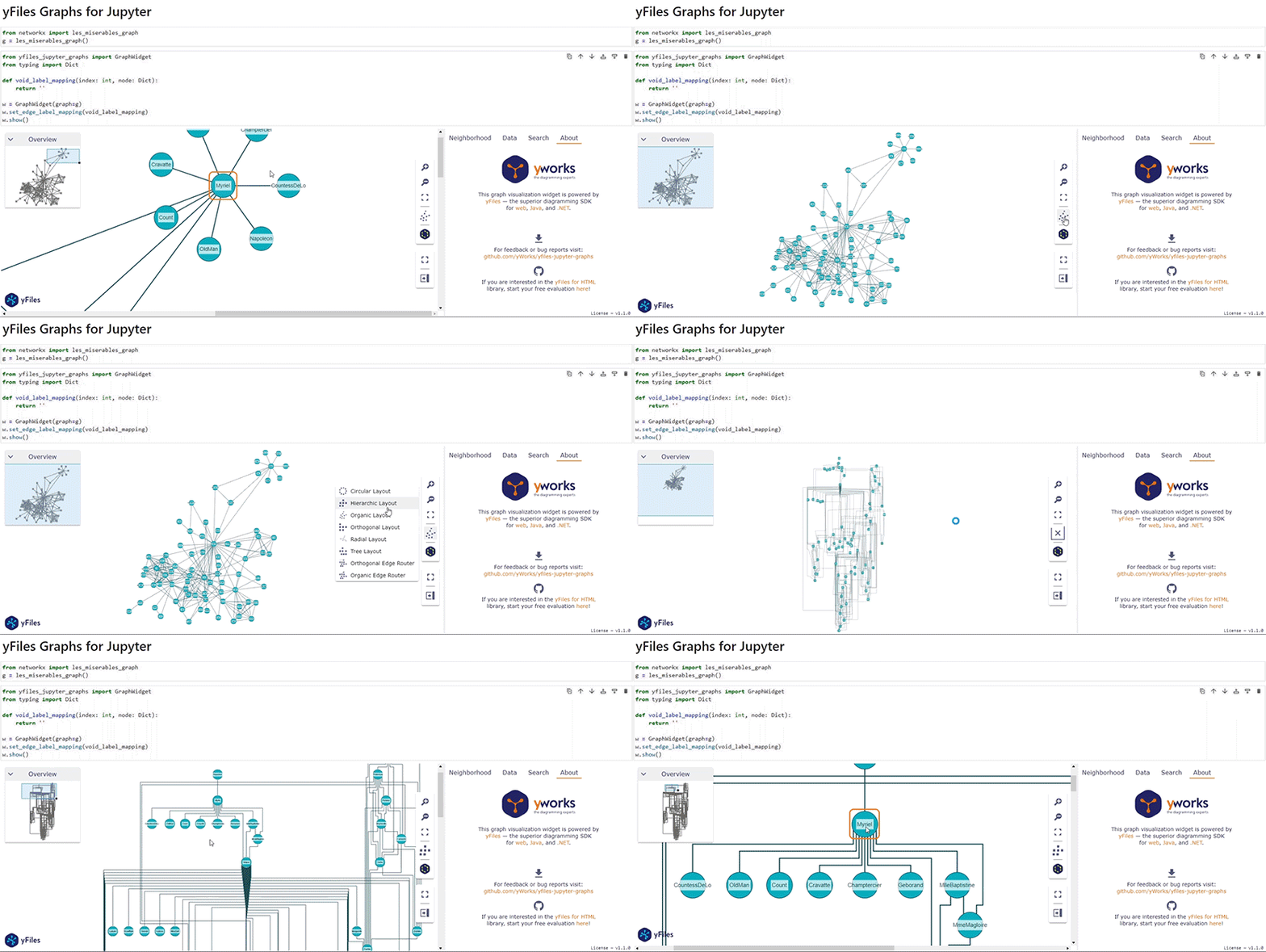
Try the Introduction notebook on Google Colab here.
yfiles-jupyter-graphs-for-neo4j
For working with Neo4j databases, we
built yfiles-jupyter-graphs-for-neo4j, an open-source
extension on top of yfiles-jupyter-graphs. This extension provides an easier Python interface for the
driver and allows direct configuration of data mappings depending on the label or type of the node or relationship.
So if you are planning to use the extension with Neo4j databases, consider using yfiles-jupyter-graphs-for-neo4j.
Supported Environments
- JupyterLab or Jupyter Notebook
- Visual Studio Code
- Google Colaboratory
- Google Vertex AI Workbench
- Google Dataproc
- Azure Machine Learning Studio Notebooks
- Amazon SageMaker
- Kaggle
- Just try it in your preferred platform for Jupyter notebooks
Requirements
- python >= 3.6
- jupyter notebook or lab
- ipywidgets >= 7.6.0
Installation
If you already have Jupyter installed, just pip install the prebuilt extension from the Python Package Index.
pip install yfiles_jupyter_graphs
If you want to start clean and get a fresh new Jupyter Lab with the widget readily installed and available, you can use docker, too:
Form a shell, create a docker image that contains all that is required:
mkdir yfiles-jupyter && cd yfiles-jupyter
echo -e "FROM jupyter/scipy-notebook\nRUN pip install yfiles-jupyter-graphs" > Dockerfile
docker build -t yfiles-jupyter-graphs-on-docker .
(the above has been tested successfully with scipy-notebook:lab-3.4.7 and yfiles-jupyter-graphs==1.2.1), but we want to make sure that it will also work with upcoming versions - file an issue if it doesn't work for you!)
You can then create a fresh new instance of your server from this image like so:
docker run -it -p 8888:8888 --name yfiles-jupyter yfiles-jupyter-graphs-on-docker
Usage
In a notebook which has the wiget installed in the server, in a Python cell, you can then do this:
"""Execute in jupyter notebook or jupyter lab"""
from yfiles_jupyter_graphs import GraphWidget
# shows empty widget
GraphWidget()
You can find the full documentation here.
Features
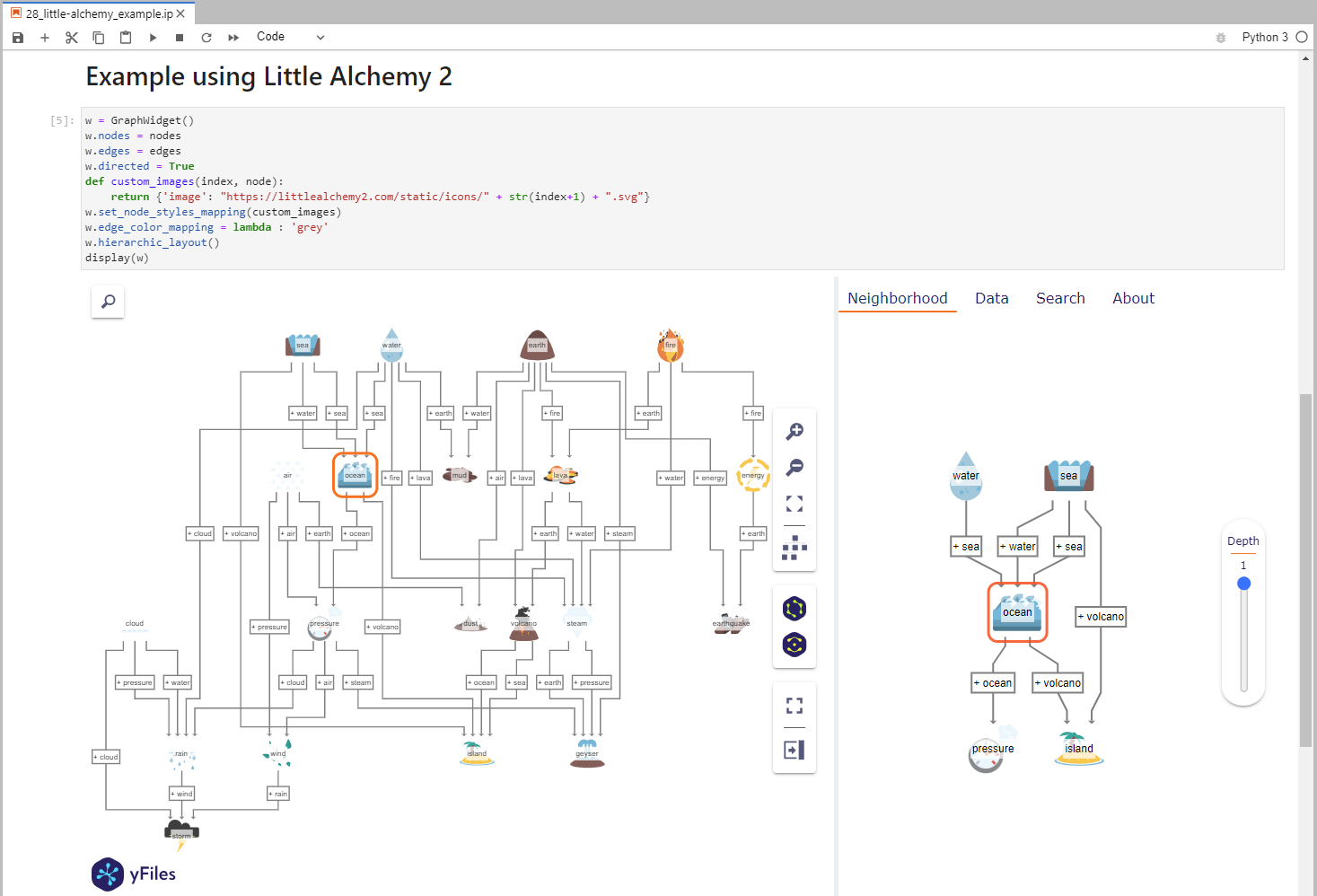

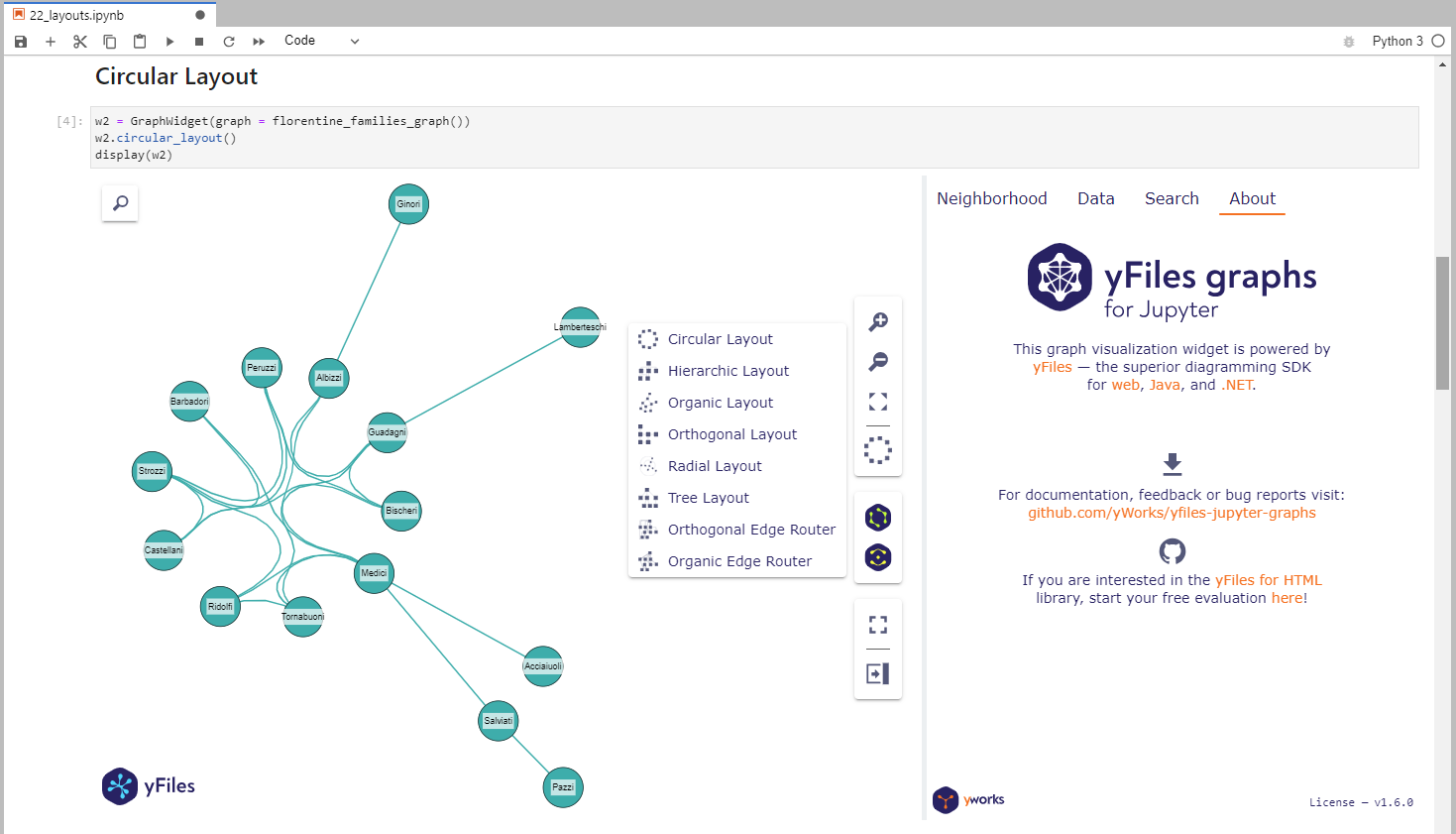
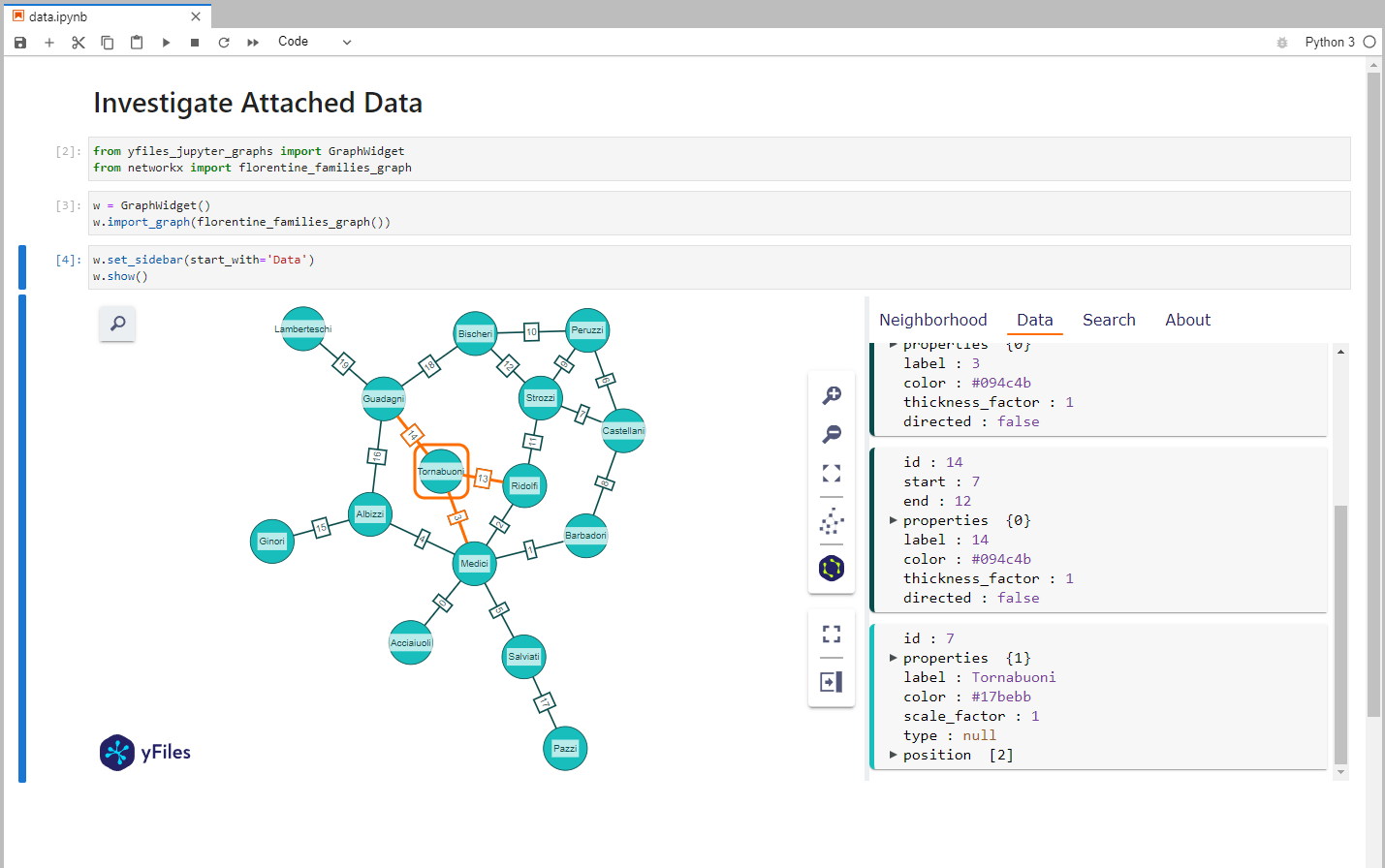
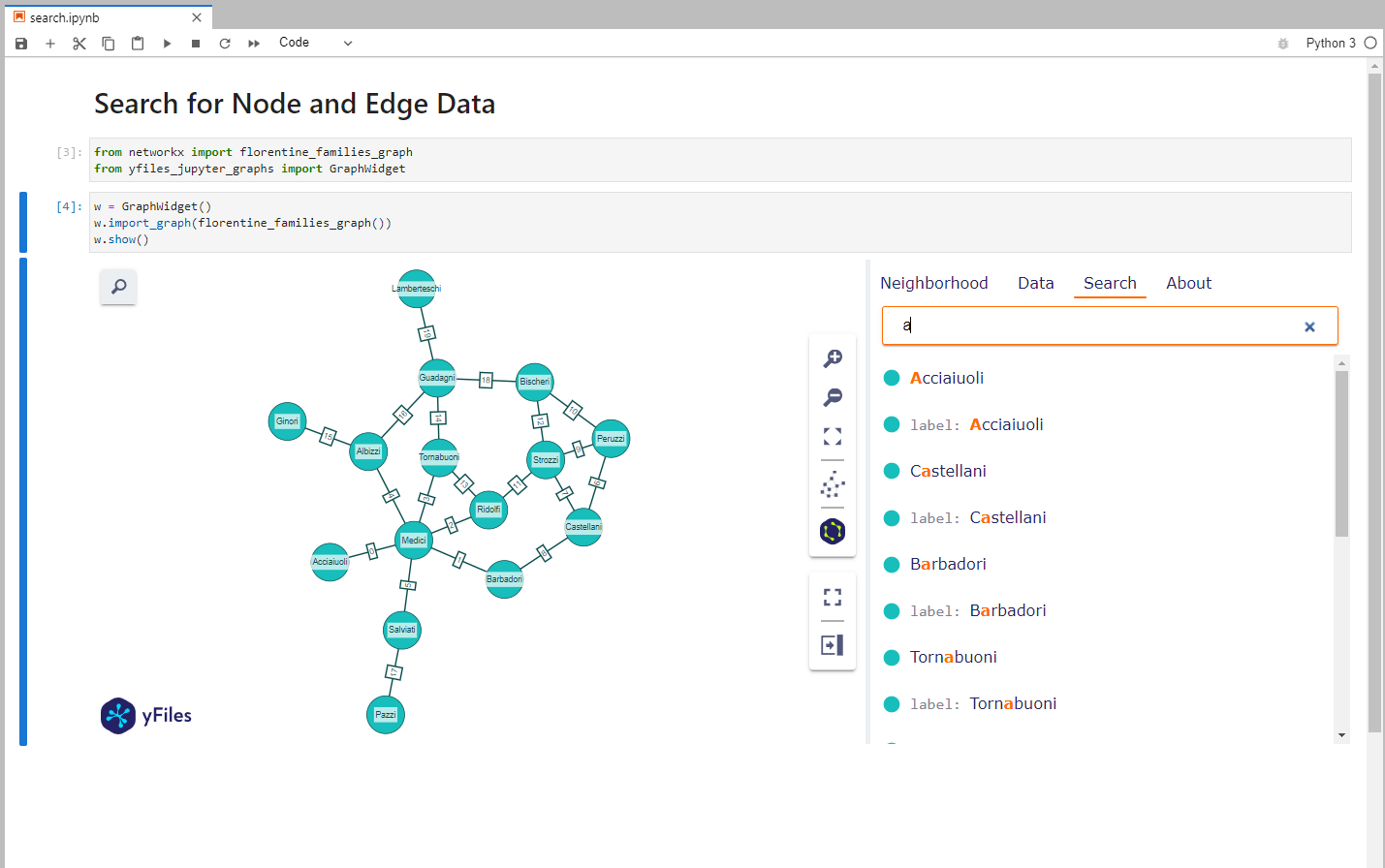
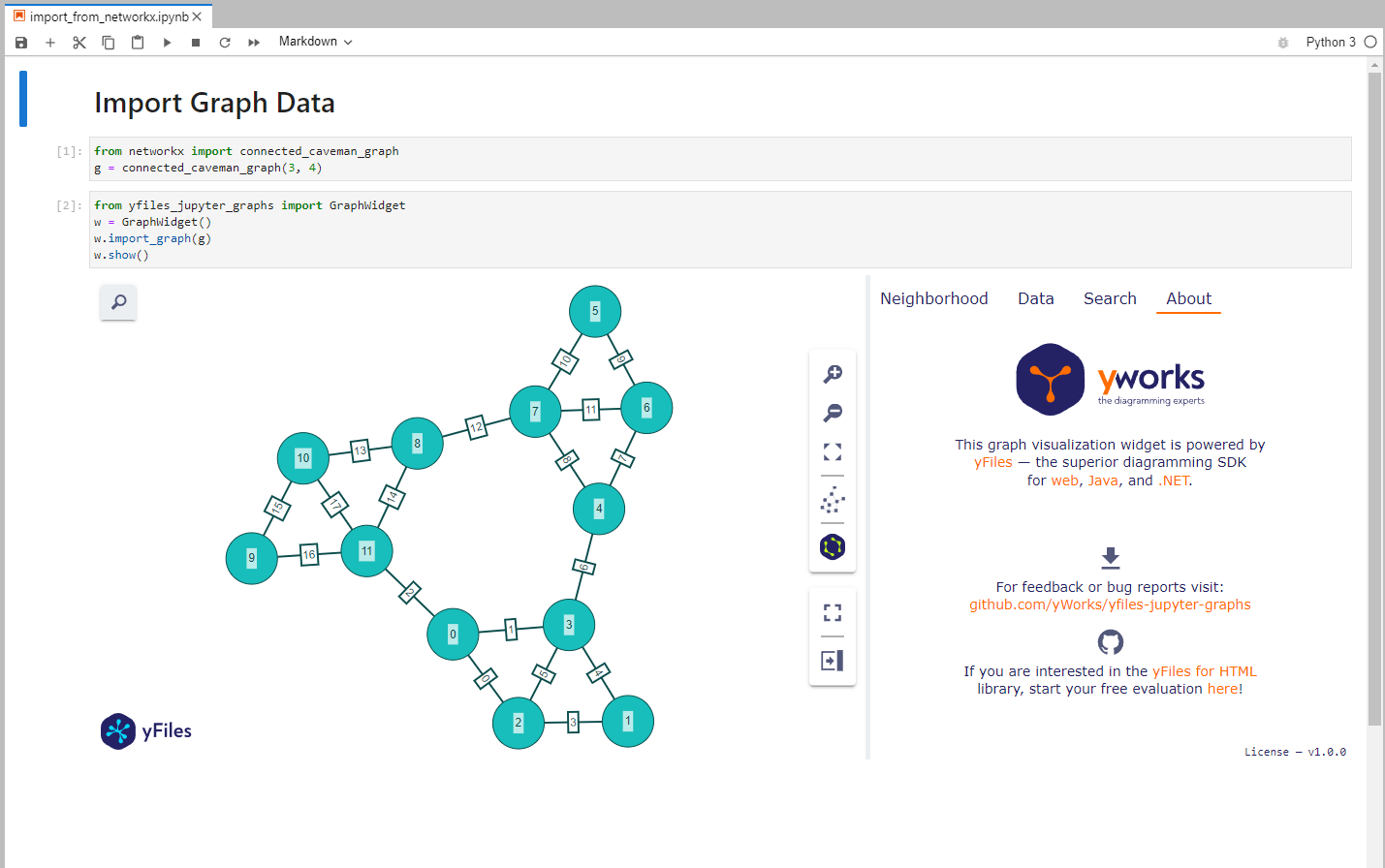
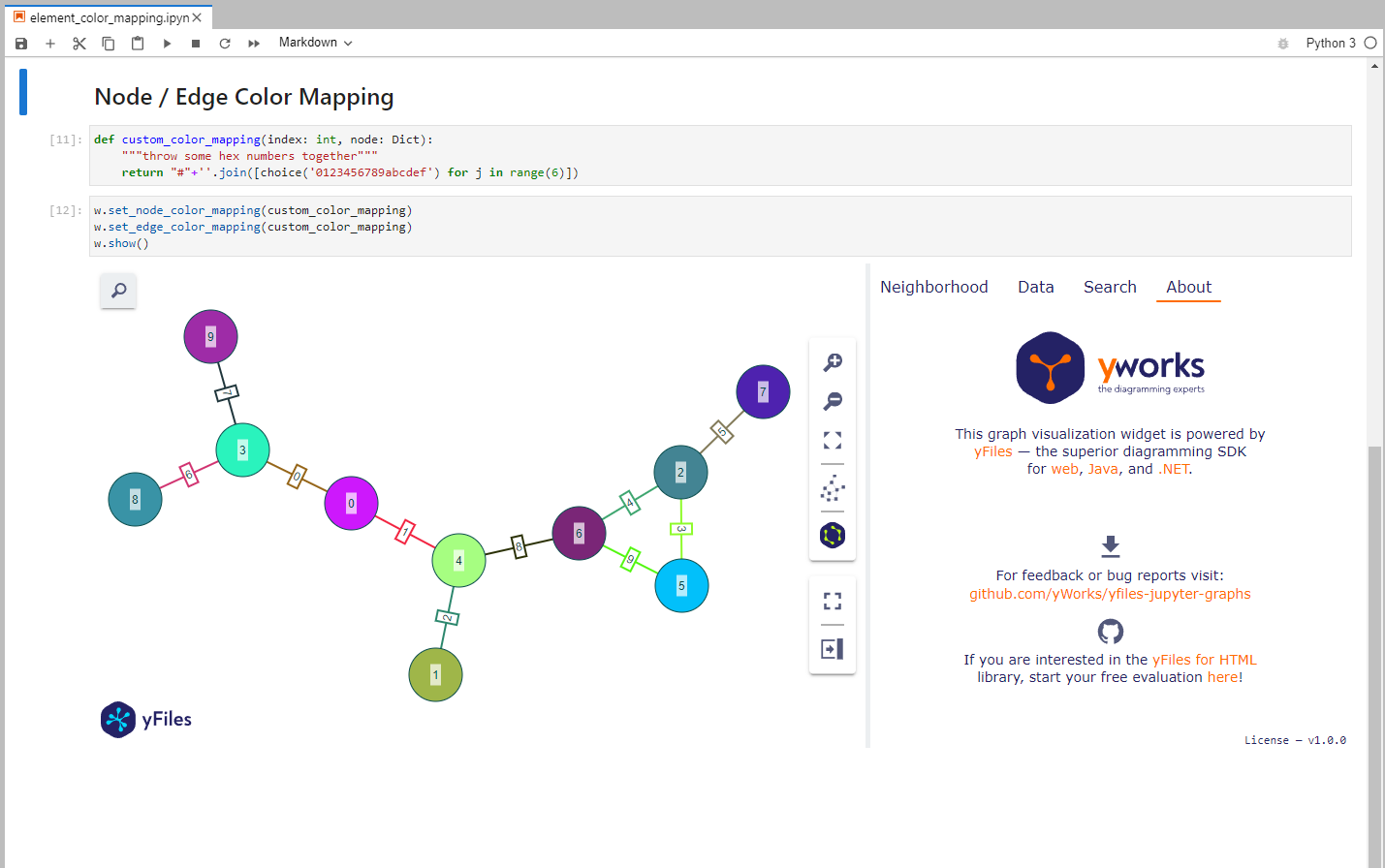
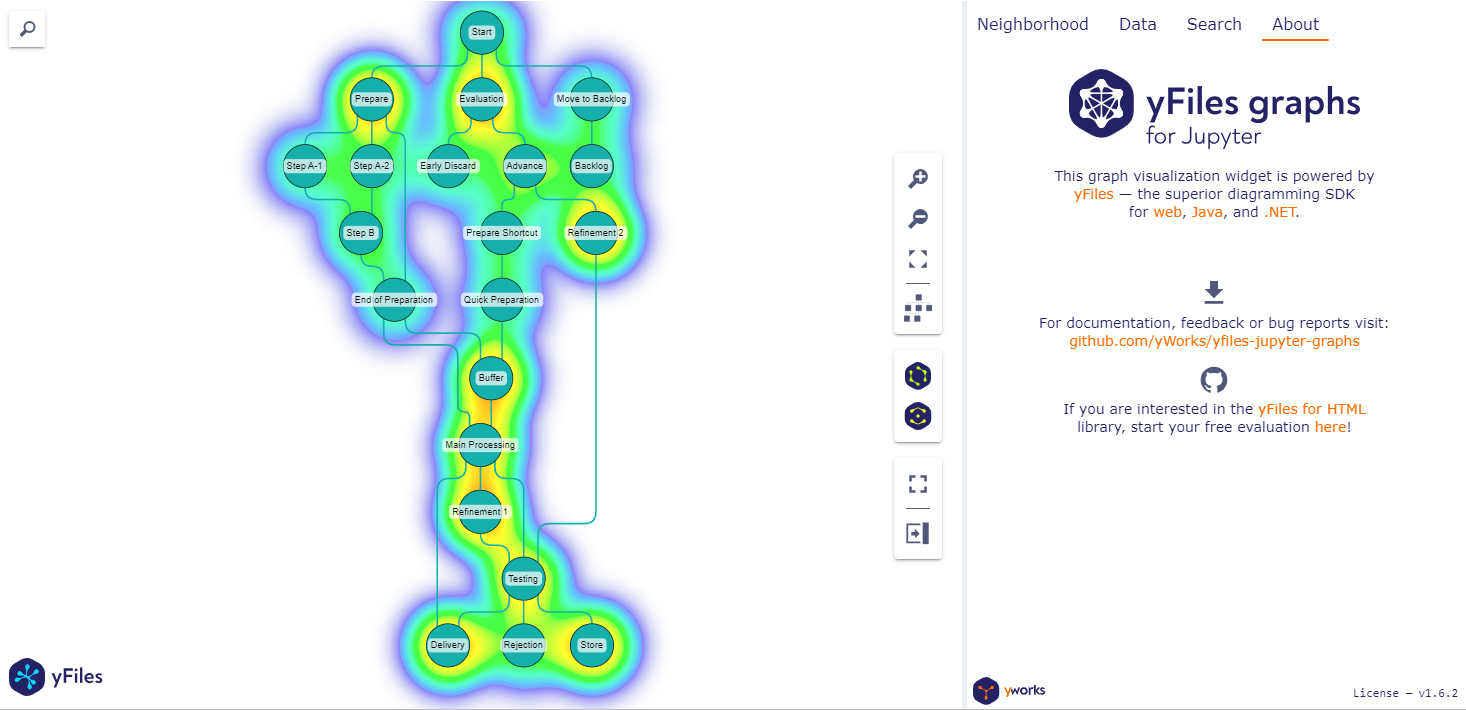
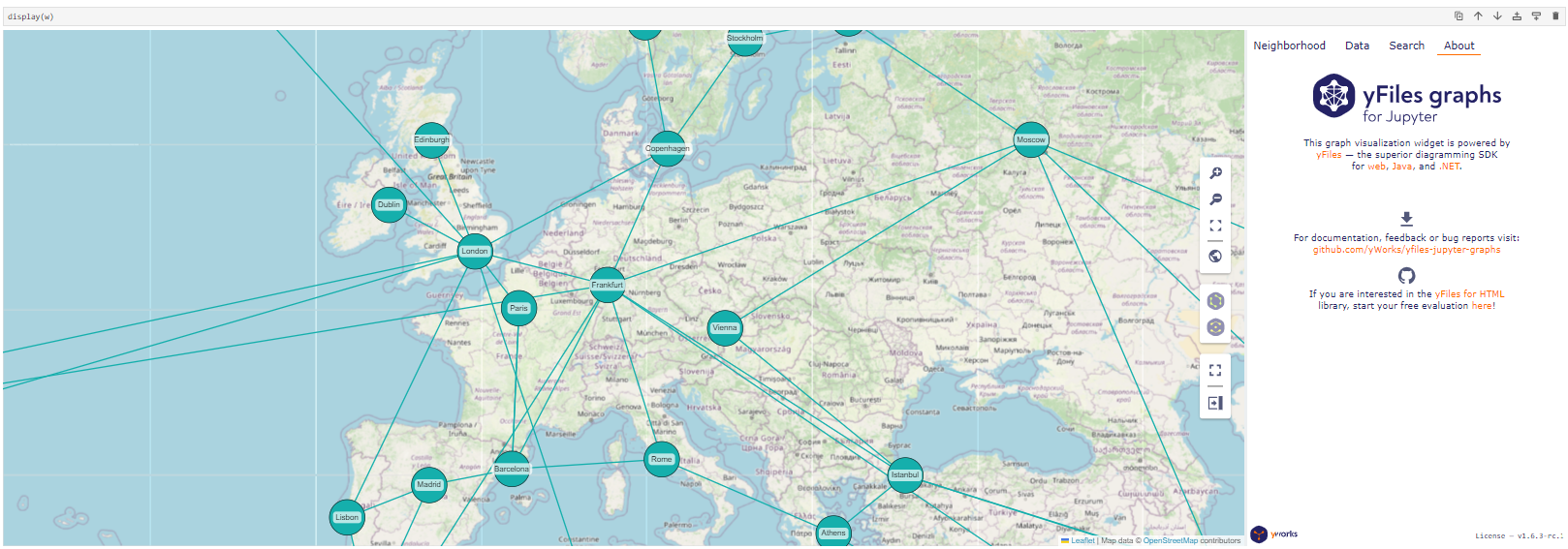
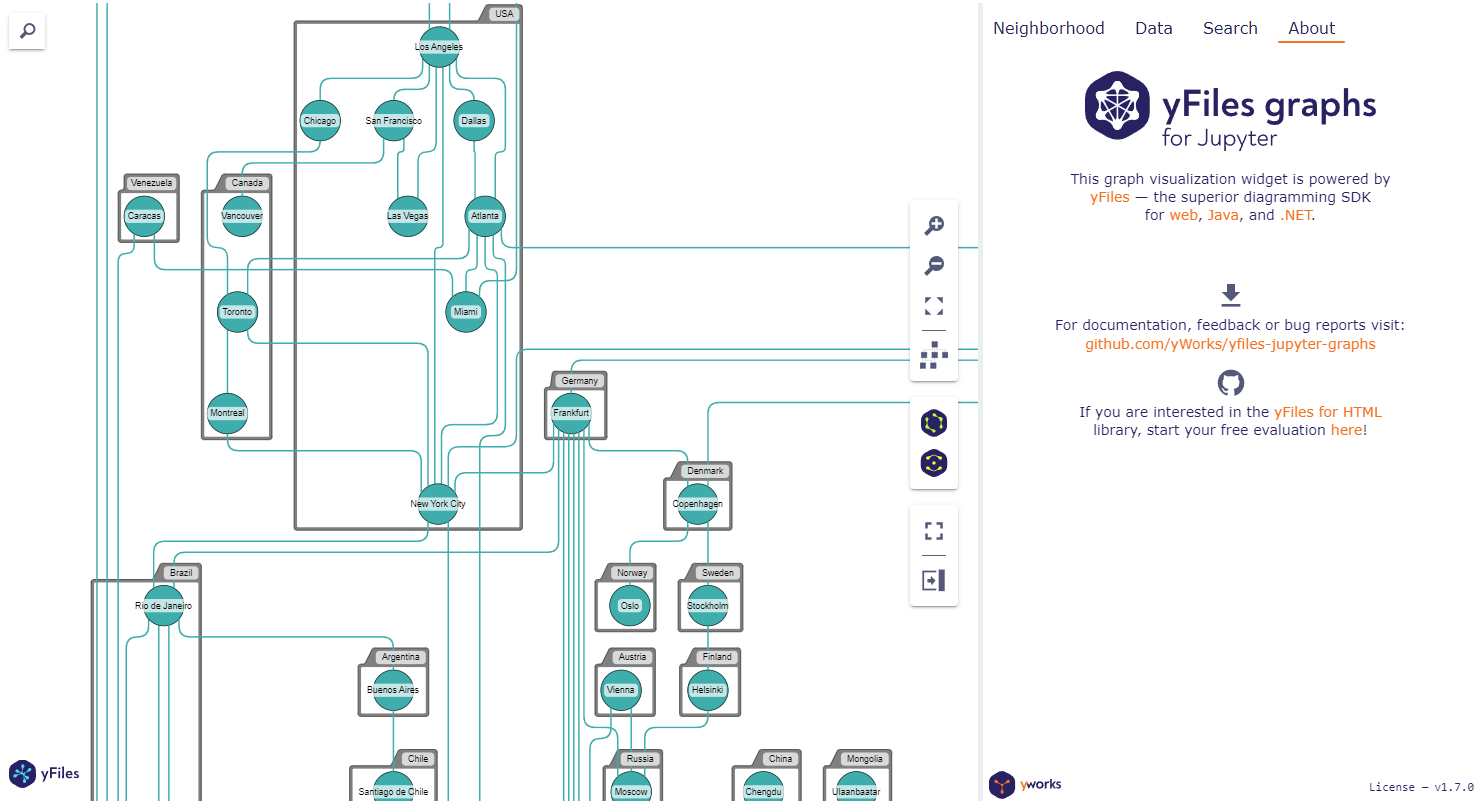
For example code look here.
Google Colab Examples
You can try the example notebooks in Google Colab by
opening GitHub notebook URL: https://colab.research.google.com/github/yWorks/yfiles-jupyter-graphs/blob/main/examples/<notebook.ipynb>.
For example the Introduction notebook:
https://colab.research.google.com/github/yWorks/yfiles-jupyter-graphs/blob/main/examples/01_introduction.ipynb
Documentation
You can find the documentation here.
Code of Conduct
This project and everyone participating in it is governed by the Code of Conduct. By participating, you are expected to uphold this code. Please report unacceptable behavior to contact@yworks.com.
Feedback
This widget is by no means perfect. If you find something is not working as expected we are glad to receive an issue report from you. Please make sure to search for existing issues first and check if the issue is not an unsupported feature or known issue. If you did not find anything related, report a new issue with necessary information. Please also provide a clear and descriptive title and stick to the issue templates. See issues.
Dependencies
License
See LICENSE file.
3 maintainers


Metadata
3 maintainers
Release files for yfiles-jupyter-graphs 1.9.0
For a detailed explanation of source distributions (sdists) and built distributions (wheels), please see the package formats documentation.
Source distribution (sdist)
| File | Size | Uploaded | Provenance | Actions |
|---|---|---|---|---|
| yfiles_jupyter_graphs-1.9.0.tar.gz | 10.6 MB | Without provenance | Details for yfiles_jupyter_graphs-1.9.0.tar.gz |
Built distribution (wheel)
| File | Interpreter | ABI | Platform | Actions Reset |
|---|---|---|---|---|
| yfiles_jupyter_graphs-1.9.0-py3-none-any.whl | Python 3 | none | any | Details for yfiles_jupyter_graphs-1.9.0-py3-none-any.whl |
Total release size: 26.2 MB
Release files / yfiles_jupyter_graphs-1.9.0.tar.gz
| Download URL | yfiles_jupyter_graphs-1.9.0.tar.gz |
|---|---|
| Size | 10.6 MB |
| Tags | Source |
|
SHA-256 checksum How to use checksums |
5d80886d989143216d9cf9c39c9015af93d0f6f0717f0d1f829609c1e5ec4719
|
|
BLAKE2b-256 checksum How to use checksums |
ef72d7c815330d0463a4756830802554cef0a25cbd5d948b5f938a4c4c02fd0f
|
| Upload date | |
|
Uploaded using Trusted Publishing? What is trusted publishing? |
No |
| Uploaded via |
twine/5.1.1 CPython/3.12.7
|
Release files / yfiles_jupyter_graphs-1.9.0-py3-none-any.whl
| Download URL | yfiles_jupyter_graphs-1.9.0-py3-none-any.whl |
|---|---|
| Size | 15.5 MB |
| Tags | Python 3 |
|
SHA-256 checksum How to use checksums |
a9f383274a1164ecd1a3d0b62dae51b5d60078318489f6c0b4b987645be8a887
|
|
BLAKE2b-256 checksum How to use checksums |
fccc6ec16a527517bc3aff2841c339bf3b0544637bac06899c3fd2120c561e9c
|
| Upload date | |
|
Uploaded using Trusted Publishing? What is trusted publishing? |
No |
| Uploaded via |
twine/5.1.1 CPython/3.12.7
|
Security for yfiles-jupyter-graphs 1.9.0
Provenance
Provenance describes where a file came from. On PyPI, provenance is shared via attestations, which provide a verifiable record of the build or publishing details. View details, limitations and caveats.
No provenance found
None of the files in this release were uploaded with provenance metadata.
A note on package security
PyPI is a repository for distributing packages, not a service for auditing them. While third-party security researchers and our staff do their best to detect and remove malicious packages, PyPI cannot guarantee the quality, security or suitability of any given package.
To learn more about protecting yourself from malicious actors, visit our package security documentation.














