
ZeroNet 



Decentralized websites using Bitcoin crypto and the BitTorrent network - https://zeronet.dev / ZeroNet Site, Unlike Bitcoin, ZeroNet Doesn't need a blockchain to run, But uses cryptography used by BTC, to ensure data integrity and validation.
Why?
- We believe in open, free, and uncensored network and communication.
- No single point of failure: Site remains online so long as at least 1 peer is serving it.
- No hosting costs: Sites are served by visitors.
- Impossible to shut down: It's nowhere because it's everywhere.
- Fast and works offline: You can access the site even if Internet is unavailable.
Features
- Real-time updated sites
- Namecoin .bit domains support
- Easy to setup: unpack & run
- Clone websites in one click
- Password-less BIP32 based authorization: Your account is protected by the same cryptography as your Bitcoin wallet
- Built-in SQL server with P2P data synchronization: Allows easier site development and faster page load times
- Anonymity: Full Tor network support with .onion hidden services instead of IPv4 addresses
- TLS encrypted connections
- Automatic uPnP port opening
- Plugin for multiuser (openproxy) support
- Works with any browser/OS
How does it work?
- After starting
zeronet.pyyou will be able to visit zeronet sites usinghttp://127.0.0.1:43110/{zeronet_address}(eg.http://127.0.0.1:43110/1HELLoE3sFD9569CLCbHEAVqvqV7U2Ri9d). - When you visit a new zeronet site, it tries to find peers using the BitTorrent network so it can download the site files (html, css, js...) from them.
- Each visited site is also served by you.
- Every site contains a
content.jsonfile which holds all other files in a sha512 hash and a signature generated using the site's private key. - If the site owner (who has the private key for the site address) modifies the
site and signs the new
content.jsonand publishes it to the peers. Afterwards, the peers verify thecontent.jsonintegrity (using the signature), they download the modified files and publish the new content to other peers.
Slideshow about ZeroNet cryptography, site updates, multi-user sites »
Frequently asked questions »
ZeroNet Developer Documentation »
Screenshots
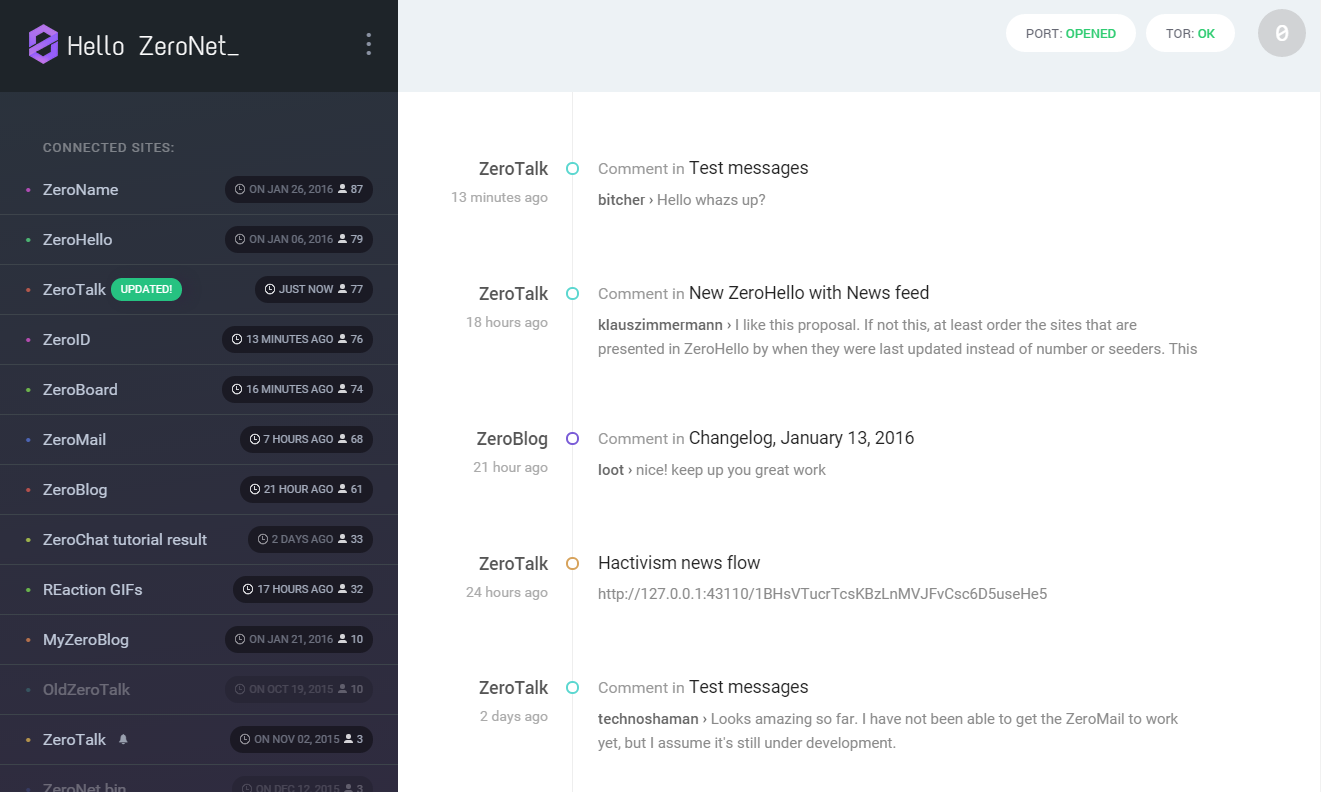
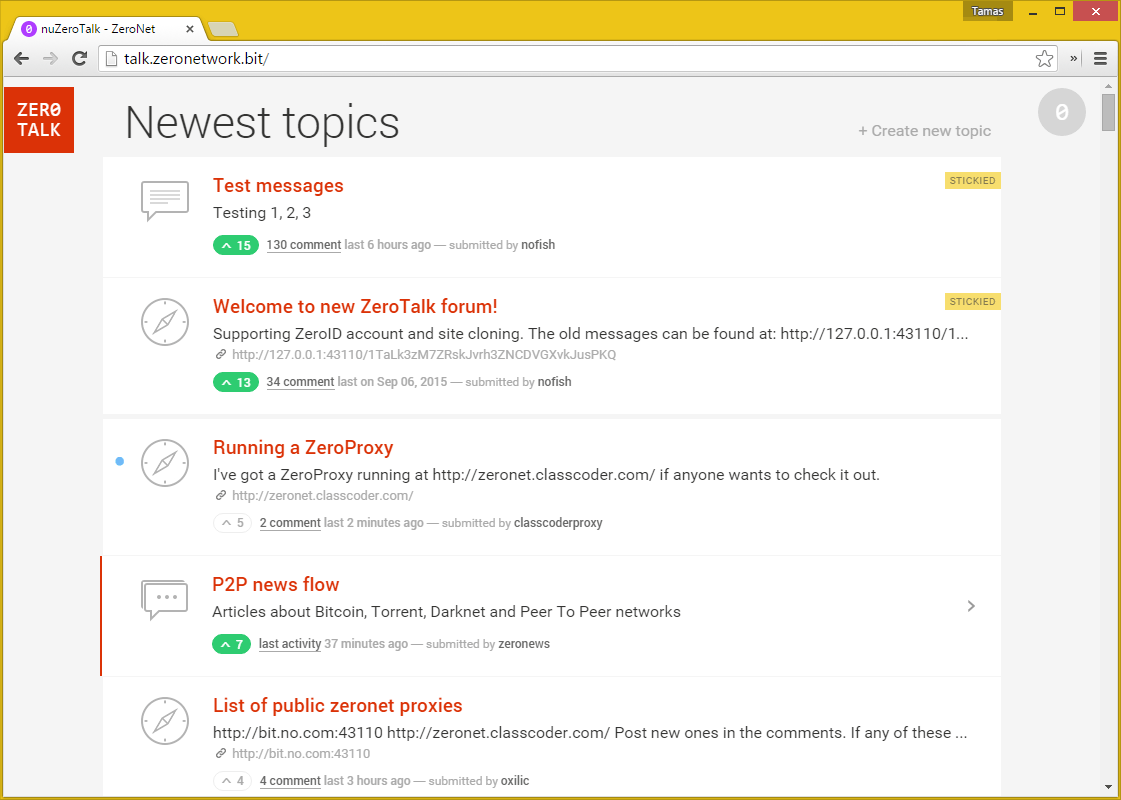
More screenshots in ZeroNet docs »
How to join
Windows
- Download ZeroNet-win.zip (26MB)
- Unpack anywhere
- Run
ZeroNet.exe
macOS
- Download ZeroNet-mac.zip (14MB)
- Unpack anywhere
- Run
ZeroNet.app
Linux (x86-64bit)
wget https://github.com/ZeroNetX/ZeroNet/releases/latest/download/ZeroNet-linux.zipunzip ZeroNet-linux.zipcd ZeroNet-linux- Start with:
./ZeroNet.sh - Open the ZeroHello landing page in your browser by navigating to: http://127.0.0.1:43110/
Tip: Start with ./ZeroNet.sh --ui_ip '*' --ui_restrict your.ip.address to allow remote connections on the web interface.
Android (arm, arm64, x86)
- minimum Android version supported 21 (Android 5.0 Lollipop)
- APK download: https://github.com/canewsin/zeronet_mobile/releases

Android (arm, arm64, x86) Thin Client for Preview Only (Size 1MB)
- minimum Android version supported 16 (JellyBean)
Docker
There is an official image, built from source at: https://hub.docker.com/r/canewsin/zeronet/
Install from source
wget https://github.com/ZeroNetX/ZeroNet/releases/latest/download/ZeroNet-src.zipunzip ZeroNet-src.zipcd ZeroNetsudo apt-get updatesudo apt-get install python3-pipsudo python3 -m pip install -r requirements.txt- Start with:
python3 zeronet.py - Open the ZeroHello landing page in your browser by navigating to: http://127.0.0.1:43110/
Current limitations
- File transactions are not compressed
- No private sites
How can I create a ZeroNet site?
- Click on ⋮ > "Create new, empty site" menu item on the site ZeroHello.
- You will be redirected to a completely new site that is only modifiable by you!
- You can find and modify your site's content in data/[yoursiteaddress] directory
- After the modifications open your site, drag the topright "0" button to left, then press sign and publish buttons on the bottom
Next steps: ZeroNet Developer Documentation
Help keep this project alive
- Bitcoin: 1ZeroNetyV5mKY9JF1gsm82TuBXHpfdLX (Preferred)
- LiberaPay: https://liberapay.com/PramUkesh
- Paypal: https://paypal.me/PramUkesh
- Others: Donate
Thank you!
- More info, help, changelog, zeronet sites: https://www.reddit.com/r/zeronetx/
- Come, chat with us: #zeronet @ FreeNode or on gitter
- Email: canews.in@gmail.com
1 maintainer

Metadata
1 maintainer
Release files for zeronetx 0.0.1
For a detailed explanation of source distributions (sdists) and built distributions (wheels), please see the package formats documentation.
Source distribution (sdist)
| File | Size | Uploaded | Provenance | Actions |
|---|---|---|---|---|
| zeronetx-0.0.1.tar.gz | 5.3 kB | Without provenance | Details for zeronetx-0.0.1.tar.gz |
Built distribution (wheel)
| File | Interpreter | ABI | Platform | Actions Reset |
|---|---|---|---|---|
| zeronetx-0.0.1-py3-none-any.whl | Python 3 | none | any | Details for zeronetx-0.0.1-py3-none-any.whl |
Total release size: 10.4 kB
Release files / zeronetx-0.0.1.tar.gz
| Download URL | zeronetx-0.0.1.tar.gz |
|---|---|
| Size | 5.3 kB |
| Tags | Source |
|
SHA-256 checksum How to use checksums |
309cf586a9f2f8862c02739fce4a3bb45d0aeef71bff069e5f2453810d411b6a
|
|
BLAKE2b-256 checksum How to use checksums |
20d0c1deb22745145961d4fc57ca96d5f9ef7b04bbdcdd5668979f27baa3ced6
|
| Upload date | |
|
Uploaded using Trusted Publishing? What is trusted publishing? |
No |
| Uploaded via |
twine/3.8.0 pkginfo/1.8.2 readme-renderer/32.0 requests/2.27.1 requests-toolbelt/0.9.1 urllib3/1.26.7 tqdm/4.62.3 importlib-metadata/4.10.1 keyring/23.5.0 rfc3986/2.0.0 colorama/0.4.4 CPython/3.10.2
|
Release files / zeronetx-0.0.1-py3-none-any.whl
| Download URL | zeronetx-0.0.1-py3-none-any.whl |
|---|---|
| Size | 5.2 kB |
| Tags | Python 3 |
|
SHA-256 checksum How to use checksums |
cb8c504371a9ea72c4497a57581919f40a495965ae468be9086cc8674430d1b9
|
|
BLAKE2b-256 checksum How to use checksums |
e0c470326d6f1def46a7c458defe1d25e408cac02f61df7612dfc87155daf0a9
|
| Upload date | |
|
Uploaded using Trusted Publishing? What is trusted publishing? |
No |
| Uploaded via |
twine/3.8.0 pkginfo/1.8.2 readme-renderer/32.0 requests/2.27.1 requests-toolbelt/0.9.1 urllib3/1.26.7 tqdm/4.62.3 importlib-metadata/4.10.1 keyring/23.5.0 rfc3986/2.0.0 colorama/0.4.4 CPython/3.10.2
|
Security for zeronetx 0.0.1
Provenance
Provenance describes where a file came from. On PyPI, provenance is shared via attestations, which provide a verifiable record of the build or publishing details. View details, limitations and caveats.
No provenance found
None of the files in this release were uploaded with provenance metadata.
A note on package security
PyPI is a repository for distributing packages, not a service for auditing them. While third-party security researchers and our staff do their best to detect and remove malicious packages, PyPI cannot guarantee the quality, security or suitability of any given package.
To learn more about protecting yourself from malicious actors, visit our package security documentation.













