

An open-source multi-agent research assistant that connects to your Zotero library. Search, summarize, and explore your research papers through a conversational interface.







Features
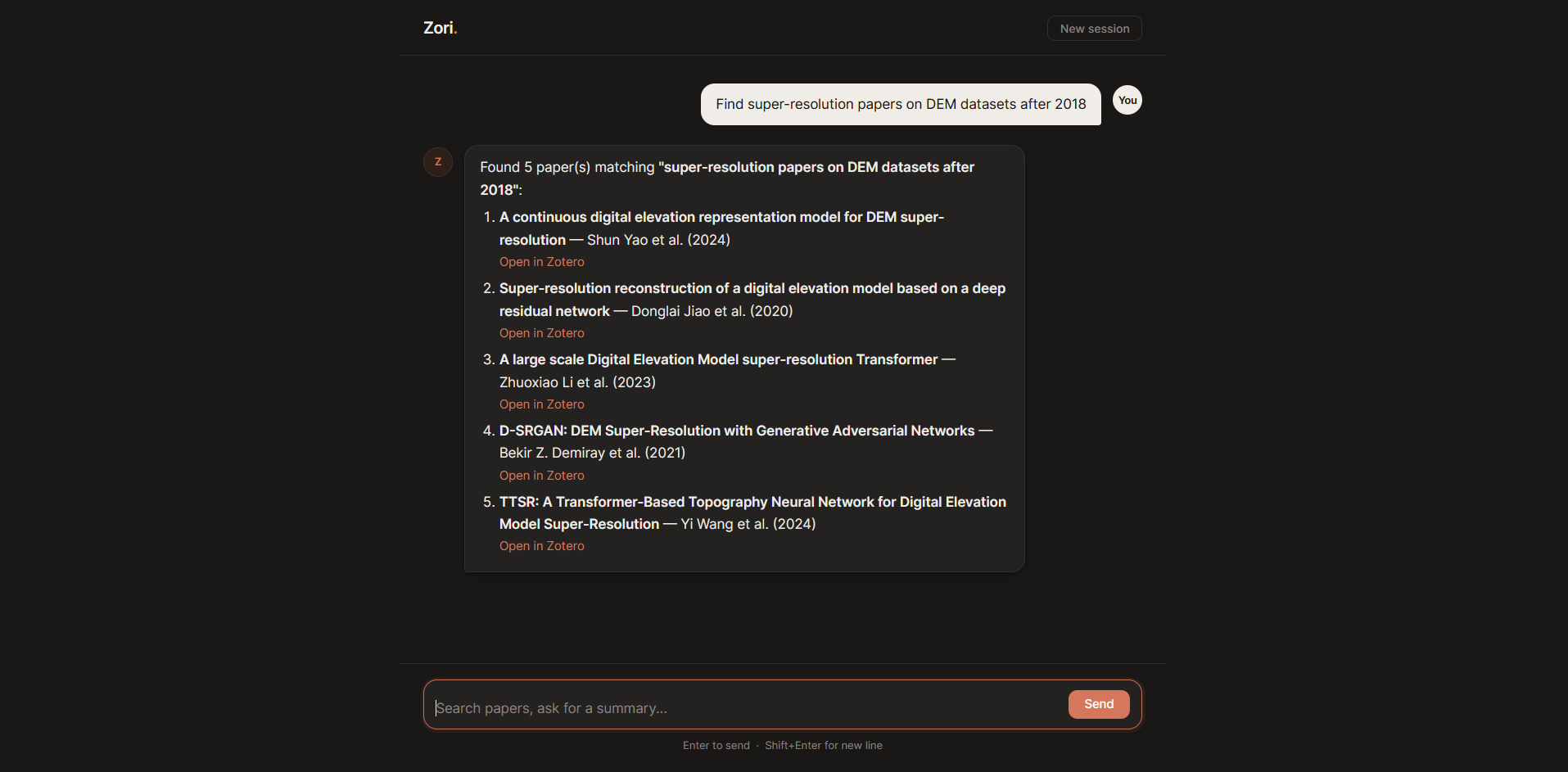
- Hybrid search — combines semantic vector search and BM25 keyword search over your entire library
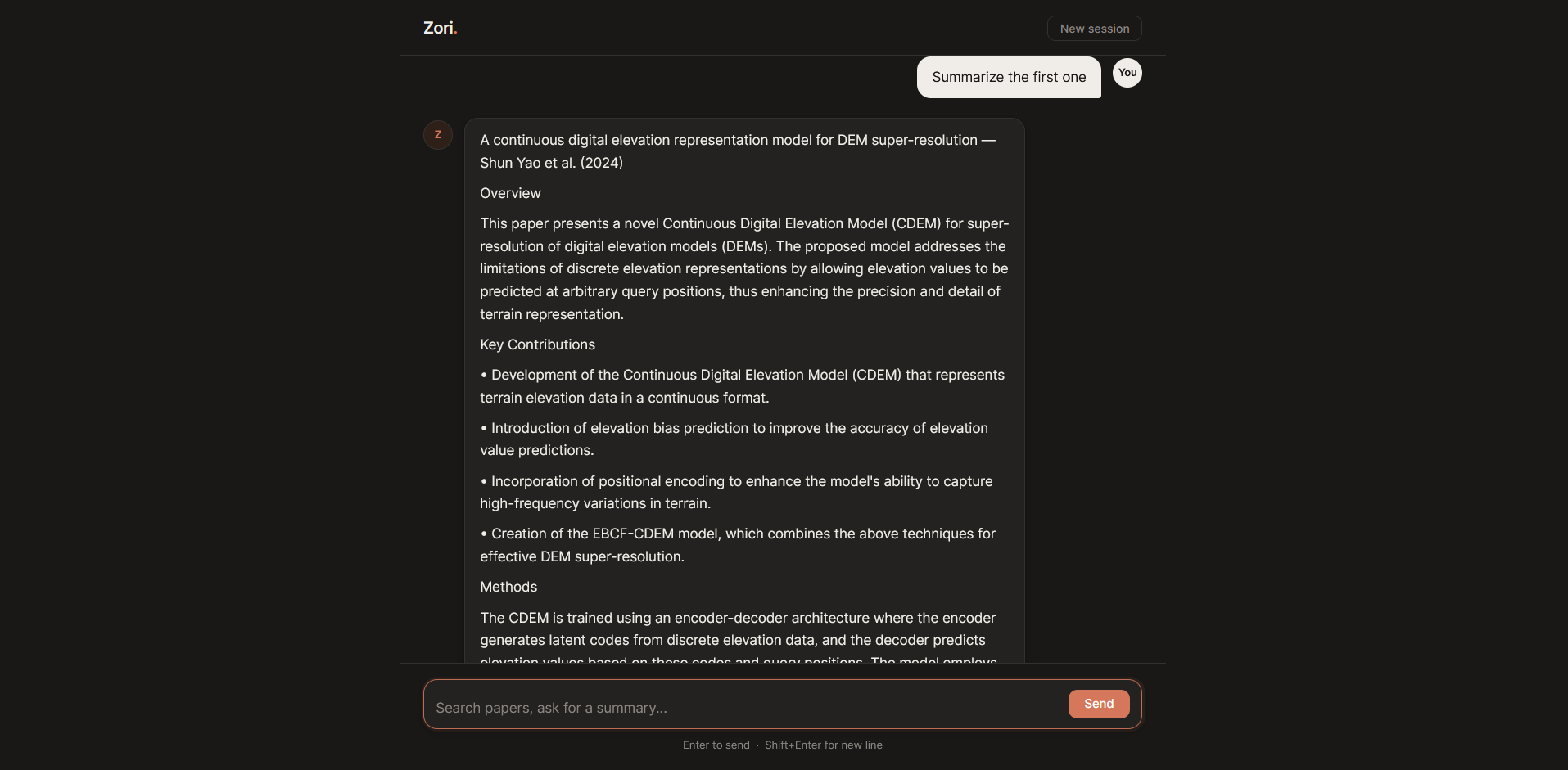
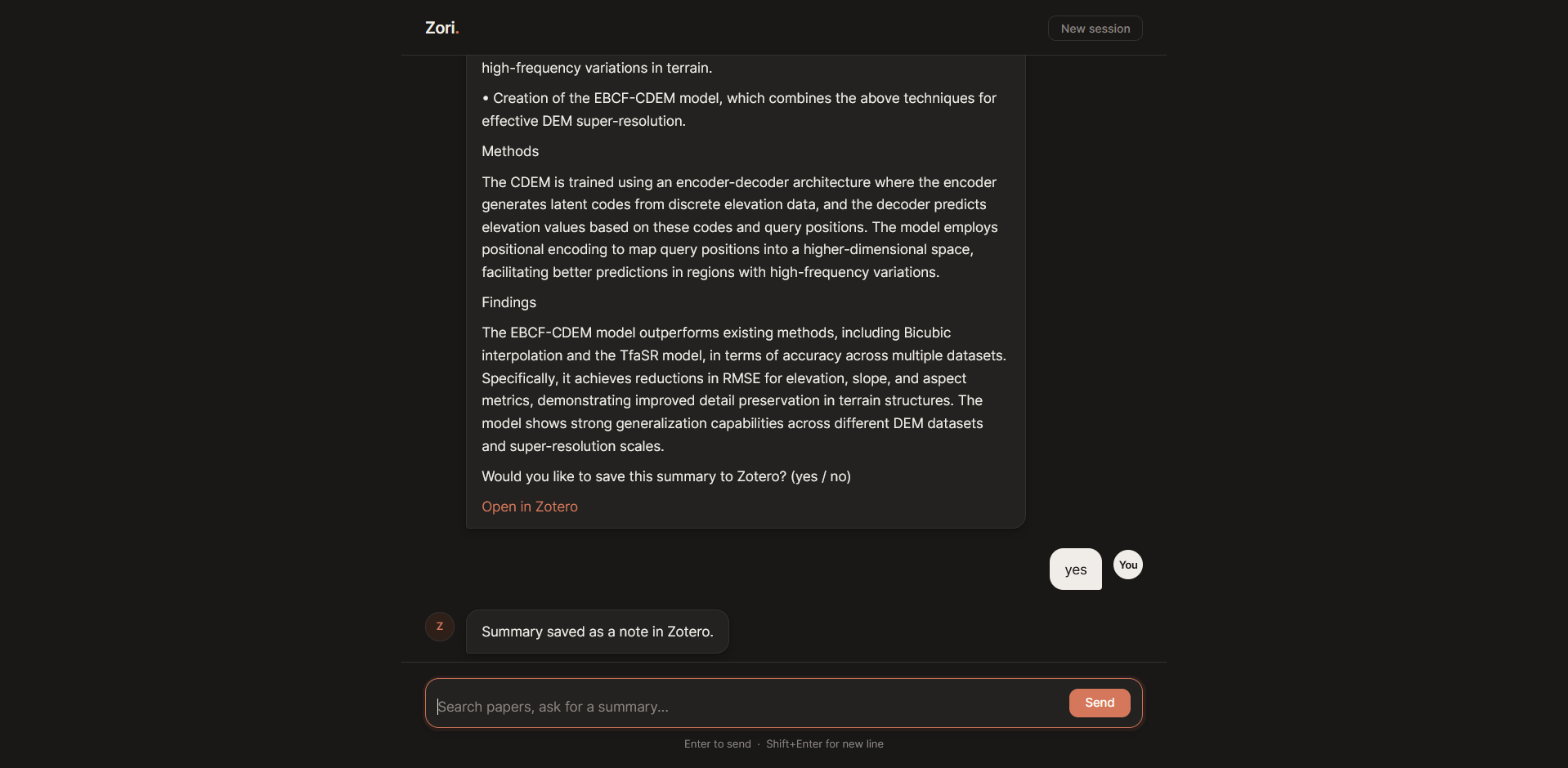
- Summarization — generates structured summaries and saves them as notes directly in Zotero
- Web UI — clean chat interface built on FastAPI; no browser issues, works on any platform
- Conversational context — references like "the first one" or "that paper" are resolved across turns
- Flexible LLM support — OpenAI, Anthropic, or Ollama (free, runs locally)
Web UI
zori ui
Open http://localhost:7860 in your browser. The web UI is the recommended interface on Windows, where terminal hyperlinks may not render correctly.
Requirements
- A Zotero account with API access
- An LLM provider: OpenAI, Anthropic, or Ollama (free, runs locally)
Setup
1. Install
pip install zori
Install from source
git clone https://github.com/nazbn/zori.git
cd zori
uv sync
When installed from source, prefix all commands with uv run (e.g. uv run zori init, uv run zori ingest, uv run zori).
2. Initialize
mkdir my-zori && cd my-zori
zori init
zori init creates config.yaml and .env in the current directory. Always run zori from this directory.
3. Configure
Edit .env with your Zotero API key and library ID, and config.yaml to choose your LLM and embeddings provider (see LLM options and Embeddings options).
4. Ingest your library
zori ingest
Downloads your Zotero PDFs, extracts text, and builds the search index in .zori/.
Run time depends on library size and embedding provider. You only need to do a full ingest once.
To index new or modified items added to Zotero since the last ingest, run zori ingest --sync.
5. Start the assistant
Web UI (recommended):
zori ui
Or use the terminal REPL:
zori
Usage
Zori supports natural language queries for searching and summarizing papers:
> papers on diffusion models
> papers by Vaswani
> papers from 2023 on neural radiance fields
> summarize the first one
> find attention is all you need
> summarize it
Queries use hybrid search (keyword + semantic). References to previous results are resolved in context (e.g. "the first one", "that paper").
In the terminal REPL: type exit to quit, --new-session to reset conversation history.
LLM options
| Provider | config.yaml |
Requires |
|---|---|---|
| OpenAI | provider: openai |
OPENAI_API_KEY in .env |
| Anthropic | provider: anthropic |
ANTHROPIC_API_KEY in .env |
| Ollama (free, local) | provider: ollama |
Ollama running locally |
Embeddings options
LLM and embeddings are configured independently — any combination works.
| Provider | config.yaml |
Setup |
|---|---|---|
| OpenAI | provider: openai, model: text-embedding-3-small |
OPENAI_API_KEY in .env |
| Ollama (free, local) | provider: ollama, model: nomic-embed-text |
Ollama running + ollama pull nomic-embed-text |
| HuggingFace (free, local) | provider: huggingface, model: <model> (e.g. all-MiniLM-L6-v2) |
pip install "zori[huggingface]" |
Observability (optional)
Zori supports LangSmith tracing. To enable it, add your API key to .env. Traces are sent to your LangSmith account.
Retrieval quality can be measured with the optional DeepEval eval suite — see scripts/eval_dataset.yaml.example.
License
MIT — see LICENSE.
Contact
For questions, bug reports, or feature requests, open an issue on the GitHub issue tracker or reach out at nazanin.bagherinejad@rwth-aachen.de.
This repository was developed with the assistance of Claude (Anthropic).
1 maintainer

Metadata
1 maintainer
Release files for zori 0.4.0
For a detailed explanation of source distributions (sdists) and built distributions (wheels), please see the package formats documentation.
Source distribution (sdist)
| File | Size | Uploaded | |
|---|---|---|---|
| zori-0.4.0.tar.gz | 811.2 kB | Details |
Built distribution (wheel)
| File | Interpreter | ABI | Platform | Reset |
|---|---|---|---|---|
| zori-0.4.0-py3-none-any.whl | Python 3 | none | any | Details |
Total release size: 853.3 kB
Release files / zori-0.4.0.tar.gz
| Download URL | zori-0.4.0.tar.gz |
|---|---|
| Size | 811.2 kB |
| Tags | Source |
|
SHA-256 checksum How to use checksums |
dd8a640f23d3cbb3e5ce12d03222e72109d6b622ca988b46b89cb8eb85fcab44
|
|
BLAKE2b-256 checksum How to use checksums |
d6d9d70a06c2b5b0a26079d95a81db921770588f102709ac971c65c40daece1b
|
| Upload date | |
|
Uploaded using Trusted Publishing? What is trusted publishing? |
No |
| Uploaded via |
uv/0.11.3 {"installer":{"name":"uv","version":"0.11.3","subcommand":["publish"]},"python":null,"implementation":{"name":null,"version":null},"distro":null,"system":{"name":null,"release":null},"cpu":null,"openssl_version":null,"setuptools_version":null,"rustc_version":null,"ci":null}
|
Release files / zori-0.4.0-py3-none-any.whl
| Download URL | zori-0.4.0-py3-none-any.whl |
|---|---|
| Size | 42.1 kB |
| Tags | Python 3 |
|
SHA-256 checksum How to use checksums |
fd0047bc6f5deffcd23313ea586a353ec8dae86ba875ddb5cdfc22c1ff799fc9
|
|
BLAKE2b-256 checksum How to use checksums |
79a3f94fd52e2fcb1071cca1b7deda6e206a066448ce2d2fcdbb3d9ef6e37d9a
|
| Upload date | |
|
Uploaded using Trusted Publishing? What is trusted publishing? |
No |
| Uploaded via |
uv/0.11.3 {"installer":{"name":"uv","version":"0.11.3","subcommand":["publish"]},"python":null,"implementation":{"name":null,"version":null},"distro":null,"system":{"name":null,"release":null},"cpu":null,"openssl_version":null,"setuptools_version":null,"rustc_version":null,"ci":null}
|














