
This release is a pre-release and may not be stable for production use.
aiozipkin





aiozipkin is Python 3.5+ module that adds distributed tracing capabilities from asyncio applications with zipkin (http://zipkin.io) server instrumentation.
zipkin is a distributed tracing system. It helps gather timing data needed to troubleshoot latency problems in microservice architectures. It manages both the collection and lookup of this data. Zipkin’s design is based on the Google Dapper paper.
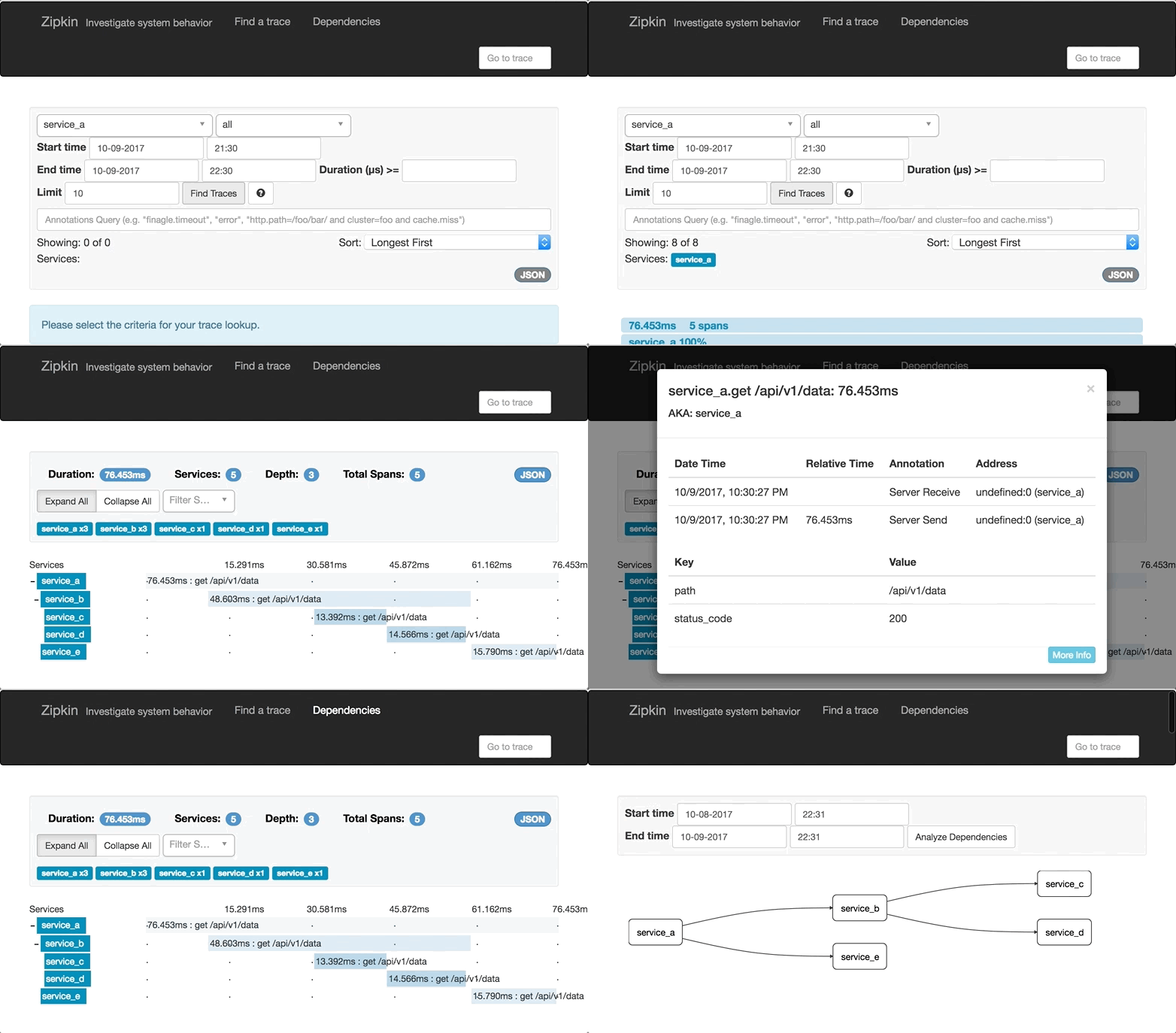
Applications are instrumented with aiozipkin report timing data to zipkin. The Zipkin UI also presents a Dependency diagram showing how many traced requests went through each application. If you are troubleshooting latency problems or errors, you can filter or sort all traces based on the application, length of trace, annotation, or timestamp.
Features
Distributed tracing capabilities to asyncio applications.
Support zipkin v2 protocol.
Easy to use API.
Explicit context handling, no thread local variables.
Can work with jaeger and stackdriver through zipkin compatible API.
zipkin vocabulary
Before code lets learn important zipkin vocabulary, for more detailed information please visit https://zipkin.io/pages/instrumenting
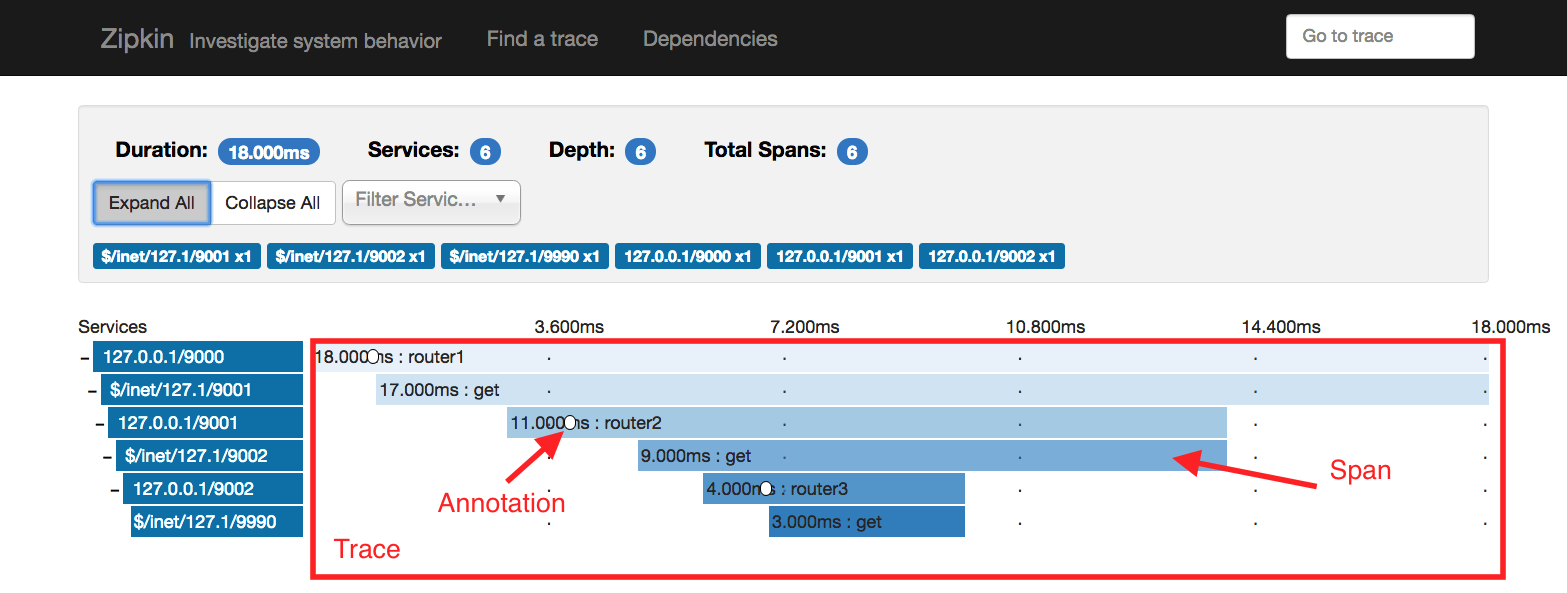
Span represents one specific method (RPC) call
Annotation string data associated with a particular timestamp in span
Tag - key and value associated with given span
Trace - collection of spans, related to serving particular request
Simple example
import asyncio
import aiozipkin as az


async def run():
    # setup zipkin client
    zipkin_address = "http://127.0.0.1:9411"
    endpoint = az.create_endpoint(
        "simple_service", ipv4="127.0.0.1", port=8080)
    tracer = az.create(zipkin_address, endpoint, sample_rate=1.0)

    # create and setup new trace
    with tracer.new_trace(sampled=True) as span:
        # give a name for the span
        span.name("Slow SQL")
        # tag with relevant information
        span.tag("span_type", "root")
        # indicate that this is client span
        span.kind(az.CLIENT)
        # make timestamp and name it with START SQL query
        span.annotate("START SQL SELECT * FROM")
        # imitate long SQL query
        await asyncio.sleep(0.1)
        # make other timestamp and name it "END SQL"
        span.annotate("END SQL")

    await tracer.close()

if __name__ == "__main__":
    loop = asyncio.get_event_loop()
    loop.run_until_complete(run())
aiohttp example
aiozipkin includes aiohttp server instrumentation, for this create web.Application() as usual and install aiozipkin plugin:
import aiozipkin as az

def init_app():
    host, port = "127.0.0.1", 8080
    app = web.Application()
    endpoint = az.create_endpoint("AIOHTTP_SERVER", ipv4=host, port=port)
    tracer = az.create(zipkin_address, endpoint, sample_rate=1.0)
    az.setup(app, tracer)
That is it, plugin adds middleware that tries to fetch context from headers, and create/join new trace. Optionally on client side you can add propagation headers in order to force tracing and to see network latency between client and server.
import aiozipkin as az

endpoint = az.create_endpoint("AIOHTTP_CLIENT")
tracer = az.create(zipkin_address, endpoint)

with tracer.new_trace() as span:
    span.kind(az.CLIENT)
    headers = span.context.make_headers()
    host = "http://127.0.0.1:8080/api/v1/posts/{}".format(i)
    resp = await session.get(host, headers=headers)
    await resp.text()
Documentation
Installation
Installation process is simple, just:
$ pip install aiozipkin
aiozipkin can work with any other zipkin compatible service, currently we tested it with jaeger and stackdriver.
Jaeger support
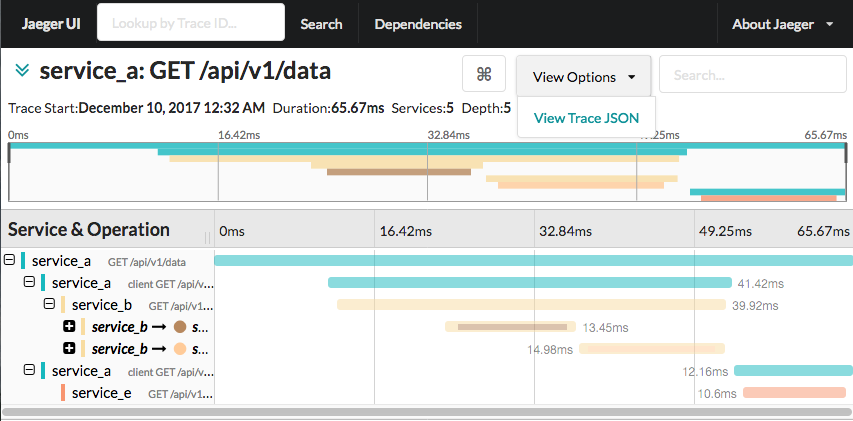
jaeger supports zipkin span format as result it is possible to use aiozipkin with jaeger server. You just need to specify jaeger server address and it should work out of the box. Not need to run local zipkin server. For more informations see tests and jaeger documentation.
Stackdriver support
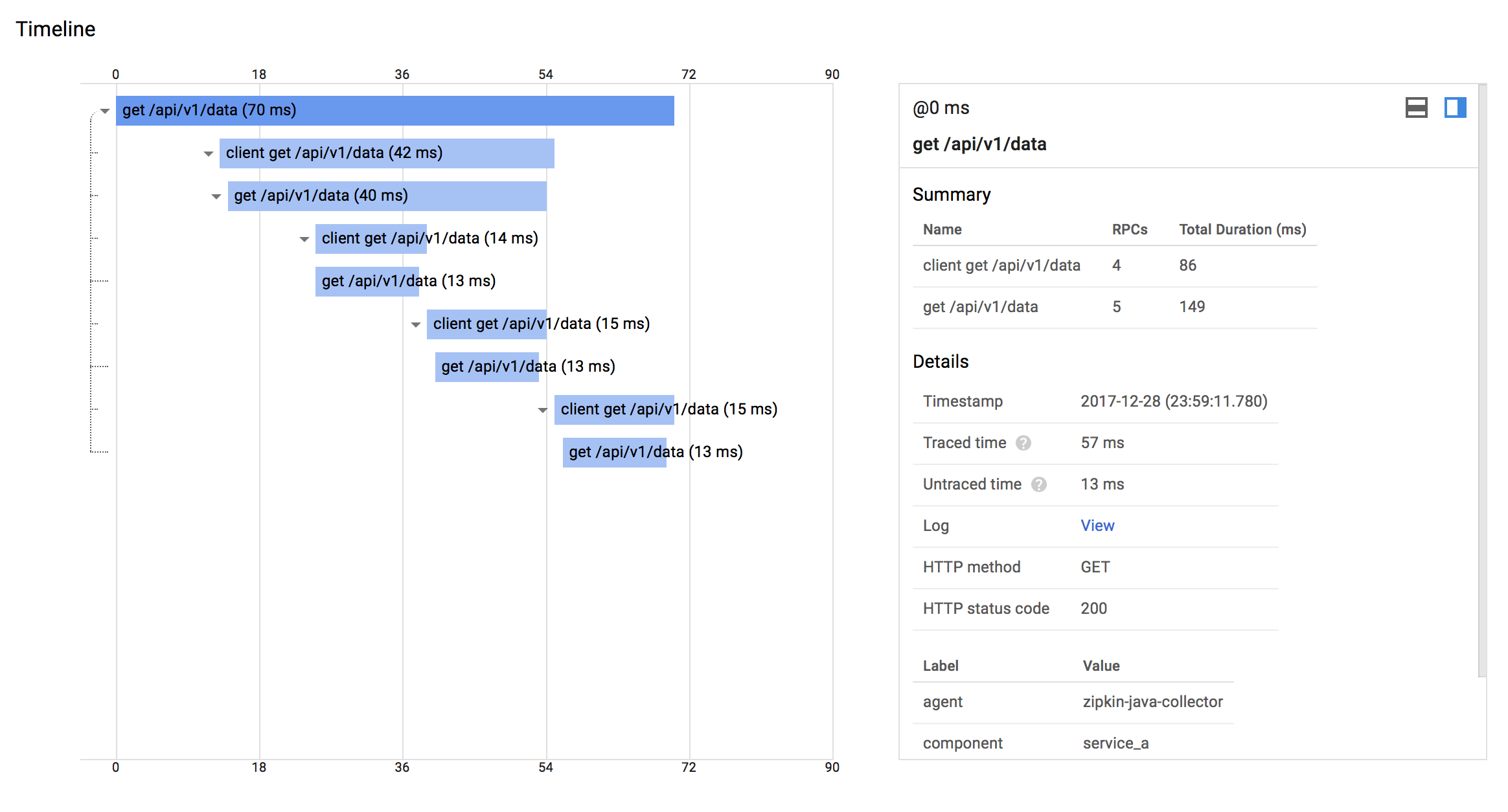
Google stackdriver supports zipkin span format as result it is possible to use aiozipkin with this google service. In order to make this work you need to setup zipkin service locally, that will send trace to the cloud. See google cloud documentation how to setup make zipkin collector:
Requirements
CHANGES
3 maintainers


Metadata
3 maintainers
Release files for aiozipkin 0.0.1b6
For a detailed explanation of source distributions (sdists) and built distributions (wheels), please see the package formats documentation.
Source distribution (sdist)
| File | Size | Uploaded | Provenance | |
|---|---|---|---|---|
| aiozipkin-0.0.1b6.tar.gz | 15.2 kB | Without provenance | Details |
Built distribution (wheel)
| File | Interpreter | ABI | Platform | Reset |
|---|---|---|---|---|
| aiozipkin-0.0.1b6-py3-none-any.whl | Python 3 | none | any | Details |
Total release size: 32.1 kB
Release files / aiozipkin-0.0.1b6.tar.gz
| Download URL | aiozipkin-0.0.1b6.tar.gz |
|---|---|
| Size | 15.2 kB |
| Tags | Source |
|
SHA-256 checksum How to use checksums |
38e4f336b7433b972a1564c2ba26bdc69b4369f1b03f97867d29749d6f161cdf
|
|
BLAKE2b-256 checksum How to use checksums |
c0a0a07666ebcc8137071875b2d3960ef2d453064d73ffee3ebc1c01f2f013b3
|
| Upload date | |
|
Uploaded using Trusted Publishing? What is trusted publishing? |
No |
Release files / aiozipkin-0.0.1b6-py3-none-any.whl
| Download URL | aiozipkin-0.0.1b6-py3-none-any.whl |
|---|---|
| Size | 16.9 kB |
| Tags | Python 3 |
|
SHA-256 checksum How to use checksums |
95b9a02f4ffc7fd1554ef7e0b52c85d9fc8706313a1e16dda1ea1d4a0a839aad
|
|
BLAKE2b-256 checksum How to use checksums |
4a8e2f21b08e3f35ed40f96dff5732246b5b0556e4fe890e395071c05893640d
|
| Upload date | |
|
Uploaded using Trusted Publishing? What is trusted publishing? |
No |
Security for aiozipkin 0.0.1b6
Provenance
Provenance describes where a file came from. On PyPI, provenance is shared via attestations, which provide a verifiable record of the build or publishing details. View details, limitations and caveats.
No provenance found
None of the files in this release were uploaded with provenance metadata.
A note on package security
PyPI is a repository for distributing packages, not a service for auditing them. While third-party security researchers and our staff do their best to detect and remove malicious packages, PyPI cannot guarantee the quality, security or suitability of any given package.
To learn more about protecting yourself from malicious actors, visit our package security documentation.














