
CowHerd

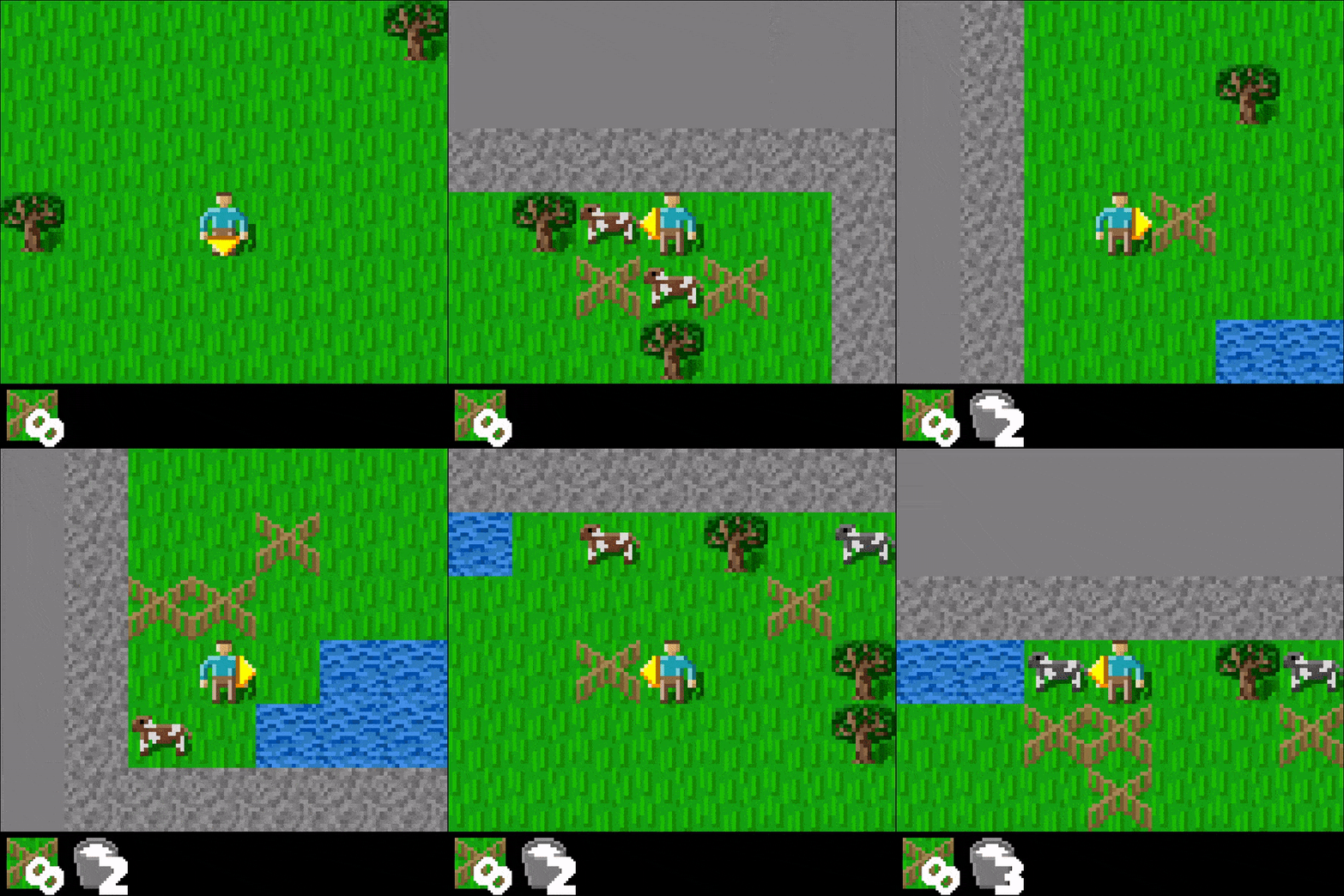
CowHerd is a partially-observed reinforcement learning environment, where the player walks around an area and is rewarded for milking cows. The cows try to escape and the player can place fences to help capture them. The implementation of CowHerd is based on the Crafter environment.
Play Yourself
You can play the game yourself with an interactive window and keyboard input. The mapping from keys to actions, health level, and inventory state are printed to the terminal.
# Install with GUI
pip3 install 'cowherd[gui]'

# Start the game
cowherd

# Alternative way to start the game
python3 -m cowherd.run_gui
The following optional command line flags are available:
| Flag | Default | Description |
|---|---|---|
--window <width> <height> |
800 800 | Window size in pixels, used as width and height. |
--fps <integer> |
5 | How many times to update the environment per second. |
--record <filename>.mp4 |
None | Record a video of the trajectory. |
--num_cows |
3 | The number of cows in the environment. |
--view <width> <height> |
7 7 | The layout size in cells; determines view distance. |
--length <integer> |
None | Time limit for the episode. |
--seed <integer> |
None | Determines world generation and creatures. |
Training Agents
Installation: pip3 install -U cowherd
The environment follows the OpenAI Gym interface:
import cowherd

env = cowherd.Env(seed=0)
obs = env.reset()
assert obs.shape == (64, 64, 3)

done = False
while not done:
  action = env.action_space.sample()
  obs, reward, done, info = env.step(action)
Environment Details
Reward
A reward of +1 is given every time the player milks one of the cows.
Termination
Episodes terminate after 1000 steps.
Observation Space
Each observation is an RGB image that shows a local view of the world around the player, as well as the inventory state of the agent.
Action Space
The action space is categorical. Each action is an integer index representing one of the possible actions:
| Integer | Name | Description |
|---|---|---|
| 0 | noop |
Do nothing. |
| 1 | move_left |
Walk to the left. |
| 2 | move_right |
Walk to the right. |
| 3 | move_up |
Walk upwards. |
| 4 | move_down |
Walk downwards. |
| 5 | do |
Pick up a placed fence or milk a cow. |
| 6 | place_fence |
Place a fence in front of the player. |
Questions
Please open an issue on Github.
1 maintainer

Metadata
1 maintainer
Release files for cowherd 0.3.0
For a detailed explanation of source distributions (sdists) and built distributions (wheels), please see the package formats documentation.
Source distribution (sdist)
| File | Size | Uploaded | Provenance | Actions |
|---|---|---|---|---|
| cowherd-0.3.0.tar.gz | 74.2 kB | Without provenance | Details for cowherd-0.3.0.tar.gz |
Release files / cowherd-0.3.0.tar.gz
| Download URL | cowherd-0.3.0.tar.gz |
|---|---|
| Size | 74.2 kB |
| Tags | Source |
|
SHA-256 checksum How to use checksums |
cc4f7a765f18d2d2c084e4b52e35d49df72ff103ac9e6dc5309abab17318894e
|
|
BLAKE2b-256 checksum How to use checksums |
e23133c27d0666e8a733dbb9bf479f94731eb32c124eeb3e13c4bf0a960f8eda
|
| Upload date | |
|
Uploaded using Trusted Publishing? What is trusted publishing? |
No |
| Uploaded via |
twine/3.4.1 importlib_metadata/4.0.1 pkginfo/1.7.0 requests/2.25.1 requests-toolbelt/0.9.1 tqdm/4.59.0 CPython/3.9.2
|
Security for cowherd 0.3.0
Provenance
Provenance describes where a file came from. On PyPI, provenance is shared via attestations, which provide a verifiable record of the build or publishing details. View details, limitations and caveats.
No provenance found
None of the files in this release were uploaded with provenance metadata.
A note on package security
PyPI is a repository for distributing packages, not a service for auditing them. While third-party security researchers and our staff do their best to detect and remove malicious packages, PyPI cannot guarantee the quality, security or suitability of any given package.
To learn more about protecting yourself from malicious actors, visit our package security documentation.














