




Generate MapBox VectorTiles from GeoDjango models
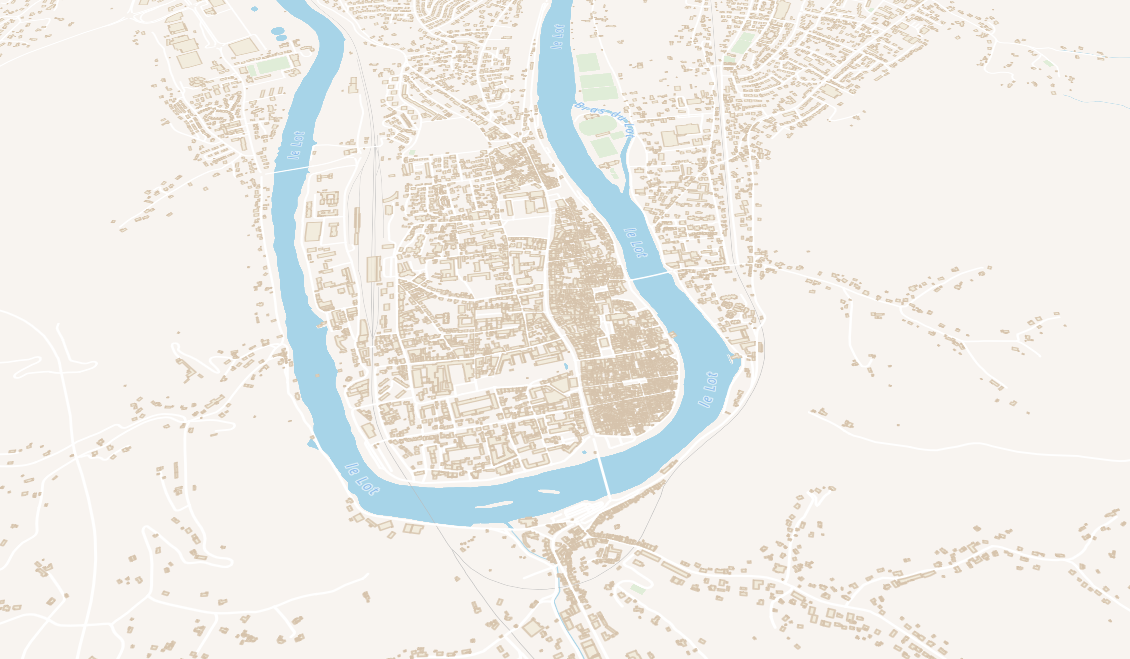
Directly with PostgreSQL/PostGIS 2.4+ or python native mapbox_vector_tile
Read full documentation
Installation
Basic
pip install django-vectortiles
- By default, postgis backend is enabled.
- Ensure you have psycopg installed
If you don't want to use Postgis and / or PostgreSQL
pip install django-vectortiles[python]
- This will include mapbox_vector_tiles package and its dependencies
- Set
VECTOR_TILES_BACKEND="vectortiles.backends.python"in your project settings.
Examples
Let's create vector tiles with your city geometries.
- assuming you have
django.contrib.gisin yourINSTALLED_APPSand a gis compatible database backend
# in your app models.py

from django.contrib.gis.db import models


class City(models.Model):
    name = models.CharField(max_length=250)
    city_code = models.CharField(max_length=10, unique=True)
    population = models.IntegerField(default=0)
    geom = models.MultiPolygonField(srid=4326)
Simple Example:
from yourapp.models import City

# in a vector_layers.py file
from vectortiles import VectorLayer


class CityVL(VectorLayer):
    model = City
    id = "cities"  # layer id / name in tile
    tile_fields = ("name", "city_code")  # add name and city_code properties in each tile feature
    min_zoom = 9  # don't embed city borders at low zoom levels

# in your view file

from yourapp.vector_layers import CityVL

from vectortiles.views import MVTView


class CityTileView(MVTView):
    layer_classes = [CityVL]


# in your urls file
from django.urls import path
from yourapp import views

urlpatterns = [
    ...
    CityTileView.get_url(),  # serve tiles at default /tiles/<int:z>/<int:x>/<int:y>. You can override url prefix and tile scheme in class attributes.
    ...
]
Example with multiple layers
Suppose you want to make a map with your city borders, and a point in each city center that shows a popup with city name, population an area.
from django.contrib.gis.db.models.functions import Centroid, Area
from yourapp.models import City

# in a vector_layers.py file
from vectortiles import VectorLayer


class CityVectorLayer(VectorLayer):
    model = City
    id = "cities"
    tile_fields = ('city_code', "name")
    min_zoom = 10


class CityCentroidVectorLayer(VectorLayer):
    queryset = City.objects.annotate(
        centroid=Centroid("geom"), # compute the city centroïd
        area=Area("geom"), # compute the city area
    )
    geom_field = "centroid"  # use the centroid field as geometry feature
    id = "city_centroïds"
    tile_fields = ('name', 'city_code', 'area', 'population')  # add area and population properties in each tile feature
    min_zoom = 7  # let's show city name at zoom 7


# in your view file

from yourapp.vector_layers import CityVectorLayer, CityCentroidVectorLayer

from vectortiles.views import MVTView


class CityTileView(MVTView):
    layer_classes = [CityVectorLayer, CityCentroidVectorLayer]


# in your urls file
from yourapp import views

urlpatterns = [
    ...
    views.CityTileView.get_url(),  # serve tiles at default /tiles/<int:z>/<int:x>/<int:y>
    ...
]
Now, any tile requested at http://you_url/tiles/{z}/{x}/{y} that intersects a city will return a vector tile with two layers, cities with border geometries and city_code property, and city_centroïds with center geometry and city_name property.
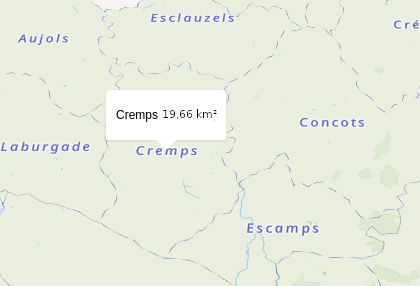
Read full documentation for examples, as multiple layers, cache policy, mapblibre integration, etc.
1 maintainer

Metadata
1 maintainer
Release files for django-vectortiles 1.0.2
For a detailed explanation of source distributions (sdists) and built distributions (wheels), please see the package formats documentation.
Source distribution (sdist)
| File | Size | Uploaded | Provenance | |
|---|---|---|---|---|
| django_vectortiles-1.0.2.tar.gz | 9.2 kB | With provenance | Details |
Built distribution (wheel)
| File | Interpreter | ABI | Platform | Reset |
|---|---|---|---|---|
| django_vectortiles-1.0.2-py3-none-any.whl | Python 3 | none | any | Details |
Total release size: 21.1 kB
Release files / django_vectortiles-1.0.2.tar.gz
| Download URL | django_vectortiles-1.0.2.tar.gz |
|---|---|
| Size | 9.2 kB |
| Tags | Source |
|
SHA-256 checksum How to use checksums |
5ea1eb69eb40a0f0fac8979d7b483312145a0af3ac30f7769ee6542e2456214d
|
|
BLAKE2b-256 checksum How to use checksums |
631efffa26b857739e8f182737d7774fd34ddd5930881c4609a0d3fc54479cbf
|
| Upload date | |
|
Uploaded using Trusted Publishing? What is trusted publishing? |
Yes |
| Uploaded via |
twine/6.1.0 CPython/3.12.9
|
Provenance
Provenance describes where a file came from. On PyPI, provenance is shared via attestations, which provide a verifiable record of the build or publishing details. View details, limitations and caveats.


PyPI Publish Attestation
PyPI verified that this artifact, at this checksum, originated from the publisher listed below.
Signed by GitHub Actions, verified by PyPI on Jul 9, 2025.
Transparency logRelease files / django_vectortiles-1.0.2-py3-none-any.whl
| Download URL | django_vectortiles-1.0.2-py3-none-any.whl |
|---|---|
| Size | 11.9 kB |
| Tags | Python 3 |
|
SHA-256 checksum How to use checksums |
579e721b26f6168a029c112c42e2b9290c2209c80f669caf7ea4be446e202715
|
|
BLAKE2b-256 checksum How to use checksums |
1592c32b0460a321f3cf018b5bc11a2cb07bf4ef627ed4cf98871360e5d8c4d8
|
| Upload date | |
|
Uploaded using Trusted Publishing? What is trusted publishing? |
Yes |
| Uploaded via |
twine/6.1.0 CPython/3.12.9
|
Provenance
Provenance describes where a file came from. On PyPI, provenance is shared via attestations, which provide a verifiable record of the build or publishing details. View details, limitations and caveats.
PyPI Publish Attestation
PyPI verified that this artifact, at this checksum, originated from the publisher listed below.
Signed by GitHub Actions, verified by PyPI on Jul 9, 2025.
Transparency logSecurity for django-vectortiles 1.0.2
Provenance
Provenance describes where a file came from. On PyPI, provenance is shared via attestations, which provide a verifiable record of the build or publishing details. View details, limitations and caveats.
Full provenance
All 2 files in this release have been uploaded with provenance metadata.
Attestation for django_vectortiles-1.0.2.tar.gz
PyPI Publish Attestation
PyPI verified that this artifact, at this checksum, originated from the publisher listed below.
Signed by GitHub Actions, verified by PyPI on Jul 9, 2025.
Transparency logA note on package security
PyPI is a repository for distributing packages, not a service for auditing them. While third-party security researchers and our staff do their best to detect and remove malicious packages, PyPI cannot guarantee the quality, security or suitability of any given package.














