
django-view-breadcrumbs









Table of Contents
- Background
- Installation
- Breadcrumb mixin classes provided.
- Settings
- Translation support
- Usage
- Running locally
- Credits
- Contributors ✨
Background
This package provides a set of breadcrumb mixin classes that can be added to any django class based view and requires adding just {% render_breadcrumbs %} to the base template.

In the base.html template add the render_breadcrumbs tag and any template that inherits the base should have breadcrumbs included.
Example:
my_app
   |--templates
            |--base.html
            |--create.html
base.html
{% load view_breadcrumbs %}

{% block breadcrumbs %}
    {% render_breadcrumbs %} {# Optionally provide a custom template e.g {% render_breadcrumbs "view_breadcrumbs/bootstrap5.html" %} #}
{% endblock %}
And your create.html.
{% extends "base.html" %}
Installation
$ pip install django-view-breadcrumbs
Add view_breadcrumbs to your INSTALLED_APPS
INSTALLED_APPS = [
    ...,
    "view_breadcrumbs",
    ...,
]
Breadcrumb mixin classes provided.
BaseBreadcrumbMixin- Subclasses requires acrumbsclass property.CreateBreadcrumbMixin- For create viewsHome / Posts / Add PostDetailBreadcrumbMixin- For detail viewsHome / Posts / Post 1ListBreadcrumbMixin- For list viewsHome / PostsUpdateBreadcrumbMixin- For Update viewsHome / Posts / Post 1 / Update Post 1DeleteBreadcrumbMixin- For Delete views this has a link to the list view to be used as the success URL.
Settings
NOTE :warning:
- Make sure that
"django.template.context_processors.request"is added to your TEMPLATE OPTIONS setting.
TEMPLATES  = [
    {
        "BACKEND": "django.template.backends.django.DjangoTemplates",
        "APP_DIRS": True,
        "OPTIONS": {
            "context_processors": [
                "django.template.context_processors.debug",
                "django.template.context_processors.request", # <- This context processor is required
                "django.contrib.auth.context_processors.auth",
                "django.contrib.messages.context_processors.messages",
            ],
        },
    },
]
Modify the defaults using the following:
| Name | Default | Description | Options |
|---|---|---|---|
BREADCRUMBS_TEMPLATE |
"view_breadcrumbs/bootstrap5.html" |
Template used to render breadcrumbs. | Predefined Templates |
BREADCRUMBS_HOME_LABEL |
Home |
Default label for the root path |
Customization
BREADCRUMBS_TEMPLATE
Site wide
BREADCRUMBS_TEMPLATE = "my_app/breadcrumbs.html"
Overriding the breadcrumb template for a single view
Update the base.html
{% render_breadcrumbs "my_app/breadcrumbs.html" %}
BREADCRUMBS_HOME_LABEL
Site wide
BREADCRUMBS_HOME_LABEL = "My new home"
Overriding the Home label for a specific view
from django.utils.translation import gettext_lazy as _
from view_breadcrumbs import DetailBreadcrumbMixin
from django.views.generic import DetailView
from demo.models import TestModel


class TestDetailView(DetailBreadcrumbMixin, DetailView):
     model = TestModel
     home_label = _("My new home")
     template_name = "demo/test-detail.html"
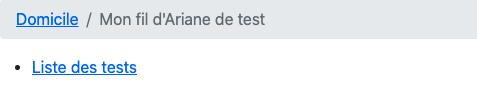
Renders

Translation support
Example
Usage
django-view-breadcrumbs includes generic mixins that can be added to a class based view.
Using the generic breadcrumb mixin each breadcrumb will be added to the view dynamically
and can be overridden by providing a crumbs property.
View Configuration
NOTE: :warning:
- Model based views should use a pattern
view_name=model_verbose_name_{action}
| Actions | View Class | View name | Sample Breadcrumb | Example |
|---|---|---|---|---|
list |
ListView |
{model.verbose_name}_list |
Home / Posts |
Posts Example |
create |
CreateView |
{model.verbose_name}_create |
Home / Posts / Add Post |
|
detail |
DetailView |
{model.verbose_name}_detail |
Home / Posts / Test - Post |
|
change |
UpdateView |
{model.verbose_name}_update |
Home / Posts / Test - Post / Update Test - Post |
|
delete |
DeleteView |
{model.verbose_name}_delete |
N/A | |
| N/A | TemplateView |
N/A | N/A | See: Custom View |
| N/A | FormView |
N/A | N/A | See: Custom View |
| N/A | AboutView |
N/A | N/A | See: Custom View |
| N/A | View |
N/A | N/A | See: Custom View |
django-tables-2
| Actions | View Class | View name | Sample Breadcrumb | Example |
|---|---|---|---|---|
| N/A | SingleTableMixin |
N/A | N/A | See: demo table view |
| N/A | MultiTableMixin |
N/A | N/A | See: demo table view |
| N/A | SingleTableView |
N/A | N/A | Same implementation as SingleTableMixin |
For more examples see: demo app
URL Configuration
Based on the table of actions listed above there's a strict view_name requirement that needs to be adhered to in order for breadcrumbs to work.
This can be manually entered in your urls.py or you can optionally use the following class properties instead of hardcoding the view_name.
...
    path("tests/", TestListsView.as_view(), name=TestListsView.list_view_name),
    path(
        "tests/<slug:slug>/",
        TestDetailView.as_view(),
        name=TestDetailView.detail_view_name,
    ),
    path(
        "tests/<slug:slug>/update/",
        TestUpdateView.as_view(),
        name=TestUpdateView.update_view_name,
    ),
    path(
        "tests/<slug:slug>/delete/",
        TestDeleteView.as_view(),
        name=TestDeleteView.delete_view_name,
    ),
...
Examples
Sample crumbs: Posts
In your urls.py
  urlpatterns = [
      ...
      path("posts/", views.PostList.as_view(), name="post_list"),
      ...
      # OR
      ...
      path("posts/", views.PostList.as_view(), name=views.PostList.list_view_name),
      ...
  ]
All crumbs use the home root path
/as the base this can be excluded by specifyingadd_home = False
from django.views.generic import ListView
from view_breadcrumbs import ListBreadcrumbMixin


class PostList(ListBreadcrumbMixin, ListView):
    model = Post
    template_name = "app/post/list.html"
    add_home = False
Sample crumbs: Home / Posts / Test - Post
In your urls.py
  urlpatterns = [
      ...
      path("posts/<slug:slug>/", views.PostDetail.as_view(), name="post_detail"),
      ...
      # OR
      ...
      path("posts/<slug:slug>/", views.PostDetail.as_view(), name=views.PostDetail.detail_view_name),
      ...
  ]
views.py
from django.views.generic import DetailView
from view_breadcrumbs import DetailBreadcrumbMixin


class PostDetail(DetailBreadcrumbMixin, DetailView):
    model = Post
    template_name = "app/post/detail.html"
    breadcrumb_use_pk = False
Custom crumbs: Home / My Test Breadcrumb
URL configuration.
    urlpatterns = [
       path("my-custom-view/", views.CustomView.as_view(), name="custom_view"),
    ]
views.py
from django.urls import reverse
from django.views.generic import View
from view_breadcrumbs import BaseBreadcrumbMixin
from demo.models import TestModel


class CustomView(BaseBreadcrumbMixin, View):
    model = TestModel
    template_name = "app/test/custom.html"
    crumbs = [("My Test Breadcrumb", reverse("custom_view"))]  # OR reverse_lazy
OR
from django.urls import reverse
from django.views.generic import View
from view_breadcrumbs import BaseBreadcrumbMixin
from demo.models import TestModel
from django.utils.functional import cached_property


class CustomView(BaseBreadcrumbMixin, View):
    template_name = "app/test/custom.html"

    @cached_property
    def crumbs(self):
        return [("My Test Breadcrumb", reverse("custom_view"))]
Refer to the demo app for more examples.
Using multiple apps
To reference models from a different application you need to override the app_name class attribute.
Example:
Using a Library model that is imported from a custom application that you want to render in a demo app view.
INSTALLED_APPS =  [
    ...
    "demo",
    "custom",
    ...
]
demo/views.py
class LibraryDetailView(DetailBreadcrumbMixin, DetailView):
    model = Library
    app_name = "demo"
    ...
Running locally
$ git clone git@github.com:tj-django/django-view-breadcrumbs.git
$ make install-dev
$ make migrate
$ make run
Spins up a django server running the demo app.
Visit http://127.0.0.1:8090
Credits
To file a bug or submit a patch, please head over to django-view-breadcrumbs on github.
If you feel generous and want to show some extra appreciation:
Support me with a :star:

Contributors ✨
Thanks goes to these wonderful people (emoji key):
 Derek 📖 |
 David THENON 💻 |
This project follows the all-contributors specification. Contributions of any kind welcome!
1 maintainer

Metadata
1 maintainer
Release files for django-view-breadcrumbs 2.5.1
For a detailed explanation of source distributions (sdists) and built distributions (wheels), please see the package formats documentation.
Source distribution (sdist)
| File | Size | Uploaded | Provenance | |
|---|---|---|---|---|
| django-view-breadcrumbs-2.5.1.tar.gz | 47.7 kB | Without provenance | Details |
Built distribution (wheel)
| File | Interpreter | ABI | Platform | Reset |
|---|---|---|---|---|
| django_view_breadcrumbs-2.5.1-py3-none-any.whl | Python 3 | none | any | Details |
Total release size: 73.5 kB
Security for django-view-breadcrumbs 2.5.1
Provenance
Provenance describes where a file came from. On PyPI, provenance is shared via attestations, which provide a verifiable record of the build or publishing details. View details, limitations and caveats.
No provenance found
None of the files in this release were uploaded with provenance metadata.
A note on package security
PyPI is a repository for distributing packages, not a service for auditing them. While third-party security researchers and our staff do their best to detect and remove malicious packages, PyPI cannot guarantee the quality, security or suitability of any given package.














