
flask-social-blueprint
An OAuth based authentication blueprint for flask. Easy to extend and override.
https://github.com/wooyek/flask-social-blueprint


Demo
Based on example/gae codebase with secret settings_prd.py provided for proper OAuth providers configuration.
Why?
There is Flask-Social extension, but is painfully interconnected and to change anything you basically have to fork and rewrite portions of it.
Not to mention that it requires POST request on social login endpoints. I hate that I need to write an inline forms to create a login button.
How it’s any better?
This blueprint plays nicely with Flask-Security and it’s easily overridable without forking everything, it’s plain simple OOP not that module based provider function search crap.
To extend it just write a provider class anywhere you want, and setup it’s client id and secret in the flask settings providing an import path like this:
SOCIAL_BLUEPRINT = {
    # https://developers.facebook.com/apps/
    "flask_social_blueprint.providers.Facebook": {
        # App ID
        'consumer_key': '197…',
        # App Secret
        'consumer_secret': 'c956c1…'
    },
    # https://apps.twitter.com/app/new
    "flask_social_blueprint.providers.Twitter": {
        # Your access token from API Keys tab
        'consumer_key': 'bkp…',
        # access token secret
        'consumer_secret': 'pHUx…'
    },
    # https://console.developers.google.com/project
    "flask_social_blueprint.providers.Google": {
        # Client ID
        'consumer_key': '797….apps.googleusercontent.com',
        # Client secret
        'consumer_secret': 'bDG…'
    },
    # https://github.com/settings/applications/new
    "flask_social_blueprint.providers.Github": {
        # Client ID
        'consumer_key': '6f6…',
        # Client Secret
        'consumer_secret': '1a9…'
    },
}
Done!
What’s missing?
This is just authentication blueprint there is no templates, models and stuff that you would want to customize yourself.
What to do more?
More providers
Make Flask-Security dependency optional
Examples
The core of this module has no GUI, but examples have a nice login and profile page to show it it works. Checkout the demo.
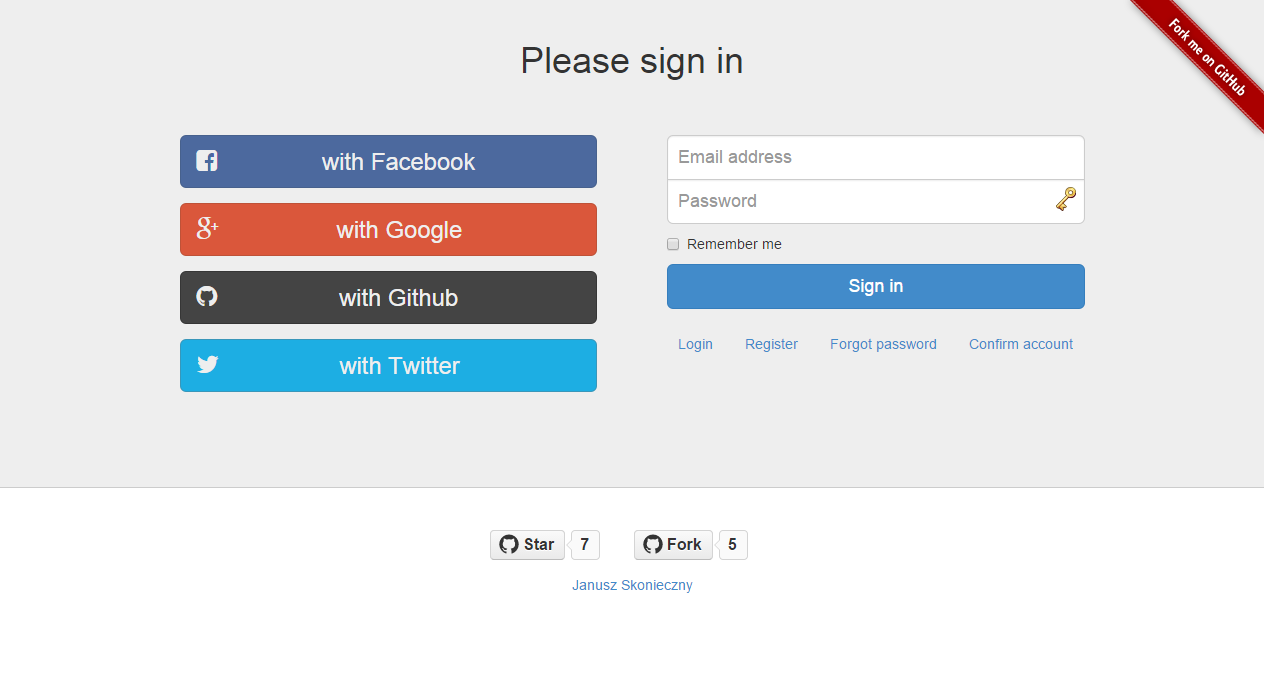
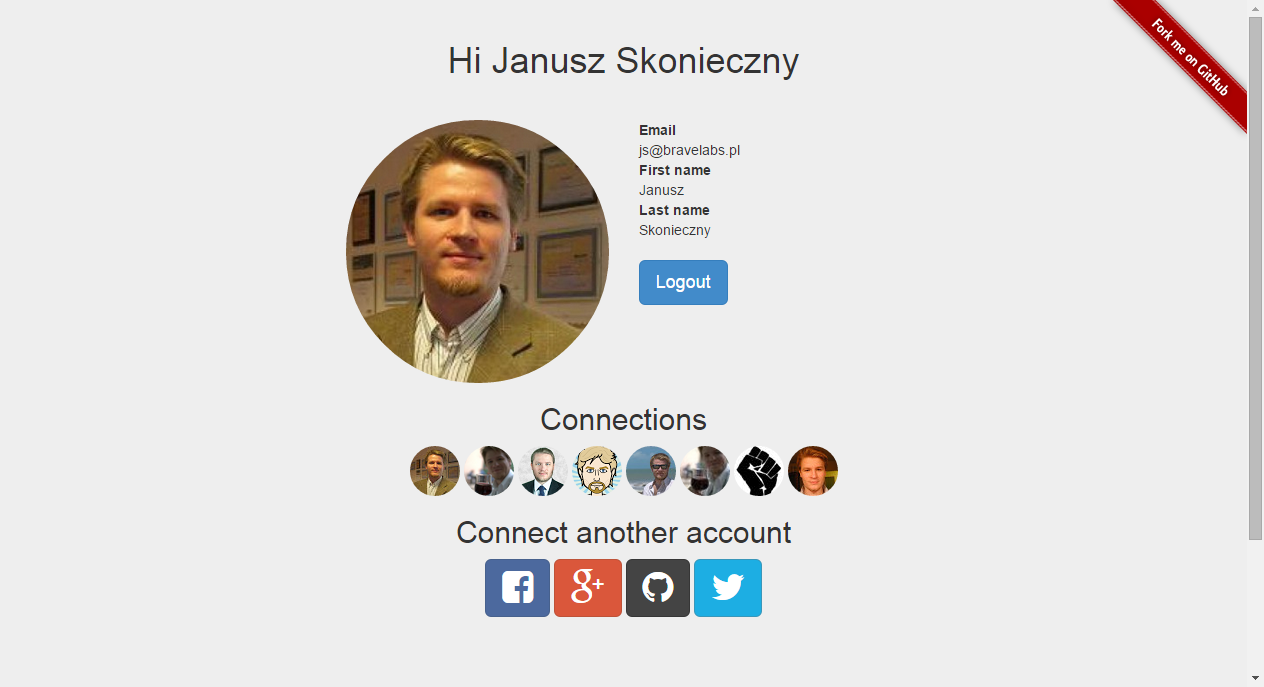
The example has a working model and templates, has a bunch of dependencies like Flask-SLQAlchemy, you can take it as a wire frame modify and build your app with that.
Examples are made from some existing apps, they may contain more stuff that’s really needed to showcase this module. When in trouble just ask questions.
Or just drop in this solution inside your working Flask app. It should not create any conflicts with existing stuff. You maybe required to write an adapter for your User model and SocialConnection model (or similar) but that’s 3 functions for the adapter. All User model requirements come from Flask-security.
for SQLAlchemy
for MongoDB
Development environment with Vagrant
You can always use our vagrant. It should set up everything needed for tests or development. This should set up everything you need:
vagrant up --provisionThe code will be kept in /vagrant/ directory. You have will get 3 python virtual enviroments setup:
gae – for gae example
sqla – for sqla example
mongodb – for mongodb example
Activate one of them using virtualenvwrapper. For example to activate mongodb:
workon mongodb
python /vagrant/example/mongodb/main.py
Google App Engine example have to be run little bit different, it needs GAE development server layer wrapping Flask.
workon gae
python ~/google_appengine/dev_appserver.py --host 0.0.0.0 --port 5055 /vagrant/example/gae/
When you develope with and without vagrant because please remeber that flask-social-blueprint/example/gae/lib/ will be shared between machines, it may cause problems.
Setup OAuth with different providers
This blueprint needs client id’s and secrets provided by social services you want to integrate with, here’s where you setup them.
In examples we use http://dev.example.com:5055 URL to overcome limitations posed on localhost and 127.0.0.1 when setting up integrations. The http://example.com URL is guaranteed to be valid and may be used by anyone in demos and documentation. Just map dev.example.com to 127.0.0.1 and you’re good to go.
Callback URLs use the name of the provider at the end. Obtain client ids and secrets from OAuth providers using main URL http://dev.example.com:5055 and callbacks URLS like these:
Create new application here: https://apps.twitter.com/app/new
Create new project here: https://console.developers.google.com/project
In APIs & auth > Credentials create Client ID
Update consent screen details, at least product name, home page and email address
Enable Google+ API
GitHub
Create new application here: https://github.com/settings/applications/new
Create new application here: https://developers.facebook.com/apps/
Setup Valid OAuth redirect URIs in Settings > Advanced > Security
1 maintainer

Metadata
1 maintainer
Release files for flask-social-blueprint 0.8.0
For a detailed explanation of source distributions (sdists) and built distributions (wheels), please see the package formats documentation.
Source distribution (sdist)
| File | Size | Uploaded | Provenance | Actions |
|---|---|---|---|---|
| flask-social-blueprint-0.8.0.linux-x86_64.tar.gz | 12.0 kB | Without provenance | Details for flask-social-blueprint-0.8.0.linux-x86_64.tar.gz |
Security for flask-social-blueprint 0.8.0
Provenance
Provenance describes where a file came from. On PyPI, provenance is shared via attestations, which provide a verifiable record of the build or publishing details. View details, limitations and caveats.
No provenance found
None of the files in this release were uploaded with provenance metadata.
A note on package security
PyPI is a repository for distributing packages, not a service for auditing them. While third-party security researchers and our staff do their best to detect and remove malicious packages, PyPI cannot guarantee the quality, security or suitability of any given package.
To learn more about protecting yourself from malicious actors, visit our package security documentation.














