
IntelXPy





Robust Python SDK and Command Line Client for interacting with IntelX's API.
Features
- Easy one-time configuration with self documented help and hints along the way.
- Request new analysis for observables and files.
- Select which analyzers you want to run for every analysis you perform.
- Choose whether you want to HTTP poll for the analysis to finish or not.
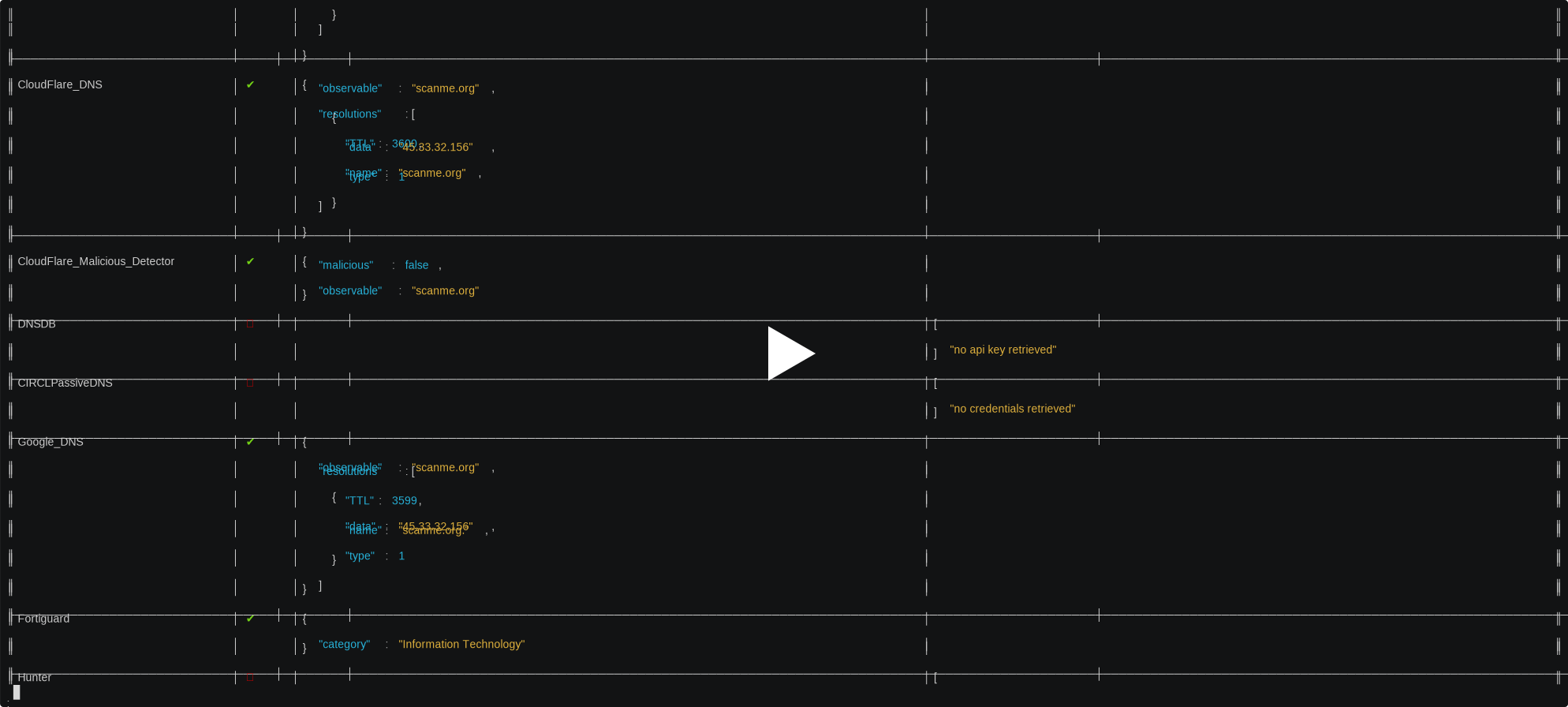
- List all jobs or view one job in a prettified tabular form.
- List all tags or view one tag in a prettified tabular form.
- Tabular view of the
analyzer_config.jsonandconnector_config.jsonfrom IntelX with RegEx matching capabilities.
Demo
Installation
$ pip3 install intelxpy
For development/testing, pip3 install intelxpy[dev]
Quickstart
As Command Line Client
On successful installation, The intelxpy entryscript should be directly invokable. For example,
$ intelxpy
Usage: intelxpy [OPTIONS] COMMAND [ARGS]...

Options:
  -d, --debug  Set log level to DEBUG
  --version    Show the version and exit.
  -h, --help   Show this message and exit.

Commands:
  analyse                Send new analysis request
  analyzer-healthcheck   Send healthcheck request for an analyzer...
  config                 Set or view config variables
  connector-healthcheck  Send healthcheck request for a connector
  get-analyzer-config    Get current state of `analyzer_config.json` from...
  get-connector-config   Get current state of `connector_config.json` from...
  jobs                   Manage Jobs
  tags                   Manage tags
As a library / SDK
from intelxpy import IntelX
obj = IntelX("<your_api_key>", "<your_intelx_instance_url>", "optional<path_to_pem_file>", "optional<proxies>")
For more comprehensive documentation, please see https://intelxpy.readthedocs.io/.
Changelog
View CHANGELOG.md.
FAQ
Generate API key
You need a valid API key to interact with the IntelX server.
Keys should be created from the admin interface of IntelX: you have to go in the Durin section (click on Auth tokens) and generate a key there.
Incompatibility after version 3.0
We did a complete rewrite of the IntelXPy client and CLI both for the version 3.0.0. We very much recommend you to update to the latest version to enjoy all new features.
(old auth method) JWT Token Authentication
this auth was available in IntelX versions <1.8.0 and intelxpy versions <2.0.0
From the admin interface of IntelX, you have to go in the Outstanding tokens section and generate a token there.
You can use it by pasting it into the file api_token.txt.
1 maintainer

Metadata
1 maintainer
Release files for intelxpy 5.0.0
For a detailed explanation of source distributions (sdists) and built distributions (wheels), please see the package formats documentation.
Source distribution (sdist)
| File | Size | Uploaded | Provenance | Actions |
|---|---|---|---|---|
| intelxpy-5.0.0.tar.gz | 44.8 kB | Without provenance | Details for intelxpy-5.0.0.tar.gz |
Built distribution (wheel)
| File | Interpreter | ABI | Platform | Actions Reset |
|---|---|---|---|---|
| intelxpy-5.0.0-py3-none-any.whl | Python 3 | none | any | Details for intelxpy-5.0.0-py3-none-any.whl |
Total release size: 92.5 kB
Release files / intelxpy-5.0.0.tar.gz
| Download URL | intelxpy-5.0.0.tar.gz |
|---|---|
| Size | 44.8 kB |
| Tags | Source |
|
SHA-256 checksum How to use checksums |
0f7d4cc75d98e512a972af49a5fa02ad992e10512772cb503e0e3b82612c958d
|
|
BLAKE2b-256 checksum How to use checksums |
9b82507017f26cfc46f4626106e97abfa96ca76d03337ffe4e564be2ad45379e
|
| Upload date | |
|
Uploaded using Trusted Publishing? What is trusted publishing? |
No |
| Uploaded via |
twine/5.1.1 CPython/3.12.4
|
Release files / intelxpy-5.0.0-py3-none-any.whl
| Download URL | intelxpy-5.0.0-py3-none-any.whl |
|---|---|
| Size | 47.6 kB |
| Tags | Python 3 |
|
SHA-256 checksum How to use checksums |
214894f148738bacc409e69e508a2685b09830b0adf31e05bad2635bad82fb53
|
|
BLAKE2b-256 checksum How to use checksums |
6600442488874c3a2a8dcfdfa6cfb77667618db93120a46871c0e818edd694c2
|
| Upload date | |
|
Uploaded using Trusted Publishing? What is trusted publishing? |
No |
| Uploaded via |
twine/5.1.1 CPython/3.12.4
|
Security for intelxpy 5.0.0
Provenance
Provenance describes where a file came from. On PyPI, provenance is shared via attestations, which provide a verifiable record of the build or publishing details. View details, limitations and caveats.
No provenance found
None of the files in this release were uploaded with provenance metadata.
A note on package security
PyPI is a repository for distributing packages, not a service for auditing them. While third-party security researchers and our staff do their best to detect and remove malicious packages, PyPI cannot guarantee the quality, security or suitability of any given package.
To learn more about protecting yourself from malicious actors, visit our package security documentation.













