
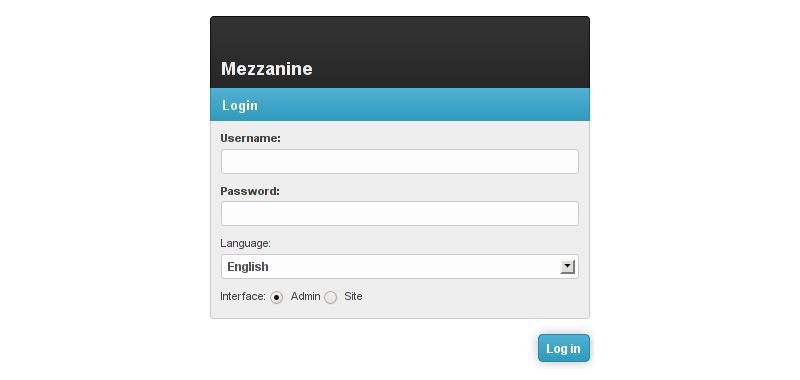
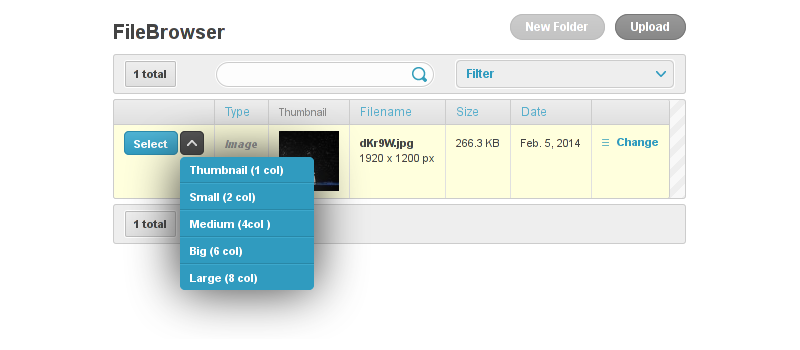
Mezzanine-Grappelli makes Mezzanine ♥ Grappelli.
For compatibility reasons, Mezzanine uses forks of Grappelli and Filebrowser, known as grappelli-safe and filebrowser-safe.
You want the awesomeness of Mezzanine with the sweetness of the latest Grappelli version? This application does exactly that: it allows you to use the full power of the latest vanilla versions of both Grappelli and Filebrowser in your Mezzanine projects.
Installation
First, install mezzanine-grappelli with pip (this will automatically install Grappelli and Filebrowser as well):
pip install mezzanine-grappelli
In your settings.py file, adapt the value of PACKAGE_NAME_FILEBROWSER and PACKAGE_NAME_GRAPPELLI:
PACKAGE_NAME_FILEBROWSER = "filebrowser"
PACKAGE_NAME_GRAPPELLI = "grappelli"
Still in your settings.py file, add mezzanine_grappelli, grappelli and filebrowser to your INSTALLED_APPS (make sure they appear before any mezzanine app):
INSTALLED_APPS = (
    "mezzanine_grappelli",
    PACKAGE_NAME_GRAPPELLI,
    PACKAGE_NAME_FILEBROWSER,
    ...
)
Add Grappelli URLs to your urls.py file:
urlpatterns += patterns("",
    ...
    ("^grappelli/", include("grappelli.urls")),
    ...
)
You’re done!
Rough edges
The project still being in its early days, it has a few rough edges you should be aware of.
TabularDynamicInlineAdmin doesn’t work
Use classic Django TabularInline instead.
Filebrowser error: “Error finding Upload-Folder (site.storage.location + site.directory). Maybe it does not exist?”
That’s because Filebrowser doesn’t automatically create the uploads directory, so just create the MEDIA_ROOT + 'uploads/' directory
FileField doesn’t work
When using FileField fields you need to put the format in lowercase (ie. “image” instead of “Image”) otherwise you’ll get a Filebrowser exception. That’s especially true for already defined Mezzanine models (such as the BlogPost model). To fix the issue for already-defined Mezzanine models, you can add the following to your settings file:
FILEBROWSER_SELECT_FORMATS = {
    'File': ['Folder', 'Image', 'Document', 'Video', 'Audio'],
    'Document': ['Document'],
    'Media': ['Video', 'Audio'],
    'Image': ['Image'],
    'image': ['Image'],
}
TODO
Make TabularDynamicInlineAdmin work or at least fall back to a usable solution
Bugs, contributing
If you find bugs, you’re very welcome to report them using the Github issue tracker.
1 maintainer

Metadata
1 maintainer
Release files for mezzanine-grappelli 0.1.0
For a detailed explanation of source distributions (sdists) and built distributions (wheels), please see the package formats documentation.
Source distribution (sdist)
| File | Size | Uploaded | Provenance | |
|---|---|---|---|---|
| mezzanine-grappelli-0.1.0.tar.gz | 11.8 kB | Without provenance | Details |
Release files / mezzanine-grappelli-0.1.0.tar.gz
| Download URL | mezzanine-grappelli-0.1.0.tar.gz |
|---|---|
| Size | 11.8 kB |
| Tags | Source |
|
SHA-256 checksum How to use checksums |
f0f69cab1c42bf24bf2e6c013430625d575d76affc5818380a62e147a2b78d4d
|
|
BLAKE2b-256 checksum How to use checksums |
04c0cbe278a4ec616f14d65bb7800d569e4895cb663f9f477f13120b341817d0
|
| Upload date | |
|
Uploaded using Trusted Publishing? What is trusted publishing? |
No |
Security for mezzanine-grappelli 0.1.0
Provenance
Provenance describes where a file came from. On PyPI, provenance is shared via attestations, which provide a verifiable record of the build or publishing details. View details, limitations and caveats.
No provenance found
None of the files in this release were uploaded with provenance metadata.
A note on package security
PyPI is a repository for distributing packages, not a service for auditing them. While third-party security researchers and our staff do their best to detect and remove malicious packages, PyPI cannot guarantee the quality, security or suitability of any given package.













