






Muograph: muon tomography library

This repository provides a library for muon scattering tomography and muon transmission tomography data analysis.
Overview
As a disclaimer, this library is more of an aggregate of muon tomography algorithms used throughtout PhD research rather than a polished product for the general public. As such, this repo targets mostly muon tomography reaserchers and enthousiasts.
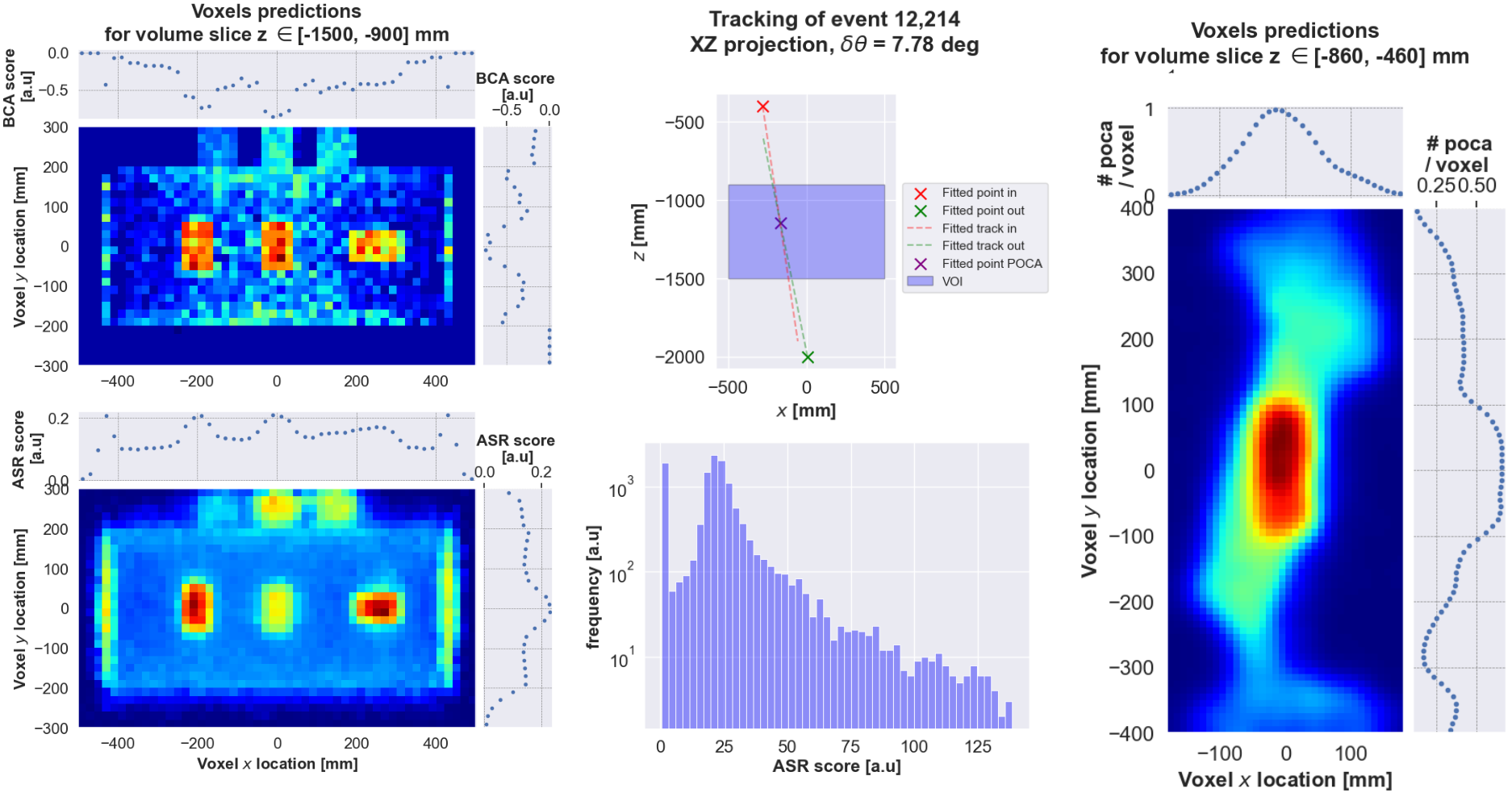
Users can find ready to use scattering density algorihms as well as samples of simulated data.
While currently being at a preliminary stage, this library is designed to be extended by users, whom are invited to implement their favorite reconstruction, material inference or image processing algorithms.
If you are interested in using this library seriously, please contact us; we would love to hear if you have a specific use-case you wish to work on.
Installation
As a dependency
For a dependency usage, muograph can be instaled with pip within a Conda environment:
conda create -n muograph python=3.10
conda activate muograph
pip install muograph
Make sure everythings works by running:
pytest path_to_muograph/test
You can check the location where muograph is installed:
pip show muograph
For development
Clone the repository locally:
git clone git@github.com:MaximeLagrange/muograph.git
cd muograph
For development usage, we use poetry to handle dependency installation:
curl -sSL https://install.python-poetry.org | python3 -
To get started, you need Poetry's bin directory in your PATH environment variable. Add the export command to your shell's configuration file. For bash, add it to the ~/.bashrc file. For zsh, add it to the ~/.zshrc file.
export PATH="$HOME/.local/bin:$PATH"
then reload the configuration file:
source ~/.bashrc # or source ~/.zshrc
Poetry should now be accessible:
poetry self update
Muograph requires python >= 3.10. This can be installed with e.g pyenv.
curl https://pyenv.run | bash
pyenv update
pyenv install 3.10
pyenv local 3.10
Install the dependencies:
poetry install
poetry self add poetry-plugin-export
poetry config warnings.export false
poetry run pre-commit install
Finally, make sure everything is working as expected by running the tests:
poetry run pytest muograph/test/
For those unfamiliar with poetry, basically just prepend commands with poetry run to use the stuff installed within the local environment, e.g. poetry run jupyter notebook to start a jupyter notebook server. This local environment is basically a python virtual environment. To correctly set up the interpreter in your IDE, use poetry run which python to see the path to the correct python executable.
Tutorials
A few tutorials to introduce users to the package can be found in the tutorial/ folder. They are provied as Jupyter notebooks:
00_Volume_of_interest.ipynbshows how to define a voxelized volume of interest, later used by the reconstruction algorithms.01_Hits.ipynbdemonstrates how to load muon hits, and simulate detector spatial resolution and/or efficiency effects.02_Tracking.ipynbshows how to convert muon hits into muon tracks usable for image reconstruction purposes.03_Tracking_muon_Scattering_tomography.ipynbcombines incoming and ougoing tracks to compute features relevant to muon scatering tomography.04_POCA.ipynbtakes the user through the computation of voxel-wise density predictions based on the Point of Closest Approach.05_Binned_clustered_algorithm.ipynbdemonstrates the Binned Clustered Algorithm, with and without muon momentum information.06_Angle_statistical_reconstruction.ipynbshows the Angle Statistical Reconstruction algorithm, with and without muon momentum information.
You can run the tutorials using poetry command:
poetry run jupyter notebook muograph/tutorials/05_Binned_clustered_algorithm.ipynb
Examples
More advanced examples are provided in the muograph/examples:
poetry run jupyter notebook muograph/examples/00_scattering_small_size_statue.ipynb
1 maintainer

Metadata
1 maintainer
Release files for muograph 0.1.22
For a detailed explanation of source distributions (sdists) and built distributions (wheels), please see the package formats documentation.
Source distribution (sdist)
| File | Size | Uploaded | |
|---|---|---|---|
| muograph-0.1.22.tar.gz | 7.4 MB | Details |
Built distribution (wheel)
| File | Interpreter | ABI | Platform | Reset |
|---|---|---|---|---|
| muograph-0.1.22-py3-none-any.whl | Python 3 | none | any | Details |
Total release size: 14.9 MB
Release files / muograph-0.1.22.tar.gz
| Download URL | muograph-0.1.22.tar.gz |
|---|---|
| Size | 7.4 MB |
| Tags | Source |
|
SHA-256 checksum How to use checksums |
306826e1e3d7e9d2b6a17115a5c75bd8a4810759558367094c2da3d94b8e6707
|
|
BLAKE2b-256 checksum How to use checksums |
ea9c409cb008ed39fd3b10400bb81f030560472383235893fa89b5cf81144329
|
| Upload date | |
|
Uploaded using Trusted Publishing? What is trusted publishing? |
No |
| Uploaded via |
poetry/1.8.4 CPython/3.10.12 Linux/6.8.0-87-generic
|
Release files / muograph-0.1.22-py3-none-any.whl
| Download URL | muograph-0.1.22-py3-none-any.whl |
|---|---|
| Size | 7.5 MB |
| Tags | Python 3 |
|
SHA-256 checksum How to use checksums |
6cc14382b8581ddde602689a67008eb2770252fb4afaceea3003afa8995bebd7
|
|
BLAKE2b-256 checksum How to use checksums |
4f604ce2492663560cf3f821d2af5dfb3813aa4ecbe8b3ed5b0dac75a478568e
|
| Upload date | |
|
Uploaded using Trusted Publishing? What is trusted publishing? |
No |
| Uploaded via |
poetry/1.8.4 CPython/3.10.12 Linux/6.8.0-87-generic
|














