
nrql-cli
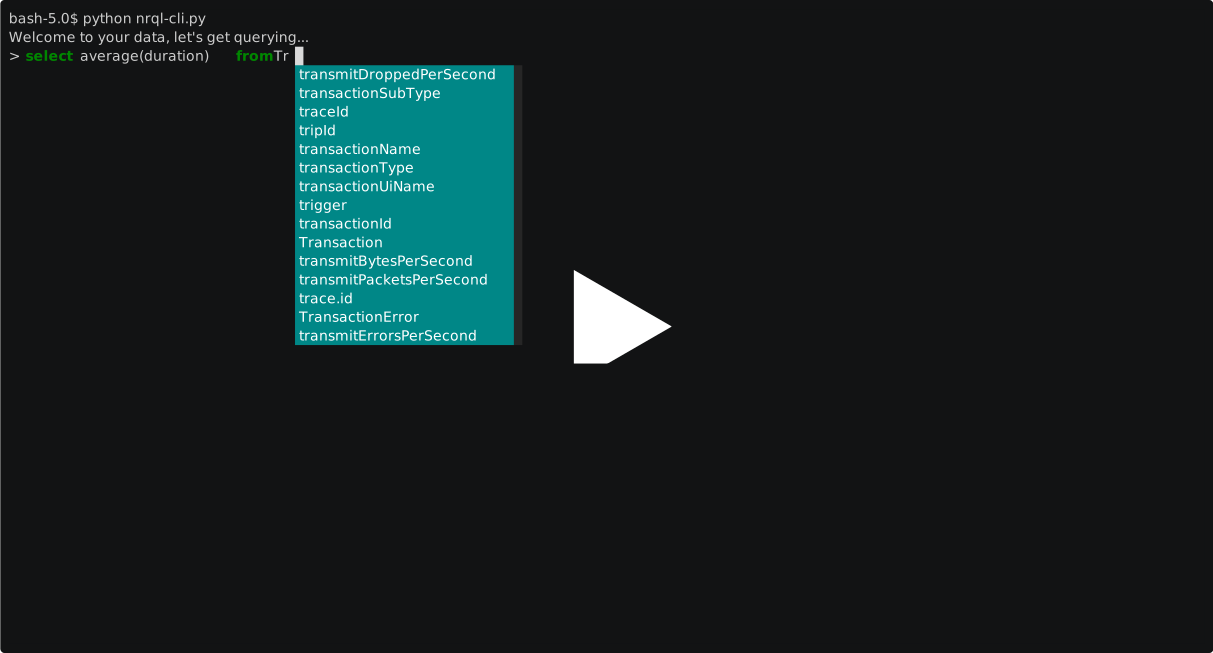
An interactive command line interface for querying New Relic Insights event data.
About
The New Relic Insights query API is a REST API for querying Insights event data. After you supply a standard NRQL query via HTTPS request, the query API returns a JSON response for parsing.
To use the API, you need a query key. You can have multiple query keys, and any query key can be used to initiate any Insights API query. If you have multiple systems querying Insights or different data destinations, New Relic recommends you use multiple query keys to enhance data security.
To create a new query key:
Go to insights.newrelic.com > Manage data > API keys.
Select the plus icon next to the Query keys heading.
Enter a short description of the key.
Select Save your notes.
You will also need make note of your New Relic Account ID. To find the account ID for your New Relic account:
Sign in to rpm.newrelic.com.
In the URL bar, copy the number after the /accounts/ portion of the URL: https://rpm.newrelic.com/accounts/ACCOUNT_ID/
Installation
nrql-cli is available on the Python Package Index (PyPI) at https://pypi.python.org/pypi/nrql-cli
You can install nrql-cli using pip.
pip install nrql-cli
Export your Query API key and Account ID as environment variables:
export NR_API_KEY='YOUR_API_KEY'
export NR_ACCOUNT_ID='YOUR_ACCOUNT_ID'
Then, run:
nrql
This command will start the program and you can start querying your data!
Alternatively, you can run in Docker. You will need to update the Dockerfile with your API key and account id and then run:
docker build -f Dockerfile -t nrql-cli .
docker run --rm -it nrql-cli
Usage
usage: nrql [-h] [--region {EU,US}] [--env ENV] [--verbose]

optional arguments:
  -h, --help            show this help message and exit
  --region {EU,US}, --r {EU,US}
                        Pass this flag to set your region (EU or US) By
                        default the region is set to US.
  --env ENV, --e ENV    Environment handler.
  --verbose, --v        Pass this flag if you want the whole response.
Managing multiple accounts
If you wish to easily switch between your New Relic accounts, you can use the --env switch:
nrql --env PRODBy default, the program looks for the environment variables NR_API_KEY and NR_ACCOUNT_KEY.
If the env argument is not none, then the program appends the environment string to NR_API_KEY. For example:
NR_API_KEY_PROD
When naming your environment variables, ensure to follow this naming convention.
Support
Please note that this is offered for use as-is without warranty. You are free to use and modify as needed. It has been created for use with New Relic, but is not a supported product of New Relic
1 maintainer

Metadata
1 maintainer
Release files for nrql-cli 1.0.3
For a detailed explanation of source distributions (sdists) and built distributions (wheels), please see the package formats documentation.
Source distribution (sdist)
| File | Size | Uploaded | Provenance | Actions |
|---|---|---|---|---|
| nrql-cli-1.0.3.tar.gz | 7.3 kB | Without provenance | Details for nrql-cli-1.0.3.tar.gz |
Built distribution (wheel)
| File | Interpreter | ABI | Platform | Actions Reset |
|---|---|---|---|---|
| nrql_cli-1.0.3-py2.py3-none-any.whl | Python 2, Python 3 | none | any | Details for nrql_cli-1.0.3-py2.py3-none-any.whl |
Total release size: 14.2 kB
Release files / nrql-cli-1.0.3.tar.gz
| Download URL | nrql-cli-1.0.3.tar.gz |
|---|---|
| Size | 7.3 kB |
| Tags | Source |
|
SHA-256 checksum How to use checksums |
895b8477d5f75444b3bac42912ec521cba3f395dba62996e0053364ade2d13ea
|
|
BLAKE2b-256 checksum How to use checksums |
b6120e56076b77fddcd38587615f442a2f543a66ddc606d9d2b9e56e1741818e
|
| Upload date | |
|
Uploaded using Trusted Publishing? What is trusted publishing? |
No |
| Uploaded via |
twine/3.2.0 pkginfo/1.5.0.1 requests/2.22.0 setuptools/49.6.0 requests-toolbelt/0.9.1 tqdm/4.49.0 CPython/3.8.5
|
Release files / nrql_cli-1.0.3-py2.py3-none-any.whl
| Download URL | nrql_cli-1.0.3-py2.py3-none-any.whl |
|---|---|
| Size | 6.8 kB |
| Tags | Python 2 Python 3 |
|
SHA-256 checksum How to use checksums |
c31ccb81216583f7bd8ec54f4f3861074a67f1f733cf1cfb87c82b0e28460537
|
|
BLAKE2b-256 checksum How to use checksums |
ebc8c9c37df63490da0300923cdfaf288d7cbb76ceb4cb08bf2a9c8c16f2ecf2
|
| Upload date | |
|
Uploaded using Trusted Publishing? What is trusted publishing? |
No |
| Uploaded via |
twine/3.2.0 pkginfo/1.5.0.1 requests/2.22.0 setuptools/49.6.0 requests-toolbelt/0.9.1 tqdm/4.49.0 CPython/3.8.5
|
Security for nrql-cli 1.0.3
Provenance
Provenance describes where a file came from. On PyPI, provenance is shared via attestations, which provide a verifiable record of the build or publishing details. View details, limitations and caveats.
No provenance found
None of the files in this release were uploaded with provenance metadata.
A note on package security
PyPI is a repository for distributing packages, not a service for auditing them. While third-party security researchers and our staff do their best to detect and remove malicious packages, PyPI cannot guarantee the quality, security or suitability of any given package.
To learn more about protecting yourself from malicious actors, visit our package security documentation.














