
phyTreeViz





Table of contents
Overview
phyTreeViz is a simple and minimal phylogenetic tree visualization python package implemented based on matplotlib. This package was developed to enhance phylogenetic tree visualization functionality of BioPython.
phyTreeViz is intended to provide a simple and easy-to-use phylogenetic tree visualization function without complexity. Therefore, if you need complex tree annotations, I recommend using ete or ggtree.
Installation
Python 3.8 or later is required for installation.
Install PyPI package:
pip install phytreeviz
API Usage
Only simple example usage is described in this section. For more details, please see Getting Started and API Docs.
API Example
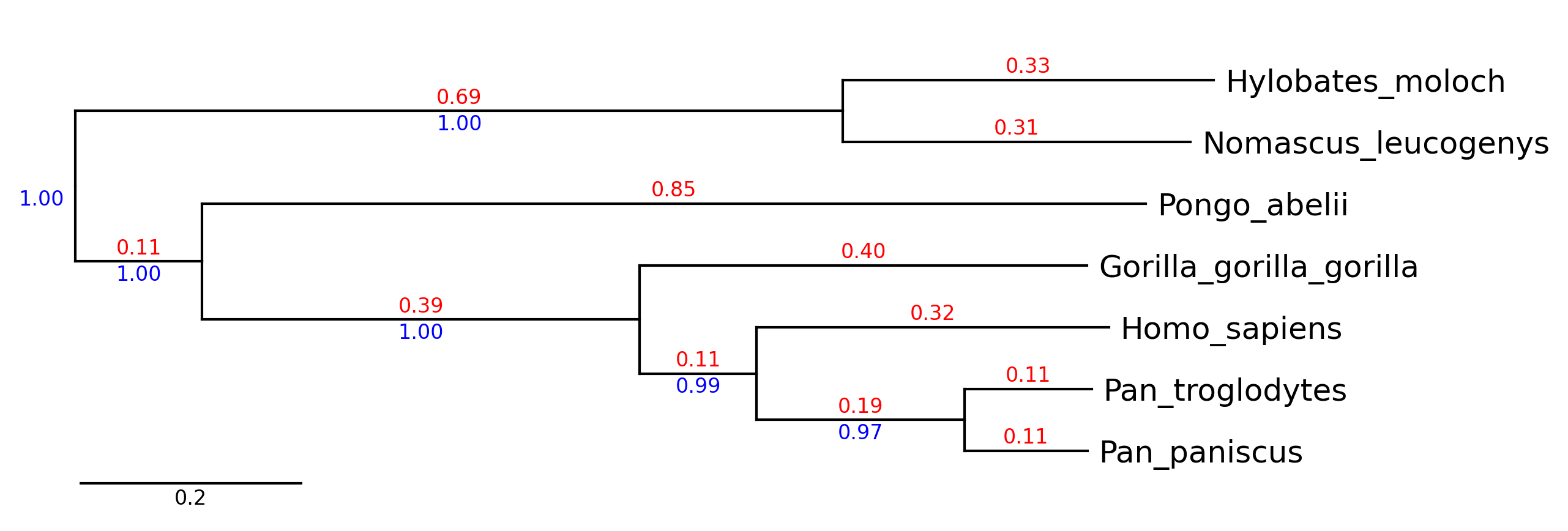
API Example 1
from phytreeviz import TreeViz, load_example_tree_file

tree_file = load_example_tree_file("small_example.nwk")

tv = TreeViz(tree_file)
tv.show_branch_length(color="red")
tv.show_confidence(color="blue")
tv.show_scale_bar()

tv.savefig("api_example01.png", dpi=300)
API Example 2
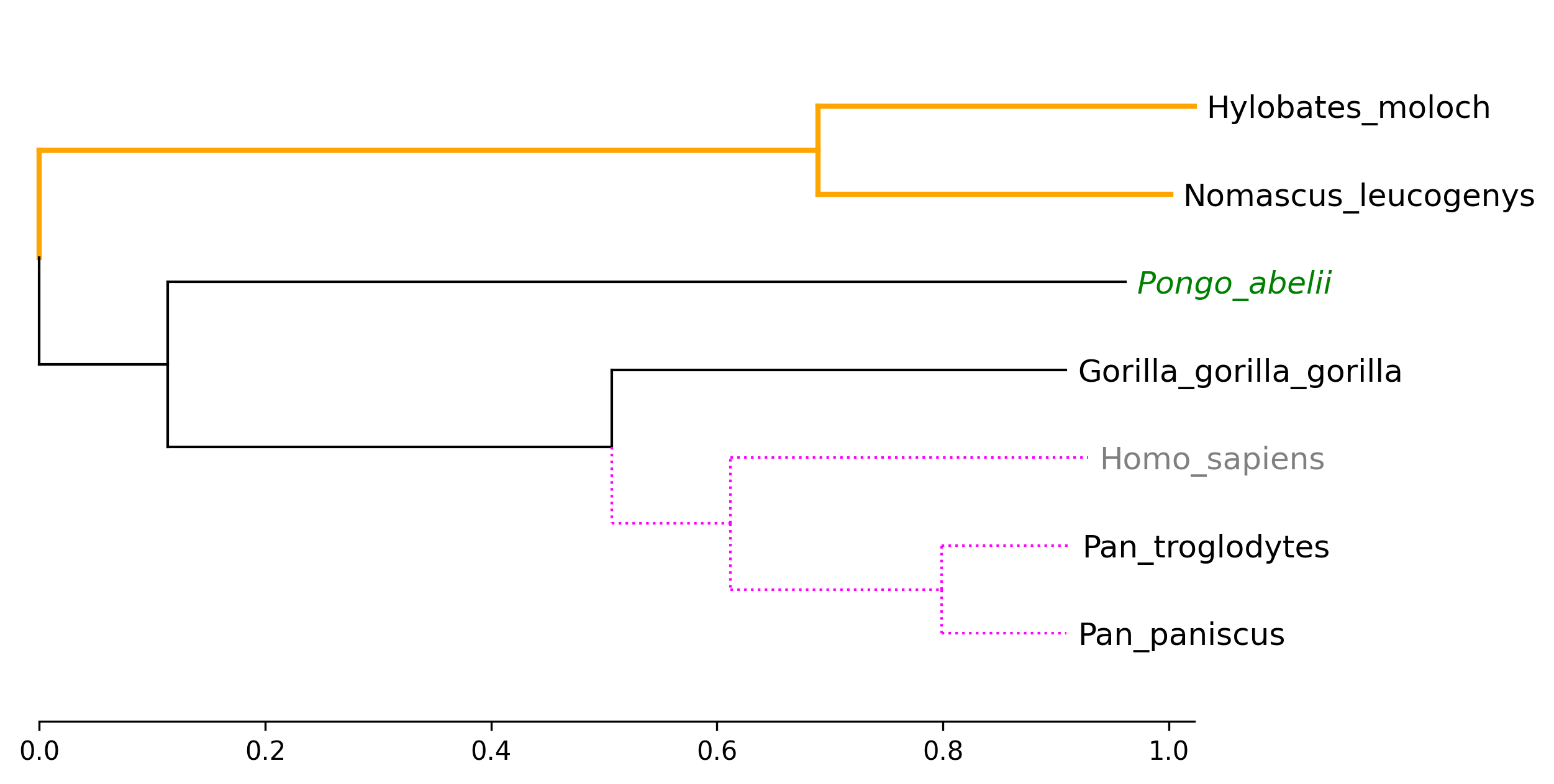
from phytreeviz import TreeViz, load_example_tree_file

tree_file = load_example_tree_file("small_example.nwk")

tv = TreeViz(tree_file, height=0.7)
tv.show_scale_axis()

tv.set_node_label_props("Homo_sapiens", color="grey")
tv.set_node_label_props("Pongo_abelii", color="green", style="italic")

tv.set_node_line_props(["Hylobates_moloch", "Nomascus_leucogenys"], color="orange", lw=2)
tv.set_node_line_props(["Homo_sapiens", "Pan_troglodytes", "Pan_paniscus"], color="magenta", ls="dotted")

tv.savefig("api_example02.png", dpi=300)
API Example 3
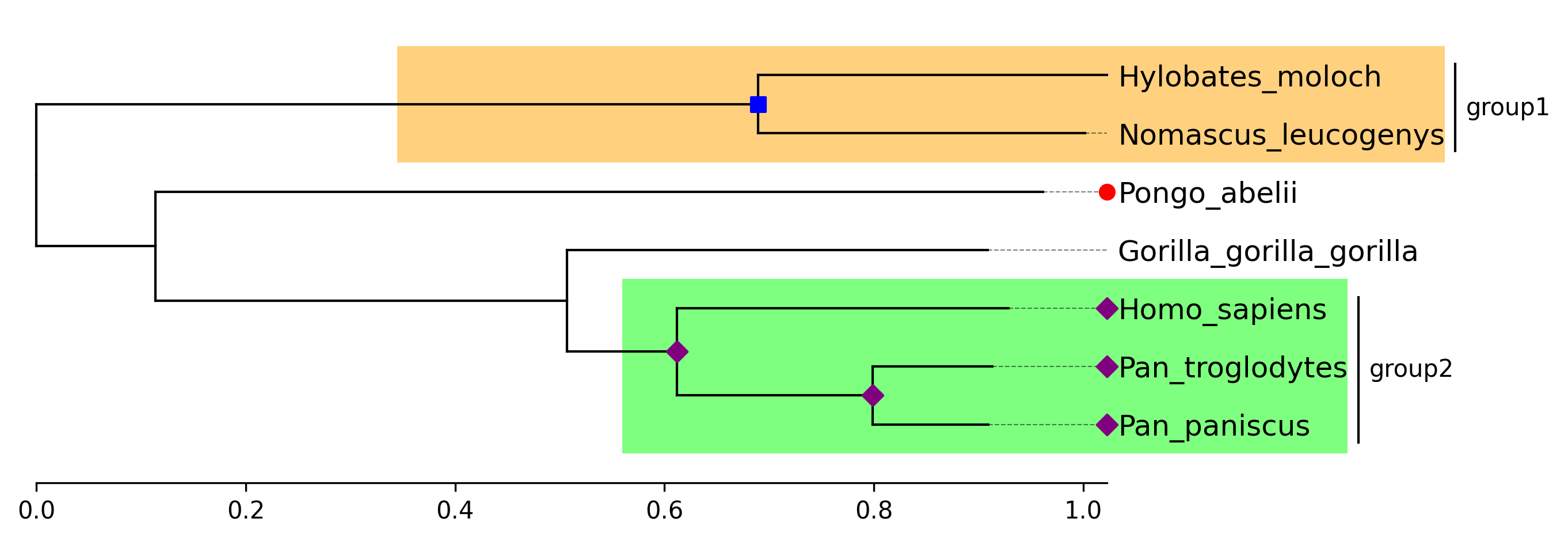
from phytreeviz import TreeViz, load_example_tree_file

tree_file = load_example_tree_file("small_example.nwk")

tv = TreeViz(tree_file, align_leaf_label=True)
tv.show_scale_axis()

group1 = ["Hylobates_moloch", "Nomascus_leucogenys"]
group2 = ["Homo_sapiens", "Pan_paniscus"]

tv.highlight(group1, "orange")
tv.highlight(group2, "lime")

tv.annotate(group1, "group1")
tv.annotate(group2, "group2")

tv.marker(group1, marker="s", color="blue")
tv.marker(group2, marker="D", color="purple", descendent=True)
tv.marker("Pongo_abelii", color="red")

tv.savefig("api_example03.png", dpi=300)
API Example 4
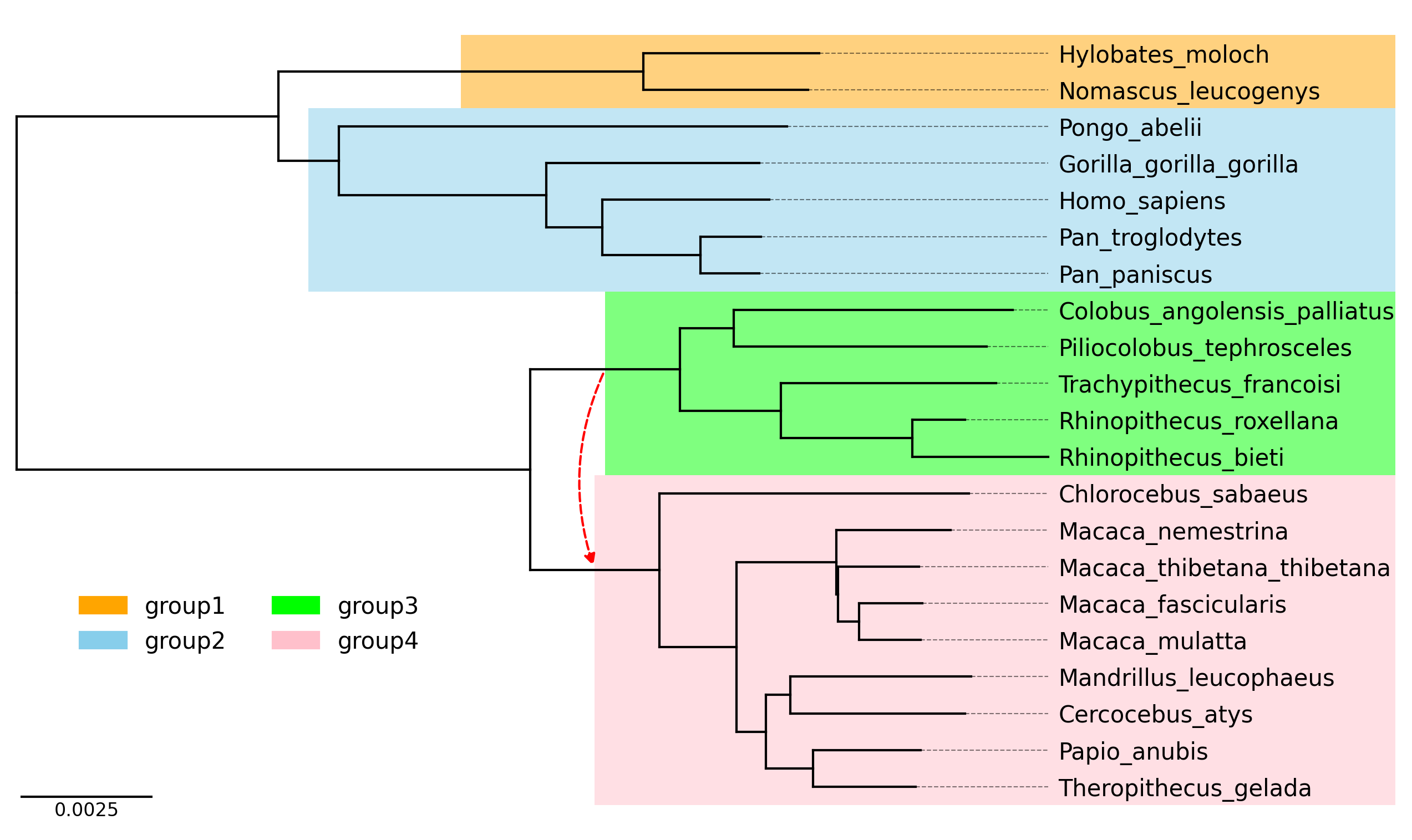
from phytreeviz import TreeViz, load_example_tree_file
from matplotlib.patches import Patch

tree_file = load_example_tree_file("medium_example.nwk")

tv = TreeViz(tree_file, height=0.3, align_leaf_label=True, leaf_label_size=10)
tv.show_scale_bar()

group1 = ["Hylobates_moloch", "Nomascus_leucogenys"]
group2 = ["Homo_sapiens", "Pongo_abelii"]
group3 = ["Piliocolobus_tephrosceles", "Rhinopithecus_bieti"]
group4 = ["Chlorocebus_sabaeus", "Papio_anubis"]

tv.highlight(group1, "orange", area="full")
tv.highlight(group2, "skyblue", area="full")
tv.highlight(group3, "lime", area="full")
tv.highlight(group4, "pink", area="full")

tv.link(group3, group4, connectionstyle="arc3,rad=0.2")

fig = tv.plotfig()

_ = fig.legend(
    handles=[
        Patch(label="group1", color="orange"),
        Patch(label="group2", color="skyblue"),
        Patch(label="group3", color="lime"),
        Patch(label="group4", color="pink"),
    ],
    frameon=False,
    bbox_to_anchor=(0.3, 0.3),
    loc="center",
    ncols=2,
)

fig.savefig("api_example04.png", dpi=300)
CLI Usage
phyTreeViz provides simple phylogenetic tree visualization CLI.
Basic Command
phytreeviz -i [Tree file or text] -o [Tree visualization file]
Options
General Options:
  -i IN, --intree IN      Input phylogenetic tree file or text
  -o OUT, --outfile OUT   Output phylogenetic tree plot file [*.png|*.jpg|*.svg|*.pdf]
  --format                Input phylogenetic tree format (Default: 'newick')
  -v, --version           Print version information
  -h, --help              Show this help message and exit

Figure Appearence Options:
  --fig_height            Figure height per leaf node of tree (Default: 0.5)
  --fig_width             Figure width (Default: 8.0)
  --leaf_label_size       Leaf label size (Default: 12)
  --ignore_branch_length  Ignore branch length for plotting tree (Default: OFF)
  --align_leaf_label      Align leaf label position (Default: OFF)
  --show_branch_length    Show branch length (Default: OFF)
  --show_confidence       Show confidence (Default: OFF)
  --dpi                   Figure DPI (Default: 300)

Available Tree Format: ['newick', 'phyloxml', 'nexus', 'nexml', 'cdao']
CLI Example
Click here to download example tree files.
CLI Example 1
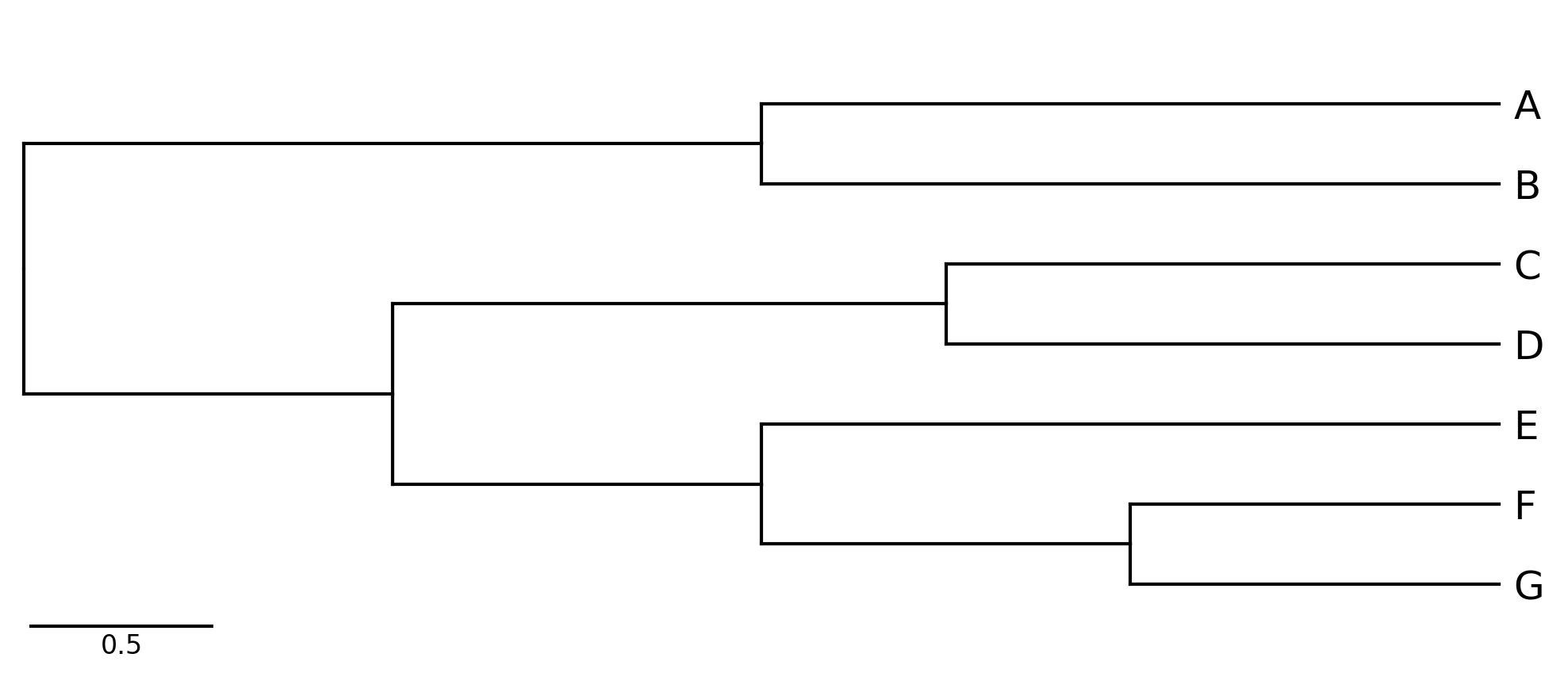
phytreeviz -i "((A,B),((C,D),(E,(F,G))));" -o cli_example01.png
CLI Example 2
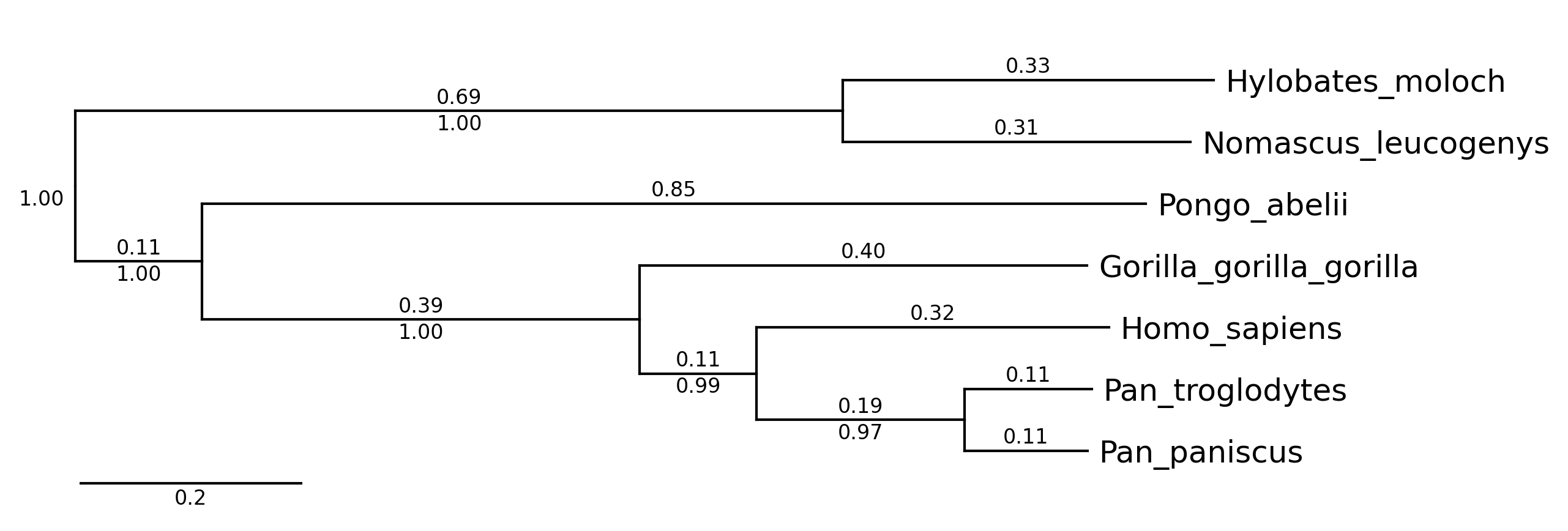
phytreeviz -i ./example/small_example.nwk -o cli_example02.png \
           --show_branch_length --show_confidence
CLI Example 3
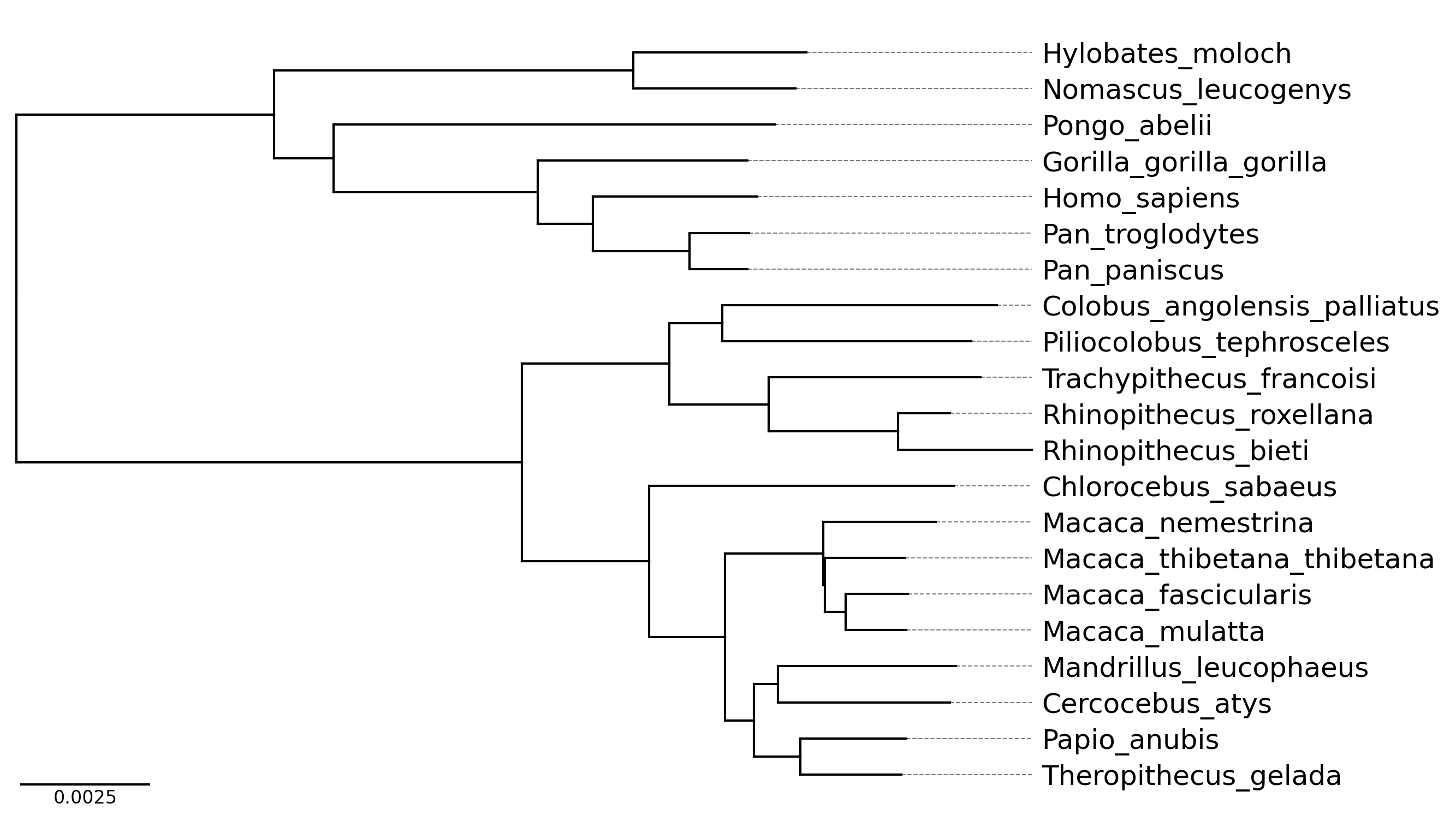
phytreeviz -i ./example/medium_example.nwk -o cli_example03.png \
           --fig_height 0.3 --align_leaf_label
1 maintainer

Metadata
1 maintainer
Release files for phytreeviz 0.2.0
For a detailed explanation of source distributions (sdists) and built distributions (wheels), please see the package formats documentation.
Source distribution (sdist)
| File | Size | Uploaded | Provenance | |
|---|---|---|---|---|
| phytreeviz-0.2.0.tar.gz | 21.2 kB | Without provenance | Details |
Built distribution (wheel)
| File | Interpreter | ABI | Platform | Reset |
|---|---|---|---|---|
| phytreeviz-0.2.0-py3-none-any.whl | Python 3 | none | any | Details |
Total release size: 42.1 kB
Release files / phytreeviz-0.2.0.tar.gz
| Download URL | phytreeviz-0.2.0.tar.gz |
|---|---|
| Size | 21.2 kB |
| Tags | Source |
|
SHA-256 checksum How to use checksums |
4bc23eeb0c2f5708dfcad35e7bf2c78e5e71af51fc44e8dd167af213f72781a0
|
|
BLAKE2b-256 checksum How to use checksums |
ad3f64827798666413a89e79d1471e8626a1c963e8fe231f4e979a17e729452a
|
| Upload date | |
|
Uploaded using Trusted Publishing? What is trusted publishing? |
No |
| Uploaded via |
poetry/1.7.1 CPython/3.9.18 Linux/6.2.0-1018-azure
|
Release files / phytreeviz-0.2.0-py3-none-any.whl
| Download URL | phytreeviz-0.2.0-py3-none-any.whl |
|---|---|
| Size | 20.9 kB |
| Tags | Python 3 |
|
SHA-256 checksum How to use checksums |
227082ef0bcb60c8695f52e47b4e40980a3dc055a1dcbf1bd6a2265c3bb6da1e
|
|
BLAKE2b-256 checksum How to use checksums |
04ebed9c3a11d61b1aab6f1eaf79d789e2bcb757062a15a0d4fbdadf149b68c4
|
| Upload date | |
|
Uploaded using Trusted Publishing? What is trusted publishing? |
No |
| Uploaded via |
poetry/1.7.1 CPython/3.9.18 Linux/6.2.0-1018-azure
|
Security for phytreeviz 0.2.0
Provenance
Provenance describes where a file came from. On PyPI, provenance is shared via attestations, which provide a verifiable record of the build or publishing details. View details, limitations and caveats.
No provenance found
None of the files in this release were uploaded with provenance metadata.
A note on package security
PyPI is a repository for distributing packages, not a service for auditing them. While third-party security researchers and our staff do their best to detect and remove malicious packages, PyPI cannot guarantee the quality, security or suitability of any given package.
To learn more about protecting yourself from malicious actors, visit our package security documentation.














