

# pok - Pocket CLI
## Why Use It
Chrome extensions only gives saving options.
Website looks complex, rarely access it.
We use the mobile app.
So, for desktop users.

## Features
Written in simple Python [O_O]
Terminal friendly :)
All methods avaliable **add,delete,list items**
[Shell friendly](https://github.com/arindampradhan/pok#usage)
Blazing tool to integrate with your Pocket
Funny name ^_^
## [Installation](https://pypi.python.org/pypi/pok)
$ pip install pok
## Usage
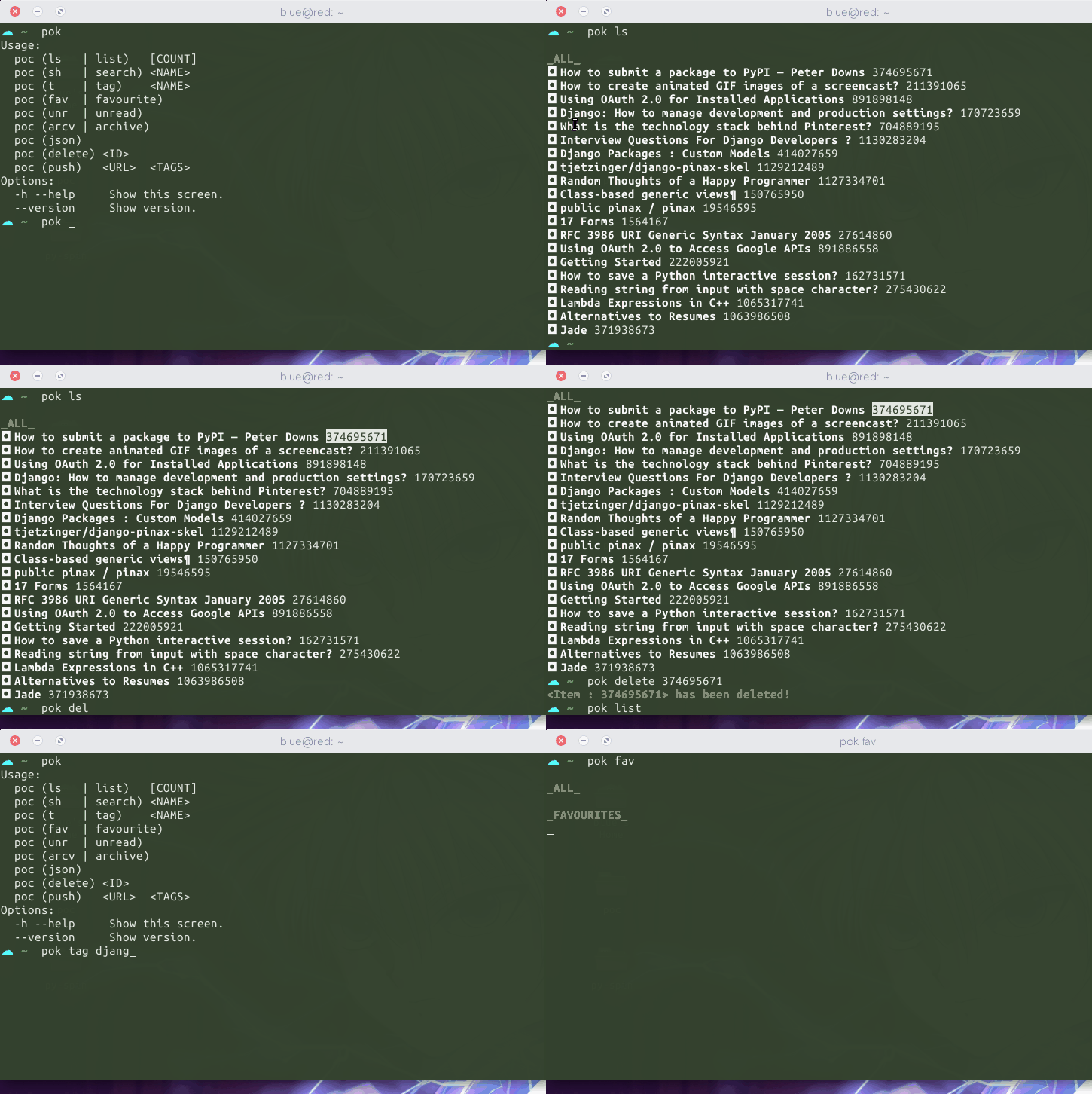
### :pouch: Basic Usage
Retrive data
$ pok ls # gives the titles and ids of pocket items
- bulb:
Note: To get the links or urls from list use command in fullform. `ls->list, sh->search, t->tag`
$ pok list # gives the urls and the title of pockets items $ pok list 5 # you can also add a counter
### :pouch: Search
Search via ``Name`` and ``Tag``
$ pok search google # searches the url and the title of the pocket items
$ pok tag django # list items of the tag name django $ pok t python # if you want to look at the ids of the pocket items
### :pouch: Modify
``Delete`` and ``Add`` pocket item
$ pok delete <ID> # deletes an pocket item
You can find the ``<ID>`` from ``$ pok ls`` command.
$ pok add <url> <tags> # Rarely going to use this.
Adios
1 maintainer

Metadata
1 maintainer
Release files for Pok 0.1.0
For a detailed explanation of source distributions (sdists) and built distributions (wheels), please see the package formats documentation.
Source distribution (sdist)
| File | Size | Uploaded | Provenance | Actions |
|---|---|---|---|---|
| Pok-0.1.0.tar.gz | 5.7 kB | Without provenance | Details for Pok-0.1.0.tar.gz |
Release files / Pok-0.1.0.tar.gz
| Download URL | Pok-0.1.0.tar.gz |
|---|---|
| Size | 5.7 kB |
| Tags | Source |
|
SHA-256 checksum How to use checksums |
c44ff17f3af7b4ef3a6d45fc820523a675a25766fcdd66d58ee19d37b79e2f24
|
|
BLAKE2b-256 checksum How to use checksums |
8daacc0262800cbeb56f5b1241c90c049a075e12be6cb204dde52b4fa362a4b3
|
| Upload date | |
|
Uploaded using Trusted Publishing? What is trusted publishing? |
No |
Security for Pok 0.1.0
Provenance
Provenance describes where a file came from. On PyPI, provenance is shared via attestations, which provide a verifiable record of the build or publishing details. View details, limitations and caveats.
No provenance found
None of the files in this release were uploaded with provenance metadata.
A note on package security
PyPI is a repository for distributing packages, not a service for auditing them. While third-party security researchers and our staff do their best to detect and remove malicious packages, PyPI cannot guarantee the quality, security or suitability of any given package.
To learn more about protecting yourself from malicious actors, visit our package security documentation.
















