
(Semi) Automated Image Processing with pyautocv














Project Aims
The goal of pyautocv is to provide a simple computer vision(cv) workflow that enables one to automate
or at least reduce the time spent in image (pre)-processing.
Installing the package
From PyPI
pip install pyautocv
From GitHub
pip install git+https://github.com/Nelson-Gon/pyautocv.git
#or
# clone the repo
git clone https://www.github.com/Nelson-Gon/pyautocv.git
cd pyautocv
python3 setup.py install
Example Usage
Note: Although these methods can be run via this script, the script is less flexible and might be useful for quick exploration but not extended analysis.
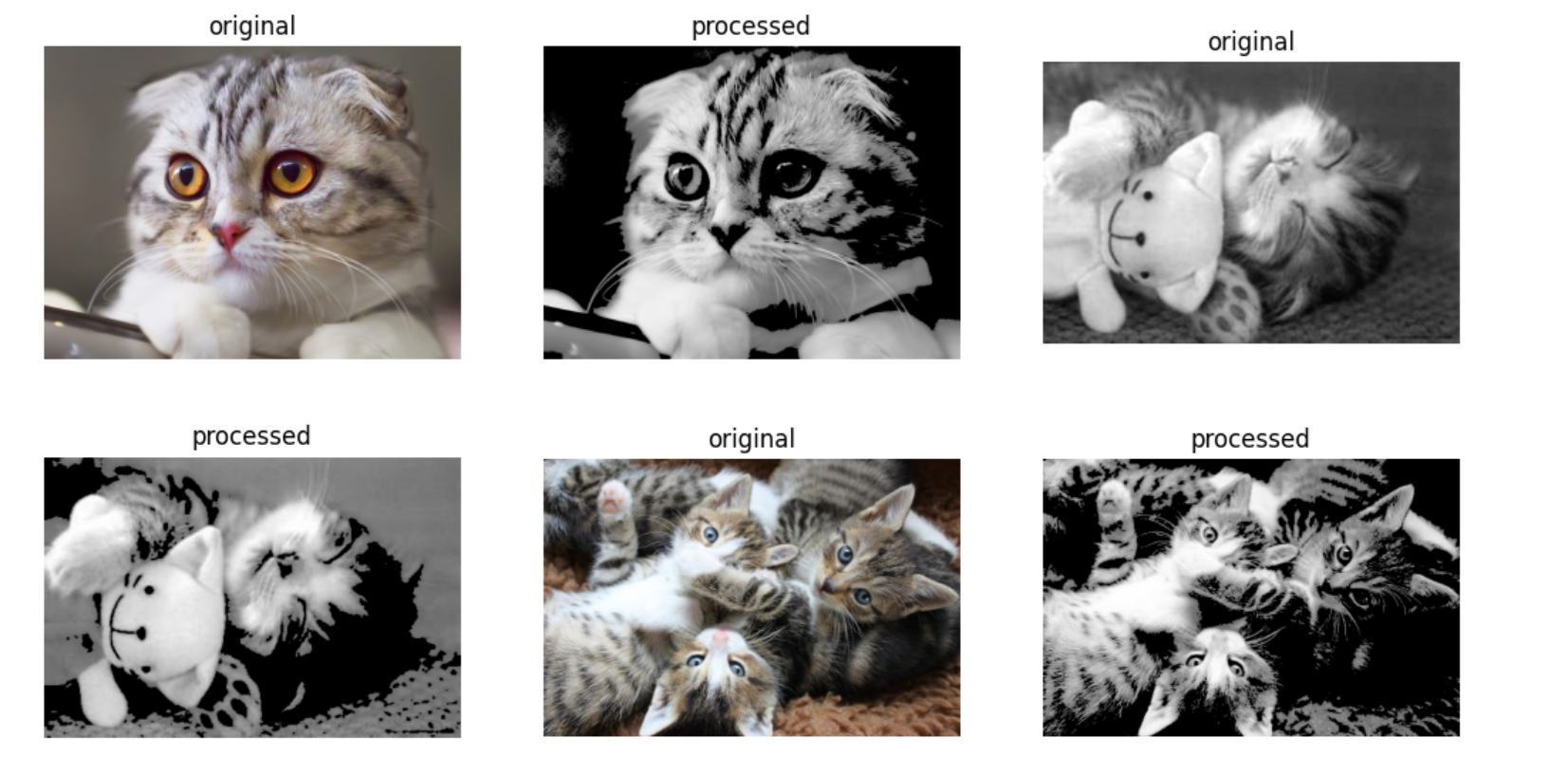
To run the script at the commandline, we can do the following
python -m pyautocv -d "images/cats" -s "png" -m "thresh_to_zero" -o "threshold" -mt 200 -t 100
Sample Result
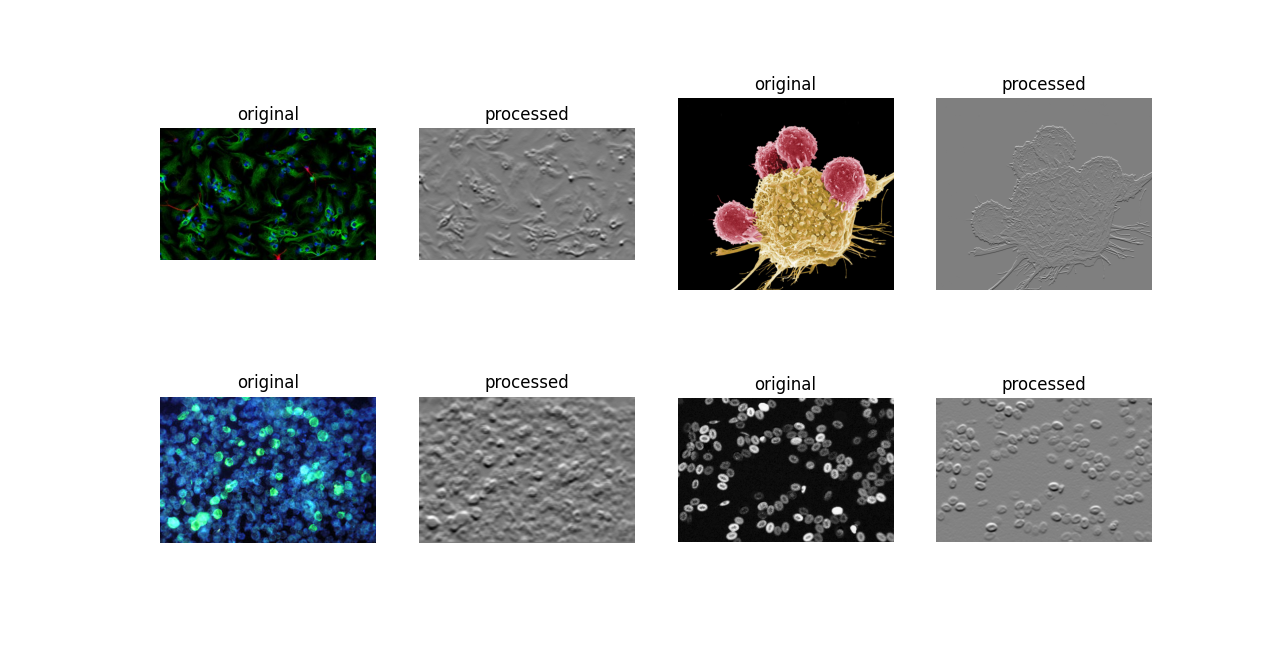
To perform edge detection
python -m pyautocv -d "images/biology" -s "jpg" -o "detect_edges" -m "sobel_vertical" -k 3
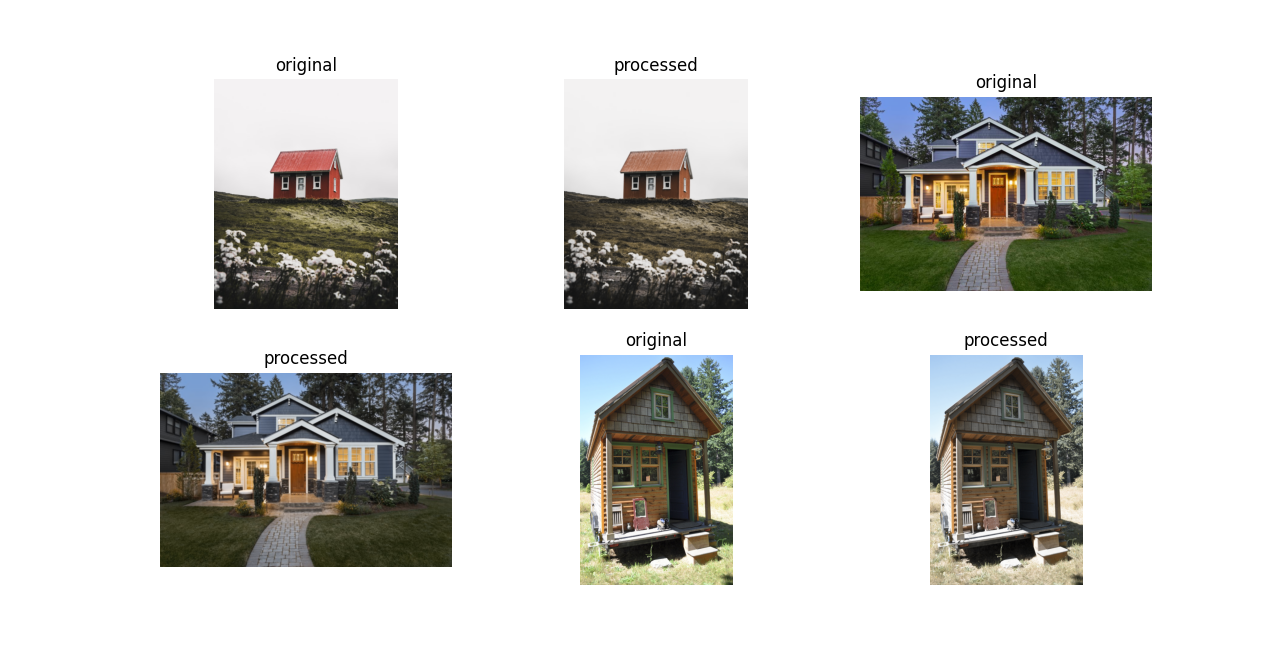
To smooth images
python -m pyautocv -d "images/houses" -s "jpg" -o "smooth" -m "gaussian" -k 5 5 --sigma 0.7
To get help
python -m pyautocv -h
Further exploration is left to the user.
The following section shows how to use the more flexible class/methods approach
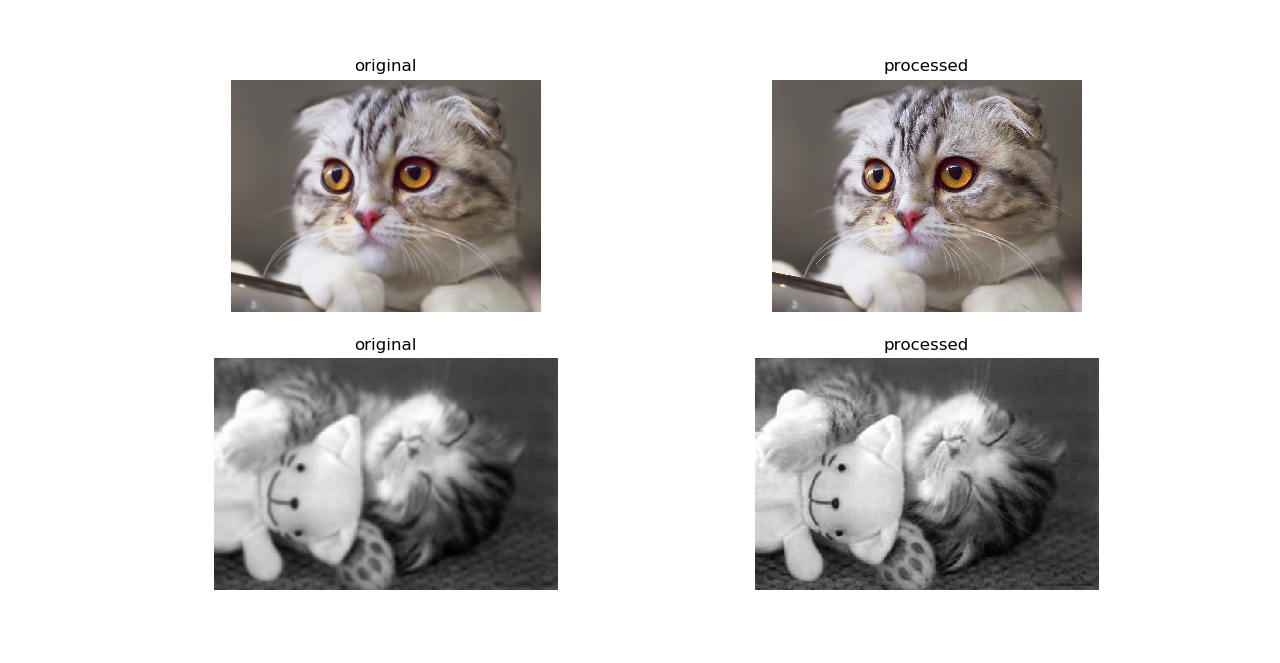
- Image Gra(e)ying
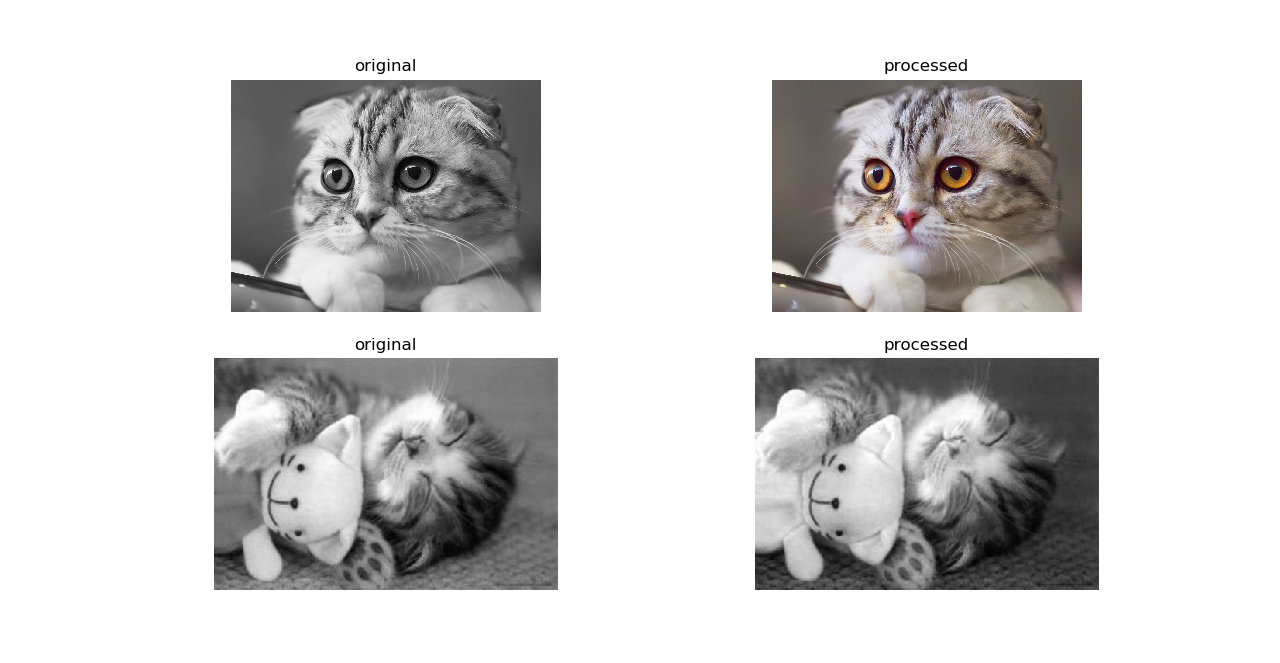
To grey an image directory
from pyautocv.segmentation import Segmentation, gray_images, show_images

images_list=Segmentation("images/cats")
show_images(gray_images(images_list.read_images()), images_list.read_images(), number=2)
- Smoothing
To smooth a directory of images, we can use EdgeDetection's smooth method as
follows
images_list=Segmentation("images/cats")
show_images(images_list.smooth(), images_list.read_images(),number=2)
This will give us
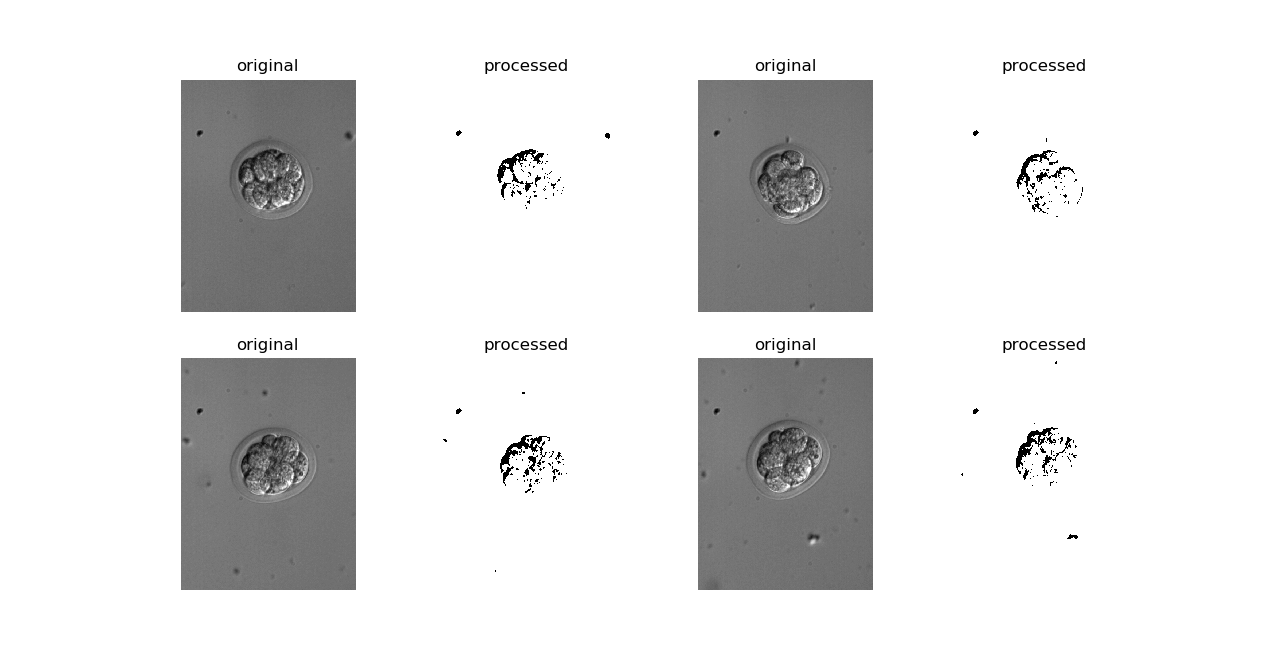
The above uses default parameters including an rgb color mode. For biological images which are often in
grayscale, one can set color_mode to gray as shown below. All other operations will remain the same.
images_list_gray_mode=Segmentation("images/dic", image_suffix ="tif", color_mode = "gray")
show_images(images_list_gray_mode.read_images(), images_list_gray_mode.threshold_images(), number = 4)
Result
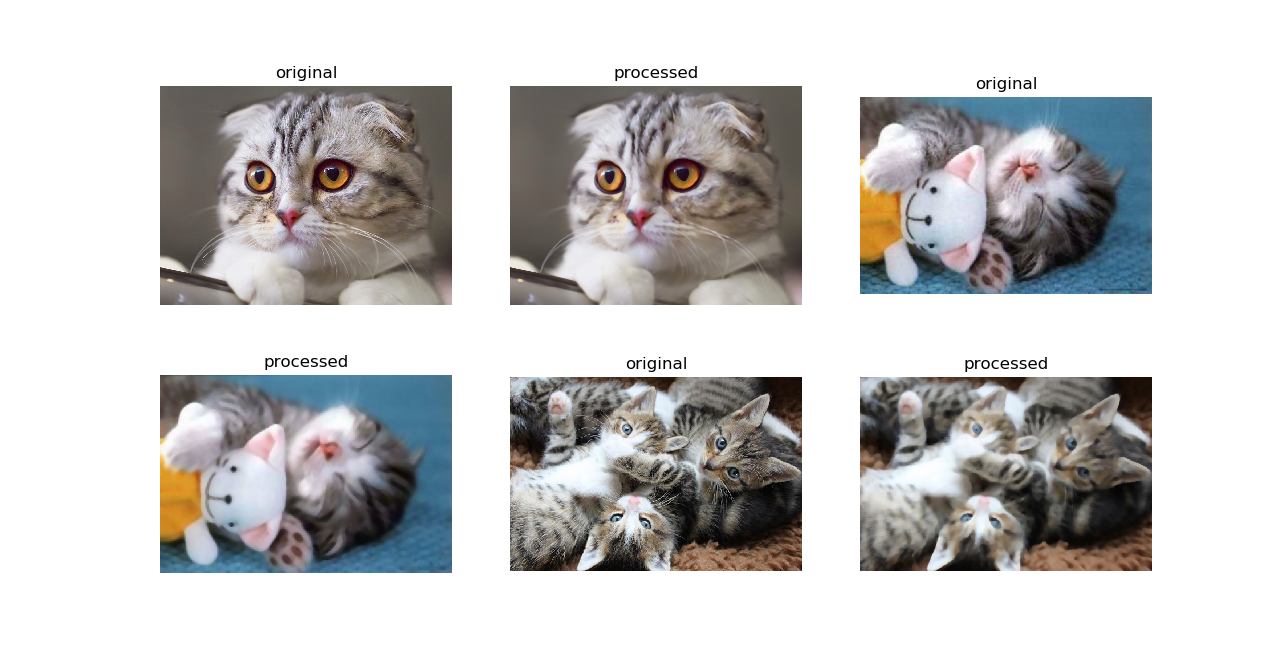
To use a different filter
images_list = Segmentation("images/cats")
show_images(images_list.read_images(), images_list.smooth(mask="median", kernel_shape=(7, 7)))
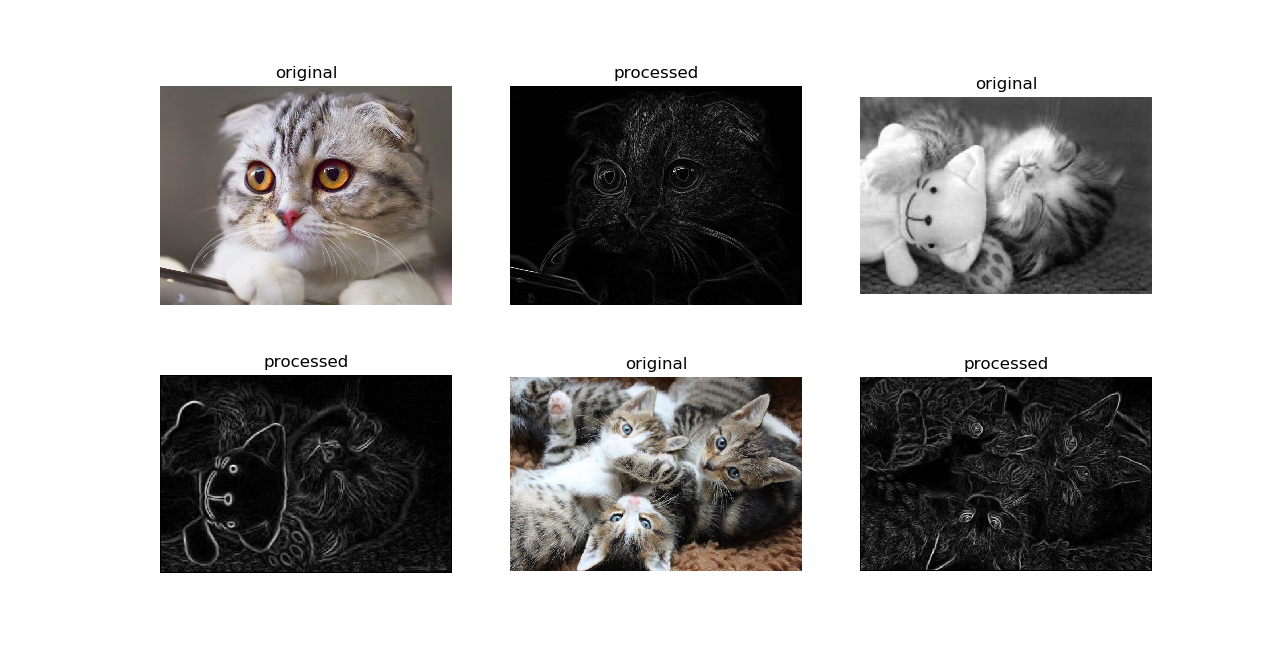
- Edge Detection
To detect edges in a directory of images, we can use Segmentation's detect_edges.
show_images(images_list.read_images(), images_list.detect_edges(operator="roberts", mask="gaussian", sigma=0.8))
The above will give us the following result
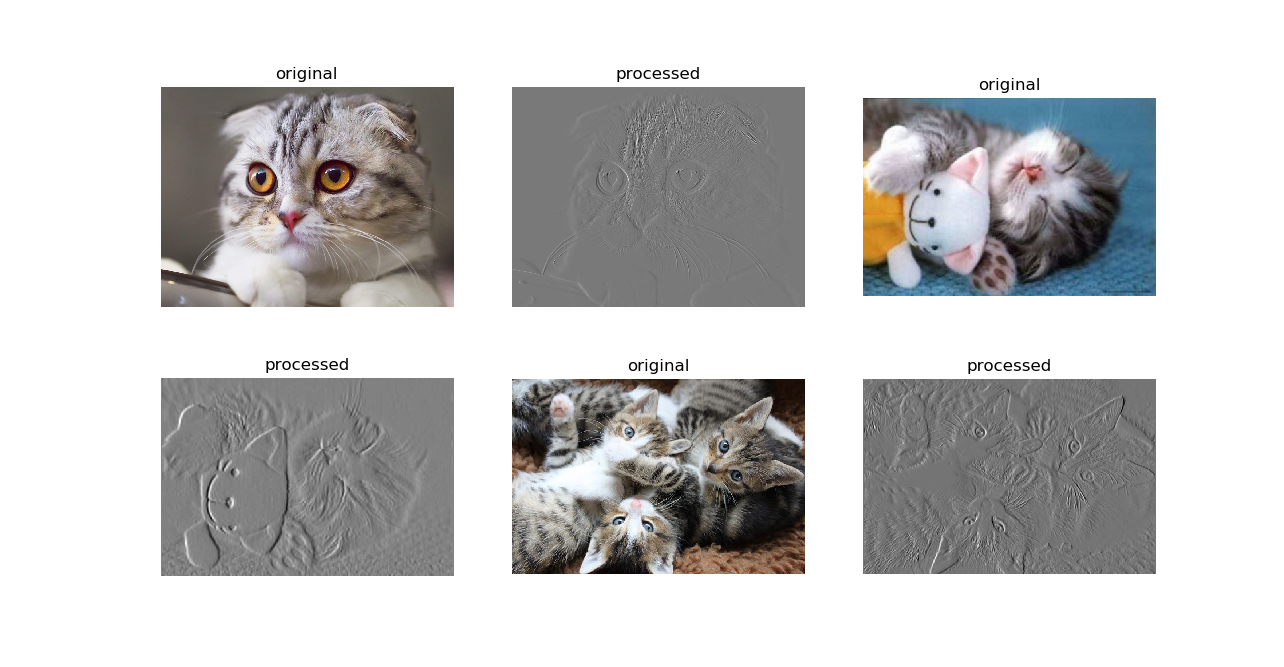
To use a different filter e.g Laplace,
show_images(images_list.read_images(), images_list.detect_edges(operator="laplace", mask="gaussian", sigma=0))
This results in
- Thresholding
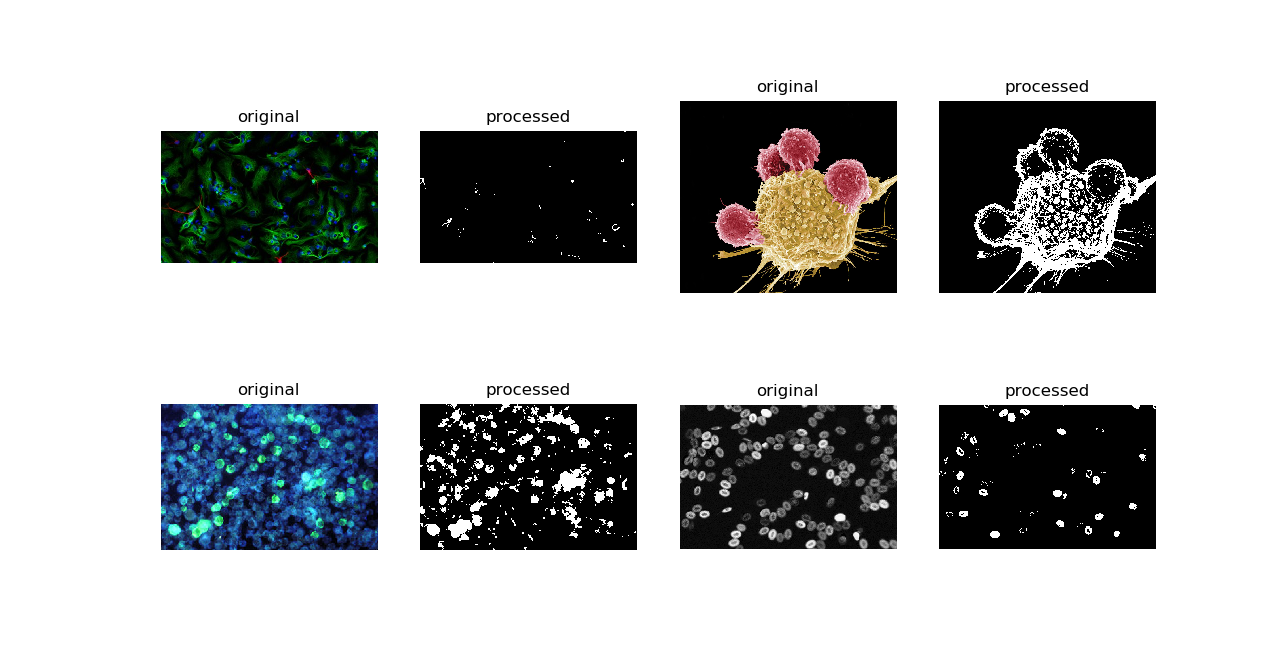
To perform thresholding, we can use the method threshold_images.
to_threshold = Segmentation("images/biology")
show_images(to_threshold.read_images(),to_threshold.threshold_images())
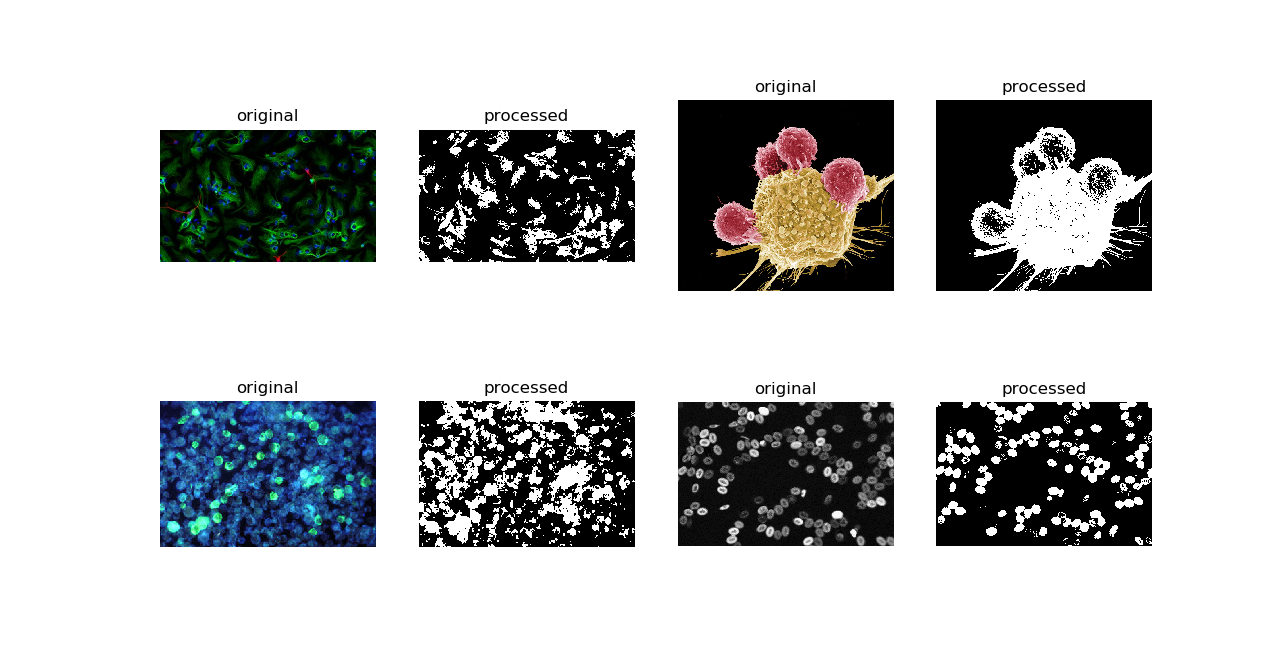
To use a different thresholding method.
show_images(to_threshold.read_images(),to_threshold.threshold_images(threshold_method="otsu"))
The above gives us:
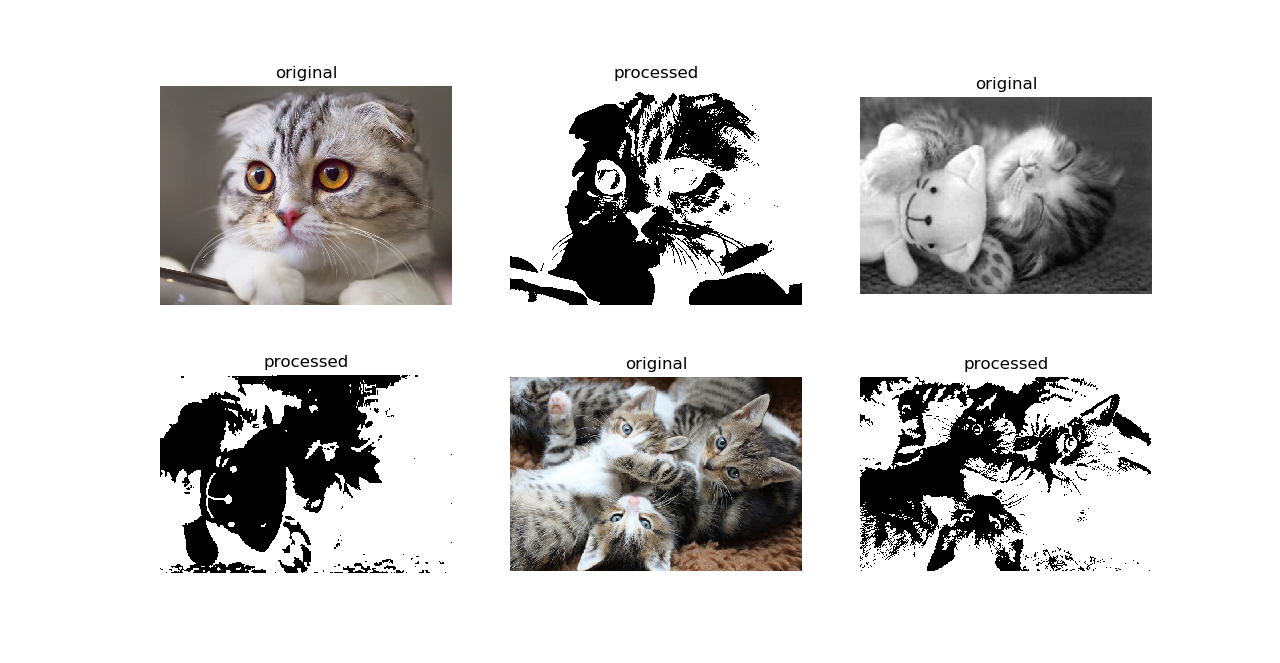
For cat lovers, here's thresholding with inverse binary.
show_images(images_list.read_images(),images_list.threshold_images(threshold_method="binary_inverse"))
Result:
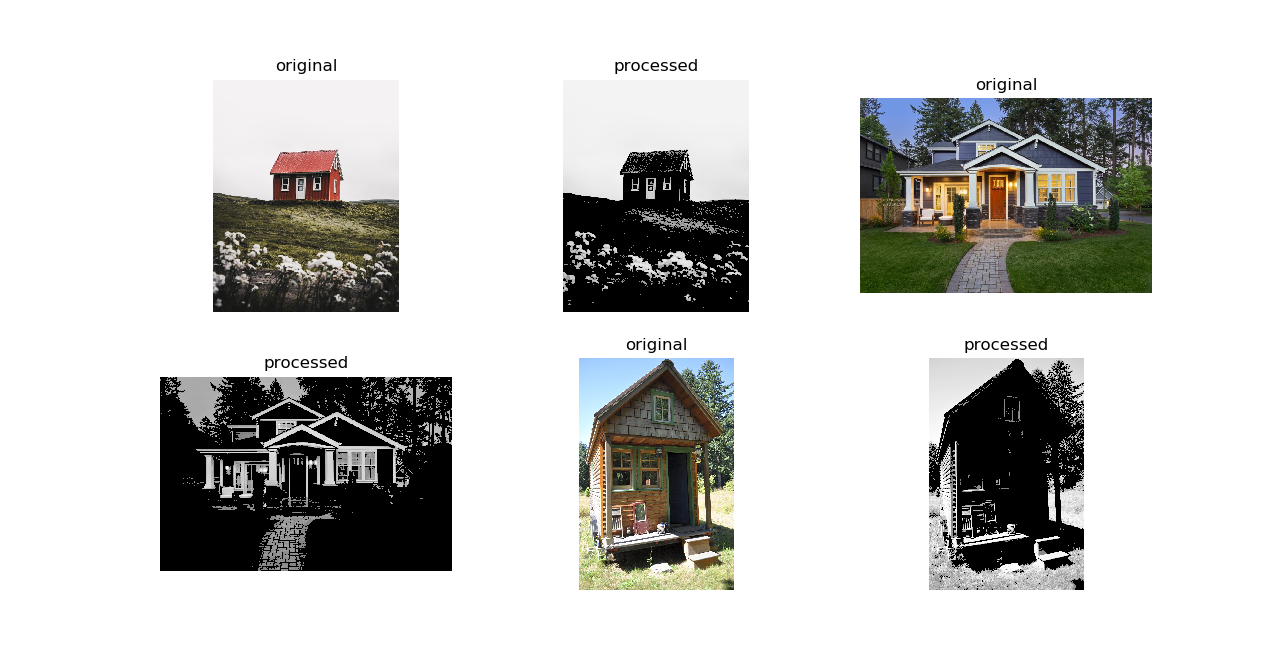
Thresholding applied to images of houses.
images_list=Segmentation("images/houses")
show_images(images_list.read_images(), images_list.threshold_images(threshold_method="thresh_to_zero"))
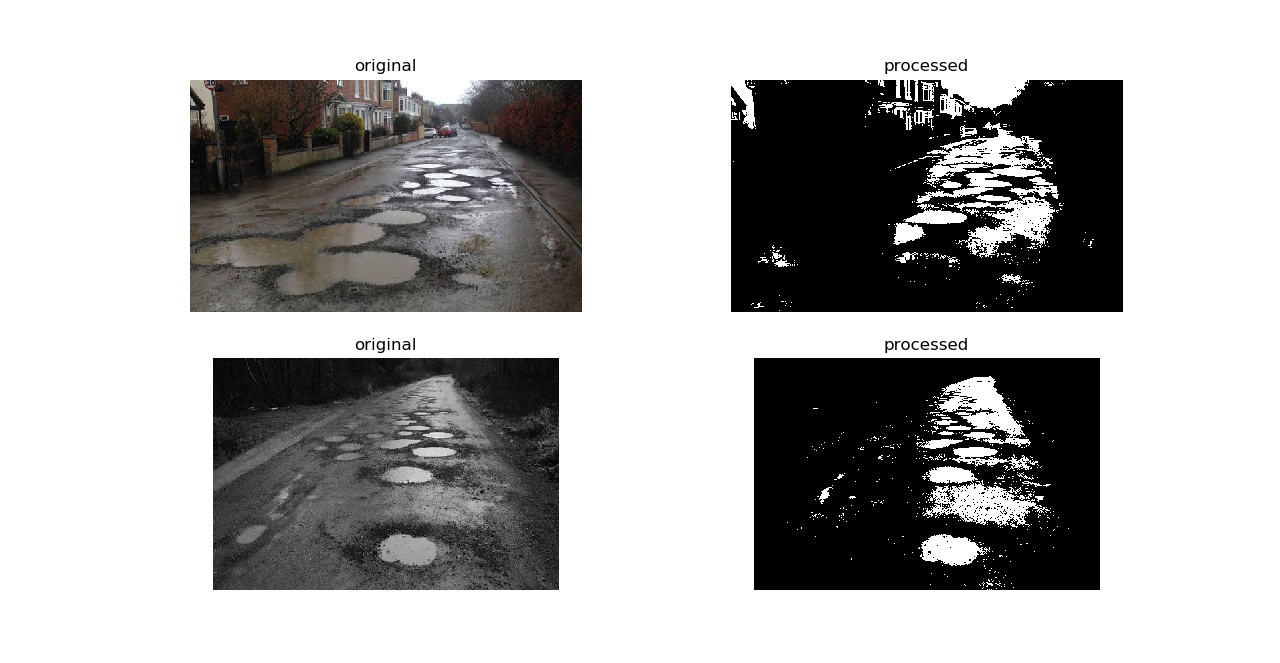
images_list=Segmentation("images/potholes")
show_images(images_list.read_images(), images_list.threshold_images("binary"))
These and more examples are available in example.py. Image sources are
shown in sources.md. If you feel attribution was not made, please file an issue and cite the violating image.
Citation
Nelson Gonzabato(2021) pyautocv: (Semi) Automated Image Processing, https://github.com/Nelson-Gon/pyautocv.
@misc {Gonzabato2021,
author = {Gonzabato, N},
title = {pyautocv: (Semi) Automated Image Processing},
year = {2021},
publisher = {GitHub},
journal = {GitHub repository},
howpublished = {\url{https://github.com/Nelson-Gon/pyautocv}},
commit = {7fe2e0f7894e8be4588a22758e8097c247cd1cd9}
Thank you very much
“A language that doesn't affect the way you think about programming is not worth knowing.” ― Alan J. Perlis
References
1 maintainer

Metadata
1 maintainer
Release files for pyautocv 0.3.1
For a detailed explanation of source distributions (sdists) and built distributions (wheels), please see the package formats documentation.
Source distribution (sdist)
| File | Size | Uploaded | Provenance | |
|---|---|---|---|---|
| pyautocv-0.3.1.tar.gz | 17.0 MB | Without provenance | Details |
Built distribution (wheel)
| File | Interpreter | ABI | Platform | Reset |
|---|---|---|---|---|
| pyautocv-0.3.1-py3-none-any.whl | Python 3 | none | any | Details |
Total release size: 17.0 MB
Release files / pyautocv-0.3.1.tar.gz
| Download URL | pyautocv-0.3.1.tar.gz |
|---|---|
| Size | 17.0 MB |
| Tags | Source |
|
SHA-256 checksum How to use checksums |
ab2234a569fc4d150ca34e162c830c788577eb2a9705962b206d5a906ed32748
|
|
BLAKE2b-256 checksum How to use checksums |
5ec012ec72c04e299f89385b82df29f991a74aad5cdecf540d57d8325c693602
|
| Upload date | |
|
Uploaded using Trusted Publishing? What is trusted publishing? |
No |
| Uploaded via |
twine/3.4.1 importlib_metadata/4.4.0 pkginfo/1.7.0 requests/2.25.1 requests-toolbelt/0.9.1 tqdm/4.61.0 CPython/3.6.13
|
Release files / pyautocv-0.3.1-py3-none-any.whl
| Download URL | pyautocv-0.3.1-py3-none-any.whl |
|---|---|
| Size | 10.1 kB |
| Tags | Python 3 |
|
SHA-256 checksum How to use checksums |
26e2330d1b6ebaefa894a611eef37dd08a94d59171bb458f34658234ba41a786
|
|
BLAKE2b-256 checksum How to use checksums |
22312ba62379bcc976d2642e200a5c2390586fe5f3384e0e0f7790d200eaf681
|
| Upload date | |
|
Uploaded using Trusted Publishing? What is trusted publishing? |
No |
| Uploaded via |
twine/3.4.1 importlib_metadata/4.4.0 pkginfo/1.7.0 requests/2.25.1 requests-toolbelt/0.9.1 tqdm/4.61.0 CPython/3.6.13
|
Security for pyautocv 0.3.1
Provenance
Provenance describes where a file came from. On PyPI, provenance is shared via attestations, which provide a verifiable record of the build or publishing details. View details, limitations and caveats.
No provenance found
None of the files in this release were uploaded with provenance metadata.
A note on package security
PyPI is a repository for distributing packages, not a service for auditing them. While third-party security researchers and our staff do their best to detect and remove malicious packages, PyPI cannot guarantee the quality, security or suitability of any given package.














