
A Python package for managing Sentinel-2 satellite data cubes 🚀




GitHub: https://github.com/IPL-UV/satcube 🌐
PyPI: https://pypi.org/project/satcube/ 🛠️
Overview 📊
satcube is a Python package designed for efficient management, processing, and analysis of Sentinel-2 satellite image cubes. It allows for downloading, cloud masking, gap filling, and super-resolving Sentinel-2 imagery, as well as creating monthly composites and performing interpolation.
Key Features ✨
- Satellite image download: Retrieve Sentinel-2 images from Earth Engine efficiently. 🛰️
- Cloud masking: Automatically remove clouds from Sentinel-2 images. ☁️
- Gap filling: Fill missing data using methods like linear interpolation and histogram matching. 🧩
- Super-resolution: Apply super-resolution models to enhance image quality. 🔍
- Monthly composites: Aggregate images into monthly composites with various statistical methods. 📅
- Temporal smoothing: Smooth reflectance values across time using interpolation techniques. 📈
Installation ⚙️
Install the latest version from PyPI:
pip install satcube
How to use 🛠️
Basic usage: working with sentinel-2 data 🌍
Load libraries
import ee
import satcube
Authenticate and initialize earth engine
ee.Authenticate()
ee.Initialize(project="ee-csaybar-real")
Download model weights
outpath = satcube.download_weights(path="weights")
Create a satellite dataCube
datacube = satcube.SatCube(
    coordinates=(-77.68598590138802,-8.888223962022263),
    sensor=satcube.Sentinel2(weight_path=outpath, edge_size=384),
    output_dir="wendy01",
    max_workers=12,
    device="cuda",
)
Query and process sentinel-2 data 🛰️
Query the sentinel-2 image collection
# Query the Sentinel-2 image collection
table_query = datacube.metadata_s2()

# Filter images based on cloud cover and remove duplicates
table_query_subset = table_query[table_query["cs_cdf"] > 0.30]
table_query_subset = table_query_subset.drop_duplicates(subset="img_date")
mgrs_tile_max = table_query_subset["mgrs_title"].value_counts().idxmax()
table_query_subset = table_query_subset[table_query_subset["mgrs_title"] == mgrs_tile_max]
Download sentinel-2 images
table_download = datacube.download_s2_image(table_query_subset)
Cloud masking
# Remove clouds from the images
table_nocloud = datacube.cloudmasking_s2(table_download)
table_nocloud = table_nocloud[table_nocloud["cloud_cover"] < 0.75]
table_nocloud.reset_index(drop=True, inplace=True)
Gap filling
# Fill missing data in the images
table_nogaps = datacube.gapfilling_s2(table_nocloud)
table_nogaps = table_nogaps[table_nogaps["match_error"] < 0.1]
Monthly composites and image smoothing 📅
Create monthly composites
# Generate monthly composites
table_composites = datacube.monthly_composites_s2(
    table_nogaps, agg_method="median", date_range=("2016-01-01", "2024-07-31")
)
Interpolate missing data
# Interpolate missing months if necessary
table_interpolate = datacube.interpolate_s2(table=table_composites)
Smooth reflectance values
# Smooth reflectance values across time
table_smooth = datacube.smooth_s2(table=table_interpolate)
Super-resolution and visualization 📐
Super-resolution
# Apply super-resolution to the image cube
# table_final = datacube.super_s2(table_smooth)
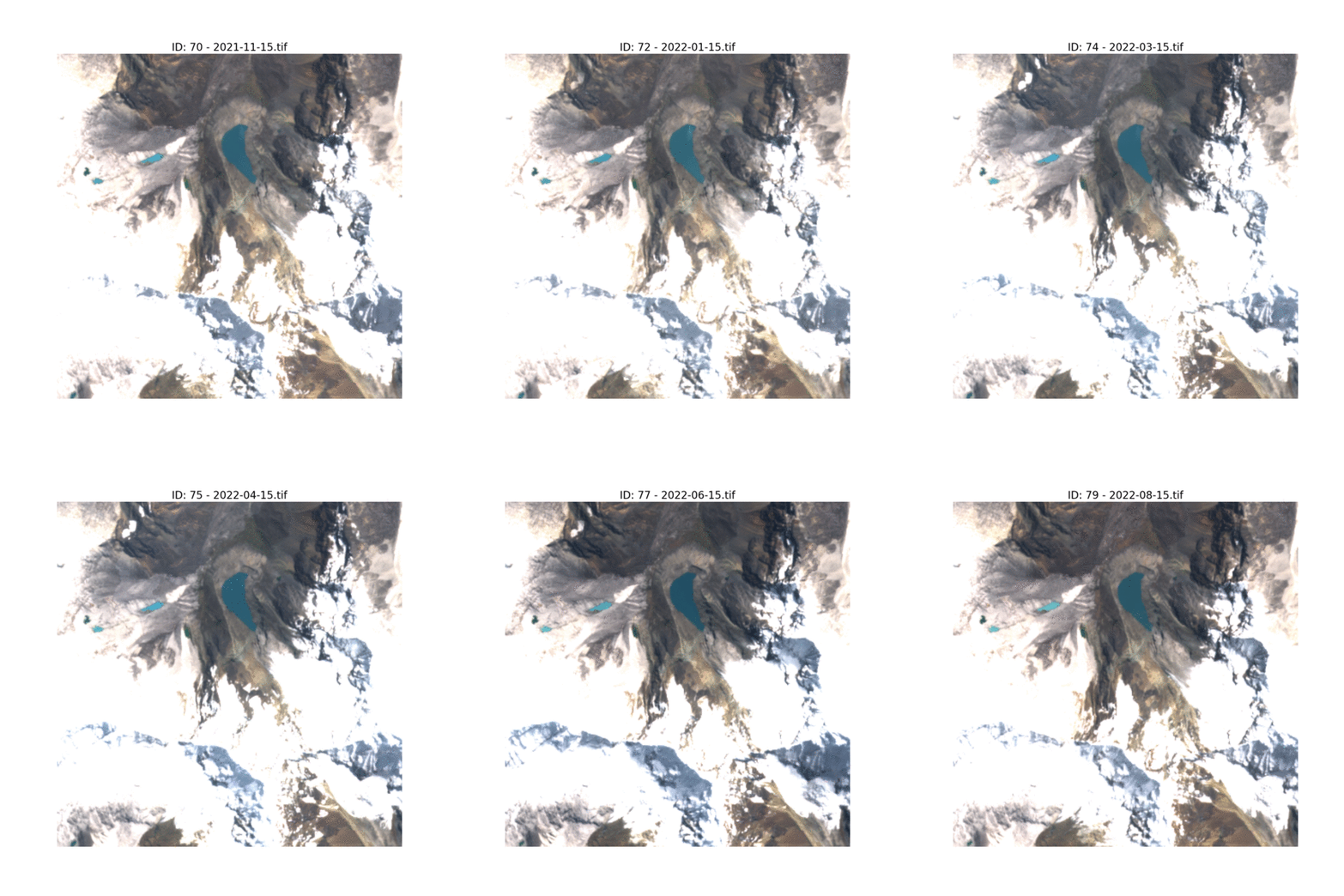
Display images
# Display the images from the data cube
datacube.display_images(table=table_smooth)
Create a GIF
# !apt-get install imagemagick
import os
os.system("convert -delay 20 -loop 0 wendy01/z_s2_07_smoothed_png/temp_07*.png animation.gif")

from IPython.display import Image
Image(filename='animation.gif', width=500)
Smooth reflectance values
# Smooth reflectance values across time
table_smooth = datacube.smooth_s2(table=table_interpolate)
Supported features and filters ✨
- Cloud masking: Efficient removal of clouds from satellite images.
- Resampling methods: Various methods for resampling and aligning imagery.
- Super-resolution: ONNX-based models for improving image resolution.
2 maintainers


Metadata
2 maintainers
Release files for satcube 0.1.46
For a detailed explanation of source distributions (sdists) and built distributions (wheels), please see the package formats documentation.
Source distribution (sdist)
| File | Size | Uploaded | Provenance | Actions |
|---|---|---|---|---|
| satcube-0.1.46.tar.gz | 37.4 kB | Without provenance | Details for satcube-0.1.46.tar.gz |
Built distribution (wheel)
| File | Interpreter | ABI | Platform | Actions Reset |
|---|---|---|---|---|
| satcube-0.1.46-py3-none-any.whl | Python 3 | none | any | Details for satcube-0.1.46-py3-none-any.whl |
Total release size: 81.1 kB
Release files / satcube-0.1.46.tar.gz
| Download URL | satcube-0.1.46.tar.gz |
|---|---|
| Size | 37.4 kB |
| Tags | Source |
|
SHA-256 checksum How to use checksums |
f5122056092d87a9ba2d1fb057c51ae05863767ecc54ad39aeb2642299924a2d
|
|
BLAKE2b-256 checksum How to use checksums |
71574db71c4b3de6395804e9967fb13df846cdc347967f908967b5f3cd2ad91c
|
| Upload date | |
|
Uploaded using Trusted Publishing? What is trusted publishing? |
No |
| Uploaded via |
poetry/2.4.1 CPython/3.12.13 Windows/11
|
Release files / satcube-0.1.46-py3-none-any.whl
| Download URL | satcube-0.1.46-py3-none-any.whl |
|---|---|
| Size | 43.6 kB |
| Tags | Python 3 |
|
SHA-256 checksum How to use checksums |
2be2e2d5478db57d15a583cf0e4b47c24848b410e01ae5b7e6405c23f040b58e
|
|
BLAKE2b-256 checksum How to use checksums |
6932dac4d501f88e20eafd3d2e05653b918012fc95e9ff0df4d6f50ae996b35c
|
| Upload date | |
|
Uploaded using Trusted Publishing? What is trusted publishing? |
No |
| Uploaded via |
poetry/2.4.1 CPython/3.12.13 Windows/11
|
Security for satcube 0.1.46
Provenance
Provenance describes where a file came from. On PyPI, provenance is shared via attestations, which provide a verifiable record of the build or publishing details. View details, limitations and caveats.
No provenance found
None of the files in this release were uploaded with provenance metadata.
A note on package security
PyPI is a repository for distributing packages, not a service for auditing them. While third-party security researchers and our staff do their best to detect and remove malicious packages, PyPI cannot guarantee the quality, security or suitability of any given package.
To learn more about protecting yourself from malicious actors, visit our package security documentation.














