
Things Python CLI
A simple Python 3 CLI to read your Things app data using the things.py API.








Table of Contents
Install
$ pip3 install things-cli
# or
$ git clone https://github.com/thingsapi/things-cli && cd things-cli && make install
Examples
% things-cli inbox
 -  To-Do in Inbox with Checklist Items  ( Inbox )
 -  To-Do in Inbox  ( Inbox )

% things-cli --recursive areas
- Area 3 ()
  - Todo in Area 3 (Area 3)
- Area 2 ()
- Area 1 ()
  - Project in Area 1 (Area 1)
    - Todo in Area 1 (Project in Area 1)
    - Heading (Project in Area 1)
      - To-Do in Heading (Heading)
  - To-Do in Area 1 (Area 1)

% things-cli --json today|jq
[
  {
    "uuid": "5pUx6PESj3ctFYbgth1PXY",
    "type": "to-do",
    "title": "To-Do in Today",
    "status": "incomplete",
    "notes": "With\nNotes",
    "start": "Anytime",
    "start_date": "2021-03-28",
    "deadline": null,
    "stop_date": null,
    "created": "2021-03-28 21:11:22",
    "modified": "2021-03-28 21:11:30"
  }
]

% things-cli --csv --recursive all > all.csv && open all.csv

% things-cli --opml --recursive all > all.opml && open all.opml

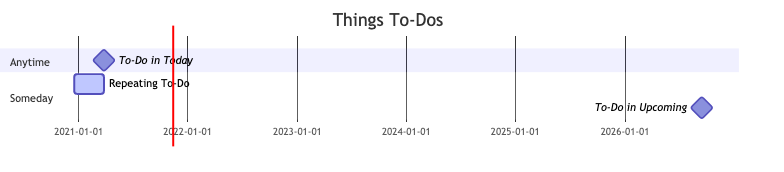
% things-cli --gantt --recursive all > all.mmd && mmdc -i all.mmd -o all.png && open all.png

% things-cli -h
usage: cli.py [-h] [-p FILTER_PROJECT] [-a FILTER_AREA] [-t FILTER_TAG] [-e] [-o] [-j] [-c] [-g] [-r] [-d DATABASE] [--version] command ...

Simple read-only Thing 3 CLI.

positional arguments:
  command
    inbox               Shows inbox tasks
    today               Shows todays tasks
    upcoming            Shows upcoming tasks
    anytime             Shows anytime tasks
    completed           Shows completed tasks
    someday             Shows someday tasks
    canceled            Shows canceled tasks
    trash               Shows trashed tasks
    todos               Shows all todos
    all                 Shows all tasks
    areas               Shows all areas
    projects            Shows all projects
    logbook             Shows completed tasks
    logtoday            Shows tasks completed today
    tags                Shows all tags ordered by their usage
    deadlines           Shows tasks with due dates
    feedback            Give feedback
    search              Searches for a specific task

optional arguments:
  -h, --help            show this help message and exit
  -p FILTER_PROJECT, --filter-project FILTER_PROJECT
                        filter by project
  -a FILTER_AREA, --filter-area FILTER_AREA
                        filter by area
  -t FILTER_TAG, --filtertag FILTER_TAG
                        filter by tag
  -e, --only-projects   export only projects
  -o, --opml            output as OPML
  -j, --json            output as JSON
  -c, --csv             output as CSV
  -g, --gantt           output as mermaid-js GANTT
  -r, --recursive       in-depth output
  -d DATABASE, --database DATABASE
                        set path to database
  --version, -v         show program's version number and exit
Screenshots
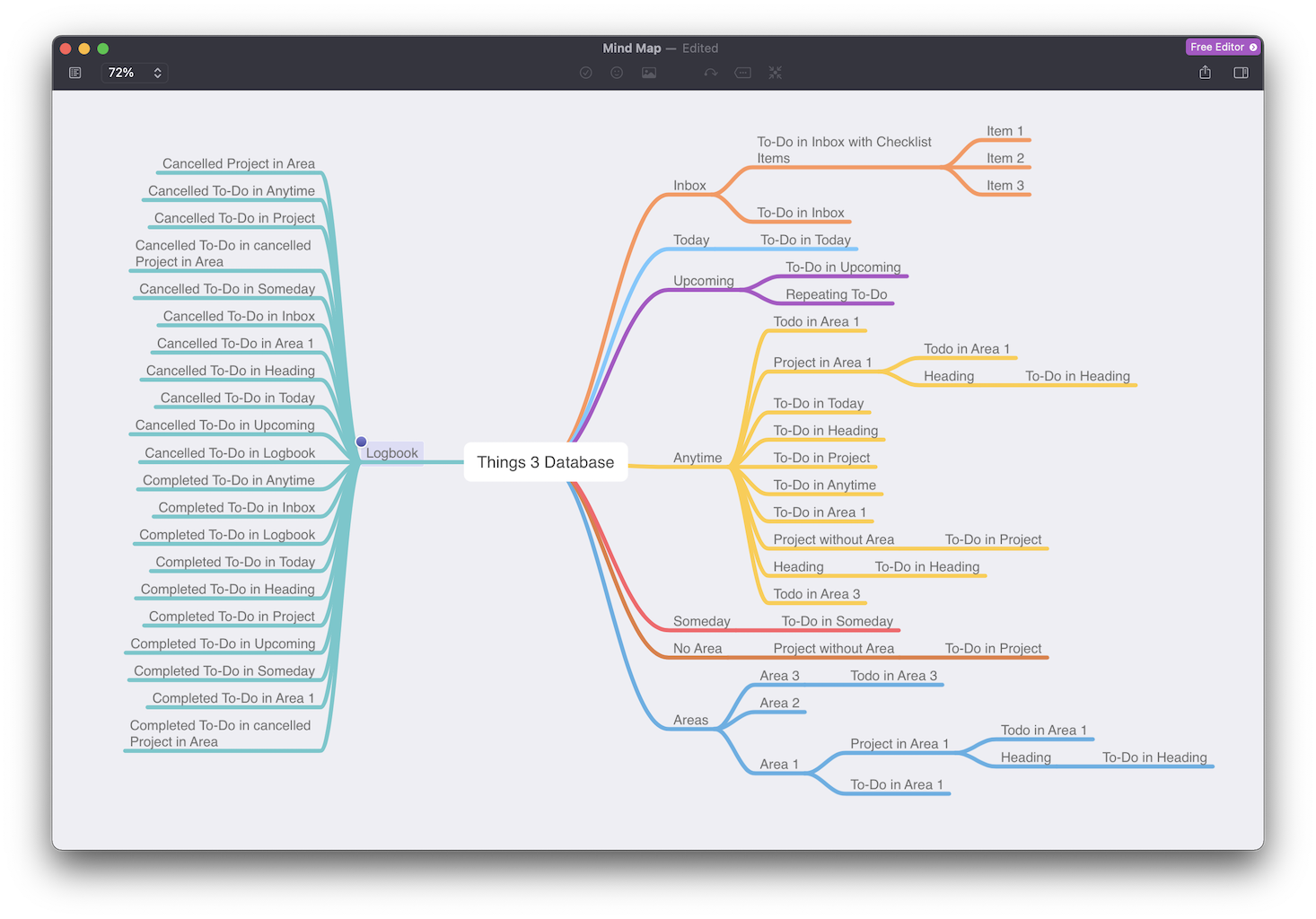
Mindmap
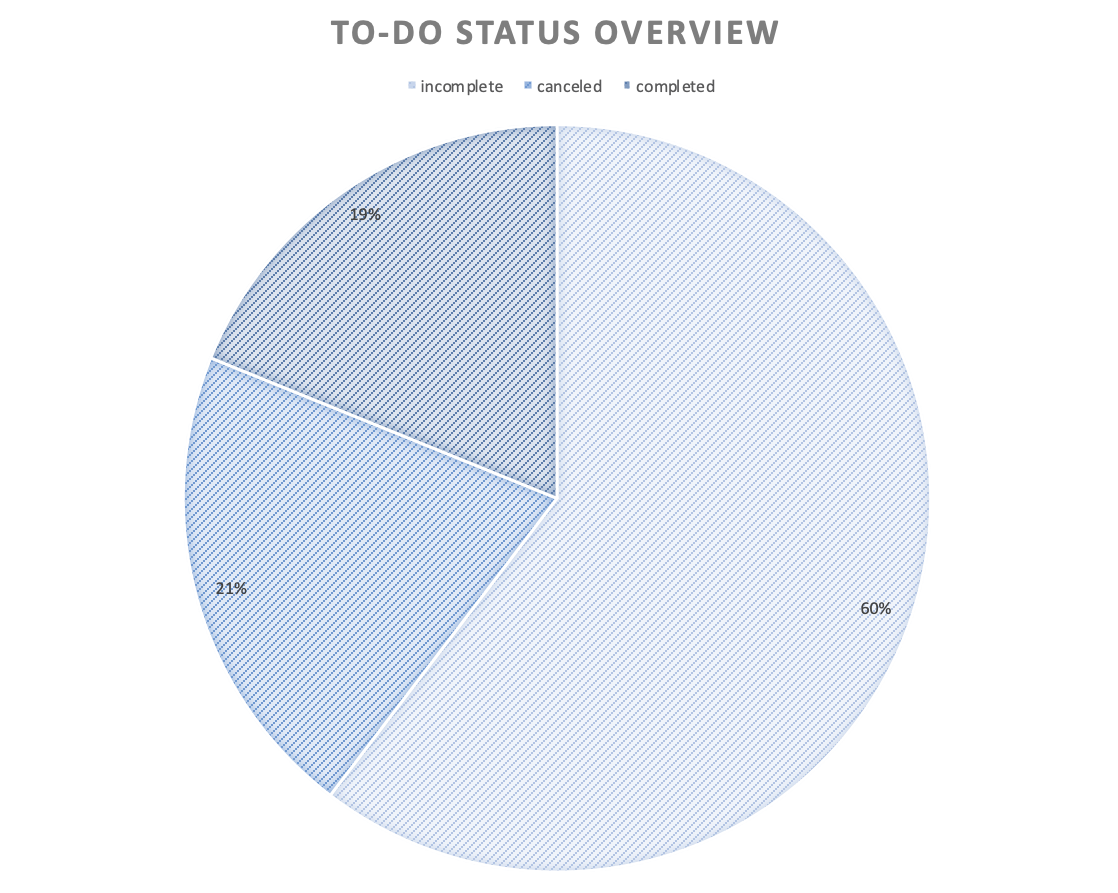
Excel
GANTT
1 maintainer

Metadata
1 maintainer
Release files for things-cli 0.2.1
For a detailed explanation of source distributions (sdists) and built distributions (wheels), please see the package formats documentation.
Source distribution (sdist)
| File | Size | Uploaded | Provenance | Actions |
|---|---|---|---|---|
| things-cli-0.2.1.tar.gz | 9.7 kB | Without provenance | Details for things-cli-0.2.1.tar.gz |
Release files / things-cli-0.2.1.tar.gz
| Download URL | things-cli-0.2.1.tar.gz |
|---|---|
| Size | 9.7 kB |
| Tags | Source |
|
SHA-256 checksum How to use checksums |
2149f952af02842959912752e97a1df139f6fad0f64c3e881c6251cb468c3221
|
|
BLAKE2b-256 checksum How to use checksums |
b09797d2d48a2f892ab856b63db9f71d6d1021ba72bdc0abdaa421c46d8ff3fe
|
| Upload date | |
|
Uploaded using Trusted Publishing? What is trusted publishing? |
No |
| Uploaded via |
twine/4.0.2 CPython/3.9.16
|
Security for things-cli 0.2.1
Provenance
Provenance describes where a file came from. On PyPI, provenance is shared via attestations, which provide a verifiable record of the build or publishing details. View details, limitations and caveats.
No provenance found
None of the files in this release were uploaded with provenance metadata.
A note on package security
PyPI is a repository for distributing packages, not a service for auditing them. While third-party security researchers and our staff do their best to detect and remove malicious packages, PyPI cannot guarantee the quality, security or suitability of any given package.
To learn more about protecting yourself from malicious actors, visit our package security documentation.














