
Tubby

A utility for the Genshin Impact Housing system.


Installation | Usage | Workflow | Contributing
Installation
pip install tubby
Verification
To verify that Tubby is installed, run:
python -c "import tubby"
Usage
Run the following command to display a helpful message:
tubby -h
Usage: tubby [options] <command> [Args]

  A utility for the Genshin Impact Housing system

Options:
  -h, --help  Show this message and exit.

Commands:
  analyze   Performs analysis on inventory
  backup    Creates or loads inventory backup
  download  Downloads housing metadata
  info      Displays package information
  manage    Manages inventory
  reset     Resets inventory
Workflow
download metadata from the Genshin Impact Wiki
Tubby scrapes the Wiki and collects relevant metadata for the housing sets and furnishings.
tubby download
Refreshing sources...

Gathering 342 Furnishings...
100%|█████████████████████████████████████████████████████████████████████████████| 342/342 [01:56<00:00,  2.93page/s]

Gathering 45 Sets...
100%|███████████████████████████████████████████████████████████████████████████████| 45/45 [00:16<00:00,  2.72page/s]

Housing metadata updated!
manage your inventory
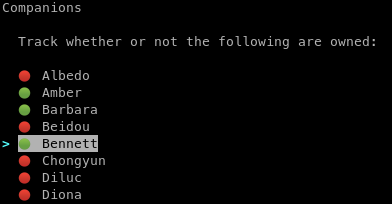
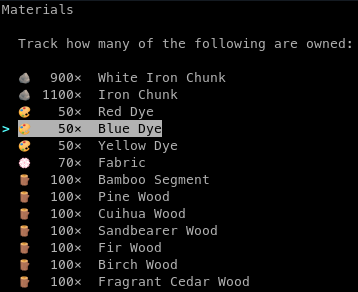
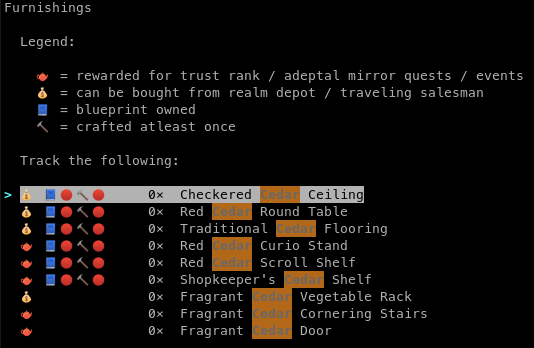
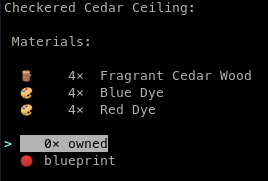
Start tracking your in-game inventory of characters, materials, furnishings and sets.
tubby manage
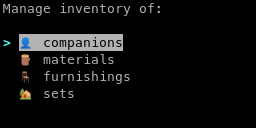
Companions
Materials
Furnishings
Sets
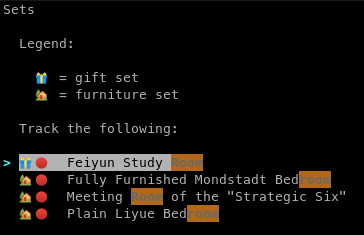
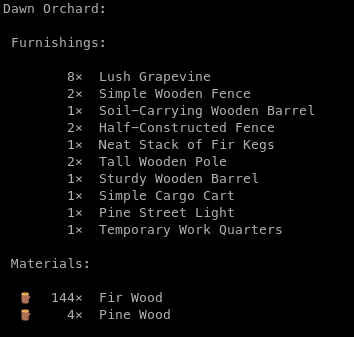
To navigate between the menus, use:
- Enter to select an option,
- ↑ & ↓ to cycle through the options,
- / to open a search prompt, and
- Esc to return to the previous menu/ quit.
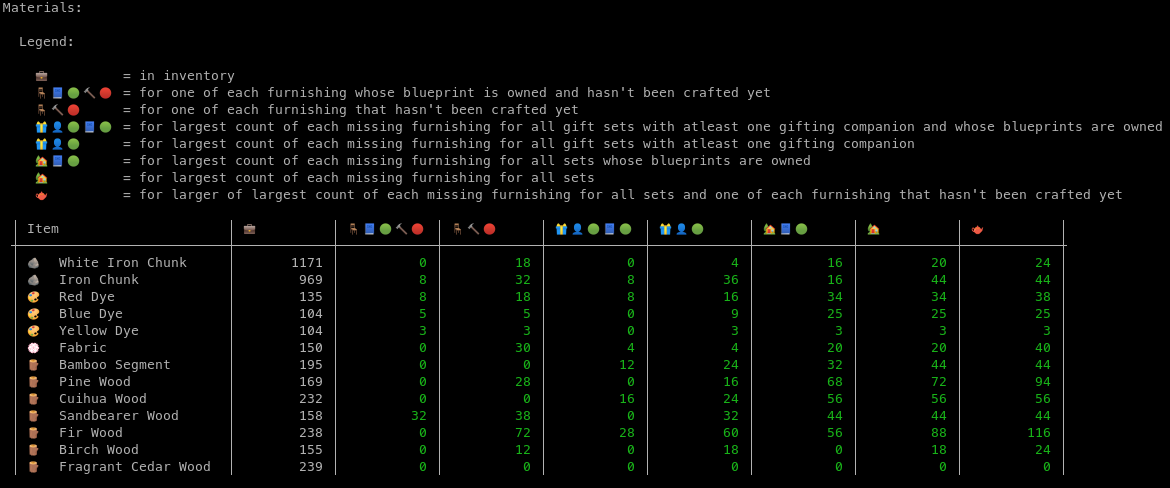
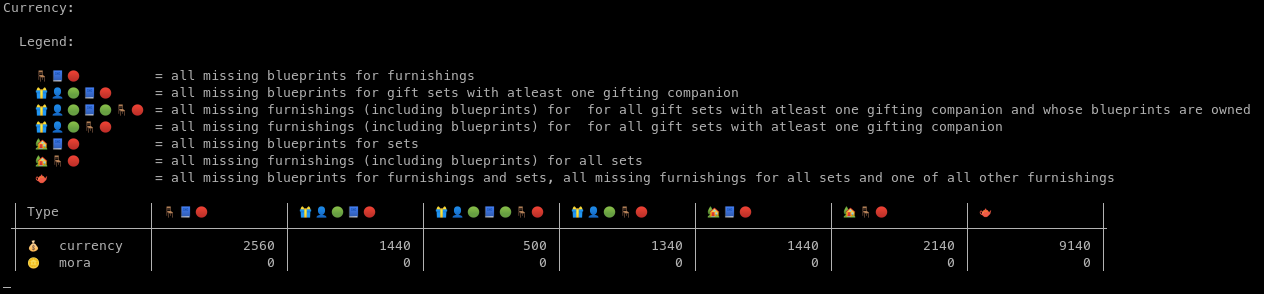
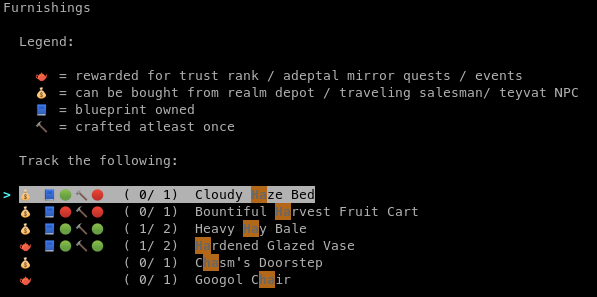
analyze your inventory
Find out how many of which resources (materials, currency, missing furnishings, etc.) are required to meet certain milestones.
tubby analyze
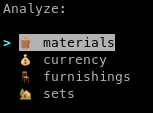
Materials
Currency
Furnishings
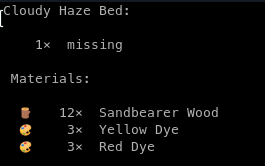
Sets
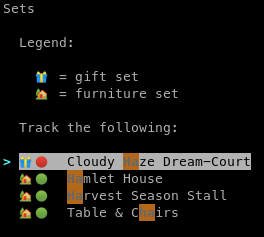
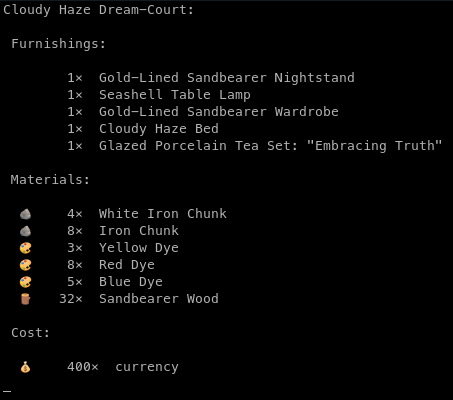
import / export backup inventory data
Create backups of the information saved with Tubby and export them later.
Import backup from file
tubby backup -i backup/my_inventory.json
Are you sure you want to import inventory from 'backup/my_inventory.json'? [y/N]: y
Imported backup!
Export backup to file
tubby backup -e backup/my_inventory.json
Are you sure you want to export inventory to 'backup/my_inventory.json'? [y/N]: y
Exported backup!
Tubby uses
.jsonfiles for storing data.
reset data
Deletes information loaded into Tubby.
tubby reset
Are you sure you want to delete your inventory? [y/N]: y
Deleted inventory!
This resets only the inventory data. Metadata is not deleted.
Contributing
Do you have a feature request, bug report, or patch? Great! Check out the contributing guidelines!
License
Copyright (c) 2021 Kelvin DeCosta. Released under the MIT License. See LICENSE for details.
This project is not affiliated with or endorsed by miHoYo. Genshin Impact and miHoYo are trademarks or registered trademarks of miHoYo. Genshin Impact © miHoYo.
1 maintainer

Metadata
1 maintainer
Release files for tubby 1.0.3
For a detailed explanation of source distributions (sdists) and built distributions (wheels), please see the package formats documentation.
Source distribution (sdist)
| File | Size | Uploaded | Provenance | Actions |
|---|---|---|---|---|
| tubby-1.0.3.tar.gz | 20.8 kB | Without provenance | Details for tubby-1.0.3.tar.gz |
Built distribution (wheel)
| File | Interpreter | ABI | Platform | Actions Reset |
|---|---|---|---|---|
| tubby-1.0.3-py3-none-any.whl | Python 3 | none | any | Details for tubby-1.0.3-py3-none-any.whl |
Total release size: 42.8 kB
Release files / tubby-1.0.3.tar.gz
| Download URL | tubby-1.0.3.tar.gz |
|---|---|
| Size | 20.8 kB |
| Tags | Source |
|
SHA-256 checksum How to use checksums |
5acfc51d9b58d068da0cd95f3a0921c95b8c5fd91315cbcf545b98141916d0ce
|
|
BLAKE2b-256 checksum How to use checksums |
645c13cb7a1885cf3be8c0bf8579c9b3e5c85a538ab0bdf1e9e0c8e13783d6b9
|
| Upload date | |
|
Uploaded using Trusted Publishing? What is trusted publishing? |
No |
| Uploaded via |
twine/3.4.1 importlib_metadata/4.6.1 pkginfo/1.7.1 requests/2.25.1 requests-toolbelt/0.9.1 tqdm/4.61.1 CPython/3.9.5
|
Release files / tubby-1.0.3-py3-none-any.whl
| Download URL | tubby-1.0.3-py3-none-any.whl |
|---|---|
| Size | 22.0 kB |
| Tags | Python 3 |
|
SHA-256 checksum How to use checksums |
5cec983a54fe9d60ce33de6628acd4102f1127f2b6b4ccb9ef8a165eba91ae9b
|
|
BLAKE2b-256 checksum How to use checksums |
1c4e6ba00f6a886a82de6830dbbf21c4aa228d27a0fe059814993a1c85fb12a6
|
| Upload date | |
|
Uploaded using Trusted Publishing? What is trusted publishing? |
No |
| Uploaded via |
twine/3.4.1 importlib_metadata/4.6.1 pkginfo/1.7.1 requests/2.25.1 requests-toolbelt/0.9.1 tqdm/4.61.1 CPython/3.9.5
|
Security for tubby 1.0.3
Provenance
Provenance describes where a file came from. On PyPI, provenance is shared via attestations, which provide a verifiable record of the build or publishing details. View details, limitations and caveats.
No provenance found
None of the files in this release were uploaded with provenance metadata.
A note on package security
PyPI is a repository for distributing packages, not a service for auditing them. While third-party security researchers and our staff do their best to detect and remove malicious packages, PyPI cannot guarantee the quality, security or suitability of any given package.
To learn more about protecting yourself from malicious actors, visit our package security documentation.














