
Xbox-Smartglass-Core




This library provides the core foundation for the smartglass protocol that is used with the Xbox One Gaming console
For in-depth information, check out the documentation: https://openxbox.org/smartglass-documentation
NOTE: Since 29.02.2020 the following modules are integrated into core: stump, auxiliary, rest-server NOTE: Nano module is still offered seperately
Features
- Power on / off the console
- Get system info (running App/Game/Title, dashboard version)
- Media player control (seeing content id, content app, playback actions etc.)
- Stump protocol (Live-TV Streaming / IR control)
- Title / Auxiliary stream protocol (f.e. Fallout 4 companion app)
- Trigger GameDVR remotely
- REST Server
Major frameworks used
- Xbox WebAPI https://github.com/OpenXbox/xbox-webapi-python
- construct - Binary parsing https://construct.readthedocs.io/
- cryptography - cryptography magic https://cryptography.io/en/stable/
- dpkt - pcap parsing https://dpkt.readthedocs.io/en/latest/
- FastAPI - REST API https://github.com/tiangolo/fastapi
- urwid - TUI app https://github.com/urwid/urwid
- pydantic - JSON models https://github.com/samuelcolvin/pydantic
Install
Via pip
pip install xbox-smartglass-core
See the end of this README for development-targeted instructions.
How to use
There are several command line utilities to check out::
xbox-cli
Some functionality, such as GameDVR record, requires authentication with your Microsoft Account to validate you have the right to trigger such action.
To authenticate / get authentication tokens use::
xbox-authenticate
REST server
Start the server daemon
Usage information
Example localhost:
# Serve on '127.0.0.1:5557'
$ xbox-rest-server
INFO:     Started server process [927195]
INFO:     Waiting for application startup.
INFO:     Application startup complete.
INFO:     Uvicorn running on http://127.0.0.1:5557 (Press CTRL+C to quit)
Example local network:
192.168.0.100 is the IP address of your computer running the server:
xbox-rest-server --host 192.168.0.100 -p 1234
INFO:     Started server process [927195]
INFO:     Waiting for application startup.
INFO:     Application startup complete.
INFO:     Uvicorn running on http://192.168.0.100:1234 (Press CTRL+C to quit)
REST API
Since the migration from Flask framework to FastAPI, there is a nice OpenAPI documentation available:
http://{IPAddress}:{port}/docs
Authentication
If your server runs on something else than 127.0.0.1:5557 or 127.0.0.1:8080 you need to register your own OAUTH application on Azure AD and supply appropriate parameters to the login-endpoint of the REST server.
Check out: https://github.com/OpenXbox/xbox-webapi-python/blob/master/README.md
Fallout 4 relay service
To forward the title communication from the Xbox to your local host to use third-party Fallout 4 Pip boy applications or extensions
xbox-fo4-relay
Screenshots
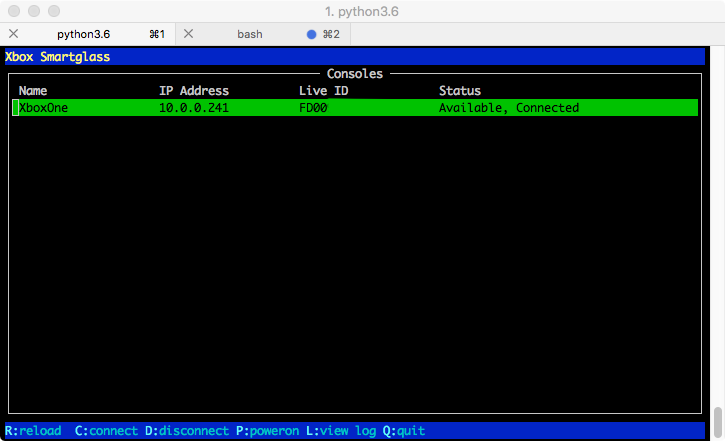
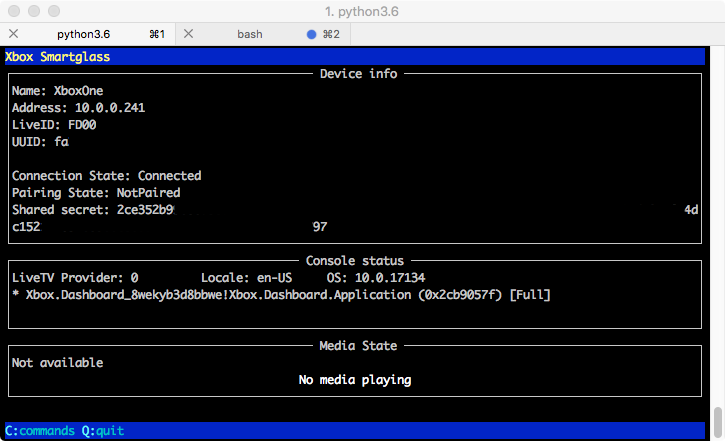
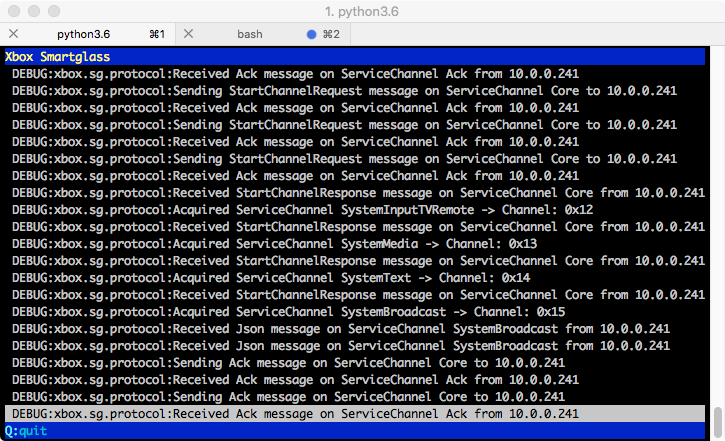
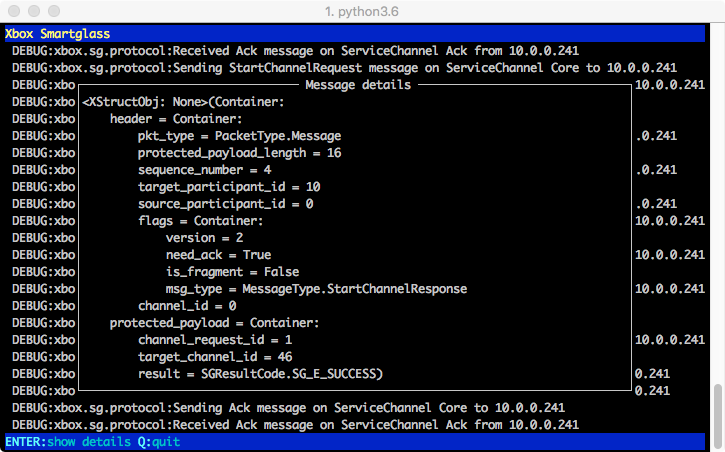
Here you can see the SmartGlass TUI (Text user interface):
Development workflow
Ready to contribute? Here's how to set up xbox-smartglass-core-python for local development.
- Fork the
xbox-smartglass-core-pythonrepo on GitHub. - Clone your fork locally
git clone git@github.com:your_name_here/xbox-smartglass-core-python.git
- Install your local copy into a virtual environment. This is how you set up your fork for local development
python -m venv ~/pyvenv/xbox-smartglass
source ~/pyvenv/xbox-smartglass/bin/activate
cd xbox-smartglass-core-python
pip install -e .[dev]
- Create a branch for local development::
git checkout -b name-of-your-bugfix-or-feature
-
Make your changes.
-
Before pushing the changes to git, please verify they actually work
pytest
- Commit your changes and push your branch to GitHub::
git commit -m "Your detailed description of your changes."
git push origin name-of-your-bugfix-or-feature
- Submit a pull request through the GitHub website.
Pull Request Guidelines
Before you submit a pull request, check that it meets these guidelines:
- Code includes unit-tests.
- Added code is properly named and documented.
- On major changes the README is updated.
- Run tests / linting locally before pushing to remote.
Credits
Kudos to joelday for figuring out the AuxiliaryStream / TitleChannel communication first! You can find the original implementation here: SmartGlass.CSharp
This package uses parts of Cookiecutter and the audreyr/cookiecutter-pypackage project template
CHANGELOG
1.3.0 (2020-11-02)
- Drop Python 3.6 support
- Deprecate Authentication via TUI
- Major rewrite (Migration from gevent -> asyncio)
- Rewrite of REST Server (Migration FLASK -> FastAPI)
- Adjust to xbox-webapi-python v2.0.8
- New OAUTH login flow
1.2.2 (2020-04-03)
- Fix: Assign tokenfile path to flask_app (aka. REST server instance)
1.2.1 (2020-03-04)
- cli: Python3.6 compatibility change
- HOTFIX: Add xbox.handlers to packages in setup.py
1.2.0 (2020-03-04)
- CLI scripts rewritten, supporting log/loglevel args now, main script is called xbox-cli now
- Add REPL / REPL server functionality
- Updates to README and REST server documentation
1.1.2 (2020-02-29)
- Drop support for Python 3.5
- crypto: Fix deprecated cryptography functions
- tests: Speed up REST server tests (discovery, poweron)
- Update all dependencies
1.1.1 (2020-02-29)
- FIX: Include static files for REST server in distributable package
- REST: Remove deprecated packages from showing in /versions endpoint
1.1.0 (2020-02-29)
- Clean up dependencies
- Merge in xbox-smartglass-rest, deprecate standalone package
- Merge in xbox-smartglass-stump, deprecate standalone package
- Merge in xbox-smartglass-auxiliary, deprecate standalone package
- tui: Fix crash when bringing up command menu, support ESC to exit
1.0.12 (2018-11-14)
- Python 3.7 compatibility
1.0.11 (2018-11-05)
- Add game_dvr_record to Console-class
- Fix PCAP parser
- Add last_error property to Console-class
1.0.10 (2018-08-14)
- Safeguard around connect() functions, if userhash and xsts_token is NoneType
1.0.9 (2018-08-11)
- Fix for Console instance poweron
- Reset state after poweroff
- Little fixes to TUI
- Support handling MessageFragments
1.0.8 (2018-06-14)
- Use aenum library for backwards-compat with enum.Flag on py3.5
1.0.7 (2018-05-16)
- CoreProtocol.connect: Treat ConnectionResult.Pending as error
- constants.WindowsClientInfo: Update ClientVersion 15 -> 39
- Make CoreProtocol.start_channel take optional title_id / activity_id arguments
1.0.1 (2018-05-03)
- First release on PyPI.
1 maintainer

Metadata
1 maintainer
Release files for xbox-smartglass-core 1.3.0
For a detailed explanation of source distributions (sdists) and built distributions (wheels), please see the package formats documentation.
Source distribution (sdist)
| File | Size | Uploaded | Provenance | Actions |
|---|---|---|---|---|
| xbox-smartglass-core-1.3.0.tar.gz | 395.5 kB | Without provenance | Details for xbox-smartglass-core-1.3.0.tar.gz |
Built distribution (wheel)
| File | Interpreter | ABI | Platform | Actions Reset |
|---|---|---|---|---|
| xbox_smartglass_core-1.3.0-py2.py3-none-any.whl | Python 2, Python 3 | none | any | Details for xbox_smartglass_core-1.3.0-py2.py3-none-any.whl |
Total release size: 481.2 kB
Release files / xbox-smartglass-core-1.3.0.tar.gz
| Download URL | xbox-smartglass-core-1.3.0.tar.gz |
|---|---|
| Size | 395.5 kB |
| Tags | Source |
|
SHA-256 checksum How to use checksums |
5d93dbf60cf0afa2e6c4b8fda28a14149f26efa812455bdb3ec201cac133ecf8
|
|
BLAKE2b-256 checksum How to use checksums |
8d01c10e3d307f3d3ce47ec7fe702112d47d9ab299516960fc32046752356640
|
| Upload date | |
|
Uploaded using Trusted Publishing? What is trusted publishing? |
No |
| Uploaded via |
twine/3.2.0 pkginfo/1.6.1 requests/2.24.0 setuptools/49.2.1 requests-toolbelt/0.9.1 tqdm/4.51.0 CPython/3.8.6
|
Release files / xbox_smartglass_core-1.3.0-py2.py3-none-any.whl
| Download URL | xbox_smartglass_core-1.3.0-py2.py3-none-any.whl |
|---|---|
| Size | 85.7 kB |
| Tags | Python 2 Python 3 |
|
SHA-256 checksum How to use checksums |
c89893f95a080fb58438d3f033b6f19007bc7c408f5fdf0539bdeca9bf794c59
|
|
BLAKE2b-256 checksum How to use checksums |
6bb5a712b07a6b0a05519d273e96702d15ac612205f79c0908b0ccbe215dac70
|
| Upload date | |
|
Uploaded using Trusted Publishing? What is trusted publishing? |
No |
| Uploaded via |
twine/3.2.0 pkginfo/1.6.1 requests/2.24.0 setuptools/49.2.1 requests-toolbelt/0.9.1 tqdm/4.51.0 CPython/3.8.6
|
Security for xbox-smartglass-core 1.3.0
Provenance
Provenance describes where a file came from. On PyPI, provenance is shared via attestations, which provide a verifiable record of the build or publishing details. View details, limitations and caveats.
No provenance found
None of the files in this release were uploaded with provenance metadata.
A note on package security
PyPI is a repository for distributing packages, not a service for auditing them. While third-party security researchers and our staff do their best to detect and remove malicious packages, PyPI cannot guarantee the quality, security or suitability of any given package.
To learn more about protecting yourself from malicious actors, visit our package security documentation.














