
ilastik plugin for napari
Verified details
These details have been verified by PyPIProject links
GitHub Statistics
Maintainers


Project description
ilastik-napari
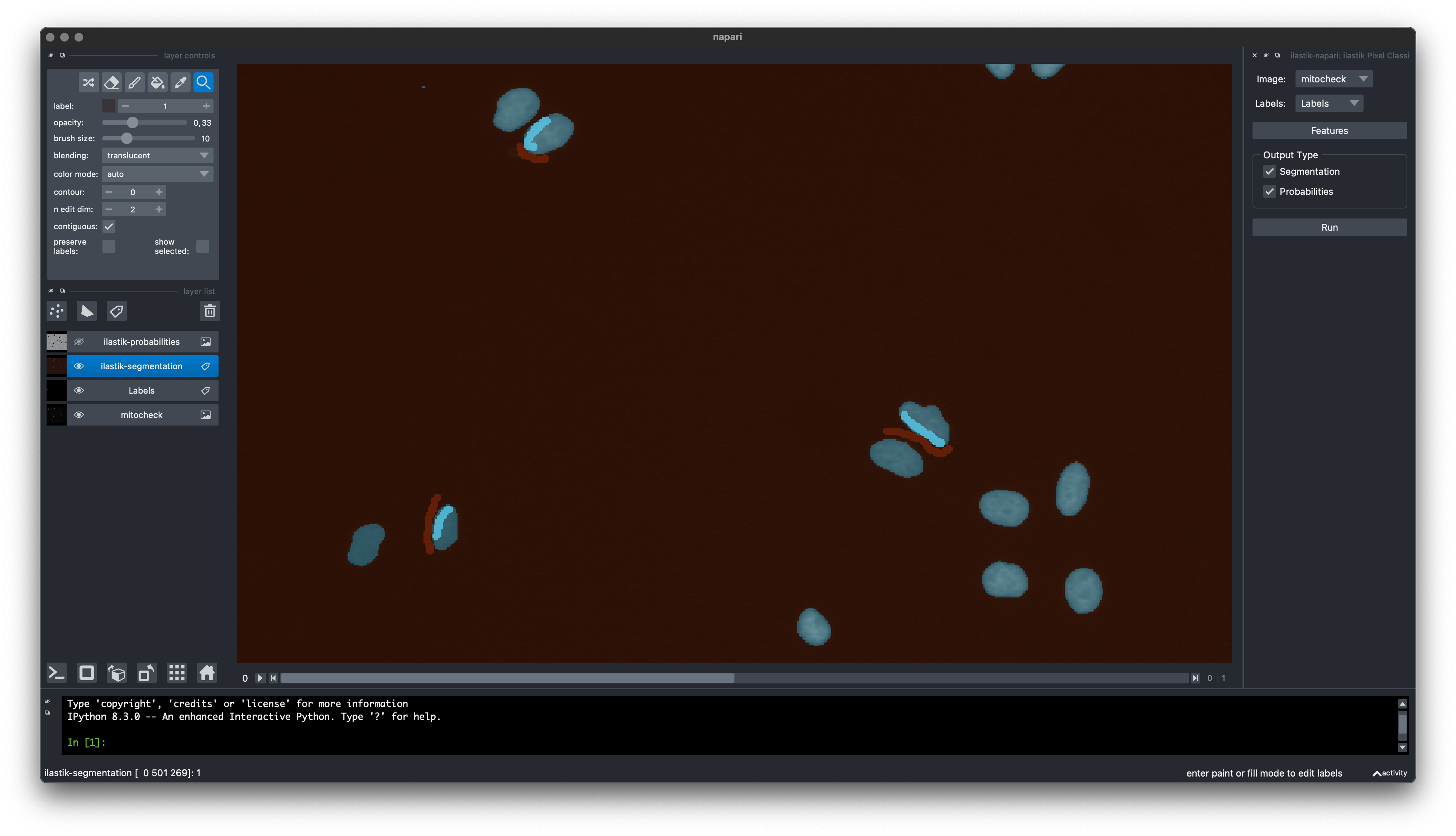
Napari plugin for interactive pixel classification. Designed to be similar to the pixel classification workflow in classic ilastik.
Installation
This plugin requires you to use a conda environment. The environment manager conda comes in a few different forms.
If you haven't used conda before, you can find more information in the conda user guide.
You can use whichever variant you prefer, as the resulting environment should be the same, but we recommend the mambaforge variant as it is usually the fastest.
When using mambaforge, the mamba command usually replaces the conda command one would otherwise use.
Once you have installed mambaforge, set up a conda environment with napari and the fastfilters package, and then use pip to install ilastik-napari:
conda create -y -c ilastik-forge -c conda-forge -n my-napari-env napari pyqt=5.51 fastfilters sparse qtpy scikit-learn
conda activate my-napari-env
pip install ilastik-napari
Finally, run napari:
napari
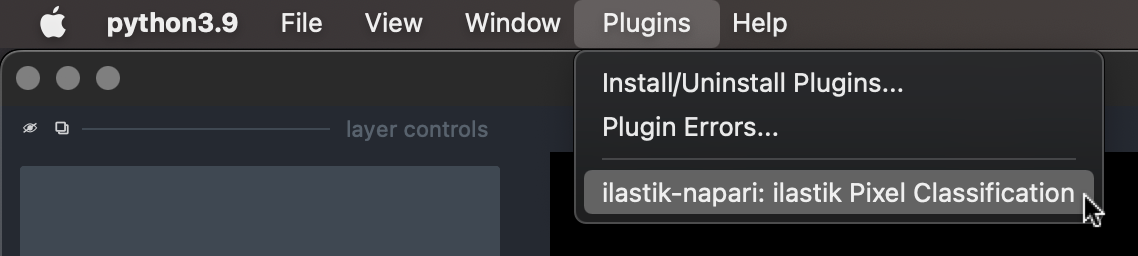
That's it! You should be able to find the ilastik-napari plugin in the Plugins menu.
If you prefer to install napari using pip instead of conda:
Make sure to install napari[all].
Unless you want to choose a PyQt implementation other than PyQt5, in which case you should leave out the [all] extra.
Usage
As a prerequisite, make sure you understand the napari basics.
-
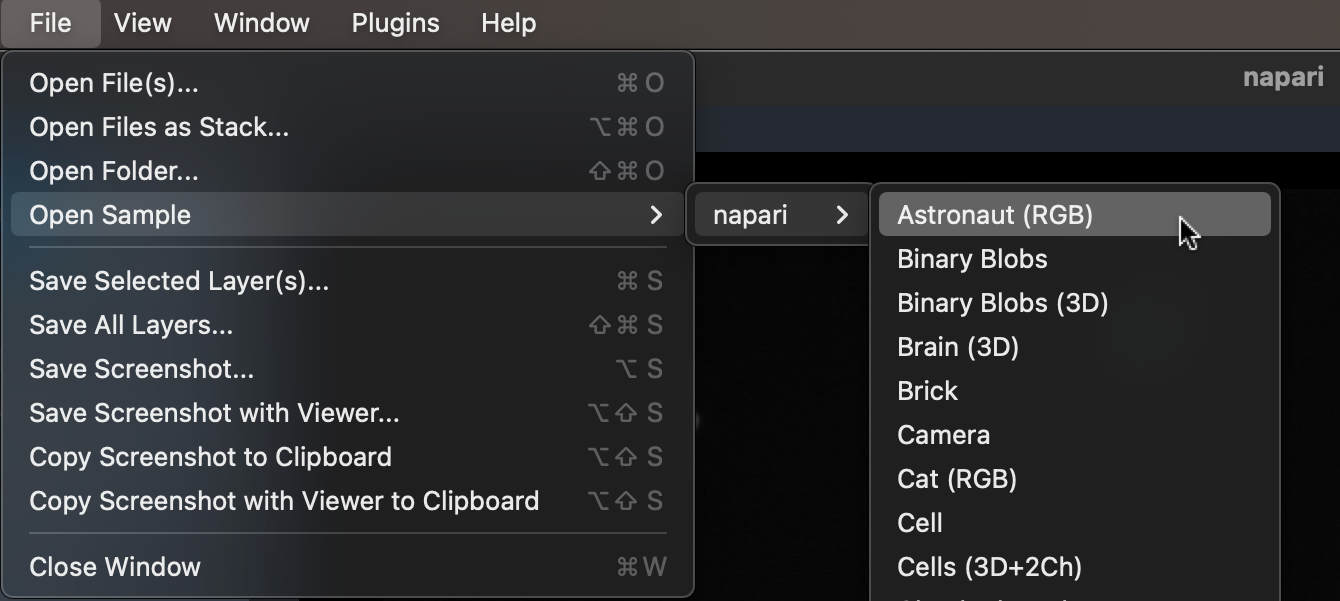
Open your image, or use a sample in File - Open Sample.
-
Activate the plugin in the Plugins menu.
-
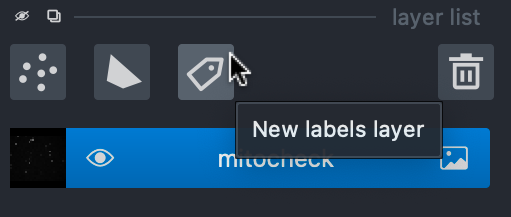
In layer list, create a new Labels layer.
-
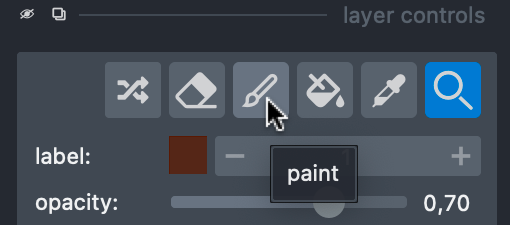
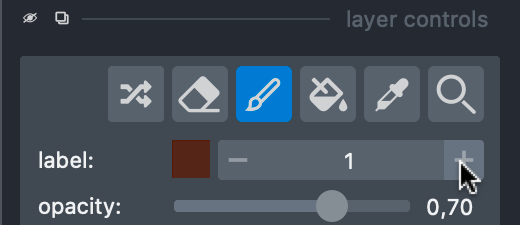
In layers control, switch to the paint action.
-
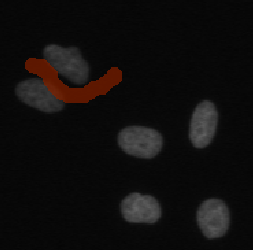
Draw your background labels.
-
Switch to a new label.
-
Draw your foreground labels.
-
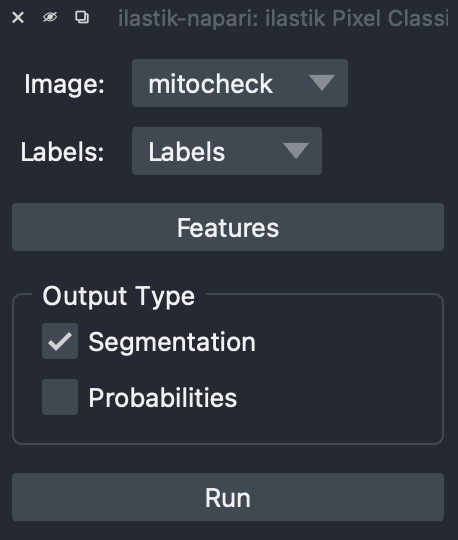
Select output types you need, and click Run.
-
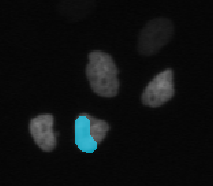
The plugin will create one layer for each output type, which you save as normal napari layers.
Development
Create a development environment:
conda create -y -n ilastik-napari-dev -c ilastik-forge fastfilters pyqt=5.51 fastfilters sparse qtpy scikit-learn setuptools-scm conda-build anaconda-client
conda activate napari-ilastik-dev
pip install -e .
Build conda package:
conda activate napari-ilastik-dev
conda build -c ilastik-forge conda-recipe
anaconda upload /path/to/the/new/package.tar.bz2
Build wheel and sdist packages:
conda activate napari-ilastik-dev
pip install build twine
python -m build
python -m twine upload --repository testpypi dist/*
Project details
Verified details
These details have been verified by PyPIProject links
GitHub Statistics
Maintainers


Download files
Download the file for your platform. If you're not sure which to choose, learn more about installing packages.
Source Distribution
Built Distribution
Filter files by name, interpreter, ABI, and platform.
If you're not sure about the file name format, learn more about wheel file names.
Copy a direct link to the current filters
File details
Details for the file ilastik_napari-0.3.1.tar.gz.
File metadata
- Download URL: ilastik_napari-0.3.1.tar.gz
- Upload date:
- Size: 12.1 kB
- Tags: Source
- Uploaded using Trusted Publishing? Yes
- Uploaded via: twine/6.1.0 CPython/3.12.9
File hashes
| Algorithm | Hash digest | |
|---|---|---|
| SHA256 |
cf11d27de341345a727db2faea404e1601e77baac17f06136769652fe310912c
|
|
| MD5 |
5a8fa8057a0f11d51c038e8de63be350
|
|
| BLAKE2b-256 |
c9cdaa718dbcc8f735c5a3714dca67a9d3dc57e490c6afcd35de560125a0ecfc
|
Provenance
The following attestation bundles were made for ilastik_napari-0.3.1.tar.gz:
Publisher:
build-upload.yaml on ilastik/ilastik-napari
-
Statement:
-
Statement type:
https://in-toto.io/Statement/v1 -
Predicate type:
https://docs.pypi.org/attestations/publish/v1 -
Subject name:
ilastik_napari-0.3.1.tar.gz -
Subject digest:
cf11d27de341345a727db2faea404e1601e77baac17f06136769652fe310912c - Sigstore transparency entry: 384308026
- Sigstore integration time:
-
Permalink:
ilastik/ilastik-napari@89d80519f7b3467bfddd7047f50963721ea83e33 -
Branch / Tag:
refs/tags/v0.3.1 - Owner: https://github.com/ilastik
-
Access:
public
-
Token Issuer:
https://token.actions.githubusercontent.com -
Runner Environment:
github-hosted -
Publication workflow:
build-upload.yaml@89d80519f7b3467bfddd7047f50963721ea83e33 -
Trigger Event:
push
-
Statement type:
File details
Details for the file ilastik_napari-0.3.1-py3-none-any.whl.
File metadata
- Download URL: ilastik_napari-0.3.1-py3-none-any.whl
- Upload date:
- Size: 10.1 kB
- Tags: Python 3
- Uploaded using Trusted Publishing? Yes
- Uploaded via: twine/6.1.0 CPython/3.12.9
File hashes
| Algorithm | Hash digest | |
|---|---|---|
| SHA256 |
ba45371dd571126427553fabc7e3327211137e3373de98f4e3d4436e210fa4e9
|
|
| MD5 |
7e61c4b00e7a9327140693d446e501a2
|
|
| BLAKE2b-256 |
dd05c106de14d1fa182e006e304ead9de9044f6477c58f3cd7ca6a65d769d6b2
|
Provenance
The following attestation bundles were made for ilastik_napari-0.3.1-py3-none-any.whl:
Publisher:
build-upload.yaml on ilastik/ilastik-napari
-
Statement:
-
Statement type:
https://in-toto.io/Statement/v1 -
Predicate type:
https://docs.pypi.org/attestations/publish/v1 -
Subject name:
ilastik_napari-0.3.1-py3-none-any.whl -
Subject digest:
ba45371dd571126427553fabc7e3327211137e3373de98f4e3d4436e210fa4e9 - Sigstore transparency entry: 384308077
- Sigstore integration time:
-
Permalink:
ilastik/ilastik-napari@89d80519f7b3467bfddd7047f50963721ea83e33 -
Branch / Tag:
refs/tags/v0.3.1 - Owner: https://github.com/ilastik
-
Access:
public
-
Token Issuer:
https://token.actions.githubusercontent.com -
Runner Environment:
github-hosted -
Publication workflow:
build-upload.yaml@89d80519f7b3467bfddd7047f50963721ea83e33 -
Trigger Event:
push
-
Statement type:






