
MkDocs Plugin to enable pan & zoom on images and mermaid diagrams
Verified details
These details have been verified by PyPIProject links
GitHub Statistics
Maintainers

Project description
Panzoom for MkDocs
This plugin makes use of the panzoom (LICENCE) library by Andrei Kashcha
Setup
pip install mkdocs-panzoom-plugin
Add it to your mkdocs.yml:
plugins:
  - search
  - panzoom
[!WARNING] As of version 0.4.0 (performance optimizations) the following lines are needed:
markdown_extensions:
 - pymdownx.superfences:
     custom_fences:
       - name: mermaid
         class: mermaid
         format: !!python/name:pymdownx.superfences.fence_code_format
Make sure to define the
site_urlotherwise it won't work!Example:
site_url: https://playg0n.github.io/mkdocs-panzoom/
Usage
Examples and usage are available in the docs.
Config
Selectors
Mermaid and D2 are included by default, but you can add any arbitrary selector or exclude the default ones.
To enable images add the img tag like below.
[!WARNING]
exclude_selectorsis only to disable the default selectors[".mermaid", ".d2"]. If you want to exclude an item check exclude items.
plugins:
  - panzoom:
      include_selectors:
        - .myClass # class in html
        - "#myId" # id in html
        - "img" # tag in html
      exclude_selectors:
        - ".mermaid"
        - ".d2"
Exclude items
To exclude a single item add the class pz-ignore.
Example for an image
Hint
This makes the hint on how to use it permanently visible.
plugins:
  - panzoom:
      always_show_hint: true # default false
This changes the location of the hint
plugins:
   - panzoom:
      hint_location: "top" # default bottom
Hide hint completely
plugins:
   - panzoom:
      hint_location: "disabled" # default bottom
Use different key
Options for activation key are:
- alt
- ctrl
- shift
- none
plugins:
  - panzoom:
      key: "ctrl" # default alt
Set Initial Zoom Level
This sets the initial zoom level for all diagrams and images.
plugins:
  - panzoom:
      initial_zoom_level: 1.5 # default 1.0
Exclude Pages
[!WARNING] No longer works because of move to markdown extension (
v0.4.0)
Enable Fullscreen
plugins:
  - panzoom:
      full_screen: True # default False
Automatic Zoom State Persistence
The plugin automatically saves the zoom level and pan position for each diagram to your browser's localStorage. This means:
- Persistent Settings: Your preferred zoom level and position for each diagram are remembered across page reloads
- Per-Diagram Memory: Each diagram on a page maintains its own zoom state independently
- Automatic Cleanup: Saved states older than 30 days are automatically cleared
- Reset Functionality: Using the reset button clears the saved state for that diagram and returns to the configured initial zoom level
This feature works automatically - no additional configuration is required. The zoom states are stored locally in your browser and are not shared between different browsers or devices.
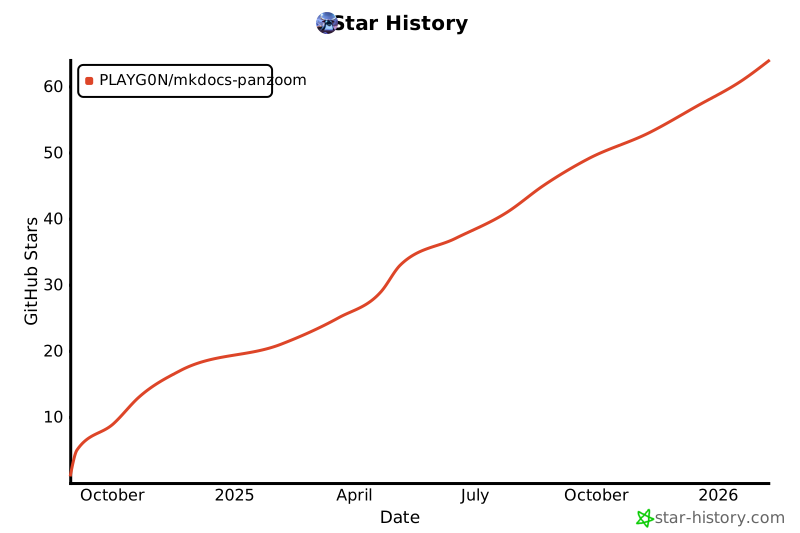
Star History
Credits
The structure and some parts are from the enumerate-headings-plugin (LICENCE)
Project details
Verified details
These details have been verified by PyPIProject links
GitHub Statistics
Maintainers
Release history Release notifications | RSS feed


Download files
Download the file for your platform. If you're not sure which to choose, learn more about installing packages.
Source Distribution
Built Distribution
Filter files by name, interpreter, ABI, and platform.
If you're not sure about the file name format, learn more about wheel file names.
Copy a direct link to the current filters
File details
Details for the file mkdocs_panzoom_plugin-0.5.2.tar.gz.
File metadata
- Download URL: mkdocs_panzoom_plugin-0.5.2.tar.gz
- Upload date:
- Size: 22.8 kB
- Tags: Source
- Uploaded using Trusted Publishing? Yes
- Uploaded via: twine/6.1.0 CPython/3.13.7
File hashes
| Algorithm | Hash digest | |
|---|---|---|
| SHA256 |
f546356f5241fe5d499600be02a28cfe7d039c6f731d43f50eb6370065be2d3c
|
|
| MD5 |
494ff906186de76a434df7fc617edafe
|
|
| BLAKE2b-256 |
51030b75bf29b609daa544e852c3efee93181702ca68e46394895f61bd86f572
|
Provenance
The following attestation bundles were made for mkdocs_panzoom_plugin-0.5.2.tar.gz:
Publisher:
publish-to-pypi.yml on PLAYG0N/mkdocs-panzoom
-
Statement:
-
Statement type:
https://in-toto.io/Statement/v1 -
Predicate type:
https://docs.pypi.org/attestations/publish/v1 -
Subject name:
mkdocs_panzoom_plugin-0.5.2.tar.gz -
Subject digest:
f546356f5241fe5d499600be02a28cfe7d039c6f731d43f50eb6370065be2d3c - Sigstore transparency entry: 775142664
- Sigstore integration time:
-
Permalink:
PLAYG0N/mkdocs-panzoom@78ca59837e3abcfd22aa5436c912709f99f18b7f -
Branch / Tag:
refs/tags/0.5.2 - Owner: https://github.com/PLAYG0N
-
Access:
public
-
Token Issuer:
https://token.actions.githubusercontent.com -
Runner Environment:
github-hosted -
Publication workflow:
publish-to-pypi.yml@78ca59837e3abcfd22aa5436c912709f99f18b7f -
Trigger Event:
push
-
Statement type:
File details
Details for the file mkdocs_panzoom_plugin-0.5.2-py3-none-any.whl.
File metadata
- Download URL: mkdocs_panzoom_plugin-0.5.2-py3-none-any.whl
- Upload date:
- Size: 23.0 kB
- Tags: Python 3
- Uploaded using Trusted Publishing? Yes
- Uploaded via: twine/6.1.0 CPython/3.13.7
File hashes
| Algorithm | Hash digest | |
|---|---|---|
| SHA256 |
58746d7f7b8aef8787543a75b7a5ddcd04b67cfd6af964f25bbd9bc822ced68a
|
|
| MD5 |
d485ed19aca74ea75f7a1472db1aaa54
|
|
| BLAKE2b-256 |
3d58370541865a451fc9e06f74d407f6d99581224455b5ffe5f55504a43ba6e4
|
Provenance
The following attestation bundles were made for mkdocs_panzoom_plugin-0.5.2-py3-none-any.whl:
Publisher:
publish-to-pypi.yml on PLAYG0N/mkdocs-panzoom
-
Statement:
-
Statement type:
https://in-toto.io/Statement/v1 -
Predicate type:
https://docs.pypi.org/attestations/publish/v1 -
Subject name:
mkdocs_panzoom_plugin-0.5.2-py3-none-any.whl -
Subject digest:
58746d7f7b8aef8787543a75b7a5ddcd04b67cfd6af964f25bbd9bc822ced68a - Sigstore transparency entry: 775142669
- Sigstore integration time:
-
Permalink:
PLAYG0N/mkdocs-panzoom@78ca59837e3abcfd22aa5436c912709f99f18b7f -
Branch / Tag:
refs/tags/0.5.2 - Owner: https://github.com/PLAYG0N
-
Access:
public
-
Token Issuer:
https://token.actions.githubusercontent.com -
Runner Environment:
github-hosted -
Publication workflow:
publish-to-pypi.yml@78ca59837e3abcfd22aa5436c912709f99f18b7f -
Trigger Event:
push
-
Statement type:






