
Panzoom for MkDocs
This plugin makes use of the panzoom (LICENCE) library by Andrei Kashcha
Setup
pip install mkdocs-panzoom-plugin
Add it to your mkdocs.yml:
plugins:
  - search
  - panzoom
Usage
Examples and usage are available in the docs.
Config
Selectors
Mermaid and D2 are included by default, but you can add any arbitrary selector or exclude the default ones.
To enable images add the img tag like below.
plugins:
  - panzoom:
      include_selectors:
        - .myClass # class in html
        - "#myId" # id in html
        - "img" # tag in html
      exclude_selectors:
        - ".mermaid"
        - ".d2"
Exclude items
To exclude a single item add the class pz-ignore.
Example for an image
Hint
This makes the hint on how to use it permanently visible.
plugins:
  - panzoom:
      always_show_hint: true # default false
This changes the location of the hint
plugins:
   - panzoom:
      hint_location: "top" # default bottom
Hide hint completely
plugins:
   - panzoom:
      hint_location: "disabled" # default bottom
Use different key
Options for activation key are:
- alt
- ctrl
- shift
- none
plugins:
  - panzoom:
      key: "ctrl" # default alt
Set Initial Zoom Level
This sets the initial zoom level for all diagrams and images.
plugins:
  - panzoom:
      initial_zoom_level: 1.5 # default 1.0
Exclude Pages
Enable Fullscreen
plugins:
  - panzoom:
      full_screen: True # default False
Automatic Zoom State Persistence
The plugin automatically saves the zoom level and pan position for each diagram to your browser's localStorage. This means:
- Persistent Settings: Your preferred zoom level and position for each diagram are remembered across page reloads
- Per-Diagram Memory: Each diagram on a page maintains its own zoom state independently
- Automatic Cleanup: Saved states older than 30 days are automatically cleared
- Reset Functionality: Using the reset button clears the saved state for that diagram and returns to the configured initial zoom level
This feature works automatically - no additional configuration is required. The zoom states are stored locally in your browser and are not shared between different browsers or devices.
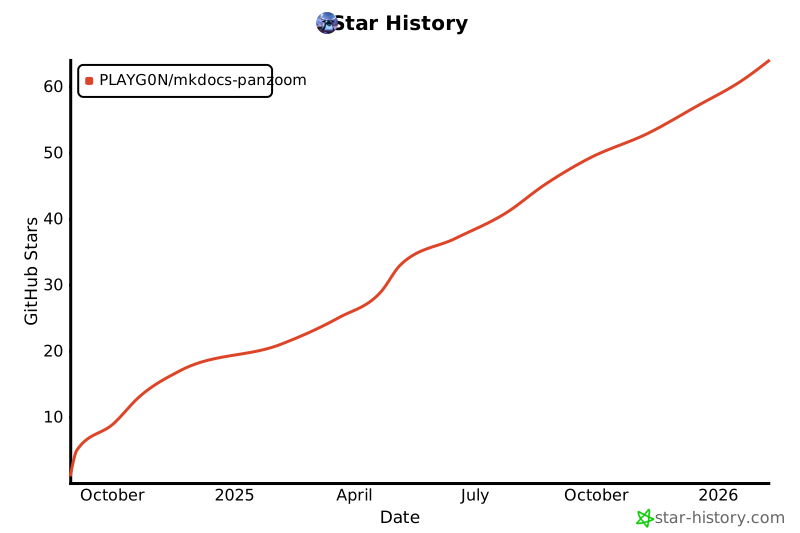
Star History
Credits
The structure and some parts are from the enumerate-headings-plugin (LICENCE)
1 maintainer

Metadata
1 maintainer
Release files for mkdocs-panzoom-plugin 0.5.2
For a detailed explanation of source distributions (sdists) and built distributions (wheels), please see the package formats documentation.
Source distribution (sdist)
| File | Size | Uploaded | |
|---|---|---|---|
| mkdocs_panzoom_plugin-0.5.2.tar.gz | 22.8 kB | Details |
Built distribution (wheel)
| File | Interpreter | ABI | Platform | Reset |
|---|---|---|---|---|
| mkdocs_panzoom_plugin-0.5.2-py3-none-any.whl | Python 3 | none | any | Details |
Total release size: 45.8 kB
Release files / mkdocs_panzoom_plugin-0.5.2.tar.gz
| Download URL | mkdocs_panzoom_plugin-0.5.2.tar.gz |
|---|---|
| Size | 22.8 kB |
| Tags | Source |
|
SHA-256 checksum How to use checksums |
f546356f5241fe5d499600be02a28cfe7d039c6f731d43f50eb6370065be2d3c
|
|
BLAKE2b-256 checksum How to use checksums |
51030b75bf29b609daa544e852c3efee93181702ca68e46394895f61bd86f572
|
| Upload date | |
|
Uploaded using Trusted Publishing? What is trusted publishing? |
Yes |
| Uploaded via |
twine/6.1.0 CPython/3.13.7
|
Provenance
Provenance describes where a file came from. On PyPI, provenance is shared via attestations, which provide a verifiable record of the build or publishing details. View details, limitations and caveats.


PyPI Publish Attestation
PyPI verified that this artifact, at this checksum, originated from the publisher listed below.
Signed by GitHub Actions, verified by PyPI on Dec 22, 2025.
Transparency logRelease files / mkdocs_panzoom_plugin-0.5.2-py3-none-any.whl
| Download URL | mkdocs_panzoom_plugin-0.5.2-py3-none-any.whl |
|---|---|
| Size | 23.0 kB |
| Tags | Python 3 |
|
SHA-256 checksum How to use checksums |
58746d7f7b8aef8787543a75b7a5ddcd04b67cfd6af964f25bbd9bc822ced68a
|
|
BLAKE2b-256 checksum How to use checksums |
3d58370541865a451fc9e06f74d407f6d99581224455b5ffe5f55504a43ba6e4
|
| Upload date | |
|
Uploaded using Trusted Publishing? What is trusted publishing? |
Yes |
| Uploaded via |
twine/6.1.0 CPython/3.13.7
|
Provenance
Provenance describes where a file came from. On PyPI, provenance is shared via attestations, which provide a verifiable record of the build or publishing details. View details, limitations and caveats.
PyPI Publish Attestation
PyPI verified that this artifact, at this checksum, originated from the publisher listed below.
Signed by GitHub Actions, verified by PyPI on Dec 22, 2025.
Transparency log













