
Chat with LLM in your terminal, be it shell generator, story teller, linux-terminal, etc.

Project description
ShellGPT



Chat with LLM in your terminal, be it shell generator, story teller, linux-terminal, etc.
Install
pip install -U shgpt
or if you prefer to use uvtool
uv tool install shgpt
This will install two commands: sg and shellgpt, which are identical.
After install, use sg --init to create required directories(mainly ~/.shellgpt).
Usage
ShellGPT has three modes to use:
- Direct mode,
sg [question]or pipeline likeecho question | sg. - REPL mode,
sg -r, chat with LLM. - TUI mode,
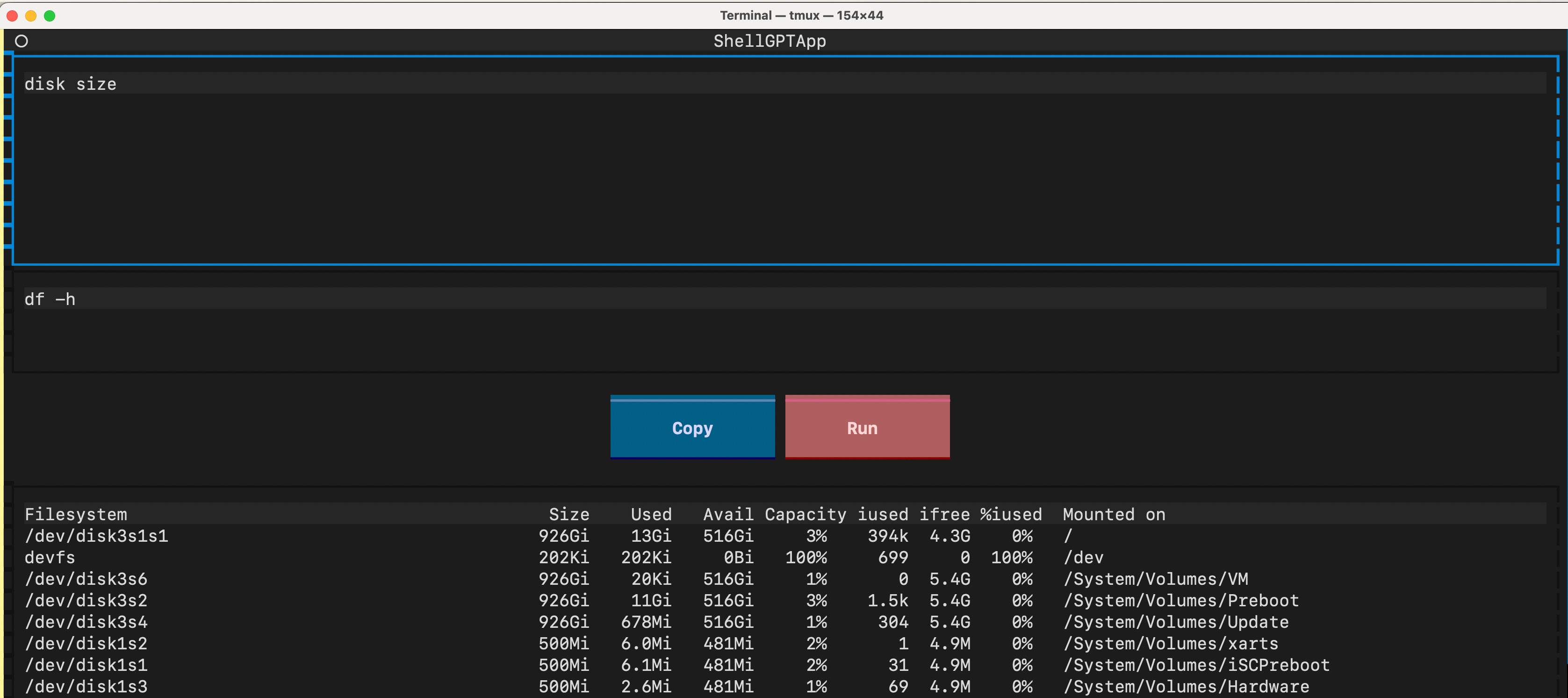
sg -t, tailored for infer shell command.
Model
By default, shellgpt uses Ollama as its language model backend, requiring installation prior to usage.
Alternatively, one can set up shellgpt to utilize OpenAI compatible API endpoints:
export SHELLGPT_API_URL=https://api.openai.com
export SHELLGPT_API_KEY=<token>
export SHELLGPT_MODEL='gpt-3.5-turbo'

# or Cloudflare Worker AI
export SHELLGPT_API_URL=https://api.cloudflare.com/client/v4/accounts/<account-id>/ai
export SHELLGPT_API_KEY=<token>
export SHELLGPT_MODEL='@cf/meta/llama-3-8b-instruct'

# or GitHub Models
# https://docs.github.com/en/github-models/quickstart
export SHELLGPT_API_URL=https://models.github.ai
export SHELLGPT_MODEL=openai/gpt-4.1
export SHELLGPT_API_KEY=$GITHUB_TOKEN
See conf.py for more configs.
TUI
There are 3 key bindings to use in TUI:
ctrl+j, Infer answerctrl+r, Run commandctrl+y, Yank command
System contents
There are some built-in system contents in shellgpt:
default, used for ask general questionstypo, used for correct article typos.slug, used for generate URL slug.code, used for ask programming questionsshell, used for infer shell commandcommit, used for generate git commit message, likegit diff --staged | sg -s commit
Users can define their own content in ~/.shellgpt/prompts.toml
- key being content name and
- value being content body
Or you can just copy prompts.toml to play with, it's generated from Awesome ChatGPT Prompts.
$ sg -s linux-terminal pwd
/home/user

$ sg -s javascript-console 0.1 + 0.2
0.3
Users can share their customized contents in discussions.
License
Release history Release notifications | RSS feed


Download files
Download the file for your platform. If you're not sure which to choose, learn more about installing packages.
Source Distribution
Built Distribution
Filter files by name, interpreter, ABI, and platform.
If you're not sure about the file name format, learn more about wheel file names.
Copy a direct link to the current filters
File details
Details for the file shgpt-0.6.3.tar.gz.
File metadata
- Download URL: shgpt-0.6.3.tar.gz
- Upload date:
- Size: 14.1 kB
- Tags: Source
- Uploaded using Trusted Publishing? No
- Uploaded via: uv/0.9.8
File hashes
| Algorithm | Hash digest | |
|---|---|---|
| SHA256 |
58f1ad25c97e9ed0e9f819b197313faa9910e8224d63510dfad566bd920e9989
|
|
| MD5 |
833ccdf0194b4594a26d2b5d6e79cf67
|
|
| BLAKE2b-256 |
06c07ab47fdb179f8961a2d3ae1531892095802ec629c253d0d945bc1346f220
|
File details
Details for the file shgpt-0.6.3-py3-none-any.whl.
File metadata
- Download URL: shgpt-0.6.3-py3-none-any.whl
- Upload date:
- Size: 13.6 kB
- Tags: Python 3
- Uploaded using Trusted Publishing? No
- Uploaded via: uv/0.9.8
File hashes
| Algorithm | Hash digest | |
|---|---|---|
| SHA256 |
c2f7968422d7aa75354c7b5dfae2f51d25dd82594066730232f0e00e0034f68d
|
|
| MD5 |
83145129c69d18b2d38a760a816d809a
|
|
| BLAKE2b-256 |
8006ebfa978c3435f5dfdeaf8ec130488276800b1eea6e3dc77299f78dc83090
|






