
自动Cython,使用Cython批量编译.py文件为.pyd文件!

Project description
AutoCython V2
中文 | English
自动 Cython:一键将 Python 文件批量编译为 PYD / SO 文件

✨ 特性
- 单文件/多文件批量编译
- 跨平台支持 (Windows/Linux/MacOS)
- 简洁命令行界面
📦 安装
pip install -U AutoCython-jianjun
⚙️ 依赖环境
C/C++ 编译器
- Windows: Visual Studio
- Linux: gcc & g++
重要提示:编译器架构必须与Python解释器一致(64位Python需64位编译器)
其他编译器配置请参考 Cython 项目
🚀 使用指南
命令行操作
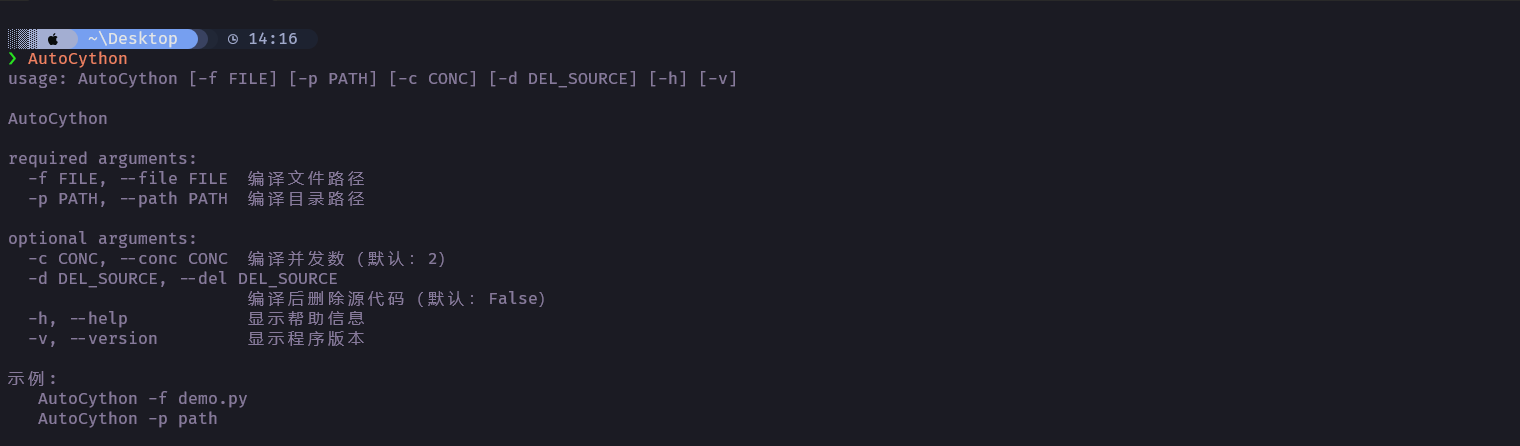
# 编译单个文件
AutoCython -f test.py

# 编译整个目录
AutoCython -p D:/python_code/ProjectPath

# 编译后删除源代码 (默认不删除)
AutoCython -d True -f test.py
AutoCython -d True -p D:/python_code/ProjectPath
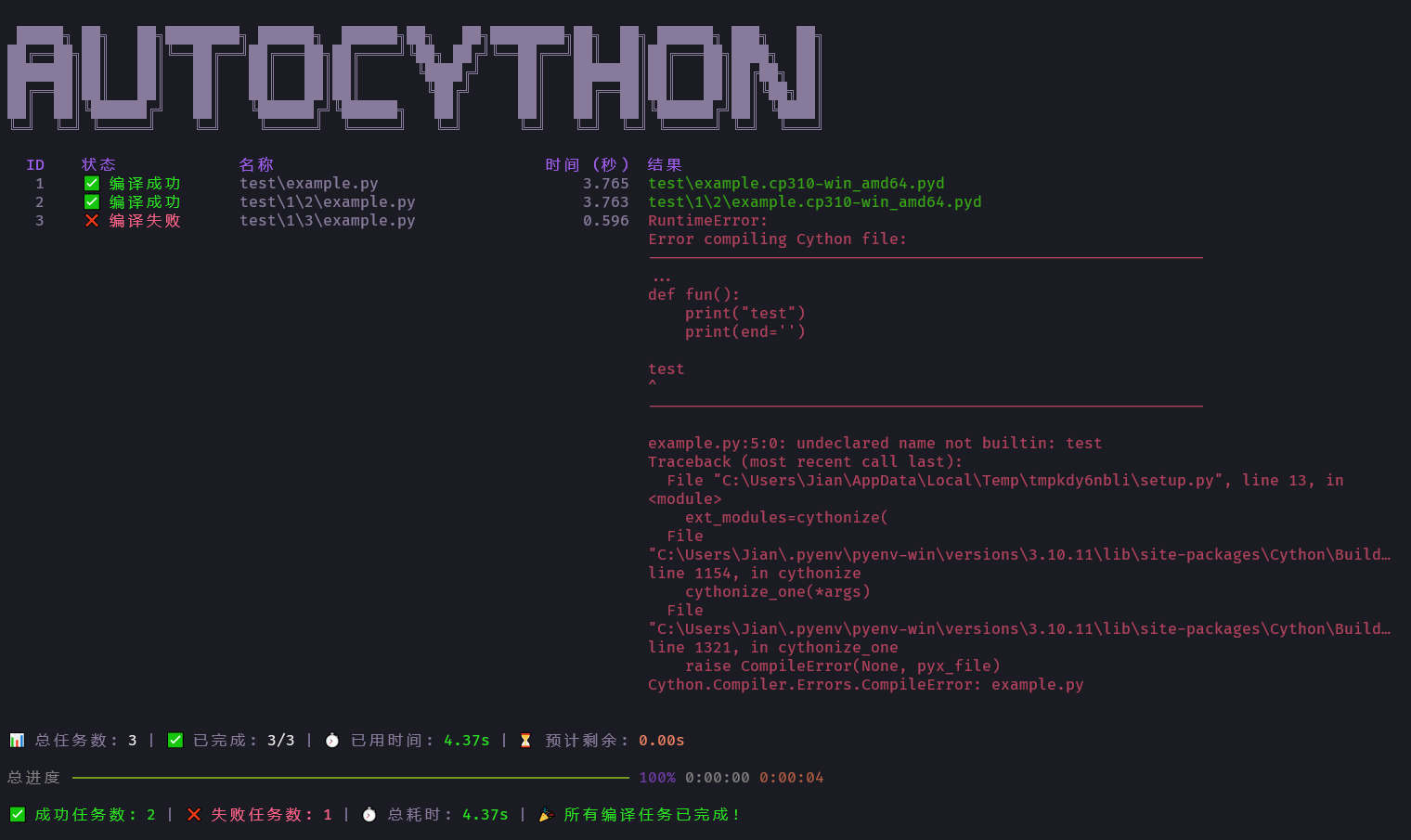
编译界面
手动排除文件不编译
在文件头部 前两行 添加声明:
# AutoCython No Compile
# 此文件将跳过编译处理
⚠️ 常见问题解决
一般是源代码中有 Cython 不支持的语句, 或者文件名不支持等. 可以查阅 Cython Wiki 项目 官方文档, 或者提 Issue.
📅 更新记录
V2 版本
- 20250623 release V2.1.0 禁用激进的性能优化选项. 显示系统信息.
- 20250609 release V2.0.0 重构了代码, 使用新的界面 (不安全版本)
V1 版本
- 20220613 更新对Linux的支持, Linux下需要配置gcc&g++
- 20221123 可以通过文件头手动指定不编译的文件
- 20230306 更新可以指定命令行头如
Python310以此支持非Widnows系统下编译 - 20230324 更新文档
- 20240506 修复编译失败时遗漏复原 __init__.py 的问题
Release history Release notifications | RSS feed


Download files
Download the file for your platform. If you're not sure which to choose, learn more about installing packages.
Source Distribution
autocython_zhang-2.2.0.tar.gz
(11.3 kB
view details)
Built Distribution
Filter files by name, interpreter, ABI, and platform.
If you're not sure about the file name format, learn more about wheel file names.
Copy a direct link to the current filters
File details
Details for the file autocython_zhang-2.2.0.tar.gz.
File metadata
- Download URL: autocython_zhang-2.2.0.tar.gz
- Upload date:
- Size: 11.3 kB
- Tags: Source
- Uploaded using Trusted Publishing? No
- Uploaded via: twine/6.2.0 CPython/3.10.18
File hashes
| Algorithm | Hash digest | |
|---|---|---|
| SHA256 |
f48d545e231566fcef924fef069b8300debe765e4383c27ce6e08f11e4c7bdb9
|
|
| MD5 |
f45b7930e2e253e7668c03fa705bafaf
|
|
| BLAKE2b-256 |
628e0c268808b71a534f4de7bcbbdc8ca80708ca51f3530a8cc5c3d85b500d6b
|
File details
Details for the file autocython_zhang-2.2.0-py3-none-any.whl.
File metadata
- Download URL: autocython_zhang-2.2.0-py3-none-any.whl
- Upload date:
- Size: 14.0 kB
- Tags: Python 3
- Uploaded using Trusted Publishing? No
- Uploaded via: twine/6.2.0 CPython/3.10.18
File hashes
| Algorithm | Hash digest | |
|---|---|---|
| SHA256 |
a5fa61961448f221c62b0e7ac35ec63983f996acde4445be2dffa8c34bdb13b9
|
|
| MD5 |
3d525110225f634495ccdd1310e35614
|
|
| BLAKE2b-256 |
e0e87ff5103c129e521f535623ac09496350a81fc49c6e5fca0ab33e9cbd3671
|






