
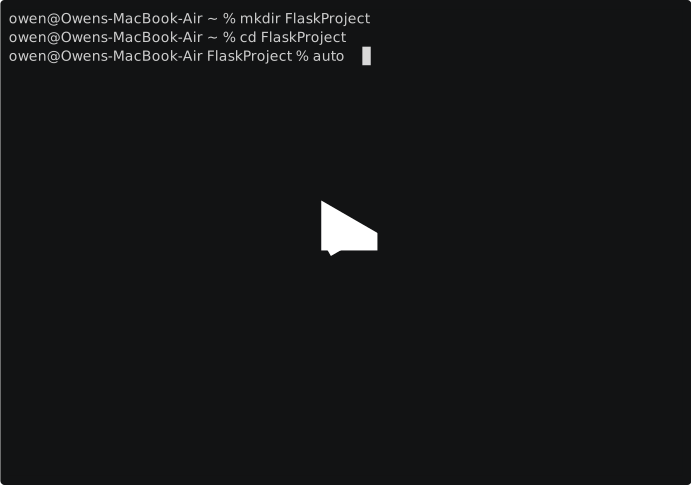
AutoFlask
AutoFlask is a command-line utility designed to streamline the creation of Flask applications by generating a basic project structure with essential configurations. This tool sets up a Flask project skeleton, allowing developers to jumpstart their Flask application development with best practices in mind.
Installation
To install AutoFlask, you can use pip:
pip install autofl
Ensure you have Flask installed in your environment or virtualenv where you plan to run AutoFlask.
Usage
To create a new Flask application structure, navigate to your project directory in the terminal and run:
autoflask init
This command generates the following project structure:
/project
    /static
    /templates
    config.py
    routes.py
    app.py
Generated Project Structure
static
This directory is intended for static files like CSS, JavaScript, and image files. Flask will serve files from this directory under the /static endpoint.
templates
The templates directory holds your Jinja2 templates. Flask will render these templates when serving pages, allowing for dynamic content generation.
config.py
A configuration file that initializes your Flask app with necessary settings. It includes a placeholder for the secret key and a sample function, create_app, to instantiate and configure your Flask application. This file also demonstrates registering a blueprint for your routes and handling a basic 404 error.
Example create_app function:
from flask import Flask

def create_app():
    app = Flask(__name__)
    app.config["SECRET_KEY"] = 'YOUR SECRET KEY'
    from routes import routes
    app.register_blueprint(routes, url_prefix="/")
    return app
routes.py
Defines your Flask routes using a Blueprint. It's a starting point for your application's endpoints.
Example route:
from flask import Blueprint

routes = Blueprint("routes", __name__)

@routes.route("/")
def index():
    return "<h1>Welcome To Your Flask Application!</h1>"
app.py
The entry point for running your Flask application. It imports the app from config.py and runs the server.
Example usage:
from config import create_app

app = create_app()

if __name__ == '__main__':
    app.run(port=5000, debug=True)
Contributing
Contributions to AutoFlask are welcome!
License
Acknowledgements
Thank you to the Flask community for providing the inspiration and foundation for building web applications with ease.
1 maintainer

Metadata
1 maintainer
Release files for AutoFL 1.3
For a detailed explanation of source distributions (sdists) and built distributions (wheels), please see the package formats documentation.
Source distribution (sdist)
| File | Size | Uploaded | |
|---|---|---|---|
| AutoFL-1.3.tar.gz | 3.9 kB | Details |
Built distribution (wheel)
| File | Interpreter | ABI | Platform | Reset |
|---|---|---|---|---|
| AutoFL-1.3-py3-none-any.whl | Python 3 | none | any | Details |
Total release size: 8.5 kB
Release files / AutoFL-1.3.tar.gz
| Download URL | AutoFL-1.3.tar.gz |
|---|---|
| Size | 3.9 kB |
| Tags | Source |
|
SHA-256 checksum How to use checksums |
2f625f490952b452bcf0d854047530f14adf54eb69b3e39a6ac3cd76f109d3a8
|
|
BLAKE2b-256 checksum How to use checksums |
0dc19dec4b25bedfba4c1ddd3b2ea4e34344603da6a6b8d79dd3b83946e3a110
|
| Upload date | |
|
Uploaded using Trusted Publishing? What is trusted publishing? |
No |
| Uploaded via |
twine/4.0.2 CPython/3.12.1
|
Release files / AutoFL-1.3-py3-none-any.whl
| Download URL | AutoFL-1.3-py3-none-any.whl |
|---|---|
| Size | 4.6 kB |
| Tags | Python 3 |
|
SHA-256 checksum How to use checksums |
5b752083d274d2012984e91daa1efa123e695a781a2034150e0069d620217935
|
|
BLAKE2b-256 checksum How to use checksums |
d0662685a0237064a4d397bf2edd5fb409e2f121a1860e2b9afaee26853f3d9d
|
| Upload date | |
|
Uploaded using Trusted Publishing? What is trusted publishing? |
No |
| Uploaded via |
twine/4.0.2 CPython/3.12.1
|














