
BODtoJSON v2.6.0
BODtoJSON is a safe, enterprise-grade Python data liquidity engine designed to transform complex Infor OAGIS (XML) Business Object Documents into modern, AI-ready flattened JSON, streaming NDJSON, and declarative target schemas.
BODtoJSON Library Documentation
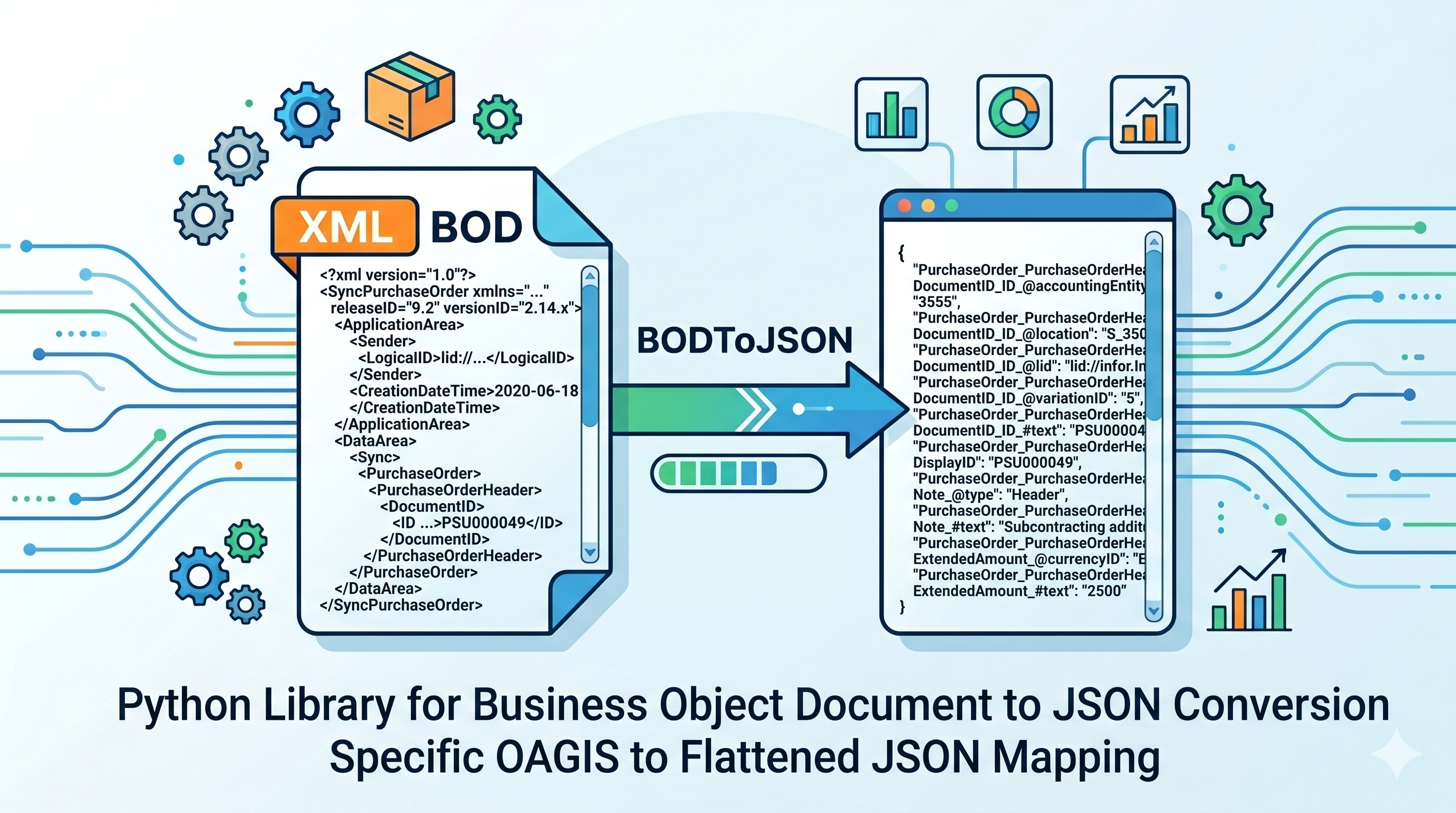
v2.6.0 adds one-call mapping to your own JSON shape: write the target JSON as a template, put BOD field paths where values go, and call bod_to_json(xml, rules=TEMPLATE). Lines, nested repeats, if/case conditions and merges need no helper code.
v2.5.0 added declarative transformation rules (if/else, case/switch, concat/merge, templates and more) that run on BOD elements and attributes before the JSON is produced, and a JSON → BOD reverse converter. The core still has zero runtime dependencies and stays safe for Infor ION Scripting: XML is parsed with a stdlib-only hardened loader, and rules are interpreted, never eval-ed.
⚡ Quick start: mapping to your own JSON in 3 lines
from BODtoJSON import bod_to_json
RULES = {...}                                    # the JSON you want, with BOD paths as values
output_var = bod_to_json(input_var, rules=RULES)  # one object per noun, as a JSON array
An Infor ION script mapping a SyncPurchaseOrder to a REST payload, with header fields, one item per order line, and nested coding lines:
from BODtoJSON import bod_to_json

RULES = {
    "externalSystemId": {"template": "{Sync_AccountingEntityID}_{PurchaseOrder_PurchaseOrderHeader_DisplayID}"},
    "isActive": True,
    "companyId": {"template": "company[{Sync_AccountingEntityID}]"},
    "amount": "PurchaseOrder_PurchaseOrderHeader_ExtendedAmount",
    "currencyCode": "PurchaseOrder_PurchaseOrderHeader_ExtendedAmount_@currencyID",
    "orderIdentifier": "PurchaseOrder_PurchaseOrderHeader_DisplayID",
    "registerDate": "PurchaseOrder_PurchaseOrderHeader_OrderDateTime",
    "supplier": "PurchaseOrder_PurchaseOrderHeader_SupplierParty_PartyIDs_ID",
    "externalSystemMetadata": [{}],
    "purchaseOrderLines": {
        "repeat": "PurchaseOrder_PurchaseOrderLine_*",
        "item": {
            "externalSystemId": {"template": "{Sync_AccountingEntityID}_{PurchaseOrder_PurchaseOrderHeader_DisplayID}_{PurchaseOrder_PurchaseOrderLine_*_LineNumber}"},
            "isActive": True,
            "amount": "PurchaseOrder_PurchaseOrderLine_*_ExtendedAmount",
            "lineNumber": "PurchaseOrder_PurchaseOrderLine_*_LineNumber",
            "quantity": "PurchaseOrder_PurchaseOrderLine_*_Quantity",
            "unit": "PurchaseOrder_PurchaseOrderLine_*_Quantity_@unitCode",
            "unitPrice": "PurchaseOrder_PurchaseOrderLine_*_UnitPrice_Amount",
            "codingLines": {"repeat": "CodingLine_*", "item": {}},
            "deliveryLines": [{"isActive": True, "externalSystemMetadata": [{}]}],
            "externalSystemMetadata": [{}],
        },
    },
    "purchaseOrderComments": [{}],
}

output_var = bod_to_json(input_var, rules=RULES)
Output for a three-line order (abridged):
[{"externalSystemId": "3555_PSU000051", "isActive": true, "companyId": "company[3555]",
  "amount": "1350.50", "currencyCode": "EUR", "orderIdentifier": "PSU000051",
  "registerDate": "2026-11-19T10:15:00Z", "supplier": "SUP0042", "externalSystemMetadata": [{}],
  "purchaseOrderLines": [
    {"externalSystemId": "3555_PSU000051_10", "isActive": true, "amount": "500", "lineNumber": "10",
     "quantity": "5", "unit": "EA", "unitPrice": "100", "codingLines": [{}, {}],
     "deliveryLines": [{"isActive": true, "externalSystemMetadata": [{}]}], "externalSystemMetadata": [{}]},
    {"externalSystemId": "3555_PSU000051_20", "...": "..."},
    {"externalSystemId": "3555_PSU000051_30", "...": "...", "codingLines": []}],
  "purchaseOrderComments": [{}]}]
Conditions and merges go straight into the template:
"status":  {"case": [{"when": {"eq": ["PurchaseOrder_PurchaseOrderHeader_Status_Code", "Open"]}, "then": "O"},
                     {"when": {"in": ["PurchaseOrder_PurchaseOrderHeader_Status_Code", ["Closed", "Done"]]}, "then": "C"}],
            "default": "?"},
"band":    {"if": {"gt": ["PurchaseOrder_PurchaseOrderHeader_ExtendedAmount", 1000]}, "then": "high", "else": "low"},
"label":   {"concat": ["PO-", "PurchaseOrder_PurchaseOrderHeader_DisplayID"]},
"total":   {"number": "PurchaseOrder_PurchaseOrderHeader_ExtendedAmount"},
bod_to_json(xml, rules)returns a JSON string, andbod_to_data(xml, rules)returns Python objects.single=Truereturns the first noun's object instead of a list.missing=""returns empty strings instead ofnullfor absent fields.- The verb (
Sync,Process, ...) is detected. Header fields (Sync_*,ApplicationArea_*) work everywhere, including inside lines. rulescan be a dict, JSON text, or a path to a JSON file.Mapper(rules)/Mapper.from_file(path)compiles a template once for reuse.- CLI:
bodtojson to-json order.xml --rules ion_template.json. - Full syntax: Output Template Reference. Files:
examples/ion_purchase_order_template.json,examples/ion_script.py.
🆕 What’s New in v2.6.0
bod_to_json/bod_to_data/Mapper: one call from a BOD to your nested JSON shape (output template). Supportsrepeat(with*bound to the current line, nested repeats relative to the line, andwherefilters),template,if,case(list or map form),concat,coalesce,upper/lower/trim,number,replace,substr,literalandpath/default.- Compact conditions:
{"eq": ["Path", "value"]}alongside the existing{"path", "op", "value"}form. - Auto-detection: 2.5 flat rules (
"$Path",mode/drop) still work, inbod_to_jsonand everywhere else. - Verb auto-detection: in
bod_to_json, into_records(xml, None), and in the CLI (--verbis now optional). - Clear errors: bad templates raise
BODTransformErrornaming the location, for exampleRule at '$.purchaseOrderLines.repeat': repeat pattern must end with '_*'. - CLI:
to-json --rules template.json [--single] [--missing-empty]. API:POST /map.
🆕 What’s New in v2.5.0
- Transformation Rules (
rules=): Pass a dict or JSON rules file toto_json,to_ndjson,to_recordsorproject. Supported:if/then/else(with else-if chains),case/when/default,concatwith separators,templatestrings such as"PO-{DisplayID}",coalesce,upper/lower/trim,replace,substrandnumber. Conditions supporteq,ne,gt,ge,lt,le,in,not_in,contains,starts_with,ends_with,exists,missing,empty,not_empty, combined withall/any/not. - Per-line rules for repeated elements: A
*path segment (PurchaseOrder_PurchaseOrderLine_*_Quantity) runs a rule once per repeated sibling. It also matches a single, unindexed line. - JSON → BOD (
json_to_bod): Rebuilds the BOD envelope (root<Verb><Noun>, Infor OAGIS namespace,ApplicationArea,DataArea/<Verb>, one noun per record) from flattened records, NDJSON, or nested JSON. The@attr,#textand repeated-index conventions match the forward converter, soto_records(include_header=True)→json_to_bod→to_recordsround-trips. Reverse rules map foreign JSON onto BOD paths. - CLI:
bodtojson to-json …andbodtojson to-bod …(alsopython -m BODtoJSON), with--rules. - API: new
POST /transformandPOST /convert/bodendpoints, plus optionalruleson/project.
🚀 Core Capabilities (since v2.4.0)
-
Zero-Dependency Safe Core: No third-party runtime dependencies. XML is parsed with a stdlib-only hardened loader (
xml.parsers.expat+xml.etree.ElementTree) that rejects DTD/entity declarations, XXE, billion-laughs and quadratic blowup, and enforces size and depth limits. -
Infor ION Scripting Helpers (
to_records&project): Eliminates boilerplate XML namespace parsing,json.loads()line-splitting loops, and manual boolean coercion in ION scripts. CapturesApplicationAreaandDataArea/<Verb>header metadata automatically (include_header=True) and maps records directly into target REST/API JSON schemas. -
Explicit Dual-Pipeline Architecture: Dedicated top-level API methods—
to_jsonandto_ndjson—improve interface predictability and self-documentation. -
Strict NDJSON Linearization: Features compact serialization via
separators=(',', ':')and forced line termination (\n). Multi-noun batch payloads insideDataAreaare automatically unpacked and emitted as individual, single-line text records. -
100% Backward Compatibility: The original
convert()function remains active at the package root, routing toto_json()while emitting a non-breakingDeprecationWarningscheduled for removal in v3.0.0. -
Enterprise REST API Tier (
api.py): Added an optional, high-performance FastAPI microservice layer featuring zero-overhead streaming using rawResponseclasses and/projectschema mapping.
📈 Architectural Comparison
| Feature | Legacy (v1.0.0) | Enterprise Engine (v2.6.0) |
|---|---|---|
| Core Dependencies | Relied on xmltodict |
None (Python stdlib only) |
| Memory & Speed | Double-pass XML $\rightarrow$ Dict $\rightarrow$ Flat Dict | Single-pass ElementTree traversal (~50% lower memory) |
| Data Formats | Standard Structured JSON string | Standard JSON, Strict NDJSON, Native Dicts & Projected Schemas |
| Infor ION Scripting | Manual XML + JSON loop boilerplate | Declarative project() with automatic header context |
| Ingestion Target | Application memory / NoSQL DBs | Data Lakehouses (Snowflake/Databricks), Vector DBs & ION APIs |
| System Delivery | Library imports only | Library + CLI + Optional FastAPI Microservice Tier ([api]) |
| Field Transformations | Custom Python per pipeline | Declarative, eval-free rules: if/else, case, concat, template |
| Nested Target JSON | Hand-written mapping engine | bod_to_json(xml, rules=TEMPLATE): one call |
| Direction | BOD → JSON only | BOD → JSON and JSON → BOD |
🛠️ Installation
Core Library (Zero Runtime Dependencies)
Ideal for Infor ION Scripting, data-engineering pipelines, ETL workers, and air-gapped environments. pip install BODtoJSON pulls no third-party packages (pip show BODtoJSON lists no Requires). ION hosts need the CPython stdlib modules xml.etree.ElementTree and xml.parsers.expat (ElementTree is expat-backed on CPython):
pip install BODtoJSON
With Enterprise REST API Tier
Includes fastapi and uvicorn for microservice deployment:
pip install "BODtoJSON[api]"
📂 Project Structure
BODtoJSON/
├── src/
│   └── BODtoJSON/
│       ├── __init__.py      # Package version (2.6.0) & API exports
│       ├── safe_xml.py      # Stdlib-only hardened XML parser
│       ├── mapper.py        # Dual-Pipeline & Projection Engine
│       ├── mapping.py       # bod_to_json / Mapper: output templates (no eval)
│       ├── transforms.py    # Declarative transformation rules (no eval)
│       ├── reverse.py       # JSON -> BOD XML builder
│       ├── cli.py           # `bodtojson` command line (argparse)
│       └── api.py           # Optional FastAPI Microservice Ingestion Layer
├── examples/
│   ├── ion_purchase_order_template.json  # Output template (headline ION example)
│   ├── ion_script.py                     # The 3-line ION script
│   ├── rules_purchase_order.json  # BOD -> JSON rules example
│   ├── rules_json_to_bod.json     # JSON -> BOD rules example
│   └── order.json                 # Sample foreign JSON order
├── tests/
│   ├── data/                # Raw OAGIS XML Test Datasets (.xml)
│   ├── config.py            # Test Data Configuration
│   ├── conftest.py          # Pytest Dataset Loader Fixtures
│   ├── test_mapper.py       # Core Engine Unit Tests, ION Projection & Regression Suite
│   ├── test_safe_xml.py     # Hardened parser tests
│   ├── test_mapping.py      # Output template / bod_to_json tests
│   ├── test_transforms.py   # Transformation rule tests
│   ├── test_reverse.py      # JSON -> BOD and round-trip tests
│   ├── test_cli.py          # CLI tests
│   └── test_api.py          # API Endpoint Verification
├── scripts/
│   └── inspect_payload.py   # Multi-Profile Business Validation Utility
├── pyproject.toml           # Build, Optional Extras & Pytest Configurations
└── README.md
🧪 Validation & Testing
1. Automated Testing (QA Suite)
Run the standardized pytest execution engine:
python -m pytest -v -p no:cacheprovider
2. Manual Payload Inspection (UAT Engine)
Verify transformation output profiles locally:
python scripts/inspect_payload.py
Toggle the mode parameter within inspect_payload.py between "ndjson", "json", "project", "transform", "bod", and "legacy" to inspect outputs in output_preview.json (or output_preview.xml for "bod").
💻 Code Examples
1. Infor ION Scripting: Declarative Schema Projection (project)
Eliminates manual XML namespace handling, json.loads() loops, and boolean boilerplate.
import json
from BODtoJSON import project

SCHEMA = {
    "externalSystemId": "company[{Sync_AccountingEntityID}];DIMENSION1;{ChartOfAccounts_BaseChartOfAccounts_GLNominalAccount}",
    "isActive": "true",
    "companyId": "company[3100]",
    "dimensionName": "DIMENSION1",
    "usableInPurchase": "true",
}

# Automatically merges DataArea/Sync header context with each flattened Noun record
items = project(input_var, verb="Sync", schema=SCHEMA, include_header=True)
output_var = json.dumps(items)
2. Native Python Records (to_records)
Extracts a Python list[dict] directly with optional ApplicationArea and Verb header context.
from BODtoJSON import to_records

records = to_records(xml_input, verb="Sync", include_header=True)
for rec in records:
    print(rec["Sync_AccountingEntityID"], rec["PurchaseOrder_PurchaseOrderHeader_DisplayID"])
3. Modern Pipeline: Newline Delimited JSON (to_ndjson)
Optimized for Data Lakehouses (Snowflake/Databricks) and Vector Database ingestion.
from BODtoJSON import to_ndjson

xml_input = """<SyncPurchaseOrder>...</SyncPurchaseOrder>"""

# Returns a dense, single-line string per record with zero internal spaces, terminated by \n
linearized_ndjson = to_ndjson(xml_input, verb="Sync")
4. Modern Pipeline: Standard Flattened JSON (to_json)
Optimized for application-level consumption and document-store indexing.
from BODtoJSON import to_json

xml_input = """<SyncPurchaseOrder>...</SyncPurchaseOrder>"""

# Returns a standard flat JSON string
flattened_json = to_json(xml_input, verb="Sync")
5. Legacy Pipeline: Backward-Compatible Conversion (convert)
Maintained for smooth migration of existing production pipelines.
from BODtoJSON import convert

xml_input = """<SyncPurchaseOrder>...</SyncPurchaseOrder>"""

# DEPRECATED: Scheduled for removal in v3.0.0.
# Internally routes to to_json() and emits a DeprecationWarning.
legacy_json = convert(xml_input, verb="Sync")
6. Transformation Rules: if/else, case, and merging fields (rules=)
Derive or rewrite fields from BOD elements and attributes before the JSON is produced. Rules are plain JSON, so they can live in a file or an ION script variable.
import json
from BODtoJSON import to_json, to_records

RULES = {
    "mode": "merge",                    # keep all flattened fields, add/override these
    "drop": ["ApplicationArea_*"],      # optional glob patterns to remove afterwards
    "rules": {
        # Merge: prefix + element value
        "orderRef": {"concat": ["PO-", "$PurchaseOrder_PurchaseOrderHeader_DocumentID_ID"]},
        # Merge two elements with a separator (empty values are skipped)
        "contactName": {"concat": ["$PurchaseOrder_PurchaseOrderHeader_Contact_FirstName",
                                   "$PurchaseOrder_PurchaseOrderHeader_Contact_LastName"],
                        "sep": " "},
        # Template with placeholders (header fields need include_header=True)
        "company": {"template": "company[{Sync_AccountingEntityID}]"},
        # case / switch on an attribute
        "currencyName": {
            "case": "$PurchaseOrder_PurchaseOrderHeader_ExtendedAmount_@currencyID",
            "when": {"EUR": "Euro", "USD": "US Dollar"},
            "default": "Other",
        },
        # if / else-if / else on another element's value
        "amountBand": {
            "if": [
                {"when": {"path": "PurchaseOrder_PurchaseOrderHeader_ExtendedAmount",
                          "op": "ge", "value": 10000}, "then": "high"},
                {"when": {"path": "PurchaseOrder_PurchaseOrderHeader_ExtendedAmount",
                          "op": "ge", "value": 1000}, "then": "medium"},
            ],
            "else": "low",
        },
        # Per repeated line: '*' binds to the line index
        "PurchaseOrder_PurchaseOrderLine_*_lineKey": {
            "concat": ["$PurchaseOrder_PurchaseOrderHeader_DisplayID",
                       "$PurchaseOrder_PurchaseOrderLine_*_LineNumber"],
            "sep": "-",
        },
    },
}

doc = json.loads(to_json(xml_input, verb="Sync", rules=RULES))
records = to_records(xml_input, verb="Sync", include_header=True, rules=RULES)
# Rules also work with to_ndjson(..., rules=...) and project(..., rules=...);
# project() can reference rule outputs in its schema.
See Transformation Rules reference below and examples/rules_purchase_order.json.
7. Reverse Conversion: JSON → BOD (json_to_bod)
Rebuild a BOD from the flattened output (round trip), from nested JSON, or from foreign JSON plus reverse rules.
from BODtoJSON import json_to_bod, to_records

# Round trip: flattened records (with header) back to XML
records = to_records(xml_input, verb="Sync", include_header=True)
xml_out = json_to_bod(records, verb="Sync", version_id="2.14.x")

# Nested JSON, keys relative to the noun; '@' = attribute, '#text' = element text, lists = repeats
xml_out = json_to_bod(
    {
        "PurchaseOrderHeader": {
            "DocumentID": {"ID": {"@variationID": "1", "#text": "PO-1001"}},
            "ExtendedAmount": {"@currencyID": "EUR", "#text": 2500},
        },
        "PurchaseOrderLine": [{"LineNumber": 10}, {"LineNumber": 20}],
    },
    verb="Sync",
    noun="PurchaseOrder",
    action_code="Replace",
    application_area={"Sender_LogicalID": "lid://infor.ln.ln01/3555"},
)

# Foreign JSON + reverse rules (rule targets are BOD paths; default mode is "only")
REVERSE = {
    "rules": {
        "PurchaseOrder_PurchaseOrderHeader_DocumentID_ID": {"template": "PO-{order_id}"},
        "PurchaseOrder_PurchaseOrderHeader_Status_Code": {
            "case": "$status", "when": {"O": "Open", "C": "Closed"}, "default": "Unknown"},
        "PurchaseOrder_PurchaseOrderLine_*_Item_ID": "$lines_*_sku",
        "PurchaseOrder_PurchaseOrderLine_*_Quantity_@unitCode": {"upper": "$lines_*_uom"},
        "PurchaseOrder_PurchaseOrderLine_*_Quantity_#text": "$lines_*_qty",
    }
}
xml_out = json_to_bod(order_json, verb="Sync", noun="PurchaseOrder", rules=REVERSE)
Output shape:
<?xml version="1.0" encoding="UTF-8"?>
<SyncPurchaseOrder xmlns="http://schema.infor.com/InforOAGIS/2" releaseID="9.2">
  <ApplicationArea>
    <CreationDateTime>2026-11-20T06:30:00Z</CreationDateTime>
  </ApplicationArea>
  <DataArea>
    <Sync>
      <ActionCriteria>
        <ActionExpression actionCode="Replace"/>
      </ActionCriteria>
    </Sync>
    <PurchaseOrder>...</PurchaseOrder>
  </DataArea>
</SyncPurchaseOrder>
Options: noun, rules, separator, namespace (None to omit), root, release_id, version_id, application_area, include_application_area, action_code, flat, pretty, xml_declaration, max_size, max_depth. BODConverter(...).from_json(...) uses the converter's separator and limits.
8. Command Line (bodtojson)
bodtojson to-json order.xml --rules examples/ion_purchase_order_template.json --single --indent 2
bodtojson to-json order.xml --verb Sync --rules examples/rules_purchase_order.json --format records --include-header --indent 2
bodtojson to-json order.xml --format ndjson -o order.ndjson
bodtojson to-bod order.json --verb Sync --noun PurchaseOrder --rules examples/rules_json_to_bod.json --action-code Replace -o order.xml
python -m BODtoJSON to-bod - < records.json > order.xml
9. Running the Enterprise API Tier
Launch the microservice locally:
uvicorn BODtoJSON.api:app --reload
Open http://127.0.0.1:8000/docs to test /convert/ndjson, /convert/json, /project, /map, /transform, and /convert/bod directly via Swagger UI.
| Endpoint | Body | Returns |
|---|---|---|
POST /map |
{"xml", "rules", "verb"?, "single", "include_header", "missing"} |
Your JSON shape (template or flat rules) |
POST /transform |
{"xml", "verb", "rules", "include_header"} |
JSON array of transformed records |
POST /project |
{"xml", "verb", "schema_map", "include_header", "rules"?} |
Projected items (rules run first) |
POST /convert/bod |
{"data", "verb", "noun"?, "rules"?, "action_code"?, "namespace"?, "release_id"?, "version_id"?, "root"?, "include_application_area", "pretty"} |
application/xml BOD |
🧭 Output Template Reference
Used by bod_to_json, bod_to_data, Mapper, POST /map and bodtojson to-json --rules. The template is the JSON you want back:
| In the template | Result |
|---|---|
"PurchaseOrder_..._DisplayID" |
Value of that field. _#text is tried automatically, and a leading $ or {…} around the path is optional. A missing field gives null, or missing= if set. |
"{A}_{B}" / {"template": "company[{A}]"} |
Placeholders filled with field values (missing gives ""). {"template": "TEXT"} without braces is constant text. |
true, 12, null, {}, [], [{}] |
Copied as is. |
{ ... } / [ ... ] |
Nested output, evaluated recursively. |
{"literal": x} |
x unchanged, never read as a path. |
{"path": "P", "default": d} |
Field with a default. |
{"repeat": "PurchaseOrder_PurchaseOrderLine_*", "item": {...}, "where": cond} |
One item per repeated element. A single unindexed element gives one item; none gives []. Inside item, * is the current row, and paths can be relative ("LineNumber"). A nested repeat ("CodingLine_*") is relative to the current row. Header fields work too. |
{"if": cond, "then": x, "else": y} / {"if": [{"when": c, "then": x}, ...], "else": y} |
Conditional / else-if chain. |
{"case": [{"when": cond, "then": x}, ...], "default": y} |
First matching branch. |
{"case": "Path", "when": {"A": x, "B": y}, "default": z, "ignore_case": false} |
Map a field's value. |
{"concat": ["PO-", "Path", ...], "sep": ""} / {"coalesce": ["A", "B"]} |
Merge (empty parts skipped) / first non-empty value. |
{"upper": x} {"lower": x} {"trim": x} {"number": x, "default": 0} {"replace": x, "old": "a", "new": "b"} {"substr": x, "start": 0, "end": 3} |
Helpers. |
Plain strings:
- In output fields, a plain string is always a path.
- In operator arguments and results (
then,else,default, case values,concat/coalesceitems), a plain string is a path when the field exists or the string looks like a path (it contains_,@,#or*). Otherwise it is text. So"then": "high"and["PO-", "Path"]do what you expect. - Use
{"literal": "..."}to force text.
Conditions: compact {"eq": ["Path", "value"]} or {"path": "Path", "op": "eq", "value": "value"}.
- Operators:
eq ne gt ge lt le(also== != > >= < <=),in not_in(list),contains not_contains starts_with ends_with,exists missing empty not_empty({"exists": "Path"}). - Combine with
{"all": [...]},{"any": [...]}and{"not": c}. A bare"Path"is true when the field is not empty. - The compared value is a literal. Write
"$Other_Path"to compare two fields. Numbers compare numerically.
Rules detection: a template is detected automatically. 2.5 flat rules ("$Path" values, or the {"rules": …, "mode": …} wrapper) keep their 2.5 behaviour. Force either with kind="template" or kind="flat".
🧩 Transformation Rules Reference
A rules config is either a plain object of output_field: expression, or:
{"mode": "merge", "drop": ["glob*"], "rules": {"field": "expression"}}
mode:"merge"(default for BOD → JSON) keeps every flattened field and adds or overrides the rule outputs."only"emits only the rule outputs (default forjson_to_bod).drop: glob patterns (*= any characters) removed after the rules run. Rule targets are never dropped.- Rules run in order. A later rule can read an earlier rule's output.
Values
| Expression | Meaning |
|---|---|
"$Path" |
Value of a flattened key. If Path is missing, Path_#text is tried, so $..._DocumentID_ID works when ID has attributes. |
"text", 42, true, null |
Literal. Use "$$x" for a literal starting with $. |
{"path": "Path", "default": "x"} |
Lookup with a default when missing or null. |
{"literal": [..]} |
Any JSON literal, including lists and objects. |
{"concat": ["$A", " ", "$B"], "sep": "", "skip_empty": true} |
Merge values and strings. Empty values are skipped by default. |
{"template": "PO-{A}/{B}"} |
Placeholders are paths. Missing values become "". Write {{ / }} for literal braces. |
{"if": cond, "then": e, "else": e} |
Conditional. |
{"if": [{"when": cond, "then": e}, ...], "else": e} |
Else-if chain. The first matching branch wins. |
{"case": e, "when": {"A": e, ...}, "default": e, "ignore_case": false} |
Switch on a value. |
{"case": e, "when": [{"match": ["A", "B"], "then": e}], "default": e} |
Several values mapped to one result. |
{"coalesce": [e, ...]} |
First non-empty value. |
{"upper": e} / {"lower": e} / {"trim": e} |
Text helpers. |
{"replace": e, "old": "a", "new": "b"} |
Text replace. |
{"substr": e, "start": 0, "end": 3} |
Python-style slice. |
{"number": e, "default": 0} |
Convert to int/float. |
Conditions
| Condition | Meaning |
|---|---|
{"path": "P", "op": "eq", "value": v} |
Compare a field. value is an expression, so "$Other" compares two fields. |
{"expr": e, "op": ..., "value": v} |
Compare any expression, for example a concat. |
op |
eq ne gt ge lt le (or == != > >= < <=), in not_in (list value), contains not_contains starts_with ends_with, exists missing empty not_empty. "ignore_case": true is optional. |
{"all": [..]} / {"any": [..]} / {"not": c} |
Combine conditions. |
"$P" |
True when the field is not empty. |
Comparisons are numeric when both sides are numbers ("2500" vs 1000) and text otherwise. eq with a numeric value compares numerically ("2" equals 2). Without op, a condition with value means eq and one without means not_empty.
Repeated elements: A * segment binds to the index of repeated siblings. PurchaseOrder_PurchaseOrderLine_*_Quantity matches ..._PurchaseOrderLine_0_Quantity, ..._PurchaseOrderLine_1_Quantity, and the single unindexed ..._PurchaseOrderLine_Quantity. When the target has *, the rule runs once per index found and writes to the matching target key. Two * segments bind positionally, for lines inside lines.
Safety: Rules are validated when they are compiled (unknown keys, bad operators, and a nesting limit of 64), and then interpreted. There is no eval, exec, attribute access, import, or regular expression from rule text. Invalid rules raise BODTransformError even when raise_on_error=False, because they are configuration errors.
🤝 Commercial Value
By normalizing complex ERP structures into safe, flat JSON, streaming NDJSON, and projected API payloads (and back to BOD XML when needed), BODtoJSON v2.6.0 stays at zero third-party runtime dependencies and reduces AI, Lakehouse, and Infor ION integration overhead by up to 90%.
Author: Niraj Kakodkar
License: MIT
🔒 Security (XML parsing)
The core library never calls xml.etree.ElementTree.fromstring. Input is scanned for DOCTYPE / ENTITY declarations (including UTF-16/32 and BOM encodings) and then parsed with xml.parsers.expat handlers that forbid DTDs, entity declarations, and external entity references. Parameter-entity parsing is disabled. A default 10 MiB size cap and a default depth cap of 256 apply; both are configurable on BODConverter.
This is stricter than a default defusedxml.ElementTree.fromstring call (used in 2.3.1 with forbid_dtd=False). Literal <!DOCTYPE or <!ENTITY tokens in comments or CDATA are also rejected. Infor OAGIS BODs do not need DTDs.
The optional API (pip install "BODtoJSON[api]") is unauthenticated and caps request bodies at 10 MiB (HTTP 413). Put it behind your own auth and a reverse-proxy size limit for production.
Known Limitations
- Flattening is lossy.
json_to_bodrebuilds an equivalent BOD, not a byte-identical one:- Namespace prefixes, attribute namespaces (for example
xsi:), comments, processing instructions, and the original root attributes (xsi:schemaLocation,versionID) are not kept. The root gets the default Infor OAGIS namespace plusreleaseID(andversionIDif you pass it). - Sibling order is grouped by element name. Interleaved siblings such as
<A/><B/><A/>come back as<A/><A/><B/>. Within a parent, element groups appear in the order their first key appears. - Whitespace-only text and tail text after child elements are not kept. Values are written as text, so
truebecomes"true"and2500becomes"2500". - Empty elements (
null) come back as<Tag/>. - Key names are split on the separator. Element names that contain the separator (for example
Line_Itemwith the default_) only round-trip from nested JSON input, or with a differentseparator. - Attribute names cannot contain
:.
- Namespace prefixes, attribute namespaces (for example
- Transformation rules work on flattened keys. Rules that need the header (
Sync_...,ApplicationArea_...) needinclude_header=True(to_records,to_ndjson,project).to_jsonnever includes the header. to_json()returns only the first noun underDataArea. Useto_records()orto_ndjson()to get all nouns.- The optional FastAPI extra is unauthenticated. Deploy it only on a trusted network or behind your own authentication/authorization.
- Mixed content (text + child elements) preserves the direct text as
_#textwhere present; tail text after children is not specially handled beyond ElementTree defaults. - Empty elements flatten to JSON
null. - Documents whose text, comments, or CDATA contain the literal tokens
<!DOCTYPEor<!ENTITYare rejected.
1 maintainer

Metadata
1 maintainer
Release files for BODtoJSON 2.6.0
For a detailed explanation of source distributions (sdists) and built distributions (wheels), please see the package formats documentation.
Source distribution (sdist)
| File | Size | Uploaded | Provenance | Actions |
|---|---|---|---|---|
| bodtojson-2.6.0.tar.gz | 105.1 kB | Without provenance | Details for bodtojson-2.6.0.tar.gz |
Built distribution (wheel)
| File | Interpreter | ABI | Platform | Actions Reset |
|---|---|---|---|---|
| bodtojson-2.6.0-py3-none-any.whl | Python 3 | none | any | Details for bodtojson-2.6.0-py3-none-any.whl |
Total release size: 153.8 kB
Release files / bodtojson-2.6.0.tar.gz
| Download URL | bodtojson-2.6.0.tar.gz |
|---|---|
| Size | 105.1 kB |
| Tags | Source |
|
SHA-256 checksum How to use checksums |
82a52b28cc9669007eff015060de67d26b252ed18935b5461338f8575f11d1ef
|
|
BLAKE2b-256 checksum How to use checksums |
45705f19d1a0b183b499f5e5e9adff6ce12d7ee2c6037fd90be283ac466c588c
|
| Upload date | |
|
Uploaded using Trusted Publishing? What is trusted publishing? |
No |
| Uploaded via |
twine/7.0.0 CPython/3.13.5
|
Release files / bodtojson-2.6.0-py3-none-any.whl
| Download URL | bodtojson-2.6.0-py3-none-any.whl |
|---|---|
| Size | 48.7 kB |
| Tags | Python 3 |
|
SHA-256 checksum How to use checksums |
db33a248e4fd74440db8453655ea51a22d44b77d5553df4d6e52e7a34dd34af9
|
|
BLAKE2b-256 checksum How to use checksums |
769c0ea7644d19e3fbcc8fe08cc26673060eebfcfb23c44c918f12d4d8bab3ef
|
| Upload date | |
|
Uploaded using Trusted Publishing? What is trusted publishing? |
No |
| Uploaded via |
twine/7.0.0 CPython/3.13.5
|
Security for BODtoJSON 2.6.0
Provenance
Provenance describes where a file came from. On PyPI, provenance is shared via attestations, which provide a verifiable record of the build or publishing details. View details, limitations and caveats.
No provenance found
None of the files in this release were uploaded with provenance metadata.
A note on package security
PyPI is a repository for distributing packages, not a service for auditing them. While third-party security researchers and our staff do their best to detect and remove malicious packages, PyPI cannot guarantee the quality, security or suitability of any given package.
To learn more about protecting yourself from malicious actors, visit our package security documentation.














